
Cougar Vortex RGB FCB 120 Manual
PDF manual · 2 Pages
English



Quick check
Incorrect answer, please try again.
Chat with your Cougar Vortex RGB FCB 120 manual using AI
Get instant AI answers from your Cougar Vortex RGB FCB 120 manual
Ask anything about the Cougar Vortex RGB FCB 120. Answers come from this manual, with the pages they are based on.
Ask a Question
Do you recommend Vortex RGB FCB 120?
Yes NoFrequently Asked Questions
The CORE BOX C controller supports fourteen preset lighting effects. These include various color combinations like red, orange, blue, white, and pink. Additional dynamic modes include Flow, Swift, and Breathing effects. You can switch between these modes using the included lighting switch cable or by connecting to your case reset button for manual cycling.
Is this answer helpful?
No, you must only connect the CORE BOX C to a 5V addressable header. Connecting it to a 12V non-addressable header is not supported and could cause damage. Please ensure your motherboard is compatible with 5V RGB headers before installation to avoid electrical issues or hardware failure.
Is this answer helpful?
The warranty period is one year for the COUGAR VORTEX RGB FCB120 Cooling Kit. This warranty covers defects in material or manufacture. You must provide an invoice or warranty card with a store stamp to validate the claim. Without proof, the original shipping date based on the serial number will be used to determine coverage start.
Is this answer helpful?
To switch modes, press and hold the switch on the CORE BOX C for three seconds. This toggles between the Core Box C RGB Control mode and the Motherboard Driver RGB Control mode. You can also use the case reset button if connected via the switch cable. This gives you flexibility to manage lights manually or via software.
Is this answer helpful?
The fans produce an acoustical noise level of approximately twenty four point three dBA. This is considered quiet for high performance cooling solutions. The hydraulic bearing helps minimize vibration and sound. This ensures the fans do not disrupt your gaming or work experience while maintaining good airflow for your components.
Is this answer helpful?
Yes, the CORE BOX C hub supports up to eight fans in total. Since this kit starts with three fans, you can add more VORTEX fans later. The hub also supports up to four LED strips for additional lighting customization. Always check power supply capacity as adding more fans will increase electrical consumption on the 5V rail.
Is this answer helpful?
Advantages and Disadvantages
Advantages

- Tri-directional 18 LED lights per fan provide 180 degree viewing angle for maximum visibility
- Included CORE BOX C hub supports up to 8 fans and 14 preset lighting effects without software
- Supports 5V addressable motherboard headers for seamless system wide synchronization and color control
- Hydraulic bearing technology ensures long term durability and low noise operation
- Patented fan design optimizes airflow efficiency for better thermal performance in PC builds
Disadvantages

- Full installation consumes 40W on 5V rail requiring sufficient power supply capacity planning
- Only supports 5V addressable headers, 12V non-addressable connections are not supported and may damage system
- Warranty requires original invoice or product warranty card with store stamp for validation of coverage
- Limited to specific motherboard brands like ASUS and MSI for direct header synchronization features
- Power connector is included but cable length may limit placement options in larger chassis setups
Product Specification
Fan Connector
6-Pin proprietary
Dimensions
4.72x4.72x0.98 in (WxHxD)
Fan Speed
1200 RPM
Airflow
36.7 CFM
Air Pressure
0.03 in H2O
Noise Level
24.3 dB(A)
Fan Bearing
Hydrodynamic Sleeve Bearing
Voltage Range
12 V
LED Lighting
RGB (18 LEDs)
Color
Black (Frame), Black (Blade)
LED Controller/Adapter
Sync Connection via 3-Pin ARGB (+5V/DATA/GND), Fan/LED Connectors: 8x 6-Pin proprietary + 2x 3-Pin ARGB (+5V/DATA/GND), External Control: 2-Pin Connector for Case (Reset Button), Power Supply: 15-Pin SATA
Features
Vibration Dampeners
Note
Fans operate via LED Controller (LED Control) using proprietary 6-Pin Connector
Product Description
Upgrading Your PC with the Cougar Vortex RGB FCB 120 Three Pack
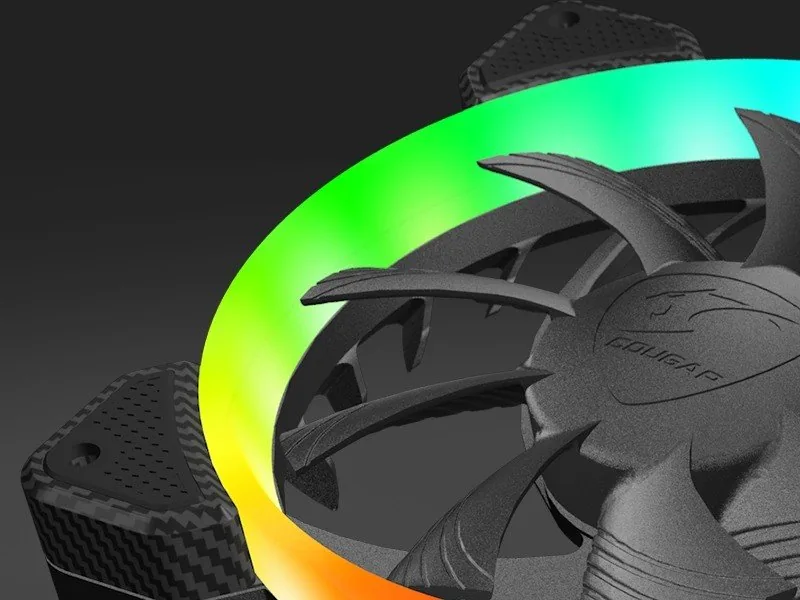
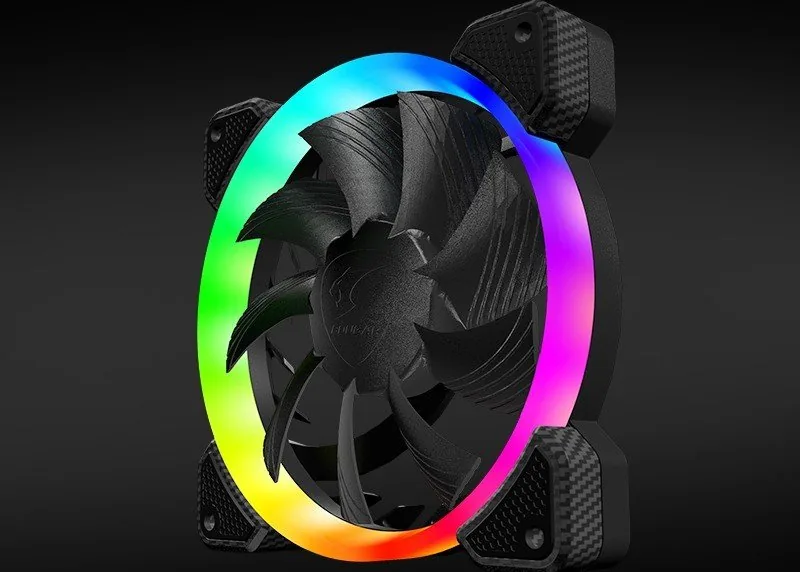
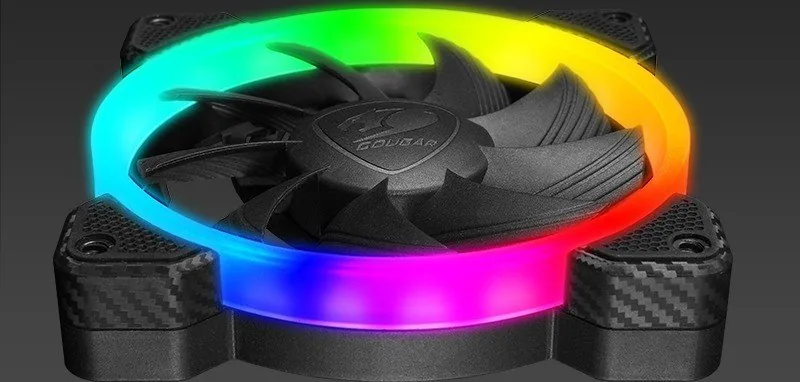
PC enthusiasts seek ways to improve setups. This product offers a balance of thermals and lights. It fits standard cases easily. Building a high performance computer requires attention to cooling and aesthetics. The Cougar Vortex RGB FCB 120 three pack cooling kit is designed for real gamers who want both. This package includes three 120mm fans that provide excellent airflow while lighting up your case. Each fan features eighteen RGB LEDs per unit. They are arranged to provide tri-directional lighting. This means light projects in, front, and out. Most fans only shine forward. This design increases the viewing angle significantly.
Control and Customization
The kit comes with the CORE BOX C controller. This hub simplifies managing multiple fans. It supports connections for up to eight fans total. You can also connect four RGB LED strips. There is a choice of control method. You can use the included lighting switch cable. Alternatively press your cases reset button to cycle modes. The switch changes between fourteen preset lighting effects. A breathing effect is also available. You can also sync with compatible motherboards. Use the five volt addressable header. This works with ASUS, MSI, or Gigabyte boards. Note that only 5V addressable headers work. 12V non-addressable headers are not supported.
Performance and Specifications
The fans use hydraulic bearing technology. The speed runs at one thousand two hundred RPM. Airflow reaches about thirty six CFM. Noise levels stay around twenty four point three dBA. Power consumption per fan is small but the full set draws power. A fully installed setup with eight fans and strips consumes forty watts on five volts. Ensure your power supply can handle this load. Installation is direct to motherboard headers. The package includes screws.
Warranty and Support
Cougar provides support for their products. The warranty period is one year for this kit. Defects in material or manufacture are covered. You need the invoice or warranty card. The serial number indicates the manufacturing date. The warranty card must have a store stamp. If you lose it, the shipping date applies. Warranty does not cover physical damage or water. Improper installation voids coverage. Contact customer support through their website for questions. Contact details are listed in the manual.
Search for 67,706 Manuals online


Type-in Brand or Model