
Cougar VM410 Manual
PDF manual · 2 Pages
English



Quick check
Incorrect answer, please try again.
Chat with your Cougar VM410 manual using AI
Get instant AI answers from your Cougar VM410 manual
Ask anything about the Cougar VM410. Answers come from this manual, with the pages they are based on.
Ask a Question
Do you recommend VM410?
Yes NoVideo Manual
⏭️ NO COMPRES estos AURICULARES Headset Gaming ⏮️ #auricularesbluetooth #auriculares #infocomputer
Frequently Asked Questions
The VM410 supports single 4-pole 3.5 mm jack devices (mobile, some consoles) and dual 3-pole jack devices (PCs with separate audio and mic jacks) when using the included 4-pole-to-3-pole adapter or audio/mic splitter.
Is this answer helpful?
Yes. The VM410 includes a detachable 9.7 mm noise-cancelling condenser microphone with an anti-pop cover to reduce plosives and background noise, and it can be adjusted or removed for storage or transport.
Is this answer helpful?
Volume and microphone mute are handled via the detachable on-cable control unit. Use the volume dial for audio level adjustments and the integrated switch to mute or unmute the microphone quickly.
Is this answer helpful?
Key specs: 53 mm graphene drivers, sensitivity ~113 dB ±3 dB, impedance 32 Ω ±15%, max input 100 mW, frequency response 20 Hz–20 kHz. Microphone sensitivity is around -113 dB ±3% with <2.2 kΩ impedance.
Is this answer helpful?
Ear pads are interchangeable: align the ear pad pins with the headset holes, press until you hear a click, and ensure position 'UP' is oriented toward the headset. Reverse the steps to detach them gently.
Is this answer helpful?
Cougar provides a one-year global warranty covering defects in materials and workmanship. Warranty exclusions include accidental damage, misuse, unauthorized repairs, consumables, and lack of proof of purchase.
Is this answer helpful?
Avoid stretching the headband beyond its physical limits when placing it on your head, keep the headset away from high humidity or extreme temperatures, and store detachable parts safely to prevent wear or loss.
Is this answer helpful?
Advantages and Disadvantages
Advantages

- Ultra-light 270 g suspended leatherlike headband for extended comfort.
- 53 mm graphene diaphragm drivers deliver pro-level audio clarity and depth.
- Detachable 9.7 mm noise-cancelling microphone with anti-pop cover for clear voice capture.
- Included 4-pole to 3-pole adapter and audio/mic splitter enhance cross-platform compatibility.
- Detachable cord with volume control and mute switch for convenient on-cable adjustments.
Disadvantages

- Single-year warranty may be short for heavy users compared with some competitors.
- Memory foam ear pads and leatherlike materials may wear faster with heavy use.
- Requires adapter for devices with separate audio and mic jacks, adding cable bulk.
- Detachable components increase risk of loss or misplacement if not stored carefully.
- Not intended for medical, military, or life-support use per manufacturer disclaimers.
Product Specification
Design
Headphones (Over-Ear)
Form factor
Headband
Acoustic design
closed
Microphone
Boom microphone (detachable)
Connection
0.14 in jack, 2x 0.14 in jack
Wireless
no
Controls
Volume control, Mute button
Frequency range
20Hz-20kHz (Headphones), 100Hz-10kHz (Microphone)
Impedance
32Ω
Sensitivity
113dB
Driver
2.09 in
Weight
0.57 lb
Product Description
Cougar VM410 Manual — Cougar VM410 Gaming Headset
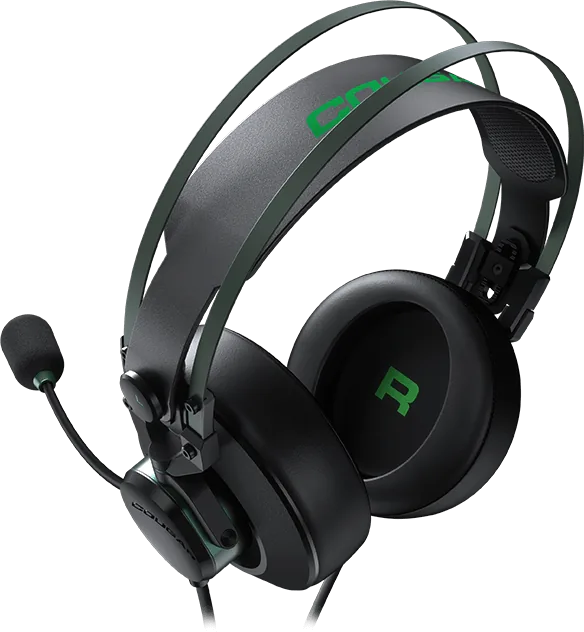
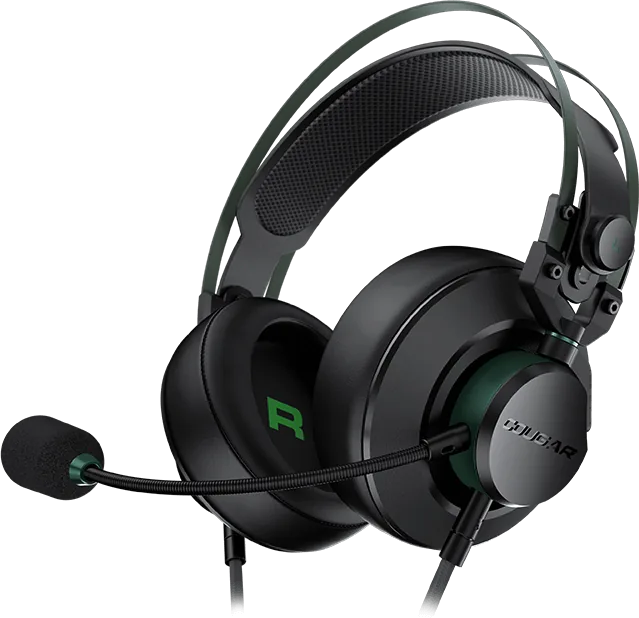
The Cougar VM410 is a lightweight, gamer-focused headset designed for comfort and clear communication during long sessions. Weighing just 270 g and featuring a suspended leatherlike headband, it balances secure fit with minimal pressure. Its 53 mm graphene diaphragm drivers aim to deliver pro-level audio with an emphasis on clear mids and powerful lows, while an integrated chamber and frequency enhancement design refines the overall soundstage for immersive gameplay.
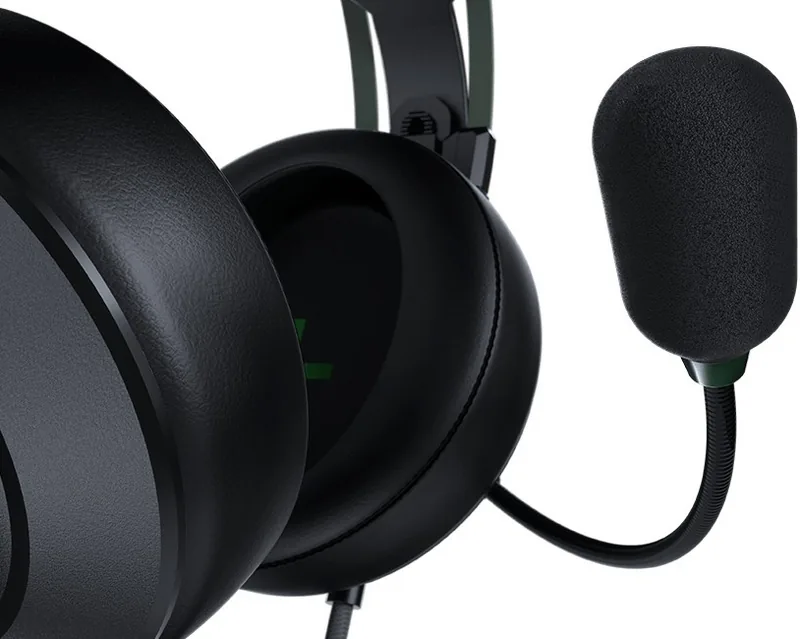
Audio clarity and vocal pickup are priorities: the detachable 9.7 mm noise-cancelling microphone offers strong suppression of background noise and a durable condenser element for reliable voice transmission. The microphone ships with a detachable anti-pop cover and can be installed or adjusted easily for optimal placement. For multi-platform compatibility, the VM410 includes a 4-pole 3.5 mm jack and a 4-pole-to-3-pole adapter plus an audio & mic splitter, enabling connection to PCs, consoles, and mobile devices with separate audio and mic jacks.
Practical controls are built into the detachable cord and volume/microphone control unit, providing on-cable volume adjustment and a microphone mute switch for quick, tactile access. Earpads are interchangeable and made from memory foam to reduce pressure on the ears; connectors are coded (left with 3 black rings, right with 2) for correct placement. The headset’s 150 mm PC adapter cable and detachable cord simplify storage and transport.
The VM410 emphasizes durability and user care: instructions cover proper headband stretching limits, ear pad detachment/assembly, microphone mounting, and matching connector pins. Technical specs list 32 Ω impedance, 113 dB ±3 dB sensitivity, 100 mW max input for the drivers, and a microphone sensitivity of -113 dB ±3% with <2.2 kΩ impedance; frequency responses span 20 Hz–20 kHz. The package typically contains the VM410 headset, detachable microphone with pop filter, detachable cord with control unit, audio/mic splitter, interchangeable ear pads, and adapter.
Cougar provides a one-year global warranty for the VM410, with standard exclusions for physical damage, improper use, unauthorized repairs, and consumables. Service and warranty contact information is available through Cougar’s support channels.
Notes
- Always use safe volume levels to prevent hearing damage.
- Ensure correct connector orientation (left/right ring markings) when assembling.
- Keep warranty card and purchase proof to claim warranty service.
- Use included adapter for multi-device compatibility.
Search for 67,706 Manuals online


Type-in Brand or Model