
Cougar Royal 150 Pro Manual
PDF manual · 2 Pages
English



Quick check
Incorrect answer, please try again.
Chat with your Cougar Royal 150 Pro manual using AI
Get instant AI answers from your Cougar Royal 150 Pro manual
Ask anything about the Cougar Royal 150 Pro. Answers come from this manual, with the pages they are based on.
Royal 150 Pro Maintenance Schedule
Check all parts monthly to confirm integrity and ensure that the screws are not loose.
Apply silicon based lubricant if the desk is unusually noisy when one stage extends into the other.
Free maintenance reminders
Timed to your purchase date. Always free, unsubscribe anytime.
Ask a Question
Do you recommend Royal 150 Pro?
Yes NoFrequently Asked Questions
The desk height is adjustable with a travel speed of 1.57 inches per second. The range is 27 to 47 inches without the desktop and 28 to 48 inches with the desktop included in the final dimensions.
Is this answer helpful?
If the desk stops moving, check connections and reinitialize. Press and hold both UP and DOWN arrow buttons until the display shows the starting height. For memory controllers, look for 000 on display during reset.
Is this answer helpful?
The product comes with a 2-Year Warranty for the desk and a 5-Year Warranty for the lifting column. Coverage starts from the date of invoice or warranty card provided at purchase time.
Is this answer helpful?
Yes, tools like a 5mm Hex Wrench and 8mm Hex Wrench are required. These are included to secure feet, columns, and cable trays during the installation process outlined in the manual.
Is this answer helpful?
The docking station is listed as an optional feature. The basic spec includes USB ports but the 7-in-1 docking station may need to be purchased separately depending on the specific configuration selected.
Is this answer helpful?
The lifting capacity is rated at 220 Ib. The dual motor system allows for smooth lifting even with heavy loads such as multiple monitors and computer towers on the surface.
Is this answer helpful?
No. The desk is designed for indoor use and dry work areas only. Exposure to moisture can damage electrical components inside the motor and control box areas effectively.
Is this answer helpful?
Advantages and Disadvantages
Advantages

- Dual motor ensures smooth and stable lifting motion without vibration.
- Built-in cable management keeps workspace tidy and organized effectively.
- Optional 7-in-1 docking station expands connectivity options significantly.
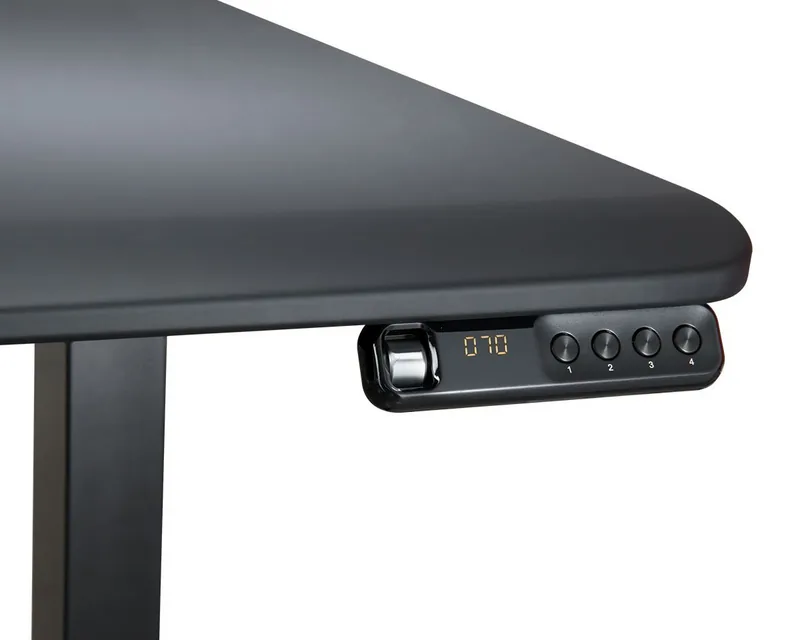
- Memory keypad allows presetting four preferred height positions easily.
- 220 Ib lifting capacity supports heavy equipment and monitors securely.
Disadvantages

- Assembly requires two people because the desk weighs over 100 lbs.
- Desk may wobble slightly at maximum standing height during movement.
- Some noise occurs when one stage extends into another column.
- Initial setup involves multiple screws and careful cable connections.
- Indoor use only as moisture could damage electrical components inside.
Product Specification
Type
Desk
Shape
Freeform
Material
Frame: Steel
Color
Table Top: Black, Frame: Black
Table Top Dimensions (WxD)
59.06x31.50in
Table Top Height
28.54-48.23in
Table Top Height Adjustable
Electric
Table Top Ergonomics
N/A
Storage
N/A
Load Capacity
220.46lbs
Features
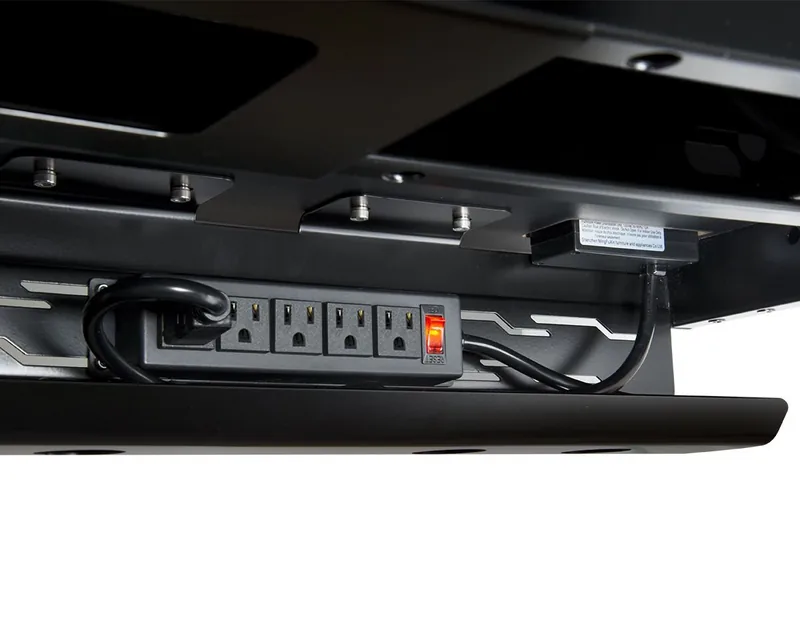
Cable management (horizontal), no crossbar, 4 storage slots, Hub (2x USB-C 3.0, 2x USB-A 3.0), Power strip (2x outlets and 3x outlets)
Weight
68.34lbs
Product Description
Elevate Your Workspace with Cougar Royal
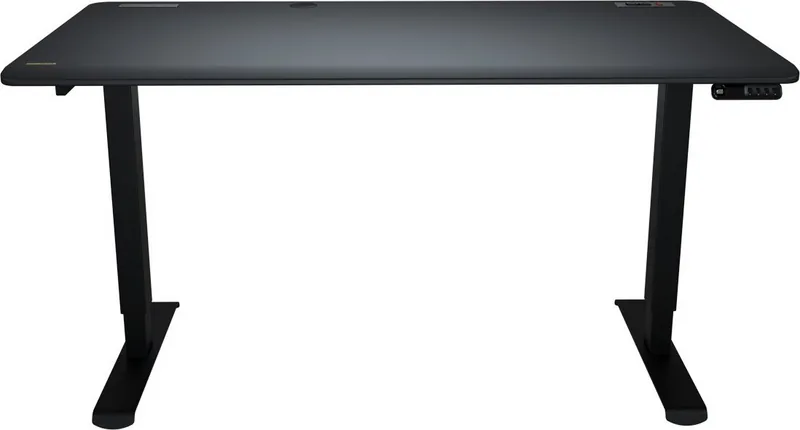
Welcome to the ultimate workspace upgrade with the Cougar Royal series. If you are looking for stability and functionality, the Cougar Royal 150 Pro electric height-adjustable desk 150x80cm black/black Manual provides all the guidance you need for setup. This desk transforms how you work significantly. Standing desks promote health by allowing you to switch between sitting and standing comfortably throughout the day. The dual motor system ensures smooth transitions without jerky movements.
The design features a premium desktop with a robust frame that supports up to 220 pounds for heavy setups. Cable management is key with built-in trays keeping clutter away. You can find more details in the Cougar Royal 150 Pro electric height-adjustable desk 150x80cm black/black Manual if you prefer reading instructions step-by-step during installation. Installation requires two people due to the weight of over 100 lbs. Safety warnings advise checking for obstacles before lifting to prevent damage. Control is easy with the memory keypad which allows saving four height presets.
The optional docking station adds versatility for connectivity. Ports include USB and HDMI for external screens. Noise levels stay low during operation ensuring a quiet environment for video calls. The frame is built for daily reliability meeting ANSI standards for durability. You can track warranty information easily as policy covers two years on the desk. The lifting column enjoys five years of protection against defects. Ergonomics are central to the design helping reduce strain on your back. Adjusting height reduces strain on your back while working. It fits various room layouts and the black finish matches modern offices nicely.
Setup is straightforward if steps are followed correctly using provided tools. Always read safety notices before powering on to activate motors. Overheat protection prevents damage if used continuously for too long. Troubleshooting is accessible via the controller if issues arise. If the desk locks, reset is often the solution. Overall, this desk offers a premium experience combining style with practical engineering. Customers appreciate the stability at full height during use. Cable clutter disappears with trays installed correctly. Whether at home or in a corporate office, this solution adapts well. Invest in your health today for long term benefits. The investment pays off in comfort and improved productivity levels. The Cougar Royal 150 Pro remains a top choice for many professionals globally. Read the Cougar Royal 150 Pro electric height-adjustable desk 150x80cm black/black Manual to maximize potential usage. Start your journey to a better posture now with confidence.
Maintenance is important for longevity. Check all parts monthly to confirm integrity. Ensure screws are not loose over time. If any part appears damaged contact local distributor immediately. Cleaning requires gentle products suitable for delicate materials. Do not use abrasive scrubbers that scratch the surface. Assembly tools like hex wrenches are included for convenience. Step 5 involves installing cable trays securely. Step 4 connects the height controller cable carefully. Step 2 secures the foot to the column. Step 1 aligns the lifting column properly. Following these ensures a solid base. The product is designed for dry work areas indoors. It is not for outdoor exposure. Users should not sit on the desk. Objects taller than 20 inches should not be placed underneath.
Search for 67,706 Manuals online


Type-in Brand or Model