
Cougar Revenger Manual
PDF manual · 2 Pages
English



Quick check
Incorrect answer, please try again.
Chat with your Cougar Revenger manual using AI
Get instant AI answers from your Cougar Revenger manual
Ask anything about the Cougar Revenger. Answers come from this manual, with the pages they are based on.
Ask a Question
Do you recommend Revenger?
Yes NoFrequently Asked Questions
It uses a high-precision optical gaming sensor designed for accurate tracking and strong responsiveness. The sensor supports a wide DPI range, making it suitable for both slow, controlled aiming and fast cursor movement.
Is this answer helpful?
Yes. The mouse supports on-the-fly DPI adjustment, so you can switch sensitivity during gameplay without stopping to open software. This is useful when moving between sniping, close combat, or general navigation.
Is this answer helpful?
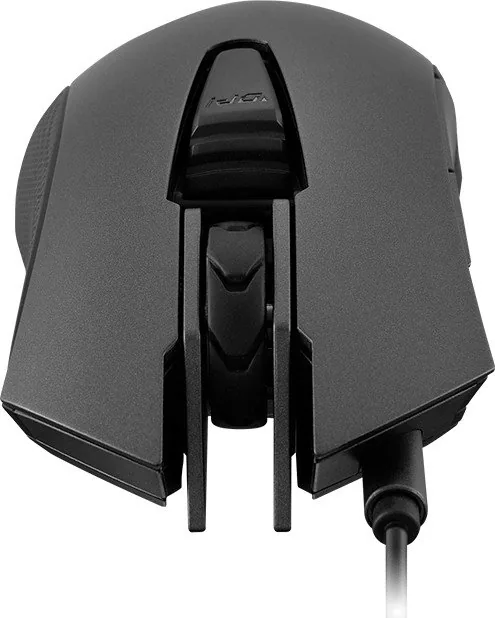
The mouse includes six programmable buttons, plus a trigger button for quick access to an extra function. Through Cougar UIX, you can assign macros, shortcuts, and custom commands to match your play style.
Is this answer helpful?
Yes. It has 512KB of on-board memory, allowing you to store multiple profiles directly on the device. That makes it easy to keep your preferred setup when using different computers.
Is this answer helpful?
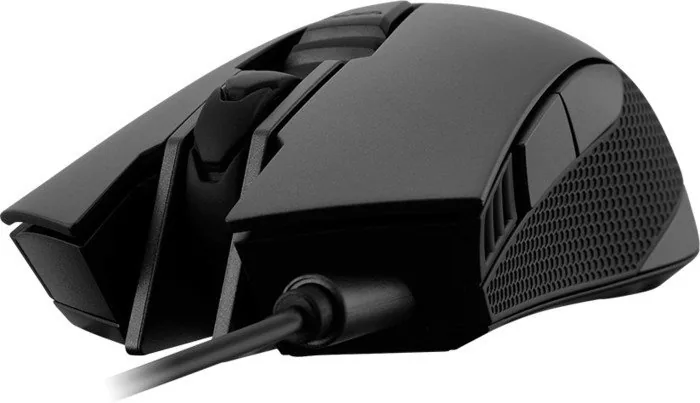
It is designed with an ergonomic right-handed shape, anti-slip side grips, and a premium surface finish. These features help improve comfort and control during extended gaming sessions.
Is this answer helpful?
Cougar UIX is the main software used for configuration. It lets you manage DPI stages, lighting, button mappings, and macros, as well as update firmware when needed.
Is this answer helpful?
Advantages and Disadvantages
Advantages

- 12,000 DPI optical sensor delivers precise tracking for fast-paced and accuracy-focused play.
- 32-bit processor and 512KB on-board memory support quick response and profile storage.
- Six programmable buttons and a trigger button expand in-game control options.
- Omron switches, anti-slip grips, and smooth feet improve durability and handling.
Disadvantages

- Right-handed design may not suit left-handed players.
- Full customization depends on installing Cougar UIX software.
- Wired USB connection limits cable-free movement.
- Advanced features may feel excessive for casual or basic desktop use.
Product Specification
Suitability
right hand
Buttons
6 (total), 2 (main), 1 (top), 2 (left), 1 (scroll wheel click)
Scroll wheel
1x 2-way
Tracking
red LED/IR
Resolution
12,000 dpi, adjustable
Sensor
PixArt PMW 3360
Switches
mechanical switches, Omron
Polling Rate
1,000 Hz (wired USB)
Lighting
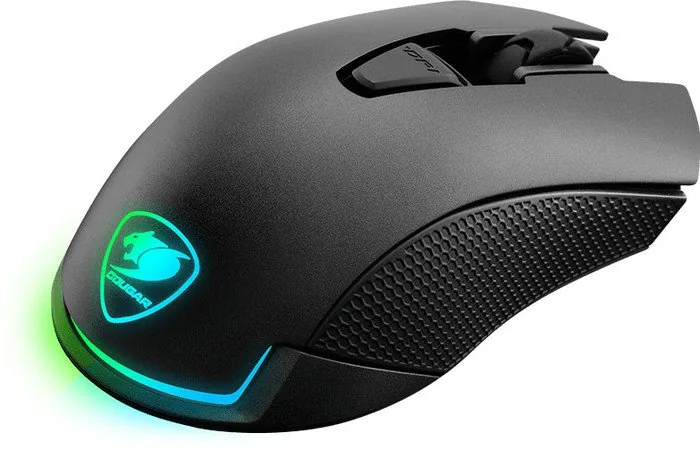
RGB
Connection
wired (70.87 in), USB
Power supply
USB
Dimensions (WxHxD)
2.76x1.77x5.31 in
Approximate volume
6.77 in^3 (approximate shape)
Weight
0.24 lb
Features
Onboard memory
Product Description
Cougar Revenger USB: Built for Fast, Controlled Gaming
The Cougar Revenger USB is designed for players who want a responsive mouse with serious precision and reliable comfort. At its core is a high-performance optical gaming sensor rated up to 12,000 DPI, giving users the flexibility to switch between careful aiming and rapid movement without losing control. Whether you play FPS, MOBA, MMORPG, or RTS titles, this mouse is built to keep pace with demanding sessions and quick decision-making.
One of its strongest qualities is the balance between speed and customization. The 32-bit ARM processor and 512KB of on-board memory help the mouse respond quickly while storing profiles directly on the device. That means your settings can travel with you, which is especially useful if you switch between different PCs. The Cougar UIX system adds another layer of control, letting you fine-tune macros, button assignments, DPI stages, and lighting effects through a single software suite.
Comfort also plays a major role in the Revenger USB’s appeal. Its ergonomic right-handed shape is made for long sessions, while the textured anti-slip sides help maintain a steady grip during intense gameplay. The Omron micro switches are a highlight as well, offering crisp clicks and a long service life that supports competitive use over time. A gaming-grade scroll wheel, smooth feet, and a premium surface coating round out the feel of a mouse that is meant to stay accurate and comfortable under pressure.
For players who like to change sensitivity on the fly, the DPI adjustment feature is especially practical. You can move between stages instantly and confirm settings with the LED DPI display without interrupting your game. The programmable trigger button also adds a convenient extra command, making important actions easier to access when every second counts. If you are searching for the Cougar Revenger USB Manual, the setup process is straightforward: install the software, connect the mouse, and configure the device to match your play style.
The RGB lighting system gives the mouse a more personal look, with two-zone backlighting and millions of color options for profile-based styling. It is not just about appearance, though; the visual cues can also help identify configurations at a glance. Combined with a 1000Hz polling rate, the Revenger USB is clearly focused on delivering dependable, competitive-grade performance.
Notes
- Best suited for right-handed gamers who want precise control and customization.
- Full functionality is unlocked through the Cougar UIX software.
- Works especially well when paired with a quality gaming mouse pad.
Search for 67,706 Manuals online


Type-in Brand or Model
keanu52
10 months ago
My mouse has short dropouts/lag about 5 minutes in, especially when I use a USB hub with my keyboard lighting. If I plug the mouse directly into my PC it works. What should I try?
Manual.ly
10 months ago
This behavior is often caused by insufficient power from a USB hub. Please try: 1) connect the mouse directly to a USB port on your PC (no hub) to confirm; 2) if you must use a hub, use a powered USB hub with its own power supply; 3) try a different USB port on the PC and avoid hubs that are shared with multiple power-hungry devices; 4) restart your PC and reconnect the mouse; 5) if dropouts continue even on a direct connection, the cable could be damaged, so contact support for a warranty/replacement assessment.