
Cougar Omnes Essential Manual
PDF manual · 2 Pages
English



Quick check
Incorrect answer, please try again.
Chat with your Cougar Omnes Essential manual using AI
Get instant AI answers from your Cougar Omnes Essential manual
Ask anything about the Cougar Omnes Essential. Answers come from this manual, with the pages they are based on.
Ask a Question
Do you recommend Omnes Essential?
Yes NoFrequently Asked Questions
The headset operates up to 20 hours with LED effects turned off. If RGB lighting is active, the duration drops to approximately 12 hours depending on volume settings and environmental factors.
Is this answer helpful?
Yes, you can switch to the 3.5mm wired mode using the detachable cord. The wireless transmitter disconnects automatically, allowing you to continue using audio output and input even without power.
Is this answer helpful?
The microphone operates in wired mode for audio input. However, the specific microphone mute switch and LED lights on the pole only operate correctly when the device is in wireless mode.
Is this answer helpful?
The product comes with a one-year global warranty covering material or manufacture defects. Proof of purchase such as an invoice or warranty card with a store stamp is required for service claims.
Is this answer helpful?
When charging, the LED indicator turns blue. Once the battery is fully charged and the headset is off, the light turns steady orange indicating completion and readiness for use.
Is this answer helpful?
Yes, the 3.5mm jack can connect to phones or laptops with a 4-pole jack. Ensure you use the correct splitter if your device requires separate audio and mic ports, or use the wired mode.
Is this answer helpful?
The link may disconnect after still movement for 10 minutes, but the headset can be paired again. Pressing the power button for three seconds reactivates the connection and lights up the LEDs in orange.
Is this answer helpful?
Advantages and Disadvantages
Advantages

- 2.4GHz wireless connectivity with 10 meter range
- Memory foam earpads provide comfort for long sessions
- Type-C charging interface for reliable power supply
- Detachable microphone for flexible storage and usage
- RGB lighting customization with multiple color options
Disadvantages

- Wired mode disables control buttons for volume and mute
- Active LED effects significantly reduce battery life hours
- Microphone mute switch only functions in wireless mode
- USB Type-A port required for wireless transmitter dongle
- Manual must be consulted for specific warranty claim rules
Product Specification
Headphone type
Headphones (Over-Ear)
Form factor
Headband
Design
Closed-back
Microphone
Boom arm (detachable)
Connections
3.5mm jack, USB-A (adapter)
Wireless
Digital wireless
Cable
Single-sided, detachable
Controls
Volume knob, Mute button
Battery life
12h (with RGB), 20h (without RGB)
Battery
USB-C charging port, 2.5h charge time
Frequency response
20Hz-20kHz (headphones), 100Hz-10kHz (microphone)
Impedance
32 Ohms
Sensitivity
100dB
Drivers
2.09 in
Certified for
PS5, Xbox, Nintendo Switch
Device features
Rotatable ear cups, RGB lighting
Software features
Virtual Surround (Windows Sonic)
Special features
Includes USB wireless adapter
Color
Black
Weight
0.89 lbs
Product Description
Discovering the Cougar Omnes Essential
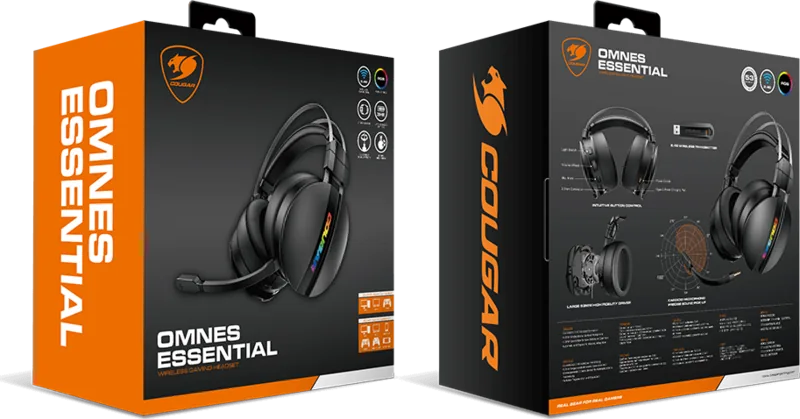
The Cougar Omnes Essential gaming headset offers a balanced performance for gamers seeking comfort and sound quality during extended sessions. This device combines wireless convenience with wired reliability to ensure players stay connected. Users appreciate the flexibility found in the Cougar Omnes Essential Manual which details the setup process clearly for beginners.
Connectivity and Audio Quality
Sound clarity comes from the 53mm drivers included in the ear cups. The frequency response spans 20Hz to 20kHz ensuring full range audio reproduction across all genres. When the wireless mode is active, a 2.4GHz transmitter connects to the PC via USB Type-A on the front of the device. This setup ensures a stable link within 10 meters without signal lag issues. If battery levels drop during intense gameplay, switching to the 3.5mm wired mode maintains connectivity without interruption. The detachable microphone allows for versatile use cases and clean storage when not needed for voice chat.
Comfort and Controls
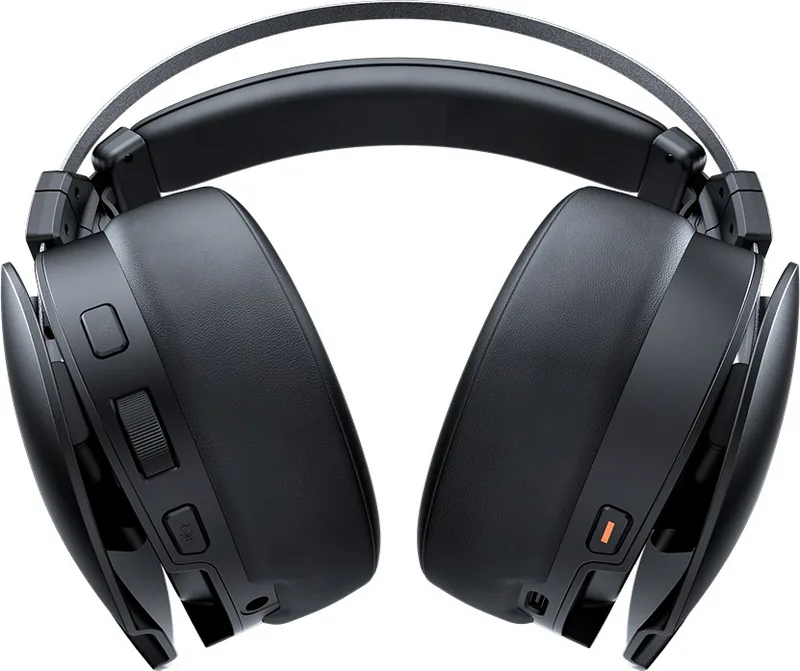
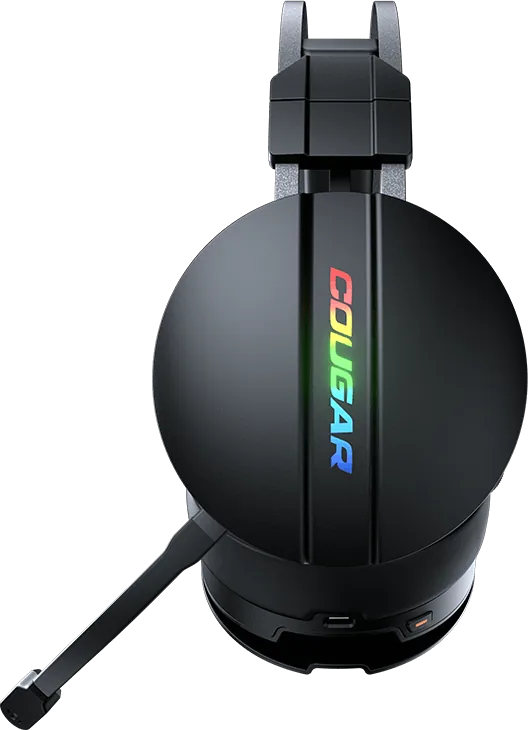
Ergonomics play a key role in long gaming sessions where immersion matters most. A pressure-free memory foam earpad cushions the ears while a leather-like headband reduces pressure on the top of the head. An adjustable and spinnable wearing structure helps fit various head sizes comfortably. Controls are accessible on the ear cup shell for easy access. Users manage volume levels, RGB lighting effects, and microphone mute directly without reaching for software. The volume wheel provides click sound synchronization with system settings for precise adjustments.
Battery and Charging
Power consumption varies significantly with lighting settings and usage patterns. Operating time reaches up to 20 hours with LED effects turned off completely. This effective duration drops to 12 hours if RGB lighting remains active to personalize the setup. Charging requires a Type-C cable found within the package materials. Users should avoid ports with insufficient Ampere to ensure safety and prevent damage. Blue light indicates charging status while steady orange shows fully charged status immediately. The product comes with a one-year warranty covering manufacturing defects from the manufacturer.
Warranty and Support
Customers benefit from a global warranty policy lasting one year. Repair and replacement services are provided if product defects occur in material or manufacture. Service requires the invoice or warranty card with store stamp attached for proof of purchase date. If paperwork is lost, shipping date identified by the serial number determines the beginning of the warranty period. Unauthorized repairs or use of uncertified parts void the coverage entirely. Contact email [email protected] for inquiries regarding repairs or specific product questions needing technical assistance from the team.
Conclusion on Performance Continued
The integration of the inline driver with the microphone simplifies the connectivity for portable devices. This makes commuting easier while maintaining audio fidelity during travel or work. The system automatically turns off 2.4G connection when the cable is attached to save power. Proper maintenance ensures the longevity of the memory foam pads over time. Regular checks on connection points prevent potential signal loss during critical moments.
Search for 67,706 Manuals online


Type-in Brand or Model