
Cougar Minos X2 Manual
PDF manual · 2 Pages
English



Quick check
Incorrect answer, please try again.
Chat with your Cougar Minos X2 manual using AI
Get instant AI answers from your Cougar Minos X2 manual
Ask anything about the Cougar Minos X2. Answers come from this manual, with the pages they are based on.
Ask a Question
Do you recommend Minos X2?
Yes NoFrequently Asked Questions
It uses an ADNS-3050 optical gaming sensor. The sensor is designed for precise tracking and consistent control, making it suitable for competitive play and general use.
Is this answer helpful?
You can adjust DPI on the fly using the DPI cycle button. The available levels are 500, 1000, 1500, 2000, and 3000 DPI, so you can switch sensitivity quickly while gaming.
Is this answer helpful?
Yes. It is a plug-and-play USB mouse, so it does not require driver installation. Just connect it to a compatible computer and start using it.
Is this answer helpful?
The mouse uses Omron gaming switches. They are known for responsive clicks and long service life, with a claimed durability of up to 20 million clicks.
Is this answer helpful?
Yes. It includes a three-zone backlight that adds a gaming look. The lighting is part of the mouse design and helps it stand out on a desk setup.
Is this answer helpful?
The listed system requirements include Windows 7, Windows 8, and Windows 10. It is intended for standard PC USB use with those operating systems.
Is this answer helpful?
Advantages and Disadvantages
Advantages

- 3000 DPI optical sensor offers accurate tracking for gaming and everyday control.
- On-the-fly DPI switching lets you adjust sensitivity quickly during play.
- Omron switches are built for durability and a crisp, reliable click feel.
- Anti-slip sides and gaming feet improve grip and smooth movement.
Disadvantages

- Maximum DPI is 3000, which may feel limited for users wanting ultra-high sensitivity.
- The mouse is wired, so it does not offer wireless freedom.
- No driver software is needed, but that also means fewer customization options.
- Warranty coverage is limited to 1 year.
Product Specification
Suitability
right hand
Buttons
6 (total), 2 (main), 1 (top), 2 (left), 1 (scroll wheel click)
Scroll wheel
1x 2-way
Tracking
LED red\/IR
Resolution
3,000 dpi, reducible to 2,000/1,500/1,000/500 dpi
Sensor
PixArt ADNS-3050
Switches
mechanical switches, Omron
Polling rate
1,000 Hz, adjustable to 125 Hz (wired USB)
Lighting
RGB
Connection
wired (70.87 in), USB
Power supply
USB
Dimensions (WxHxD)
2.64x1.57x4.80 in
Approximate volume
5.25 in^3 (approximate shape)
Weight
0.21 lb
Special features
thumb rest
Product Description
Cougar Minos X2 USB: Fast, Precise, and Ready to Play
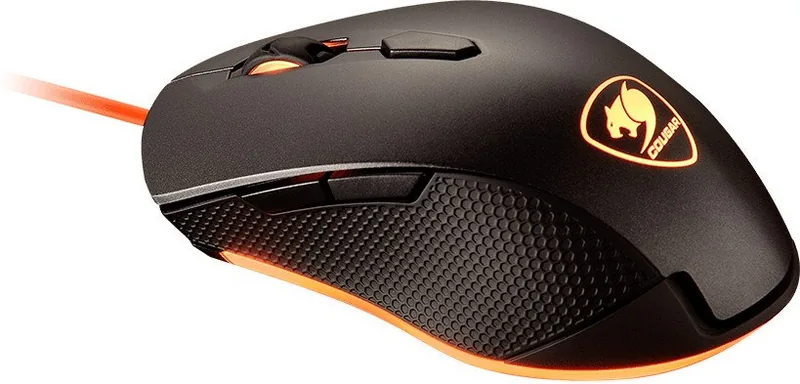
The Cougar Minos X2 USB is a wired gaming mouse built for players who want quick response, reliable tracking, and simple setup. If you are looking for a practical everyday gaming companion, the Cougar Minos X2 USB Manual highlights a design focused on precision and comfort rather than unnecessary extras. It is the kind of mouse that aims to get out of the way and let your gameplay feel natural.
At its core is an ADNS-3050 optical gaming sensor with up to 3000 DPI, giving users a solid balance between controlled aiming and faster movement. The five-step on-the-fly DPI tuning makes it easy to switch sensitivity during play, moving through 500, 1000, 1500, 2000, and 3000 DPI without interrupting the action. That flexibility is especially useful in games that demand different movement styles in a single match.
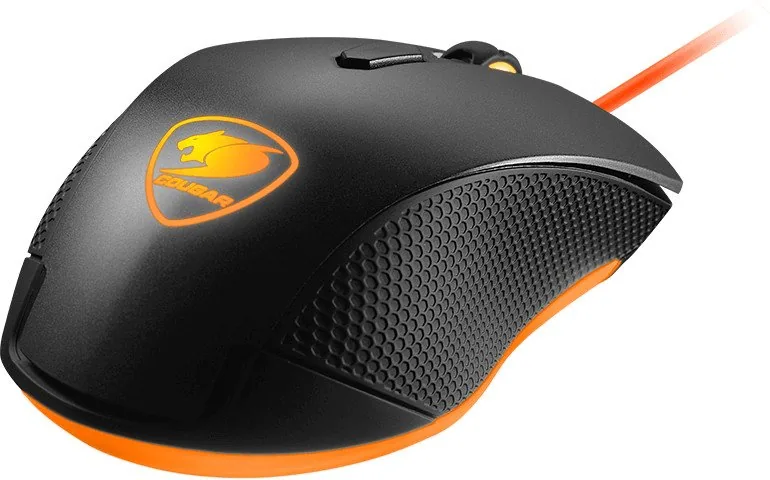
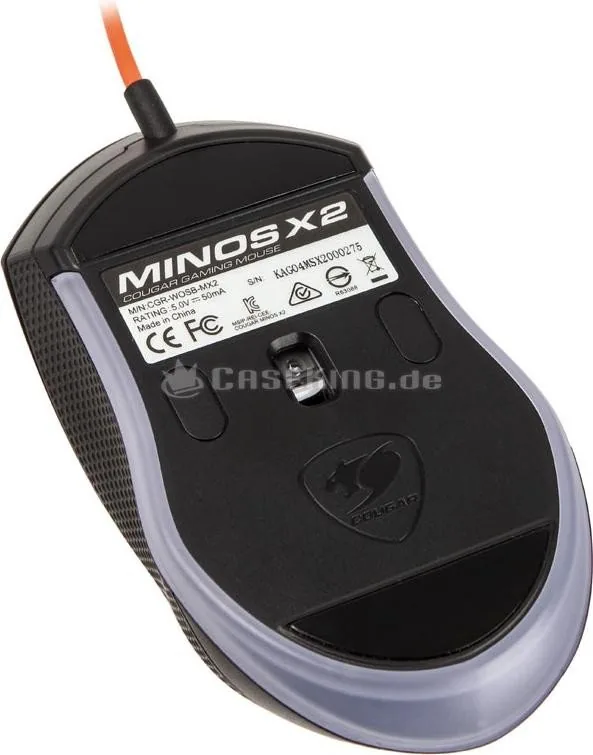
The button hardware is another strong point. Omron gaming switches are rated for long-term durability and a crisp click feel, which helps the mouse stay responsive over time. The gaming-grade scroll wheel adds accurate tactile feedback, while the anti-slip flanks improve grip when matches get intense. Cougar also includes gaming-style feet designed to support smoother gliding and a better speed-control balance.
A three-zone backlight gives the mouse a distinctive gaming look without making setup complicated. Just plug it in through USB and it is ready to use, with no driver installation required. That plug-and-play approach keeps things simple for Windows 7, 8, and 10 users who want dependable performance without software clutter.
Overall, the Cougar Minos X2 USB is a straightforward gaming mouse for players who value control, speed, and durability in a compact form. It is not trying to be overloaded with features; instead, it focuses on the essentials that matter most during play.
Notes
- Best suited for users who prefer a wired, hassle-free mouse.
- Recommended for gaming setups that benefit from quick DPI changes.
- Using it with a quality mouse pad can help improve glide and accuracy.
Search for 67,706 Manuals online


Type-in Brand or Model
Rory Trantow
8 months ago
Does the mouse wheel have enough tactile feedback when I rotate and scroll, or is it very smooth/loose?
Manual.ly
8 months ago
The wheel is designed for smooth, quiet scrolling, so the tactile feedback can feel a bit subtle compared with very clicky wheels. If you want more “noticeable” scrolling, check the mouse settings (for example, scroll mode, line-by-line vs. free-spin, and wheel sensitivity) in your operating system or the included software. Some users prefer a lighter, smoother feel, while others want stronger detents; the default feel is typically on the smoother side. If the wheel feels unusually loose, catches, or makes erratic movements, please contact support so we can review warranty options.