
Cougar 450M Manual
PDF manual · 2 Pages
English



Quick check
Incorrect answer, please try again.
Chat with your Cougar 450M manual using AI
Get instant AI answers from your Cougar 450M manual
Ask anything about the Cougar 450M. Answers come from this manual, with the pages they are based on.
Ask a Question
Do you recommend 450M?
Yes NoVideo Manual
A first weight-adjustable gaming mouse😳 #shorts
Frequently Asked Questions
The Cougar 450M schwarz uses the PMW3310DH optical gaming sensor with a resolution range up to 5000 DPI, offering precise tracking suitable for a wide range of game genres.
Is this answer helpful?
The mouse has eight programmable buttons and 512 KB of on-board memory, allowing you to store up to three persistent profiles—including macros, button mappings, and lighting settings—directly on the device.
Is this answer helpful?
Yes. The Cougar 450M schwarz features an ergonomic ambidextrous design, making it comfortable for both left- and right-handed players while retaining full functionality on either side.
Is this answer helpful?
It connects via a golden-plated USB plug and offers a 1000 Hz polling rate with 1 ms response time, ensuring minimal input lag and stable wired performance during competitive play.
Is this answer helpful?
Use the Cougar UIX™ System software—downloadable from cougargaming.com—to configure macros, remap buttons, manage profiles, update firmware, and customize RGB lighting across compatible Cougar devices.
Is this answer helpful?
The 450M uses OMRON micro switches rated for a guaranteed minimum life of around 5 million clicks, plus a premium coating, gaming-grade scroll wheel, and durable mouse feet designed for prolonged gaming use.
Is this answer helpful?
The Cougar 450M gaming mouse comes with a one-year warranty. For support or service inquiries, contact Cougar via [email protected] or check official regional terms on cougargaming.com.
Is this answer helpful?
Advantages and Disadvantages
Advantages

- 5000 DPI PMW3310DH sensor with 1000 Hz polling for precise, low-latency tracking.
- Eight programmable buttons and 512 KB on-board memory to store up to three profiles.
- OMRON micro switches and premium gaming feet for durability and reliable tactile feedback.
- Two-zone 16.8M color RGB lighting and on-the-fly DPI switching with LED indicators.
- Ambidextrous ergonomic design with anti-slip flanks suits both left- and right-handed users.
Disadvantages

- Wired USB design limits mobility compared to wireless alternatives.
- 512 KB memory supports only three profiles, which may be limiting for multi-setup users.
- Sensor tops at 5000 DPI, lower than some competing high-end mice with ultrahigh DPI sensors.
- No dedicated weight tuning system; customization relies on software and ergonomics only.
- Requires Cougar UIX™ software for advanced features, adding dependency on driver support.
Product Specification
Ergonomics
ambidextrous (left hand, right hand)
Buttons
8 (total), 2 (main), 1 (top), 2 (left), 2 (right), 1 (scroll wheel click)
Scroll wheel
1x 2-way
Sensor Type
red LED/IR
Resolution
5000dpi, reducible to 50dpi
Sensor
PixArt PMW 3310DH
Switches
mechanical switches, Omron
Polling Rate
1000Hz (wired USB)
Lighting
RGB
Connection
wired (70.87in), USB
Power supply
USB
Dimensions (WxHxD)
2.64x1.57x5.31in
Approximate volume
5.80in^3 (approximate shape)
Weight
0.23lb
Color
black
Features
Onboard memory (512kB), braided cable
Product Description
Cougar 450M schwarz, USB — Compact Precision for Gamers
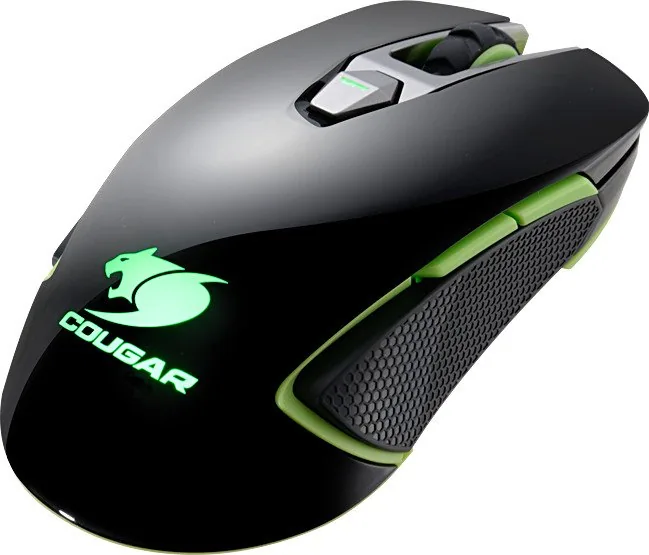
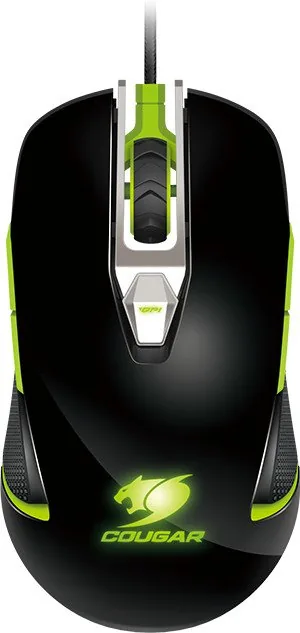
The Cougar 450M schwarz is a wired USB gaming mouse built for accuracy, durability, and customization. With a PMW3310DH optical sensor that supports up to 5000 DPI and a 1000 Hz polling rate, this ambidextrous mouse balances fast response with fine-tuned control. A 32-bit ARM processor and 512 KB of on-board memory let you store up to three persistent profiles directly on the device, so your macros, DPI stages, and lighting preferences travel with the mouse.
Ergonomically shaped for both left- and right-handed users, the Cougar 450M schwarz features eight programmable buttons mapped for rapid in-game access and up to 27 functions via the Cougar UIX™ System software. On-the-fly DPI switching and a three-stage LED DPI indicator provide quick confirmation of sensitivity changes without interrupting play. The mouse uses OMRON micro switches rated for millions of clicks, paired with a rubberized gaming wheel and premium glides to deliver tactile feedback, reliability, and smooth movement across surfaces.
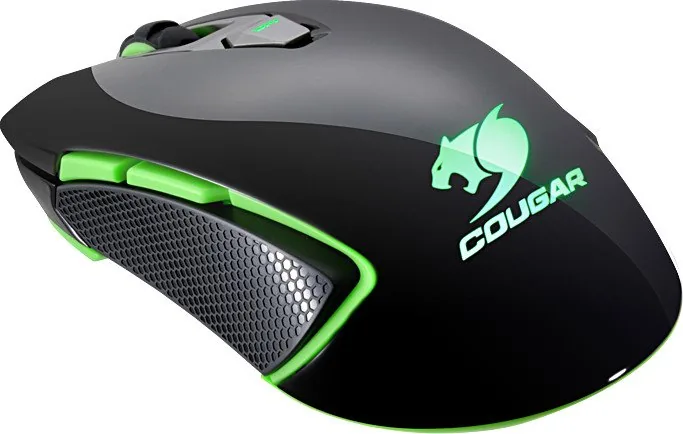
Aesthetic customization comes from a two-zone RGB backlight capable of 16.8 million colors, letting you assign colors per profile for instant visual cues. The exterior includes anti-slip hex-pattern flanks and a durable pro-gaming surface designed to reduce stickiness and improve control. The golden-plated USB connector and a 1.8 m cable ensure a stable digital connection and long-term reliability.
The bundled Cougar UIX™ System software unifies configuration across compatible Cougar devices. Through a single interface you can assign macros, customize button mappings, set RGB profiles, and manage stored profiles. Firmware updates and driver installation are handled through the UIX installer available on the Cougar website.
Whether you play FPS, MOBA, RTS, or MMORPG titles, the 450M schwarz targets players who want a balanced, dependable mouse with deep customization and portable profiles. It ships with a user manual and is optimized to work with Cougar mouse pads for best performance.
Notes
- Interface: Golden-plated USB plug; cable length: 1.8 m.
- Dimensions: 135 × 67 × 40 mm; weight optimized for agility and control.
- Warranty: 1 year global warranty; consult manufacturer for terms.
- Recommended: Use Cougar UIX™ System software for full feature access and firmware updates.
Search for 67,706 Manuals online


Type-in Brand or Model
Chyna Feil
10 months ago
Is this gaming mouse too large for small hands, and can the side thumb buttons be properly recognized (not just as generic mouse4/mouse5)?
Manual.ly
10 months ago
Based on customer feedback, the mouse can feel large for smaller hands, while fitting better for medium to larger hands. If the fit is uncomfortable, it is worth trying the preferred grip style or using an exchange/return option if available. For button recognition: by default, many apps show side buttons as standard mouse buttons (mouse4/mouse5). To get consistent in-game keyboard bindings, install the provided driver/software, select the correct profile, and remap the thumb buttons to keyboard or game actions. If any thumb buttons appear missing or not mapped, check that the correct profile is active and update the mouse firmware/driver.