
Contour Design Unimouse Wireless Manual
PDF manual · 10 Pages
English



Quick check
Incorrect answer, please try again.
Chat with your Contour Design Unimouse Wireless manual using AI
Get instant AI answers from your Contour Design Unimouse Wireless manual
Ask anything about the Contour Design Unimouse Wireless. Answers come from this manual, with the pages they are based on.
Ask a Question
Do you recommend Unimouse Wireless?
Yes NoFrequently Asked Questions
It is shaped and tuned specifically for left-handed use, with an adjustable thumb rest, tilt, and grip position. The goal is to reduce strain and help the mouse feel more natural during long sessions.
Is this answer helpful?
The package includes the Unimouse, a wireless dongle, a USB 2.0 cable adapter, a USB to Micro USB charging cable, and a user guide.
Is this answer helpful?
The built-in rechargeable battery can last up to three months with average daily use. Actual battery life depends on usage patterns, settings, and computer conditions.
Is this answer helpful?
Connect the Micro USB cable to the mouse and plug the other end into a USB port on your computer. Charging takes about two hours, and you can keep using the mouse while it charges.
Is this answer helpful?
Yes. Press the cursor speed button to cycle through ten DPI settings, ranging from 800 to 2800 DPI. This makes it easy to match speed and precision to different tasks.
Is this answer helpful?
Yes. The default middle click can be switched to double-click by holding the cursor speed button and the middle click button together. Repeating the same action switches it back.
Is this answer helpful?
Advantages and Disadvantages
Advantages

- Left-handed ergonomic design helps support a more natural and comfortable grip.
- Highly adjustable thumb rest and tilt let users fine-tune the mouse to their hand.
- Wireless operation includes a dongle and charging cable for flexible setup.
- Ten DPI levels and programmable click behavior improve daily productivity.
Disadvantages

- Finding the ideal position may take time because of the many adjustment options.
- Micro USB charging is functional, but it is less modern than newer connector types.
- Advanced features may require driver installation for full customization.
- Warranty coverage is limited and can be voided if the mouse is dismantled.
Product Specification
Orientation
left hand (vertical)
Buttons
6 (total), 3 (main), 2 (right), 1 (scroll wheel click)
Scroll wheel
1x 2-way
Tracking
LED-red\/IR
Resolution
2800dpi, reducible to 2400\/2200\/2000\/1800\/1600\/1400\/1200\/1000\/800dpi
Sensor
PixArt PMW 3330
Connection
wireless (2.40GHz), USB-A (USB-A receiver), detachable cable
Power supply
Rechargeable battery (built-in)
Dimensions (WxHxD)
5.75x2.76x8.74in
Approximate volume
36.24in^3 (approximate shape)
Weight
1.00lb
Features
Thumb rest, adjustable geometry
Product Description
Contour Design Unimouse Wireless, Left-handed, USB
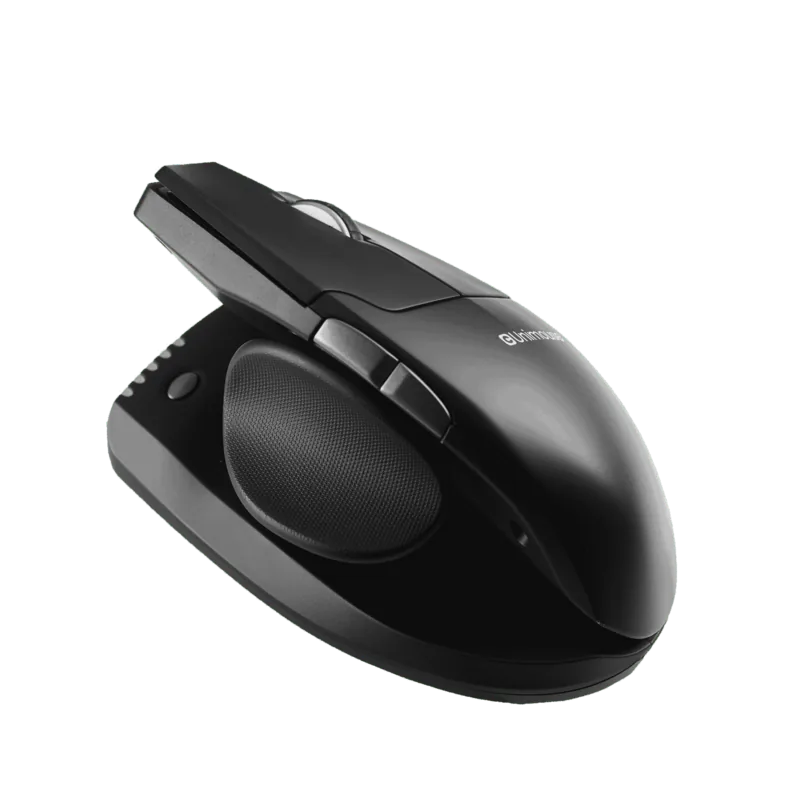
If you are looking for the Contour Design Unimouse Wireless, Left-handed, USB Manual details, this mouse stands out as a thoughtful ergonomic choice for left-handed users who want comfort and control in one compact device. Instead of relying on a fixed shape, it focuses on adjustability, allowing the mouse to better match the way your hand naturally rests and moves during long work sessions.
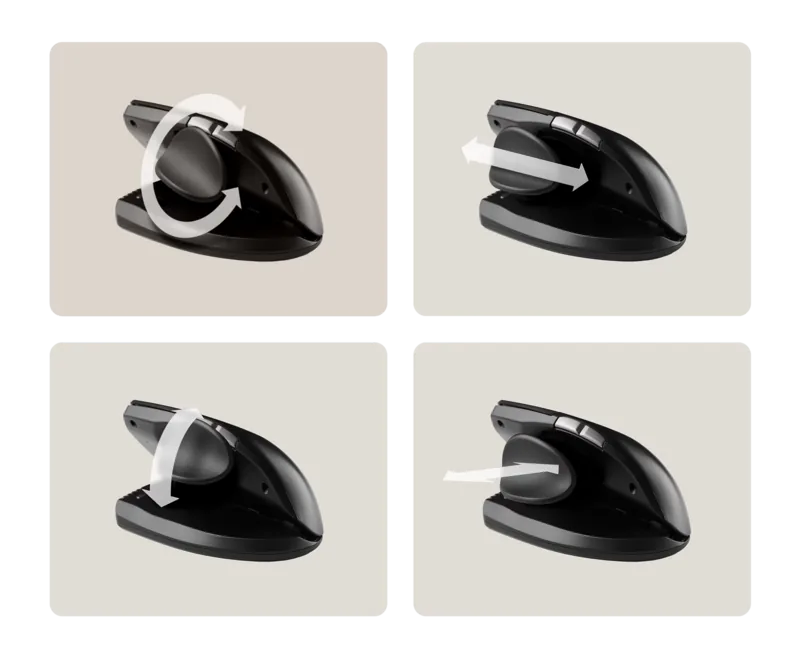
One of the most appealing parts of the Unimouse is its adaptable design. The thumb rest can be extended or collapsed, shifted forward or back, and rotated to suit different hand sizes and thumb positions. The tilt can also be adjusted to create a more relaxed mousing angle. With four key articulation points, the mouse gives users plenty of room to fine-tune the fit until it feels right.
The wireless setup is simple and practical. Inside the box, you get the mouse, a dongle, a USB adapter, a USB to Micro USB cable, and a user guide. Once connected, the Unimouse offers standard left and right click functions, scrolling, back and forward buttons, and a cursor speed control button. It supports ten DPI levels from 800 to 2800, making it useful for both detailed tasks and faster navigation.
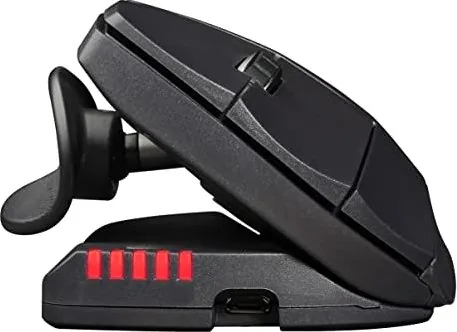
For everyday productivity, the battery system is especially convenient. The rechargeable battery is built to last up to three months with average use, and a full charge takes about two hours. Even better, the mouse can be used while charging, so there is less downtime when the battery runs low. An LED indicator helps show both battery level and cursor speed, giving clear feedback at a glance.
The Unimouse also includes a useful middle-click feature that can be switched to double-click with a simple button combination. For users who want deeper customization, driver support adds extra features and Mac-specific settings. Altogether, this mouse feels designed for people who value comfort, flexibility, and efficient daily use rather than a one-size-fits-all approach.
Notes
- Best suited for left-handed users who want a highly adjustable ergonomic mouse.
- Battery life and performance can vary depending on usage and computer conditions.
- Opening or dismantling the mouse can void the warranty.
Search for 67,706 Manuals online


Type-in Brand or Model