
Contour Design RollerMouse Red Plus Manual
PDF manual · 12 Pages
English



Quick check
Incorrect answer, please try again.
Chat with your Contour Design RollerMouse Red Plus manual using AI
Get instant AI answers from your Contour Design RollerMouse Red Plus manual
Ask anything about the Contour Design RollerMouse Red Plus. Answers come from this manual, with the pages they are based on.
Ask a Question
Do you recommend RollerMouse Red Plus?
Yes NoFrequently Asked Questions
Yes, the device can be switched to Mac mode by pressing specific buttons for two seconds. An LED will flash to confirm the switch.
Is this answer helpful?
Press and hold specific buttons, use the scroll wheel to adjust, and release to select the new setting based on LED lights.
Is this answer helpful?
The unit, palm support, keyboard risers, removal key, and user guide are included in the package.
Is this answer helpful?
Lift the front edge, fit the removal key into the slot, and twist counter-clockwise to detach it.
Is this answer helpful?
Yes, hold the double click button and another button to switch the function to a middle button click capability.
Is this answer helpful?
No, the manual specifies connecting the unit directly into the computer USB port for functionality.
Is this answer helpful?
It won the prestigious red dot award for being a top central pointing device design.
Is this answer helpful?
Advantages and Disadvantages
Advantages

- Ergonomic design reduces wrist strain and twisting movements effectively.
- Adjustable click force and volume settings provide custom feel.
- Includes keyboard risers and palm support for proper setup.
- Red dot award winner for high precision engineering excellence.
- Switchable Windows and Mac modes for operating system flexibility.
Disadvantages

- Requires USB connection and lacks wireless capability options.
- Learning curve for new users adapting to rollerbar motion style.
- Proprietary key required for removing palm support unit safely.
- LED indicators can be distracting in very low light environments.
- Mouse requires desktop space for the unique rollerbar mechanism.
Product Specification
Type
Scroll/Roller mouse
Buttons
5 (total), 2 (main), 3 (top)
Connectivity
wired, USB
Power
USB
Dimensions (WxHxD)
16.93x0.91x6.10 in
Special Features
Special shape
Product Description
Revolutionize Your Desktop Workflow with Ergonomic Precision
In the modern workplace, maintaining physical comfort while maximizing efficiency is essential. Traditional mice often force users into unnatural wrist positions, leading to strain over time. The Contour Design RollerMouse Red Plus offers a revolutionary alternative designed to keep you working more comfortably for years to come. This device represents years of engineering excellence from Contour Design, a company striving to build the best mouse since 1995.
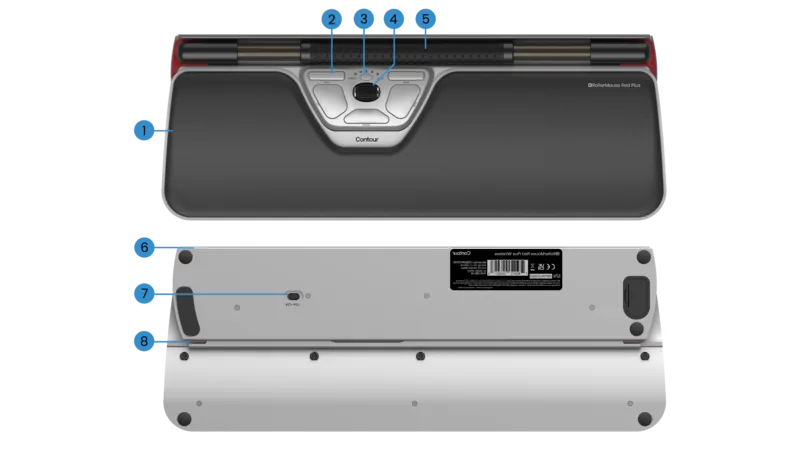
The Red Plus stands out as their finest accomplishment to date. It features a unique Rollerbar that allows you to control the cursor by moving it side to side and up and down. This ergonomic design significantly reduces wrist twist compared to traditional mice. The box contents include the RollerMouse Red unit, a Red plus palm support, keyboard risers, and the essential Contour Design RollerMouse Red Plus, USB Manual to guide your setup.
One of the standout features is the high degree of customization available to users. You can adjust the cursor speed using dedicated buttons, with five speed selections indicated by LED lights. The click force refers to how hard or soft it is to click the Rollerbar. This can be adjusted independently to suit your preference. You can also change the click volume setting using the same method. This versatility makes it ideal for diverse work environments where specific sensitivity is required. Copy and Paste buttons are also included for efficiency.
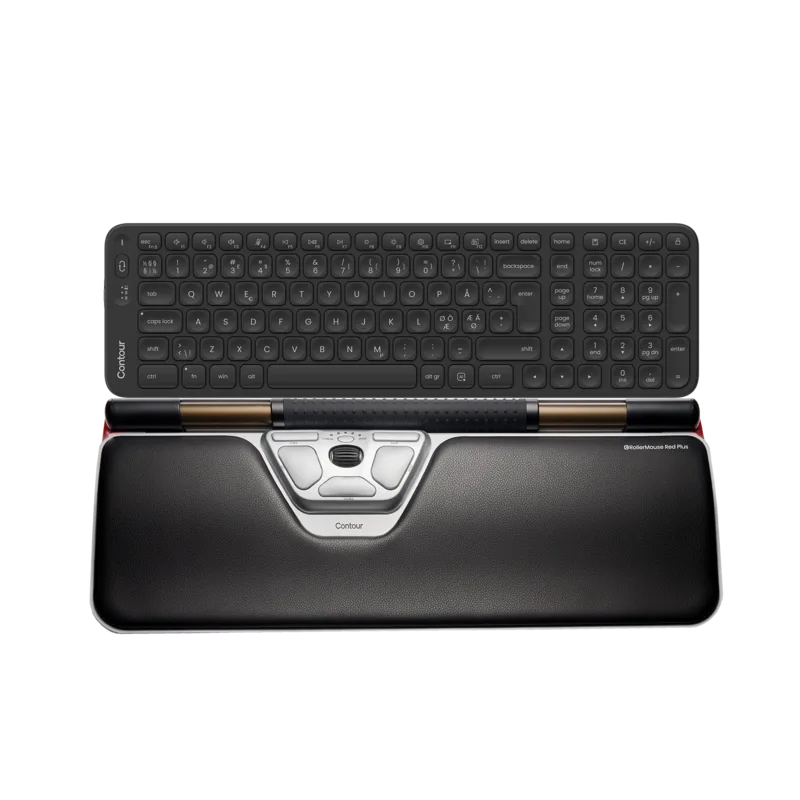
Installation involves setting up the keyboard risers to achieve the correct angle and height. The package includes two short and two long risers to fit different keyboard heights. The spacebar should come just above the Rollerbar to achieve a proper ergonomic position. The top of the keyboard should be level. The included Red plus palm support helps maintain neutral wrist posture during long sessions.
This product has earned the prestigious red dot award for its central pointing device design. Users can enjoy smooth and precise cursor control thanks to new technology that tracks roller motion from inside a tube. Connectivity is seamless via the USB port. Whether you work for long hours or just want better ergonomics, this USB device is a strong contender for productivity enthusiasts. Operating system compatibility is robust with Mac and Windows support.
Search for 67,706 Manuals online


Type-in Brand or Model
Klaus Schmidt
7 months ago
Has anyone else received their order incomplete? Mine was missing items twice.
Manual.ly
7 months ago
We sincerely apologize for this inconvenience. Our team inspects all packages, but errors can happen. Please provide your order number. We will ship the missing items at no cost and review the process to prevent a recurrence.