
Contour Design RollerMouse Red Plus Wireless Manual
PDF manual · 9 Pages
English



Quick check
Incorrect answer, please try again.
Chat with your Contour Design RollerMouse Red Plus Wireless manual using AI
Get instant AI answers from your Contour Design RollerMouse Red Plus Wireless manual
Ask anything about the Contour Design RollerMouse Red Plus Wireless. Answers come from this manual, with the pages they are based on.
Ask a Question
Do you recommend RollerMouse Red Plus Wireless?
Yes No
eum31
8 months ago
It feels quite expensive. Does this mouse really help with hand or arm strain, or is it just more comfortable than a normal mouse?

Manual.ly
8 months ago
Many users notice better comfort because the mouse can be operated from the center and with both hands, which reduces the need to reach or keep your arms in an awkward position. One reviewer mentioned it also helps relieve the arms since the mouse sits centrally and can be used with both hands. However, results can vary and it may take a few weeks to judge long-term effects on your hands. If you are looking for a more ergonomic, higher-quality feel and a smoother overall experience than a standard mouse, it is typically worth considering, even if the price is on the higher side.
Frequently Asked Questions
It is designed to provide centered, ergonomic pointer control so you can keep your hands closer to the keyboard while reducing the need for a traditional mouse.
Is this answer helpful?
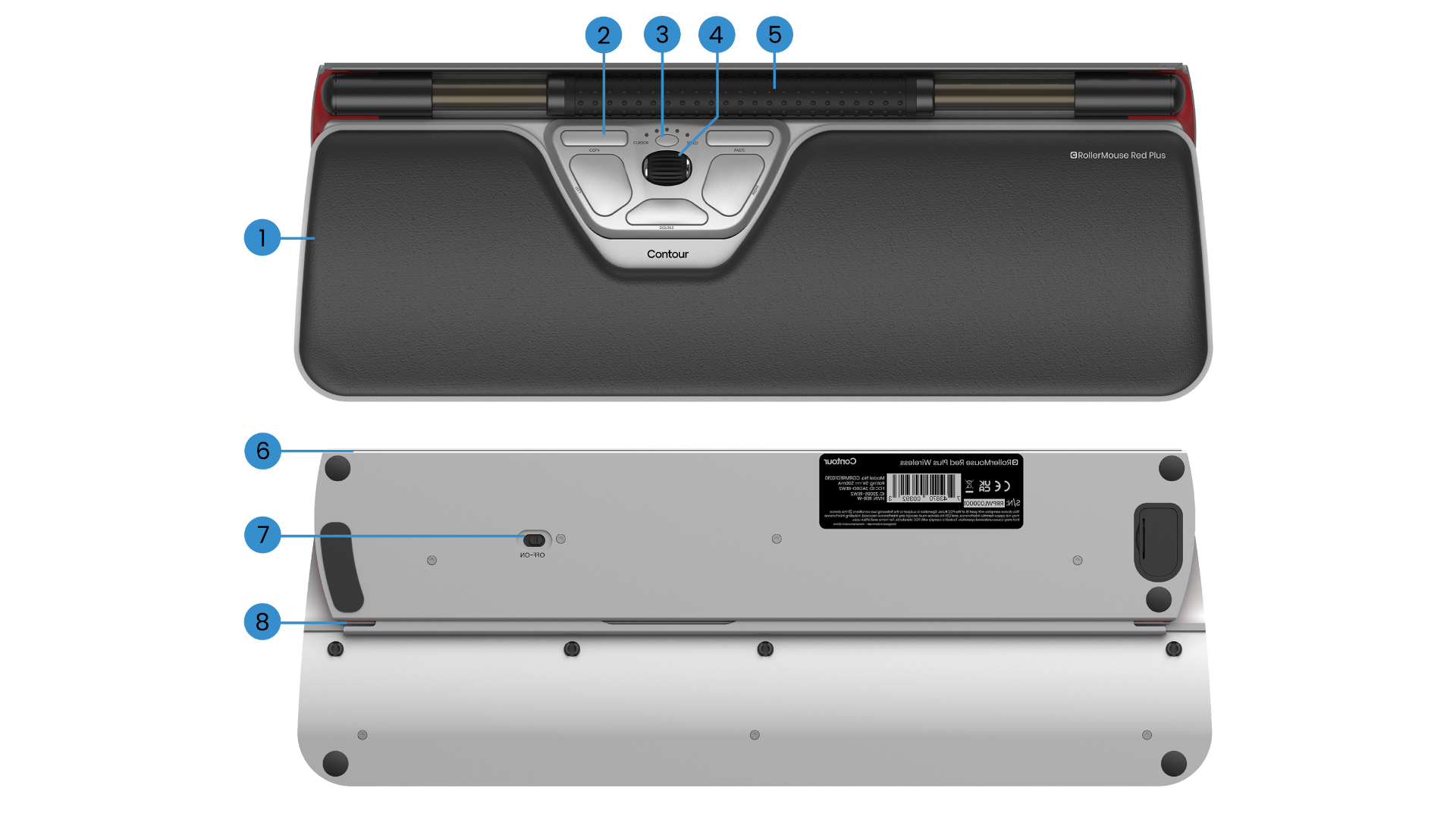
The rollerbar moves the cursor side to side and up and down. Pressing down on it performs a left click, making it the core control surface for navigation and selection.
Is this answer helpful?
Yes. You can continue using the RollerMouse while it charges through a USB connection, which is helpful during long work sessions or low-battery situations.
Is this answer helpful?
The built-in rechargeable battery is expected to last up to three months with average daily use, though actual battery life can vary depending on work habits and conditions.
Is this answer helpful?
Yes. It supports PC, Mac, and HID modes, allowing it to adapt to different system environments and user preferences.
Is this answer helpful?
You can adjust keyboard height with the included risers, modify cursor speed, change click force, and use the wrist rest to create a more comfortable setup.
Is this answer helpful?
Advantages and Disadvantages
Advantages

- Center-based control reduces reaching and keeps hands close to the keyboard.
- Wireless design offers a cleaner desk and more freedom of placement.
- Ten cursor-speed levels make it easier to balance precision and speed.
- Rechargeable battery supports long use and can be charged while working.
Disadvantages

- Learning the rollerbar layout may take time for users used to a standard mouse.
- Best comfort depends on proper keyboard height, angle, and setup.
- Advanced button settings may feel complex for users who prefer simple controls.
- Battery charging still requires a cable, so it is not fully maintenance-free.
Product Specification
Type
Scroll/Roller Mouse
Buttons
5 (total), 2 (main), 3 (top)
Connectivity
wireless (2.40GHz)
Power Supply
Rechargeable Battery
Dimensions (WxHxD)
16.54x0.91x6.10in
Weight
1.81lb
Special Features
Special Shape
Product Description
Contour Design RollerMouse Red Plus Wireless USB: A Smarter Way to Work
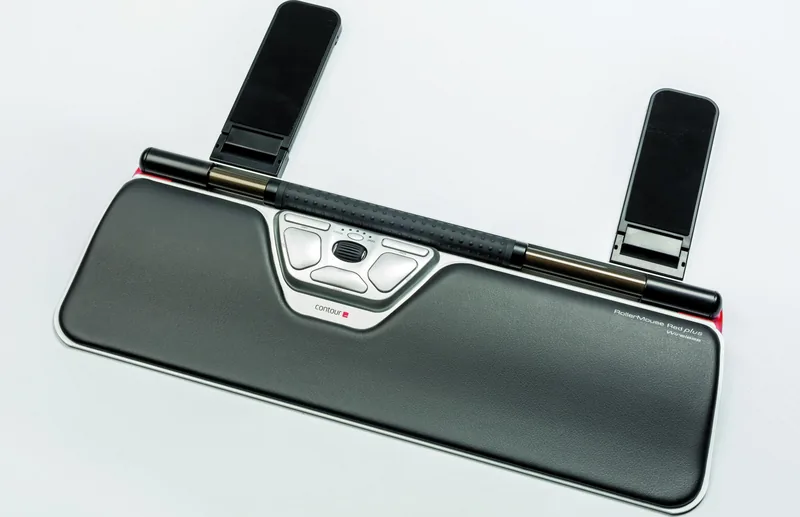
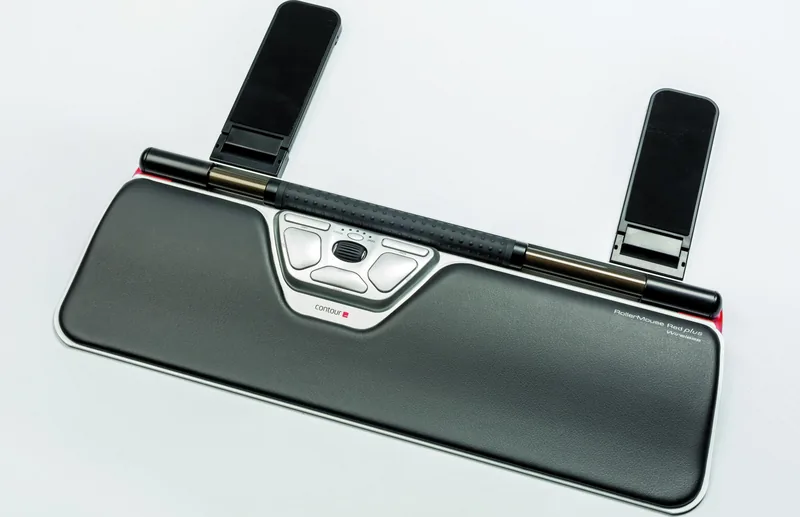
The Contour Design RollerMouse Red Plus Wireless USB is built for people who want a more natural, centered way to control their computer. Instead of reaching for a traditional mouse, your hands stay close to the keyboard while the rollerbar handles pointer movement, clicking, scrolling, and other everyday actions. For anyone who spends long hours typing, editing, or navigating spreadsheets, this setup can feel refreshingly efficient.
One of the biggest strengths of this model is its ergonomic approach. The included keyboard risers help you fine-tune height and angle, so the keyboard can sit in a position that feels balanced with the rollerbar. The wrist rest adds another layer of comfort, and the layout is designed to reduce unnecessary reaching. It’s a thoughtful solution for users who care about posture, desk organization, and a more relaxed workflow.
Wireless freedom is another major advantage. The RollerMouse Red Plus connects through a dongle, and it also supports charging through USB when needed. The rechargeable battery is designed for long use, with an expected life of up to three months under average daily conditions. When it’s time to recharge, you can keep working while it powers up, which makes it practical for busy workdays. The indicator lights also help you quickly check battery level and cursor speed.
Customization is where this device becomes especially useful. You can adjust cursor speed across ten levels, ranging from slow precision to fast movement, and you can also change click force to match your preference. The double-click button offers multiple alternate functions, giving the device flexibility for different habits and tasks. It also supports PC, Mac, and HID modes, which makes it adaptable across work environments.
If you are looking for the Contour Design RollerMouse Red Plus Wireless USB Manual, the key takeaway is simple: this product is designed to make computer work more comfortable, centered, and customizable. It is not just about replacing a mouse; it is about reshaping how your hands interact with your desktop.
Notes
- Best for users seeking an ergonomic, central pointing device.
- Useful for office work, creative tasks, and long daily computer sessions.
- Setup is flexible, but optimal comfort depends on keyboard placement and adjustment.
Search for 67,706 Manuals online


Type-in Brand or Model
Sophie Keller
10 months ago
It is quite expensive. I have only used it for a week. Does this split/central-position mouse really help with hand or wrist strain, or is it just a premium gimmick?
Manual.ly
10 months ago
A week is usually not enough to judge long-term benefits. Ergonomic mice often need a short adjustment period (commonly 2 to 4 weeks) as your muscles learn the new grip and movement. With this design, the mouse sits more centrally and can be operated with both hands, which can reduce load on your arms and improve comfort versus a conventional mouse. Make sure you set it up so your shoulders stay relaxed and your wrists are not bent. If you still feel pain or numbness after the adjustment period, stop using it and consult a professional. If you are concerned about value, check the return or warranty options so you can test it confidently.