
Contour Design RollerMouse Mobile Manual
PDF manual · 40 Pages
English



Quick check
Incorrect answer, please try again.
Chat with your Contour Design RollerMouse Mobile manual using AI
Get instant AI answers from your Contour Design RollerMouse Mobile manual
Ask anything about the Contour Design RollerMouse Mobile. Answers come from this manual, with the pages they are based on.
Ask a Question
Do you recommend RollerMouse Mobile?
Yes NoFrequently Asked Questions
Power on the device using button A, then navigate to your computer's Bluetooth settings. Select the option to add a new device and choose RollerMouse Mobile from the list to initiate the connection.
Is this answer helpful?
The package includes the RollerMouse Mobile unit, a travel wrap, two sets of rubber feet, a USB dongle, a USB extender, and a USB charging cable. Accessories 4, 5, and 6 are attached together inside the box.
Is this answer helpful?
Yes, you can continue to use the RollerMouse mobile while it is charging. Simply plug the USB-C end of the charging cable into the device after removing the dongle and extender.
Is this answer helpful?
Press and hold button B, then press and release button H. Use the scroll wheel (button G) to move up or down to adjust the click force level, which is displayed by the LEDs on the right side.
Is this answer helpful?
A single blinking light indicates that the battery level is below 20%. You should charge the device immediately to ensure uninterrupted performance.
Is this answer helpful?
Press button B, hold it down, then press and release button C once before releasing button B. This restores the device to automatic pairing mode.
Is this answer helpful?
Yes, when the device is connected via a USB cable, this wired connection takes precedence over any active wireless Bluetooth or dongle connections.
Is this answer helpful?
Advantages and Disadvantages
Advantages

- Ergonomic rollerbar design reduces wrist strain and promotes natural movement
- Triple connectivity options including USB, Bluetooth, and wired connections
- Adjustable cursor speed and customizable click force for personalized control
- Includes travel wrap that functions as a wrist rest and laptop stand
- Rechargeable battery with clear LED indicators and quick charging capability
Disadvantages

- Learning curve required to master the unique horizontal rollerbar motion
- Battery life may vary depending on usage intensity and frequency
- Additional accessories like rubber feet require manual installation
- Automatic pairing mode may cycle through steps repeatedly if not configured
- Click sound cannot be fully disabled without affecting tactile feedback
Product Specification
Type
Scroll/roller mouse
Buttons
6 (total), 2 (main), 3 (top), 1 (scroll wheel)
Connection
wireless (2.40GHz, Bluetooth LE) or wired, USB
Power supply
battery (built-in), charging cable (USB-C)
Dimensions (WxDxH)
12.01x0.91x2.56in
Weight
12.71oz
Features
special shape, retractable receiver
Product Description
Elevate Your Workspace with the Contour Design RollerMouse Mobile
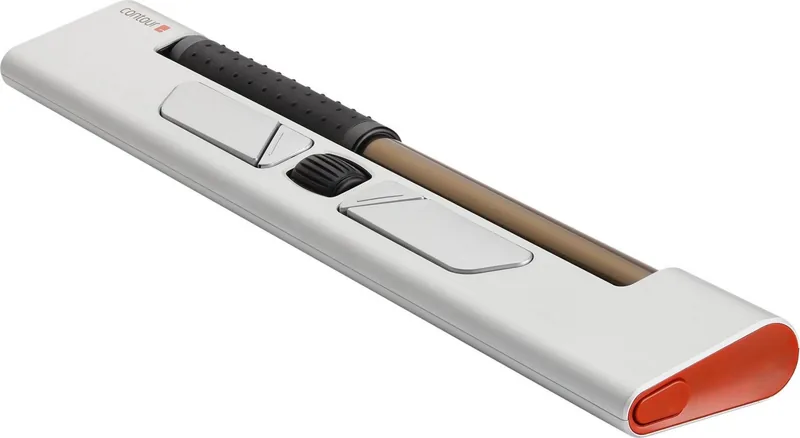
The Contour Design RollerMouse mobile gray/red is a revolutionary ergonomic input device designed to transform how you interact with your computer. This versatile mouse features a unique horizontal rollerbar that allows users to control the cursor with natural wrist movements, significantly reducing strain and promoting better posture during long work sessions. Whether you are working in an office or traveling, this device offers the flexibility of USB, Bluetooth, and wired connections, ensuring seamless integration with any setup.
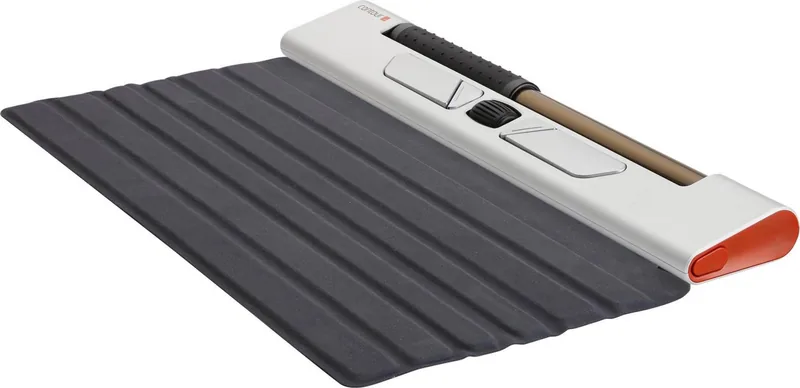
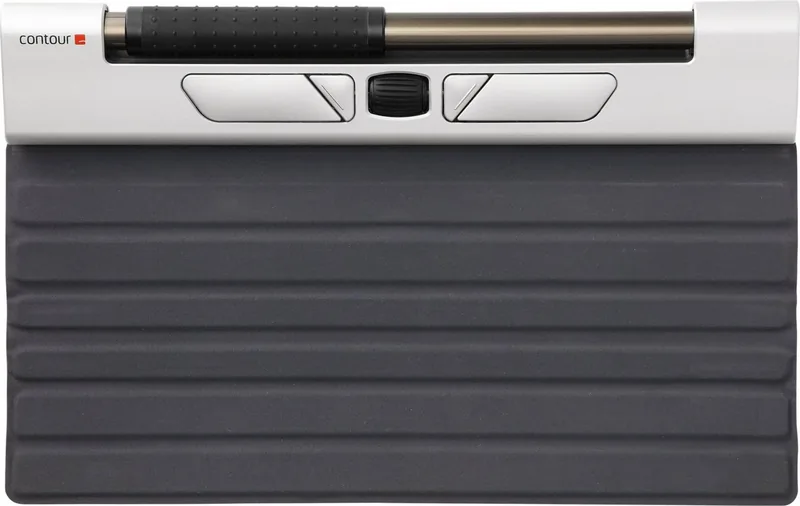
Designed for mobility and comfort, the RollerMouse mobile comes equipped with a travel wrap that doubles as a wrist rest or laptop stand, making it an ideal companion for professionals on the go. The device supports adjustable cursor speeds ranging from 600 to 3000 DPI, allowing for precise control tailored to your specific needs. Additionally, the customizable click force and sound settings provide a personalized experience, letting you adjust the resistance and noise level to match your preferences. With a rechargeable battery that lasts through weeks of use and quick charging capabilities, staying connected has never been easier.
Key Features and Benefits
The RollerMouse mobile stands out due to its multifunctional design. The cursor speed button acts as a central hub for adjusting various settings, including click force and sound levels. The LED indicators provide visual feedback, while accompanying tones confirm successful adjustments. The inclusion of rubber feet helps optimize keyboard height relative to the rollerbar, ensuring an ergonomic alignment that minimizes fatigue. Furthermore, the automatic pairing mode simplifies connectivity, allowing the device to switch effortlessly between dongle and Bluetooth connections.
Important Notes
- Ensure the space bar is slightly higher than the rollerbar for optimal ergonomics.
- Charge the device once a month if used daily in an office environment.
- The USB cable connection overrides wireless modes when plugged in.
Search for 67,706 Manuals online


Type-in Brand or Model