
Cisco TelePresence SX10 Quick Set Manual
PDF manual · 46 Pages
English



Quick check
Incorrect answer, please try again.
Chat with your Cisco TelePresence SX10 Quick Set manual using AI
Get instant AI answers from your Cisco TelePresence SX10 Quick Set manual
Ask anything about the Cisco TelePresence SX10 Quick Set. Answers come from this manual, with the pages they are based on.
Ask a Question
Do you recommend TelePresence SX10 Quick Set?
Yes NoFrequently Asked Questions
It is designed for straightforward video conferencing in small to mid-size meeting spaces. The focus is on quick setup, simple operation, and reliable room-based collaboration rather than advanced custom features.
Is this answer helpful?
Yes. It can be connected to supported provisioning systems so many settings are configured automatically. This helps IT teams deploy and manage the device more efficiently across multiple rooms.
Is this answer helpful?
Yes. The SX10 supports both automatic and manual IP setup. If the network does not assign settings automatically, an administrator can enter the required IP values by hand.
Is this answer helpful?
The system is intended for modern video calling workflows, especially SIP-based environments. The text also notes that H.323 is not available for the SX10 model.
Is this answer helpful?
The setup assistant starts automatically. It guides the user through the first steps, such as language, network, and provisioning choices, and may prompt for a software upgrade.
Is this answer helpful?
Yes. It includes protected administrator settings, guided menus, and a clear setup path, which makes it easier to manage in spaces where many people may use the system.
Is this answer helpful?
Advantages and Disadvantages
Advantages

- Guided setup helps teams get the SX10 running quickly with minimal confusion.
- Supports provisioning so administrators can manage settings across multiple devices.
- Works with IPv4 and IPv6, giving flexibility in modern network environments.
- Password protection and role-based access improve configuration security.
Disadvantages

- Some advanced network and call settings still require administrator knowledge.
- Provisioning and call registration depend on correct server details from IT.
- First-time setup may be limited if the device is not yet connected to the network.
- The SX10 workflow is practical, but it is not designed for highly complex custom setups.
Product Specification
Type
Conference camera
Image sensor
1x CMOS 2.0 MP
Resolution
1920x1080 Pixel (30fps)
Viewing angle
83° (horizontal), 51.5° (vertical)
Pan
-30° to 30° (motorized)
Tilt
-25° to 5° (motorized)
Zoom function
2.7x optical, 2.7x digital
Compression/Codecs
H.263, H.263+, H.264, G.711, G.722, G.729, AAC-LD, OPUS
Connections
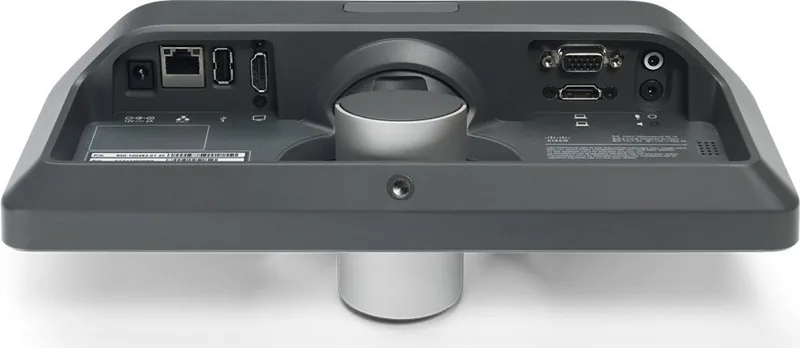
1x USB-A, 1x VGA, 1x HDMI-In, 1x HDMI, 1x 3.5mm jack (Line-Out), 1x 3.5mm jack (Line-In), 1x RJ-45 LAN, 1x serial (RS-232), 1x DC-In barrel jack (Power connection)
Wireless
N/A
Focus
Autofocus, manual
Microphone
integrated
Lighting
N/A
Power supply
Mains operation, PoE (Type 1)
Mount
Mounting clip, stand
Dimensions (WxHxD)
10.83x4.61x3.58in
Weight
1.98 lb
Special features
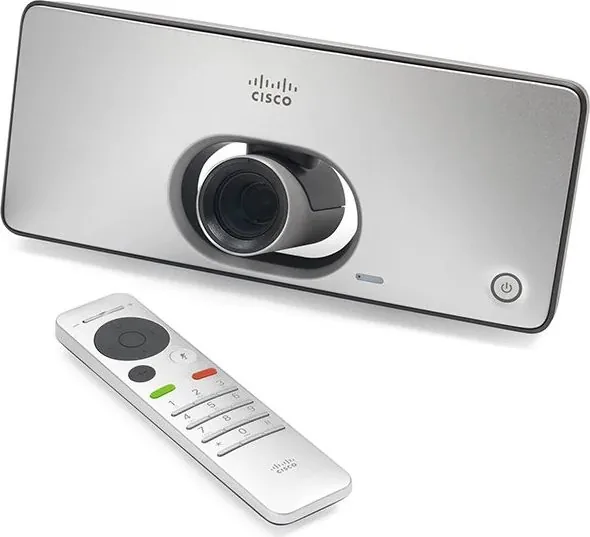
Status LED, remote control
Manufacturer's warranty
3 years
Product Description
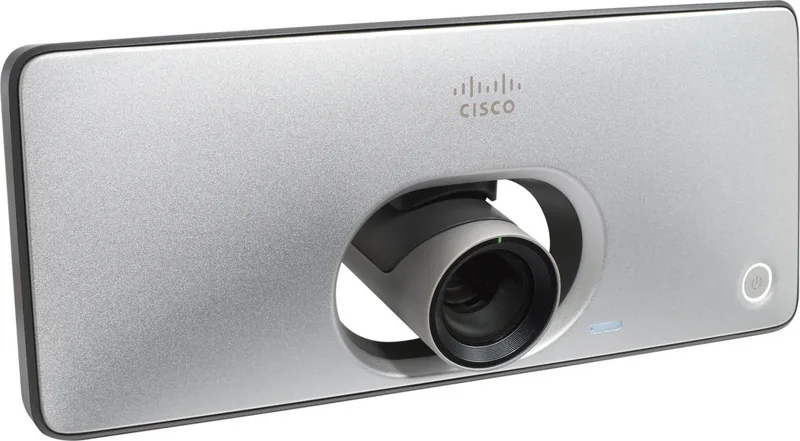
Cisco TelePresence SX10 Quick Set Video Conferencing Kit
The Cisco TelePresence SX10 Quick Set Video Conferencing Kit is built for teams that want a clean, dependable meeting-room experience without a complicated learning curve. It pairs simple controls with a guided startup flow, making it a strong fit for organizations that need fast deployment and consistent video quality across shared spaces.
What makes the SX10 stand out is how much of the setup can be streamlined. On first launch, the system can walk users through the essentials, including language selection, IP setup, provisioning, and basic device checks like microphone and speaker testing. In managed environments, it can connect to provisioning platforms such as Cisco UCM or Cisco VCS, helping administrators standardize settings across multiple rooms. For a hands-on overview, the Cisco TelePresence SX10 Quick Set Video Conferencing Kit Manual is a helpful reference point for understanding the everyday workflow.
The SX10 also reflects the kind of flexibility modern collaboration rooms need. It supports common network configurations, including IPv4 and IPv6, and can work with automatic or manual addressing depending on the network design. Date, time, and location settings are also easy to align, which matters more than it seems when call logs, message timestamps, and scheduling accuracy all have to stay in sync. The interface focuses on practical decisions rather than unnecessary complexity.
Another strength is the clear separation between end-user actions and administrator controls. The system supports secure configuration through password protection and guided access to advanced settings, which helps reduce accidental changes in busy office environments. Combined with the on-screen menu, remote control workflow, and setup assistant, the SX10 Quick Set feels designed for real-world usage rather than just technical installation.
For blog readers exploring entry-level room video solutions, this kit is interesting because it balances simplicity and control. It is not trying to do everything; instead, it focuses on making core conferencing tasks easy, repeatable, and manageable for IT teams and users alike.
Notes
- Best suited for organizations that value quick deployment and guided setup.
- Works well when provisioning and network settings are centrally managed.
- Administrator passwords are important for keeping configuration secure.
- A stable network and correct provisioning details are key to a smooth start.
Search for 67,706 Manuals online


Type-in Brand or Model