
Cisco SG200 Manual
PDF manual · 337 Pages
English



Quick check
Incorrect answer, please try again.
Chat with your Cisco SG200 manual using AI
Get instant AI answers from your Cisco SG200 manual
Ask anything about the Cisco SG200. Answers come from this manual, with the pages they are based on.
Ask a Question
Do you recommend SG200?
Yes NoFrequently Asked Questions
Open a web browser and enter the IP address of the device in the address bar. If using the default IP of 192.168.1.254, ensure the power LED is flashing continuously. Log in with the default username and password.
Is this answer helpful?
The default username is cisco and the default password is also cisco. Upon the first login, you are required to create a new password to ensure account security.
Is this answer helpful?
Yes, the Guide mentions Download or Backup Configuration files. You can use TFTP, HTTP, or SCP protocols to save the Running Configuration to another device to preserve your settings.
Is this answer helpful?
Yes, specific models in the series support Power over Ethernet capabilities. You should check the product ID table in the administration guide to see power dedicated to PoE for your specific model.
Is this answer helpful?
Smartport features may auto-configure ports when an IP phone or compatible device is detected. These changes write to the Running Configuration file, which may trigger a save warning.
Is this answer helpful?
You can configure System Time Options in the Administration section. Settings include System Time Options and SNTP Modes to synchronize with remote servers.
Is this answer helpful?
Discovery protocols including LLDP, CDP, and Bonjour help identify connected devices and simplify network administration by sharing information across the infrastructure.
Is this answer helpful?
Advantages and Disadvantages
Advantages

- Intuitive web-based configuration utility for easy management.
- Robust security features including SSH, SSL, and 802.1X support.
- Proactive RMON monitoring reduces central platform polling needs.
- Supports Auto Configuration and Image Update via DHCP.
- Flexible file management with backup and restore capabilities.
Disadvantages

- Default factory credentials are well known and insecure out of box.
- Unsaved changes are lost if the device is rebooted without saving.
- Web session timeout requires re-login after idle periods.
- Some configuration changes require a reboot to take effect.
- Configuration file restoration must match system modes.
Product Specification
Function
Switch
Type
Standalone, Rackmount (with mounting brackets)
Network Interfaces
48x RJ-45, 2x RJ-45/SFP
Speeds
50x RJ-45 (10/100/1000Base-T), 2x SFP (100M/Gb/s)
PoE
N/A
Backplane
100Gb/s, 74.41Mpps, 10KB Jumboframes, 16Mb Packet Buffer, 8k MAC Addresses
Officially Supported Standards
802.1AX, 802.1D, 802.1Q, 802.1X, 802.1AB, 802.1p, 802.1w, 802.3, 802.3ab, 802.3az, 802.3u, 802.3x, 802.3z, IGMPv3, MLDv2
Configuration
Web Interface
Cooling
Active, 2x Fans (1.57 in)
Dimensions (WxHxD)
17.32x1.73x10.12 inches, 1U
Weight
8.73 lbs
Color
Black
Features
Metal Housing, Removable Mounting Brackets, Firmware Updates Possible
Manufacturer Warranty
Lifetime (10 Years in AT/DE)
Note
For this device, "link aggregation" was officially specified with the obsolete standard IEEE 802.3ad. The function has not been managed by the IEEE Working Group 3 (IEEE 802.3, CSMA/CD - Ethernet) since the year 2008, but rather by the Working Group 1 (IEEE 802.1, High Level Interface - Internetworking) and is technically unchanged via IEEE 802.1AX defined.
Product Description
Overview of the Cisco 200 Series
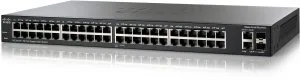
The Cisco SG200 Rackmount Gigabit Smart Switch, 48x RJ-45, 2x RJ-45/SFP Manual provides detailed guidance on deploying advanced networking solutions. This equipment is designed for small business environments requiring enterprise features. The web-based configuration utility allows users to manage the device remotely without complex command line tools. Administrators can configure VLAN management and spanning tree protocols to optimize network traffic flow. Quality of Service settings ensure that critical data packets receive priority during congestion.
System Monitoring and Statistics
The administration guide covers extensive status and statistics features. Users can view system summaries and Ethernet interface statistics in real time. Etherlike statistics help diagnose physical layer errors that might disrupt connectivity. The Remote Network Monitoring feature enables the device to proactively alert managers of threshold breaches. This reduces the need for constant polling of the device by central management platforms. Health diagnostics allow administrators to check copper port statuses and optical module conditions easily. User interface naming conventions are consistent using GE or FE prefixes.
Security and Access Features
Security is paramount regarding network infrastructure. The device supports Secure Sensitive Data Management rules to handle sensitive keys. SSH and SSL servers protect management sessions from interception. 802.1X authentication controls network access at the port level. Port security and denial of service prevention blocks malicious activity. System logs categorize events by severity to help prioritize troubleshooting efforts. Default credentials must be changed immediately upon initial setup to prevent unauthorized access.
File Management and Updates
System files include configuration data, firmware images, and boot code. The guide explains how to upgrade firmware via HTTP or Secure Copy Protocol. Backup and restore functions protect against data loss during system changes. Auto configuration via DHCP allows devices to receive firmware and configuration updates automatically. This simplifies the deployment process for large numbers of new devices. Users must save running configurations to startup files to preserve changes across reboots.
Network Protocols and Discovery
Discovery protocols like LLDP and CDP help identify connected devices. Multicast forwarding and IGMP snooping manage broadcast traffic efficiently. SNMP versions facilitate integration with existing network management systems. These protocols ensure that the switch integrates smoothly with broader network infrastructures. The device handles dynamic updates through IP configuration and management interfaces.
Conclusion
Proper use of this hardware ensures network reliability. Following the instructions in the manual prevents common configuration errors. The flexibility of the switch supports a wide range of application needs. With features like PoE and Green Ethernet, energy efficiency is maintained. Network administrators will find these tools invaluable for maintaining a stable environment. Users should configure idle session timeouts to balance security and convenience effectively.
Search for 67,706 Manuals online


Type-in Brand or Model