
Cisco SF110 Manual
PDF manual · 16 Pages
English



Quick check
Incorrect answer, please try again.
Chat with your Cisco SF110 manual using AI
Get instant AI answers from your Cisco SF110 manual
Ask anything about the Cisco SF110. Answers come from this manual, with the pages they are based on.
Ask a Question
Do you recommend SF110?
Yes No
Lena Schmidt
8 months ago
Does the kit include the screws and anchors for mounting, and is the setup straightforward?

Manual.ly
8 months ago
Yes. Reviewers consistently mention that the housing feels solid and high quality, and that the necessary screws and wall anchors are included for secure mounting. Setup is described as very simple: you attach the unit using the provided hardware, switch it on, and you are ready to use it. If you follow the included instructions, installation should be quick and trouble-free.
Frequently Asked Questions
It adds a few reliable wired Ethernet connections to a small network. It is ideal for home offices, desks, and light business setups where simple plug-and-play expansion is enough.
Is this answer helpful?
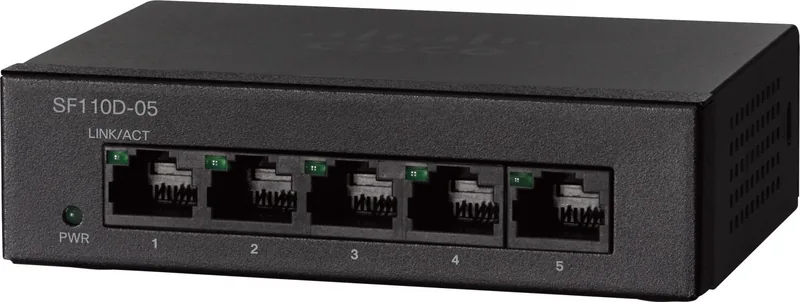
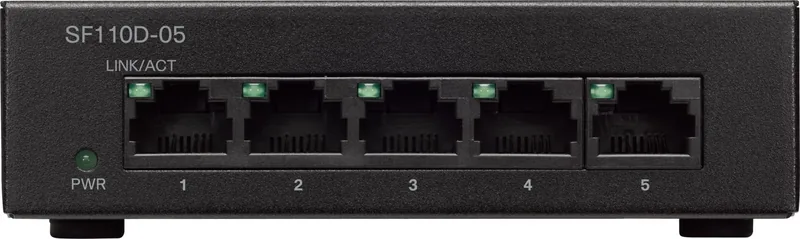
This version has five RJ-45 Ethernet ports, giving you enough connections for a small set of devices without taking up much space.
Is this answer helpful?
No. It is unmanaged, so it is designed to work right away once you connect power and Ethernet cables.
Is this answer helpful?
Yes. The switch supports wall-mount placement, which can help keep the desk clear and improve cable organization in compact spaces.
Is this answer helpful?
Yes. Its size, simplicity, and wired reliability make it a strong fit for home offices, small workgroups, and basic networking needs.
Is this answer helpful?
It is intended for standard indoor use and normal room temperatures, which makes it a dependable option for typical everyday settings.
Is this answer helpful?
Advantages and Disadvantages
Advantages

- Plug-and-play unmanaged design makes setup fast for users who want simple wired expansion.
- Five RJ-45 ports are enough for a compact desktop network or a small set of essential devices.
- Desktop and wall-mount placement options help it fit neatly into tight work areas.
- Built for standard indoor temperatures, making it suitable for everyday office or home use.
Disadvantages

- Five ports may be too few for growing networks with many devices.
- Unmanaged design means no advanced controls, VLANs, or monitoring features.
- Best for basic connectivity, not for complex or high-performance network planning.
- Rack mounting is not the main focus, so it is less suited to structured rack installations.
Product Specification
Function
Switch
Type
Standalone
Network ports
5x RJ-45
Speeds
5x RJ-45 (10/100Base-T)
PoE
N/A
Backplane
1Gb/s, 744kp/s, 9KB Jumboframes
Officially supported standards
802.1p, 802.3, 802.3az, 802.3u, 802.3x
Configuration
unmanaged
Cooling
passive
Dimensions (WxHxD)
4.33x1.18x2.95in
Weight
0.71 lb
Color
anthracite
Special features
Metal housing, external power supply, anti-theft protection (Kensington Lock)
Manufacturer's warranty
lifetime (10 years in AT/DE)
Product Description
Cisco SF110 Desktop Switch, 5x RJ-45 Manual
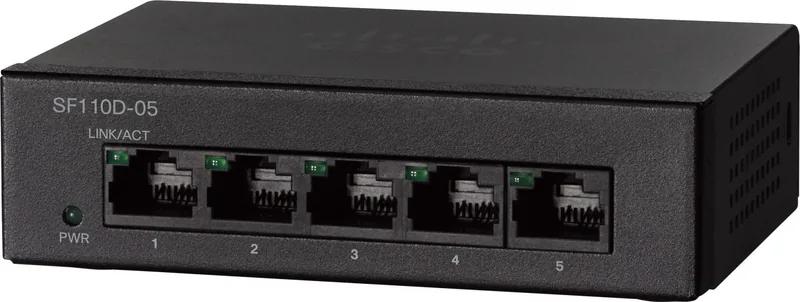
The Cisco SF110 Desktop Switch is a compact, unmanaged Ethernet switch built for straightforward networking. With five RJ-45 ports, it is a practical way to connect a small set of devices through a single reliable wired hub. For home offices, compact workspaces, and light business setups, it offers the kind of plug-and-play convenience that keeps networking simple.
Because it is unmanaged, there is no learning curve tied to complex configuration menus or software. You connect your devices, power on the unit, and let the switch handle traffic quietly in the background. That simplicity makes it appealing for printers, desktop PCs, access points, and other everyday equipment that benefits from a stable wired connection.
For small networks, five ports can cover the essentials without adding clutter. A router uplink, a workstation, a printer, and a couple of shared devices can all sit on one tidy connection point. That makes the SF110 a smart fit when you only need modest expansion and prefer a dedicated wired path over crowded wireless use.
Its desktop-friendly shape also helps it fit into tight spaces. You can place it on a flat surface using its rubber feet or move it to a wall-mounted position when you want a cleaner layout. That flexibility is useful in small offices, front desks, and home networks where cable organization matters as much as performance.
The SF110 family is designed for indoor environments with standard operating conditions, which adds confidence for routine use. It is not a feature-heavy enterprise centerpiece, but it does what many users need best: keep a small wired network running consistently and without fuss. If you are adding a few extra Ethernet connections and want a switch that stays out of the way, this model fits the job well.
In a broader sense, the Cisco SF110 Desktop Switch, 5x RJ-45 Manual represents a dependable approach to basic networking. Instead of focusing on advanced administration, it focuses on easy placement, reliable connectivity, and everyday practicality. For people who prefer stability over complexity, that is often exactly the right balance.
Notes
- Five ports make it suitable for small, targeted expansion.
- Wall-mount support helps save desk space and tidy cable runs.
- Unmanaged operation keeps setup fast and straightforward.
- Best for simple wired connections rather than advanced network control.
Search for 67,706 Manuals online


Type-in Brand or Model
Sofia Martinez
9 months ago
Does the product come with the screws and wall plugs for mounting, and is it quick to set up?
Manual.ly
9 months ago
Yes. The package includes the mounting screws and wall plugs/dowels, so you can install the unit right away. Setup is straightforward: secure the housing, then power it on and it is ready to use. Users report that once assembled and switched on, it works immediately as expected.