
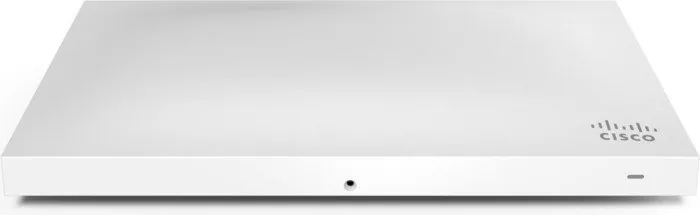
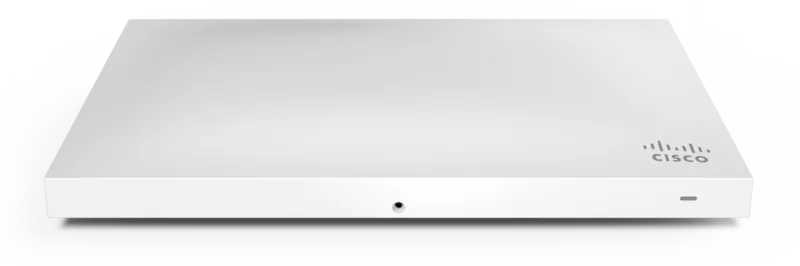
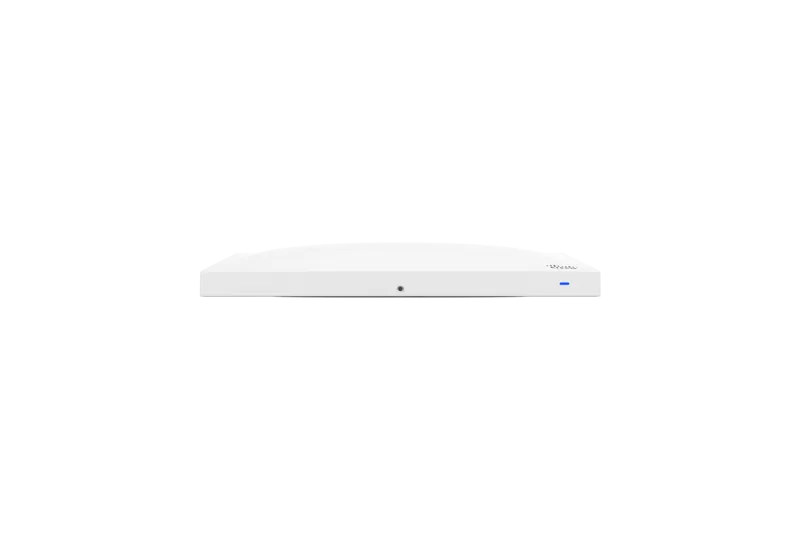
Cisco Meraki MR42 Manual
PDF manual · 15 Pages
English



Quick check
Incorrect answer, please try again.
Chat with your Cisco Meraki MR42 manual using AI
Get instant AI answers from your Cisco Meraki MR42 manual
Ask anything about the Cisco Meraki MR42. Answers come from this manual, with the pages they are based on.
Ask a Question
Do you recommend Meraki MR42?
Yes NoFrequently Asked Questions
It is an enterprise Wi-Fi access point made for busy, high-density spaces. It delivers dual-band 802.11ac wireless coverage and works well in offices, schools, and multi-user environments where centralized control is important.
Is this answer helpful?
Yes. The MR42 is managed through Meraki Dashboard, which lets administrators add devices, map them to floor plans, monitor status, and adjust settings remotely. This is one of its biggest advantages for multi-site networks.
Is this answer helpful?
It can be powered by a Meraki AC adapter, a PoE injector, or a third-party PoE switch. It accepts 802.3at and 802.3af power on its Gigabit Ethernet port.
Is this answer helpful?
Yes. It supports wall, solid ceiling, drop ceiling, and junction box mounting. It can also be used on a desk or shelf without the cradle, giving installers plenty of flexibility.
Is this answer helpful?
When powered by 802.3af, the MR42 enters low-power mode. In that state, it disables the Air Marshal radio and reduces some 2.4 GHz transmit streams, but it still keeps full 802.11ac capability.
Is this answer helpful?
Check the LED behavior and confirm client connectivity. Green or blue indicates normal operation, while blinking patterns can signal booting, upgrades, or uplink issues. Testing coverage with a wireless client is also recommended.
Is this answer helpful?
Advantages and Disadvantages
Advantages

- Cloud management makes setup, monitoring, and remote changes easier.
- Designed for dense environments with stable 802.11ac wireless performance.
- Flexible mounting and power options support many installation scenarios.
- Security features like locking options help protect the access point.
Disadvantages

- Full management depends on Meraki Dashboard and proper network planning.
- Low-power mode reduces some radio features when using 802.3af power.
- Best results require careful placement and coverage testing.
- Additional hardware or accessories may be needed for certain installs.
Product Specification
LAN
1x 1000Base-T (PoE PD)
Wireless
WLAN 802.11a/b/g/n/ac/h (Wi-Fi 5), simultaneous
Transfer Rate
600Mbps (2.4GHz), 1300Mbps (5GHz)
Security
64/128bit WEP, WPA, WPA2
Antennas
internal
Power Consumption
20W (Consumption, Operation), not specified (max. power supply output)
Dimensions
9.96x6.14x1.46in
Special Features
VLAN, Bluetooth LE, MU-MIMO, TPC/DFS
Band Capability
Dual Band (simultaneous)
Manufacturer Warranty
lifetime (10 Years in AT/DE)
Product Description
Cisco Meraki MR42: Smart Enterprise Wi-Fi for Busy Spaces
The Cisco Meraki MR42 is built for environments where wireless traffic never really slows down. As a dual-band 802.11ac access point, it targets offices, classrooms, retail floors, and other high-density locations that need dependable coverage and centralized management. If you’re looking into the Cisco Meraki MR42 Manual, the main takeaway is simple: this unit is designed to make enterprise Wi-Fi easier to deploy, monitor, and secure.
One of the most interesting aspects of the MR42 is its cloud-managed approach. From Meraki Dashboard, administrators can add devices, place them on a floor plan, check firmware status, and adjust settings without being on-site. That makes it especially appealing for teams managing multiple locations or expanding networks over time. The MR42 also includes a third radio dedicated to RF optimization and airspace protection, helping improve performance in crowded wireless environments.
Installation is flexible. The access point can be mounted on a wall, solid ceiling, drop ceiling, junction box, or even placed on a desk or shelf. The included mount cradle and security options such as Torx screws and a Kensington lock add practical protection against tampering. Power options are equally adaptable, with support for PoE, PoE injectors, or an AC adapter. When powered by 802.3af, the unit enters a low-power mode but still delivers full 802.11ac capability.
The MR42 is also thoughtful about status and visibility. Its LED indicators provide quick insight into booting, upgrading, client activity, and uplink issues. For more discreet deployments, Run Dark mode disables the LED entirely through the dashboard. That can be useful in offices, hospitality spaces, or any location where you want the hardware to blend in.
Practical Notes
Before mounting, it’s smart to configure the network in Dashboard, verify firewall settings, and make sure the device has the right IP strategy. Static addressing can be assigned locally or through DHCP reservations, which helps keep management predictable. After installation, a quick check of LED status, client connectivity, and coverage strength can confirm that everything is working as expected.
Final Takeaway
The Cisco Meraki MR42 stands out as a polished enterprise access point for organizations that value both performance and simplicity. It combines solid wireless capability, flexible installation, and cloud-driven control in a package that feels built for real-world deployment. For anyone researching the Cisco Meraki MR42 Manual, the product’s strengths are clear: easy management, secure mounting, and reliable high-density Wi-Fi.
Search for 67,706 Manuals online


Type-in Brand or Model