

Cisco Catalyst 9500 Manual
PDF manual · 100 Pages
English



Quick check
Incorrect answer, please try again.
Chat with your Cisco Catalyst 9500 manual using AI
Get instant AI answers from your Cisco Catalyst 9500 manual
Ask anything about the Cisco Catalyst 9500. Answers come from this manual, with the pages they are based on.
Catalyst 9500 Maintenance Schedule
Ensure proper airflow by removing dust from vents. Blocked vents can cause overheating.
Verify the system ground is secure to prevent EMI issues and data corruption.
Free maintenance reminders
Timed to your purchase date. Always free, unsubscribe anytime.
Ask a Question
Do you recommend Catalyst 9500?
Yes NoFrequently Asked Questions
Its main advantage is a mix of 10G port density, modular uplink flexibility, and enterprise-grade reliability. It is built for stable performance in core and aggregation roles while remaining easy to manage.
Is this answer helpful?
The highlighted configuration includes 16 SFP+ ports for 10G connectivity, plus one module slot for expansion. Depending on the installed module, uplink options can be customized for the network design.
Is this answer helpful?
Yes. The design includes rack-mount support, redundant power options, modular cooling, and management interfaces, all of which are useful in data center and enterprise network environments.
Is this answer helpful?
The power supplies are hot-swappable field-replaceable units. That means they can be removed and installed with minimal disruption, provided the correct procedures and safety steps are followed.
Is this answer helpful?
Important checks include grounding, rack stability, airflow, power source readiness, and whether blank covers or modules are correctly installed. These steps help maintain safety and proper cooling.
Is this answer helpful?
The module slot allows uplink expansion and configuration flexibility. It helps the switch adapt to different network layouts by supporting compatible network modules instead of forcing a fixed uplink design.
Is this answer helpful?
Advantages and Disadvantages
Advantages

- 16x SFP+ ports provide strong 10G density for enterprise aggregation and access designs.
- 1x module slot adds uplink flexibility for changing network needs.
- Redundant power and modular fans improve uptime and serviceability.
- Management ports, console access, and LED diagnostics simplify administration.
Disadvantages

- Installation requires careful grounding, rack planning, and safety compliance.
- Unsupported transceivers or modules can limit compatibility and operation.
- Some expansion features are model-specific, so deployment options vary.
- Proper airflow and blank covers are necessary when slots are unused.
Product Specification
Function
Switch
Type
Standalone, Rackmount (via mounting brackets), with module slot
Network ports
16x SFP+, 1x expansion slots
Speeds
16x SFP+ (1G/10Gb/s), 1x expansion slot (40Gb/s x2)
PoE
N/A
Backplane
240Gb/s, 360Mp/s, 9.198kB Jumboframes, 64k MAC addresses
Officially supported standards
802.1AX, 802.1, 802.1AE, 802.1D, 802.1Q, 802.1BA, 802.1p, 802.1s, 802.1w, 802.1X, 802.3, 802.3ab, 802.3ae, 802.3ba, 802.3u, 802.3x, 802.3z, IGMPv3, MLDv2
Configuration
Web interface, Console, RFID Tag, serial (RJ-45, USB 2.0 Mini-B, USB-A 2.0), Network (RJ-45, dedicated, 10/100Base-T), via control unit (Cisco DNA)
Cooling
active, 4x preparation for fan module
Dimensions (WxHxD)
17.52x1.73x21.54in, 1U
Weight
23.59lb
Color
grey
Special features
Metal housing, 2x hot-plug power supply, optional redundant power supply (redundant power input), firmware updates included lifetime + 5 years
Manufacturer's warranty
lifetime (10 years in AT/DE)
Note
For this device, "link aggregation" was officially specified with the obsolete standard IEEE802.3ad. Since 2008, the function is no longer managed by the IEEE "Working Group 3" (IEEE 802.3, CSMA/CD - Ethernet), but by "Working Group 1" (IEEE 802.1, High Level Interface - Internetworking) and technically defined unchanged via IEEE 802.1AX.
Product Description
Cisco Catalyst 9500 Advantage Rackmount 10G Managed Switch, 16x SFP+, 1x Module Slot Manual
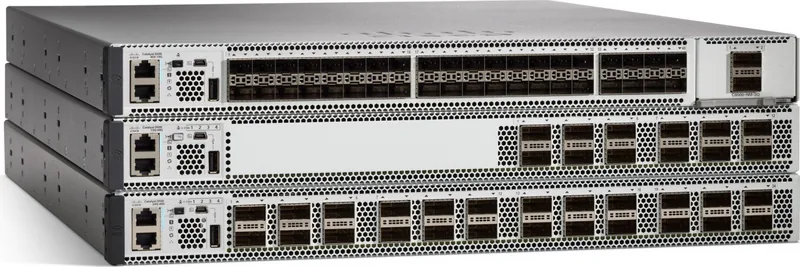
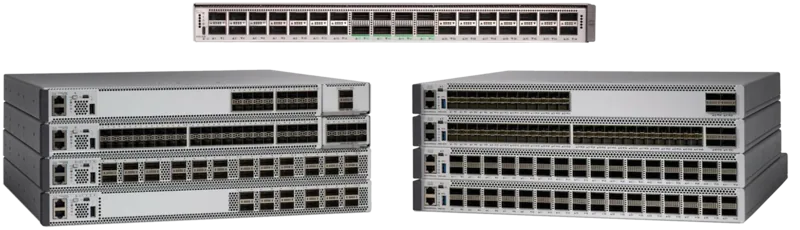
The Cisco Catalyst 9500 Advantage Rackmount 10G Managed Switch, 16x SFP+, 1x Module Slot Manual highlights a family of high-performance switches built for modern core and aggregation networks. It is designed for environments that need dependable throughput, flexible uplinks, and strong operational control. With 16 SFP/SFP+ ports and a modular uplink option, this platform fits neatly into enterprise networks that demand speed without sacrificing manageability.
Built for scalable networking
One of the most appealing traits of the Catalyst 9500 line is its balance of fixed switching capacity and modular expansion. The 16x SFP+ configuration supports high-speed 10G connections for servers, access switches, and distribution links, while the module slot adds room for uplink customization. That flexibility makes it easier to adapt the switch to different deployment needs over time, whether the goal is core routing, campus aggregation, or traffic segmentation.
Beyond raw port availability, the series is known for advanced enterprise features such as secure access, automation support, and out-of-band management options. The management port, console interfaces, and software setup workflows simplify initial deployment and ongoing administration. For teams that want consistent network control, these capabilities reduce the friction of day-to-day operations.
Designed with resilience and serviceability in mind
The hardware guide also emphasizes the practical side of installation and maintenance. Rack-mounting guidance, grounding procedures, hot-swappable power supplies, modular fan assemblies, and SSD support all point to a chassis built for uptime. These details matter in real-world data center and campus environments, where service interruptions can be costly.
The switch’s status LEDs, fan monitoring, and power redundancy options help administrators quickly identify issues before they become serious. Installation steps for network modules and field-replaceable units are especially useful for teams that need to maintain hardware without disrupting service. That kind of operational clarity is a major advantage for managed network infrastructure.
A strong fit for enterprise operations
If you are evaluating a rackmount 10G managed switch for a demanding network, this model stands out for its practical feature set. It combines dense SFP+ connectivity, modular uplinks, solid environmental tolerance, and clear installation practices. In other words, it is built not just to connect devices, but to support a stable network foundation.
Notes
- Plan grounding and airflow before installation.
- Use only supported transceivers and network modules.
- Keep blank covers installed when slots are unused.
- Follow LED indicators for quick health checks.
Search for 67,706 Manuals online


Type-in Brand or Model