
Cisco Catalyst 9300 Manual
PDF manual · 98 Pages
English



Quick check
Incorrect answer, please try again.
Chat with your Cisco Catalyst 9300 manual using AI
Get instant AI answers from your Cisco Catalyst 9300 manual
Ask anything about the Cisco Catalyst 9300. Answers come from this manual, with the pages they are based on.
Catalyst 9300 Maintenance Schedule
If a fan fails, replace it as soon as possible to avoid service interruption due to a second fan fault. Replace within 5 minutes of removal to prevent overheating.
Ensure both module slots are populated with either a power supply or a blank module for proper chassis cooling and EMC compliance.
Ask a Question
Do you recommend Catalyst 9300?
Yes NoFrequently Asked Questions
It is designed for enterprise access networking, offering Gigabit RJ-45 connectivity, stacking, modular uplinks, and power options for reliable campus and branch deployments.
Is this answer helpful?
Yes. The platform supports data stacking with StackWise, allowing multiple switches to operate together for simplified management, redundancy, and expanded bandwidth.
Is this answer helpful?
Yes, depending on the model and power supply configuration. The series supports PoE, PoE+, and Cisco UPOE for compatible devices such as phones, cameras, and access points.
Is this answer helpful?
It supports optional network modules with 1G, 10G, and 40G uplink options. The exact choice depends on the installed module and the network design requirements.
Is this answer helpful?
It can be managed through the web interface, CLI, RJ-45 console port, or USB console port. This gives administrators flexible access during setup and maintenance.
Is this answer helpful?
Confirm rack space, grounding, airflow, compatible modules, and power requirements. The switch also needs proper cable handling and approved accessories for safe operation.
Is this answer helpful?
Advantages and Disadvantages
Advantages

- 24 RJ-45 Gigabit ports provide solid access connectivity for office and campus devices.
- StackWise and StackPower support improve resilience, bandwidth sharing, and operational flexibility.
- Hot-swappable modules make upgrades and maintenance easier without major downtime.
- Multiple management options, including console and USB, simplify setup and troubleshooting.
Disadvantages

- Installation is strict, with safety, grounding, and airflow rules that must be followed closely.
- Power and uplink options depend on the correct module mix, which adds planning complexity.
- Some advanced features require compatible cables, transceivers, and Cisco-approved accessories.
- Rack and stack deployment can be demanding for teams without prior Cisco hardware experience.
Product Specification
Function
Switch
Type
Standalone, Control unit, Rackmount (via mounting bracket), with module slot
Network ports
24x RJ-45, 1x expansion slots
Speeds
24x RJ-45 (10/100/1000Base-T)
PoE
N/A
Backplane
104Gb/s, 154.76Mp/s, 9KB Jumboframes, 16MB Packet buffer, 32k Mac addresses, Stacking (StackWise-480, 480Gb/s)
Officially supported standards
802.1AX, 802.1AE, 802.1D, 802.1Q, 802.1X, 802.1p, 802.1s, 802.1w, 802.3, 802.3ab, 802.3u, 802.3x, 802.3z
Configuration
Web interface, Console, Serial (USB 2.0), via control unit (Cisco DNA), WLAN controller
Cooling
active
Dimensions (WxHxD)
17.52x1.73x17.52in, 1U
Weight
16.03lb
Color
grey
Features
Metal casing, Firmware updates included for life + 1 year, optional redundant power supply (redundant power feed)
Manufacturer warranty
lifetime (10 years in AT/DE)
Note
For this device, "link aggregation" was officially specified with the obsolete standard IEEE802.3ad. Since 2008, the function is no longer managed by IEEE "Working Group 3" (IEEE 802.3, CSMA/CD - Ethernet), but by "Working Group 1" (IEEE 802.1, High Level Interface - Internetworking) and technically defined unchanged via IEEE 802.1AX.
Product Description
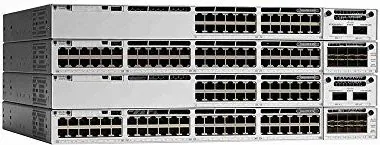
Cisco Catalyst 9300 Essentials Rackmount Gigabit Managed Stack Switch, 24x RJ-45, 1x Module Slot Manual
The Cisco Catalyst 9300 Essentials Rackmount Gigabit Managed Stack Switch, 24x RJ-45, 1x Module Slot Manual highlights a platform built for dependable enterprise networking. At its core, the Catalyst 9300 family is designed to simplify access-layer switching while delivering the performance, resilience, and flexibility modern business environments demand.
This switch brings together 24 Gigabit RJ-45 ports, stackable architecture, and a modular uplink design that makes it easy to adapt the network as requirements change. Whether the goal is standard data connectivity, PoE-powered endpoints, or higher-speed uplinks, the 9300 series is built to support growth without forcing a complete redesign of the network closet.
One of its biggest strengths is stacking. StackWise and StackPower features let multiple switches act like a unified system, improving resilience and making administration more manageable. That means fewer isolated devices to maintain and more options for redundancy, bandwidth aggregation, and power sharing. For organizations that depend on uptime, this is a major advantage.
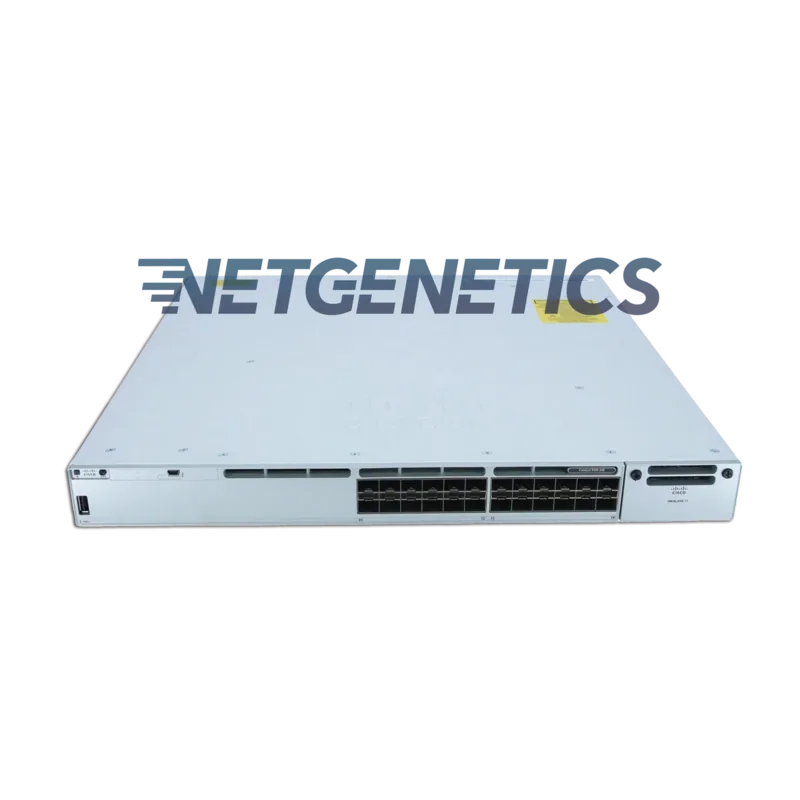
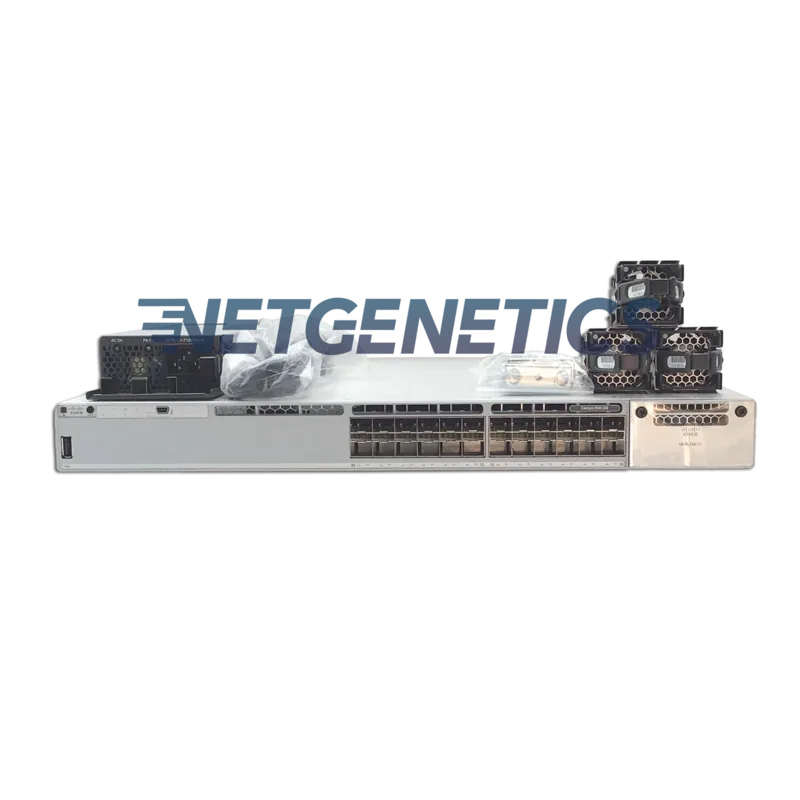
The front and rear panel layout also reflects a practical approach to deployment. Management ports, console access, USB support, status LEDs, and modular expansion options give network teams multiple ways to monitor, configure, and troubleshoot the switch. The documentation emphasizes safe installation, proper airflow, and correct power-supply placement, all of which help maintain long-term stability in rack environments.
Beyond hardware, the switch is clearly aimed at intelligent network operations. It supports automated setup, VLAN planning, STP configuration, and standard management workflows that make initial deployment easier. Combined with strong security features and support for enterprise-grade uplinks, it fits well in offices, campuses, and edge networks where reliability matters as much as speed.
In practice, the Catalyst 9300 is less about flashy specs and more about predictable performance. It is a switch designed to stay online, integrate with other infrastructure, and scale cleanly as the network evolves. For teams looking for a managed stack switch with room to expand, it offers a balanced mix of simplicity and enterprise capability.
Notes
- Use approved modules and cables for best compatibility.
- Keep airflow clear and leave no power slot empty.
- Review stacking and power guidelines before deployment.
Search for 67,706 Manuals online


Type-in Brand or Model