
Cisco Catalyst 9117 Manual
PDF manual · 38 Pages
English



Quick check
Incorrect answer, please try again.
Chat with your Cisco Catalyst 9117 manual using AI
Get instant AI answers from your Cisco Catalyst 9117 manual
Ask anything about the Cisco Catalyst 9117. Answers come from this manual, with the pages they are based on.
Ask a Question
Do you recommend Catalyst 9117?
Yes NoFrequently Asked Questions
For typical ceiling deployments where 360-degree coverage is desired, the 9117I internal-antenna model is intended to mount in a ceiling orientation. This design choice helps maintain the coverage behavior the hardware is built for.
Is this answer helpful?
Wall mounting with internal antennas can reduce or alter coverage because the wall becomes an RF obstacle, so 360-degree coverage may not hold. If wall mounting is required, use an appropriate mounting approach such as a right-angle mount design intended to match the antenna behavior, and validate coverage with a site check.
Is this answer helpful?
Ensure the access point is suitable for plenum installation and that the ceiling tiles are non-conductive. Only use this option when mounting below the ceiling is not practical. Choose a spot clear of obstructions, and verify coverage and performance, especially for voice and location use cases.
Is this answer helpful?
Some clean environments can use compatible wipe-down methods with appropriate cleaning products, as described for Cisco Catalyst deployments. If metal ceilings or non-standard layouts prevent normal mounting, use an enclosure solution designed to protect and secure the access point while meeting site requirements.
Is this answer helpful?
Antenna ports are labeled with priorities (for example A higher than B or C). If fewer antennas are available temporarily, connect them to the highest-priority ports to preserve functionality. For best performance, use the full antenna complement to avoid losing beamforming and key 802.11ax capabilities.
Is this answer helpful?
For new Ethernet runs, Cat6a is recommended to align with 10G Ethernet expectations. For power, the 9117 family can use higher-power PoE options such as 802.3bt/UPoE for full configurations, and lower-power modes (802.3at or 802.3af) may reduce radio features depending on the setup.
Is this answer helpful?
Advantages and Disadvantages
Advantages

- Wi-Fi 6 (802.11ax) improves wireless efficiency and overall user experience in busy environments.
- 9117I internal-antenna ceiling design supports 360-degree coverage for common indoor deployments.
- Supports practical mounting choices, including flush ceiling bracket options and wiring-friendly universal brackets.
- Deployment guidance covers challenging sites like clean areas, above-ceiling placement, and high-vibration locations.
- Power options align with modern PoE needs, including 802.3bt/UPoE for higher performance configurations.
Disadvantages

- Wall mounting can compromise coverage because walls block RF, especially for 360-degree internal-antenna designs.
- Installing above drop ceilings requires non-conductive tiles and verification of RF performance.
- Outdoor or harsh-environment enclosure certification can vary by country and use case, requiring local checks.
- Antenna cable handling matters: low-loss cables are recommended, and some cables are not plenum rated.
- Using fewer antennas or disabling bands can cause a meaningful performance hit, including reduced ax features.
Product Specification
LAN
1x 5GBase-T (PoE++ PD)
Wireless
WLAN 802.11a/b/g/n/ac/ax (Wi-Fi 6), simultaneous
Transfer Rate
1148Mbps (2.4GHz), 4804Mbps (5GHz)
Security
WPA, WPA2, WPA3
Antennas
internal
Connections
1x USB-A 2.0, 1x RJ-45 Management Port
Power Consumption
33W (consumption, operation), no specification (max. power supply output)
Dimensions
8.66x8.66x2.20in
Special Features
MU-MIMO, Bluetooth 5.0, Bluetooth LE, IPv6
Band Capability
Dual Band (simultaneous)
Manufacturer Warranty
lifetime (10 years in AT/DE)
Transfer Rate 802.11n (Wi-Fi 4) 2.4GHz
600Mbps (Spatial Streams: 4x4, Bandwidth: 40MHz)
Transfer Rate 802.11ac (Wi-Fi 5) 5GHz
3467Mbps (Spatial Streams: 8x8, Bandwidth: 80MHz)
Transfer Rate 802.11ax (Wi-Fi 6 / Wi-Fi 6E) 2.4GHz
1148Mbps (Spatial Streams: 4x4, Bandwidth: 40MHz, Modulation: 1024-QAM)
Transfer Rate 802.11ax (Wi-Fi 6 / Wi-Fi 6E) 5GHz
4804Mbps (Spatial Streams: 8x8, Bandwidth: 80MHz, Modulation: 1024-QAM or Spatial Streams: 4x4, Bandwidth: 160MHz, Modulation: 1024-QAM)
Note
Specification of the transfer rate for 802.11ax at 2.4GHz and 5GHz. (802.11n 4x4 40MHz: 600Mbps, 802.11ac 8x8 80MHz: 3467Mbps, 802.11ax (2.4GHz) 4x4 40MHz 1024-QAM: 1148Mbps, 802.11ax (5GHz) 8x8 80MHz 1024-QAM/4x4 160MHz 1024-QAM: 4804Mbps)
Product Description
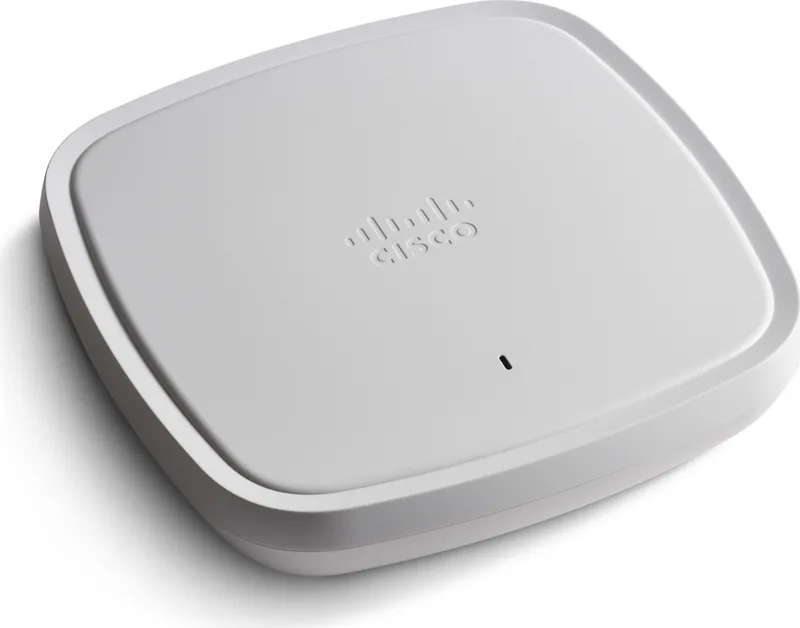
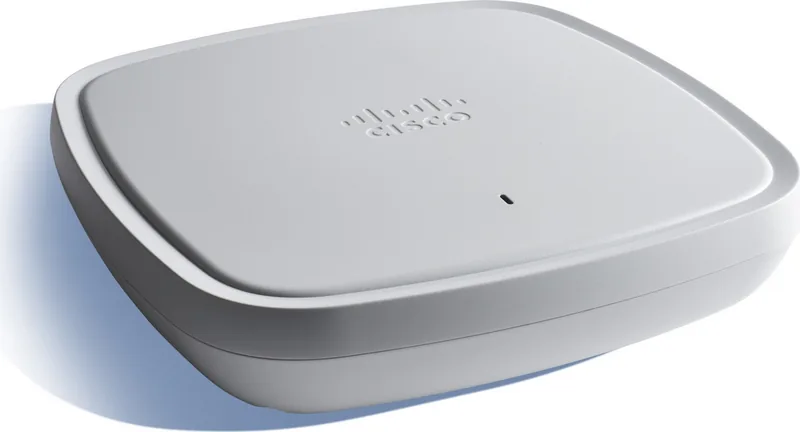
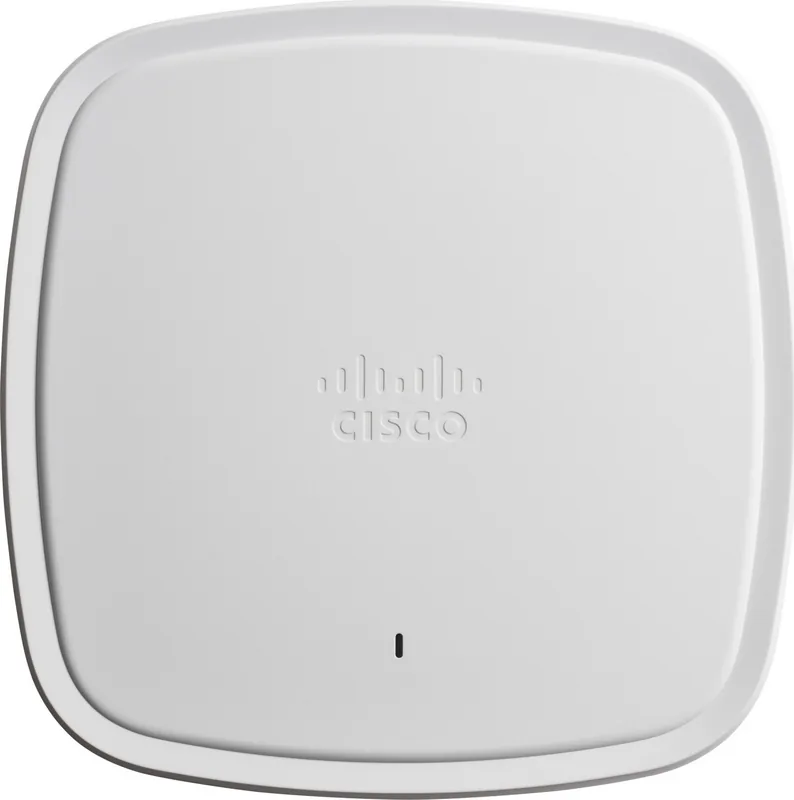
Cisco Catalyst 9100-Series Access Point 9117: Smart Wi-Fi 6 for Real-World Deployments
The Cisco Catalyst 9100-Series Access Point 9117 brings next-generation Wi-Fi 6 performance to demanding spaces, focusing on higher efficiency so more clients get the bandwidth they need from the same coverage area. If you are planning an installation using guidance similar to the "Cisco Catalyst 9100-Series Access Point 9117 Manual," you will find practical direction for both day-one setup and long-term reliability.
At the core is Wi-Fi 6 (802.11ax), designed to use every transmission more effectively, improving the user experience in environments with many active devices. The 9117 approach is especially suited for ceiling-based deployments where a clean, consistent RF footprint matters. The 9117I internal-antenna model is intended for installations such as carpeted areas and ceiling mount scenarios where 360-degree coverage is a priority.
Installation that fits the environment
Choosing the right mounting hardware affects performance as much as radio settings. Select the bracket style based on where you mount the unit: flush, low-profile mounting for ceiling gridwork, or a universal bracket when you need extra space for wiring and alignment to electrical boxes. For channel rails, an optional channel adapter simplifies placement and finish quality.
Wall mounting is possible, but walls can block coverage and reduce the benefits of 360-degree designs. Avoid using internal-antenna models on walls unless you adopt an appropriate right-angle mounting approach. Also, in non-ceiling orientations, signals may penetrate adjacent floors, which can create unnecessary roaming as clients move.
Clean rooms and other wipe-down environments can be supported by compatible cleaning practices, and installations above drop ceilings benefit from the product's plenum-rated suitability (UL-2043). When aesthetic requirements demand hidden AP placement, verify that ceiling tiles are non-conductive and that coverage and voice or location performance remain acceptable.
Key takeaways (results you can aim for)
- Wi-Fi 6 efficiency helps handle dense client usage with improved on-air performance.
- Correct bracket and mounting selection supports stable RF coverage and clean cabling.
- Above-ceiling deployments can meet aesthetic and security needs when plenum rules are followed.
- Careful antenna and PoE planning reduces interference risk and ensures consistent throughput.
Notes
- Use Cat6a for new cabling when aiming for 10G Ethernet compatibility.
- When using multiple antennas, prioritize connecting to the labeled ports to preserve beamforming and 802.11ax features.
- For strict RF exposure compliance, maintain required antenna distance from people during installation.
Search for 67,706 Manuals online


Type-in Brand or Model