

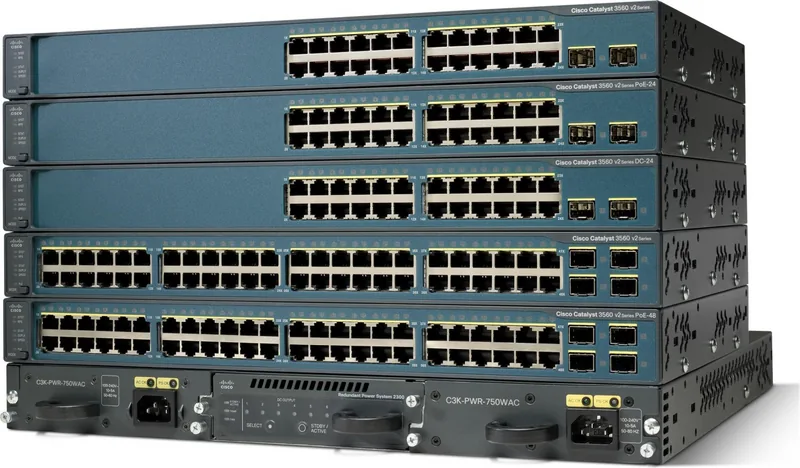
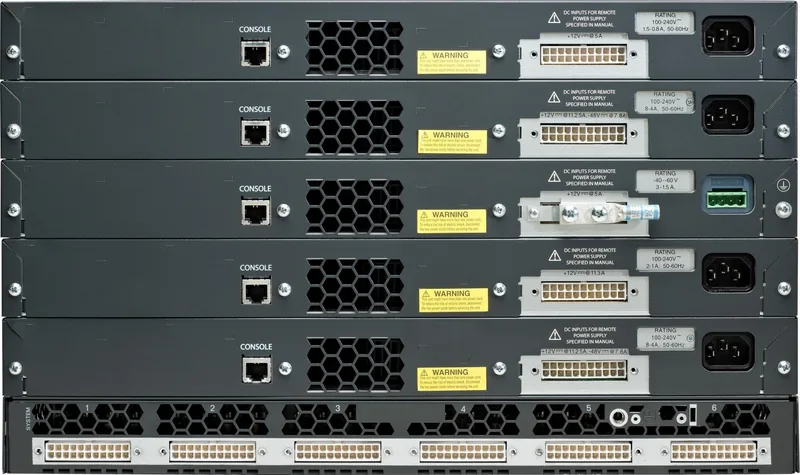
Cisco Catalyst 3560 V2 Manual
PDF manual · 20 Pages
English



Quick check
Incorrect answer, please try again.
Chat with your Cisco Catalyst 3560 V2 manual using AI
Get instant AI answers from your Cisco Catalyst 3560 V2 manual
Ask anything about the Cisco Catalyst 3560 V2. Answers come from this manual, with the pages they are based on.
Ask a Question
Do you recommend Catalyst 3560 V2?
Yes NoFrequently Asked Questions
Yes supported ports deliver up to 15.4W with a max budget of 370 watts.
Is this answer helpful?
Rack wall and shelf mounts are supported with specific bracket kits provided.
Is this answer helpful?
Yes field replaceable SFP slots allow fiber or copper uplink links.
Is this answer helpful?
Via CLI Web interface or Network Assistant application for configuration.
Is this answer helpful?
Status Power Speed and Duplex activity on ports and system.
Is this answer helpful?
Yes Cisco RPS 2300 or 675 can be connected for backup.
Is this answer helpful?
Approx one minute to verify switch operation before full functionality.
Is this answer helpful?
Advantages and Disadvantages
Advantages

- Offers high power over Ethernet capacity up to 370W total for connected devices.
- Provides versatile wall rack and shelf mounting options with specific brackets.
- Supports field replaceable SFP modules for fiber and copper uplink flexibility.
- Features extensive LED diagnostics for quick visual system and port status checks.
- Compatible with Network Assistant for centralized graphical management and monitoring.
Disadvantages

- Power budget limits may restrict deployment for higher density PoE requirements.
- Wall mounting orientation is restricted for some models based on safety guidelines.
- Fan cooling systems draw dust requiring regular environmental maintenance checks.
- Requires specific Cisco RPS models for redundant power system functionality.
- Legacy hardware generation may lack support for newer advanced switching protocols.
Product Specification
Function
Switch
Type
Standalone, Rackmount (via mounting brackets)
Network Connectors
24x RJ-45, 2x SFP
Speed
24x RJ-45 (10/100Base-T), 2x SFP (100M/1Gb/s)
PoE
24x RJ-45 PoE (24x 15.4W), total: 370W
Backplane
32Gb/s, 9,016kB Jumboframes, 6K Mac addresses
Officially Supported Standards
802.1AX, 802.1AB, 802.1D, 802.1Q, 802.1p, 802.1s, 802.1w, 802.1X, 802.3, 802.3ab, 802.3af, 802.3u, 802.3x, 802.3z, IGMPv3, MLDv2
Configuration
Console, Configuration Software, serial (RJ-45, Rear), via Control Unit
Cooling
Active
Dimensions (WxDxH)
17.44x1.73x11.61in, 1U
Weight
10.14 lbs
Color
dark gray, blue
Features
Metal housing, removable mounting brackets, firmware updates possible, optional external redundant power supply (redundant power supply)
Note
For this device, "link aggregation" was officially specified with the obsolete standard IEEE802.3ad. The function has not been managed by the IEEE "Working Group 3" (IEEE 802.3, CSMA/CD - Ethernet) since 2008, but is managed by "Working Group 1" (IEEE 802.1, High Level Interface - Internetworking) and is defined technically unchanged via IEEE 802.1AX.
Product Description
Explore the advanced capabilities of the Cisco Catalyst 3560 V2 IP Base Rackmount Managed Switch 24x RJ-45 2x SFP 370W PoE. This networking solution is designed for reliable enterprise connectivity and performance scaling. It offers twenty four copper ethernet ports for end user devices. The system supports two small form factor pluggable slots for uplink connections. Power distribution is handled with significant budget for connected equipment. This switch provides managed features that allow for complex network configurations required by larger organizations.
Power delivery is a key feature for modern deployments. PoE support provides up to 15.4 watts per port on active interfaces. The total output handles up to 370 watts simultaneously. This capability supports IP telephony and wireless access point networks effectively. Cabling complexity is reduced significantly by powering devices through the switch. Ensure compliant cabling is used to prevent faults and ensure safety standards are met for all power connections. Fiber optic transceivers can extend range for long distance links using SFP modules.
Installation flexibility allows for various physical placement scenarios in data centers. Users can rack mount units using provided brackets for twenty four inch racks or standard racks also. Wall mounting is permissible for certain chassis variations with correct orientation. Table or shelf mounting options exist for smaller deployments with adhesive feet. Ventilation space must be maintained around the chassis to prevent overheating. Three inches of clearance is recommended for all ventilation openings. Avoid placing items on top of the unit to maintain airflow and heat dissipation. Secure hardware is essential for safety.
Administrative control is facilitated through multiple management interfaces and tools. Command line interface access allows for granular configuration and scripting automation. The Network Assistant software offers a graphical interface for cluster management. Web based device manager enables local browser connectivity for quick changes. System performance monitoring is available via standard network management protocols. This ensures comprehensive oversight of all network traffic and device health. Network engineers can utilize these tools for efficient deployment and daily maintenance tasks.
Troubleshooting procedures are streamlined through visual diagnostic indicators. System LEDs show power status during the boot process effectively. Port LEDs indicate link speed and duplex settings for active connections. Redundant power options exist for critical uptime requirements during failures. Safety warnings are included for electrical hazards on power circuits. Regular adherence to guidelines ensures long term device reliability and safety for all staff. Understanding LED patterns helps identify specific issues quickly without console access.
Note: Always verify compatibility with current network standards before purchase. Consult technical documentation for specific installation procedures.
Search for 67,706 Manuals online


Type-in Brand or Model