
Cisco Catalyst 2960-C Manual
PDF manual · 24 Pages
English



Quick check
Incorrect answer, please try again.
Chat with your Cisco Catalyst 2960-C manual using AI
Get instant AI answers from your Cisco Catalyst 2960-C manual
Ask anything about the Cisco Catalyst 2960-C. Answers come from this manual, with the pages they are based on.
Ask a Question
Do you recommend Catalyst 2960-C?
Yes NoFrequently Asked Questions
Yes, it supports wall mounting with mounting screws or a mounting tray. Ensure the front panel faces down or to the side for proper airflow.
Is this answer helpful?
Yes, selected models support 802.3af and 802.3at PoE standards for connecting devices like phones and APs.
Is this answer helpful?
Standard Ethernet cables should not exceed 328 feet or 100 meters for reliable data transmission.
Is this answer helpful?
Yes, dual-purpose ports allow for the installation of SFP modules for fiber optic connections or Gigabit copper uplinks.
Is this answer helpful?
You can access the CLI using the RJ-45 console port or the USB mini-Type B console port with a compatible cable.
Is this answer helpful?
Yes, a reset button is located on the rear panel to power cycle the switch in case of operational issues.
Is this answer helpful?
If the System LED turns amber after the power-on self-test, the switch has failed and may require technical support.
Is this answer helpful?
Advantages and Disadvantages
Advantages

- Supports PoE and PoE+ standards for powering IP phones and access points
- Compact design fits on desks or into racks with flexible mounting options
- Integrated security slots allow for physical protection against tampering
- Multiple management options including CLI, Device Manager, and SNMP
- Versatile power input options including internal supply and auxiliary adapter
Disadvantages

- Requires checking specific sub-models for exact port configurations
- Some features depend on optional accessory kits like mounting trays
- Advanced troubleshooting may require access to technical documentation
- PoE budgeting varies by model and requires careful power planning
- Older models may need drivers for USB console connectivity on Windows
Product Specification
Function
Switch
Type
Standalone, Rackmount (via optional mounting bracket), Wall Mount (via mounting bracket)
Network Connections
10x RJ-45
Speeds
8x RJ-45 (10/100Base-T), 2x RJ-45 (10/100/1000Base-T)
PoE
1x RJ-45 UPoE PD, 1x RJ-45 PoE+ PD or 2x RJ-45 PoE+ PD
Backplane
10Gb/s, 4.2Mp/s, 9,018kB Jumboframes
Officially Supported Standards
802.1AX, 802.1AB, 802.1D, 802.1Q, 802.1X, 802.1p, 802.1s, 802.1w, 802.1X, 802.3, 802.3ab, 802.3af, 802.3ah, 802.3at, 802.3u, 802.3x, 802.3z, IGMPv3, MLDv2
Configuration
Console, serial (USB-A 2.0, USB 2.0 Mini-B, RJ-45), Configuration Software
Cooling
Passive
Dimensions (WxHxD)
10.59x1.73x6.77in, 1U
Weight
2.38 lbs
Color
White
Features
Metal chassis, Firmware updates possible, Theft protection (Kensington Lock), Power supply only via PoE PD
Manufacturer Warranty
Lifetime (10 years in AT/DE)
Note
For this device, "link aggregation" was officially specified with the obsolete standard IEEE802.3ad. The function has not been managed since 2008 by the IEEE "Working Group 3" (IEEE 802.3, CSMA/CD - Ethernet), but by the "Working Group 1" (IEEE 802.1, High Level Interface - Internetworking) and is technically unchanged defined via IEEE 802.1AX.
Product Description
Introduction to Compact Network Intelligence
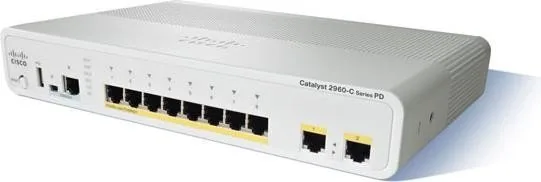
The Cisco Catalyst 2960-C PD Compact LAN Base Desktop Managed Switch is a key solution for modern office networking needs. Designed for space-constrained environments, this device integrates into workspaces and classrooms easily while maintaining a small footprint. Its compact design allows it to sit on a desk or mount on a wall without taking up too much room. Users will appreciate robust hardware features supporting high-speed data and power over Ethernet cables simultaneously.
Power over Ethernet Capabilities
One of the standout features of this switch family is its extensive Power over Ethernet support provided for endpoints. The device supports 802.3af and 802.3at standards to ensure compatibility with various active devices. Power and connectivity travel over one cable, which simplifies complex cabling in tight physical areas. You can connect Cisco IP Phones and Access Points directly without needing separate power adapters nearby. PoE pass-through functionality in specific models allows downstream devices to receive power from the switch if the total budget permits.
Manageability and Security Features
Managing the network is easy with the integrated Cisco IOS software suite included with this unit. Administrators can configure and monitor the switch using the CLI, the embedded Device Manager, or remote management apps like Network Assistant. The switch features physical security slots on the rear panel for cable locks to prevent tampering or theft of the unit. This ensures critical network infrastructure remains secure against unauthorized access. LED indicators provide real-time status updates on system health, link activity, and PoE functionality for rapid troubleshooting.
Installation and Physical Flexibility
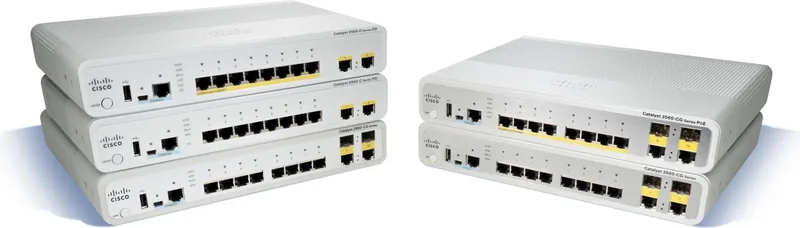
Installation is designed to be versatile for various deployment scenarios in different locations. The switch mounts on a desk, shelf, or wall using supplied feet or screws for stability. It also installs in a standard equipment rack using optional brackets for data centers. DIN rail mounting is available for industrial applications requiring specific mounting types. The internal power supply accepts 100 to 240 VAC, making it suitable for global deployment standards. Thermal management uses built-in heat sinks and airflow guidelines to prevent overheating in enclosed spaces.
Performance Reliability Standards
For connectivity, the switch offers a mix of Fast Ethernet and Gigabit ports depending on the specific sub-model purchased. Users should verify exact configurations based on the sub-model number available on the label. Autonegotiation enables devices to communicate at the highest speed supported automatically without manual setup. This ensures optimal performance for applications needing high bandwidth for daily operations. Overall, the 2960-C PD offers a balanced solution for small to medium deployments requiring managed features in a compact form factor.
Search for 67,706 Manuals online


Type-in Brand or Model