
Cisco Aironet 1562i Manual
PDF manual · 128 Pages
English



Quick check
Incorrect answer, please try again.
Chat with your Cisco Aironet 1562i manual using AI
Get instant AI answers from your Cisco Aironet 1562i manual
Ask anything about the Cisco Aironet 1562i. Answers come from this manual, with the pages they are based on.
Aironet 1562i Maintenance Schedule
Inspect the seal of the console port plug and tighten it to 15 lbf-in every time it is removed or replaced to maintain IP67 water resistance.
Inspect the rubber gasket on the reset button screw for damage and replace it if any signs of damage are present to prevent water leakage.
Free maintenance reminders
Timed to your purchase date. Always free, unsubscribe anytime.
Ask a Question
Do you recommend Aironet 1562i?
Yes NoFrequently Asked Questions
The series includes AP1562I (internal omnidirectional), AP1562D (internal directional), and AP1562E (four external N‑type ports). The AP1562E supports dual‑band or single‑band antennas and Cisco outdoor omni and directional antennas for tailored coverage and backhaul.
Is this answer helpful?
Power options include 42–57 VDC or Power over Ethernet. Depending on the model and regulatory domain, PoE+ or UPoE may be required for full radio capabilities. Cisco lists supported power injectors and an AC/DC adapter for outdoor deployments.
Is this answer helpful?
The AP uses the 5 GHz radio for wireless backhaul and supports mesh roles: RAP (root with wired uplink) and MAP (mesh node). Adaptive Wireless Path Protocol (AWPP) provides intelligent path selection; CAPWAP carries controller traffic. Some mesh/bridge features depend on controller software versions.
Is this answer helpful?
Installers must tighten connector plugs and screws to specified torque values to preserve IP67 sealing, attach a #6 AWG ground wire to the provided grounding lug, and use lightning arrestors and short low‑loss RF cables as recommended to meet safety and regulatory guidelines.
Is this answer helpful?
Regulatory domain suffixes determine allowed frequency channels, transmit power limits, and region‑specific compliance rules. Choosing the correct domain for your country ensures legal operation and appropriate RF behavior for the AP model.
Is this answer helpful?
Cisco does not support third‑party antennas; RF compliance and guaranteed operation apply only when using Cisco‑approved antennas or equivalent designs and gains. Using third‑party antennas is the customer’s responsibility and may affect compliance.
Is this answer helpful?
Cisco offers fixed and pivoting mounting kits for wall, pole, and horizontal mounting, plus a power‑supply bracket and an AP cover/solar shield. Kits support poles roughly 2–8 inches in diameter and include band clamps and hardware for secure outdoor installation.
Is this answer helpful?
Advantages and Disadvantages
Advantages

- Rugged IP67 weatherproof design for outdoor deployments.
- Dual‑band 802.11ac Wave 2 radios with strong throughput and AES hardware encryption.
- Multiple antenna choices (internal omni/dir, external N‑type) for flexible RF designs.
- Supports mesh, point‑to‑point/multipoint bridging, and controller‑managed modes with AWPP.
- Varied mounting kits and power options (DC, PoE, UPoE) for versatile installation scenarios.
Disadvantages

- External antenna cabling and connectors increase installation complexity and timing.
- Full 3x3 2.4 GHz performance may require UPoE in certain regulatory domains.
- Mesh and bridge support can depend on specific controller software releases.
- Maintaining IP67 integrity requires precise torque values and correct sealing procedures.
- Third‑party antennas are unsupported; compliance guaranteed only with Cisco antennas.
Product Specification
LAN
1x 1000Base-T (1x UPoE PD), 1x SFP
Wireless
WLAN 802.11a/b/g/n/ac/h (Wi-Fi 5), simultaneous
Transfer Rate
450Mbps (2.4GHz), 1300Mbps (5GHz)
Security
WPA, WPA2
Antennas
internal
Ports
1x RJ-45 Management-Port
Power Consumption
32W (consumption, operation), not specified (max. power supply output)
Dimensions
9.02x6.73x3.86in
Special Features
MU-MIMO, TPC/DFS, IP67, Outdoor, VPN passthrough (L2TP/IPSec), Mesh
Band Capability
Dual Band (simultaneous), Mesh
Manufacturer Warranty
one year
Frequencies
E Regulatory Domain: 2.412-2.472GHz (13 Channels); 5.500-5.700GHz (8 Channels - excluding 5.600-5.640GHz)
Product Description
Cisco Aironet 1562i Outdoor AP E regulatory domain Manual
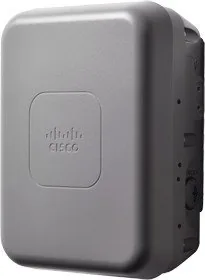
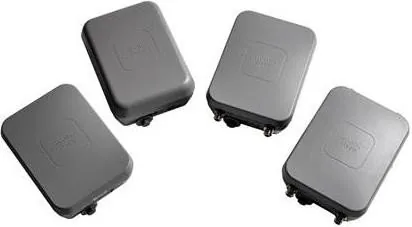
The Cisco Aironet 1562 series is a rugged outdoor wireless access platform engineered for high-performance Wi‑Fi in demanding external environments. Designed with flexible antenna options and robust mounting, the 1560 family supports dual‑band radios (2.4 GHz and 5 GHz) with 802.11ac Wave 2 capability, making it suitable for client access, bridging, and mesh backhaul. Models in the series include internal omni (1562I), internal directional (1562D), and external antenna (1562E) variants, each tailored to different deployment needs—from broad outdoor coverage to focused long‑distance links.
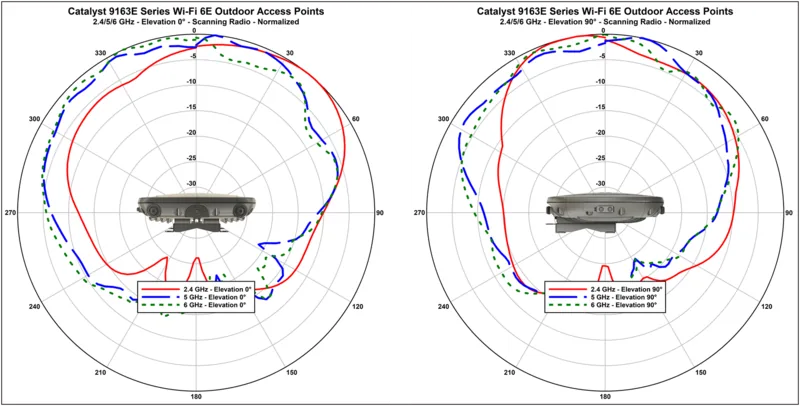
The AP1562I offers integrated omnidirectional antennas optimized for broad area coverage, while the AP1562D provides higher gain directional elements for targeted coverage and longer reach. The AP1562E exposes four N-type ports for external antennas, enabling single‑band or dual‑band configurations and use of Cisco’s outdoor omni and directional antennas for tailored RF patterns. Hardware features include an SFP uplink option, a gigabit Ethernet PoE‑in port, console and reset access, and sealed connectors to maintain IP67‑class weatherproof integrity.
Powering options include DC (42–57 VDC) or PoE via supported injectors and powered switches (PoE+ or UPoE depending on model and regulatory domain). Grounding, lightning arrestors, and proper weatherproof cable glands are emphasized for outdoor safety and compliance. The platform supports intelligent wireless routing via Adaptive Wireless Path Protocol (AWPP) for mesh resiliency, CAPWAP for controller communications, and AES hardware encryption for secure node links. Regulatory domain variants (the “-x” in model numbers) control transmit limits and channel availability, ensuring compliance across countries.
Installation and deployment are well supported with multiple mounting kits (fixed, pivoting, horizontal), an optional solar/shield cover, and detailed guidance on antenna selection, cable routing, grounding, and lightning protection. Typical applications include outdoor coverage for campuses, point‑to‑point or point‑to‑multipoint bridging, and mesh networks where wired backhaul is impractical. Layer 3 operation is supported for scalable, routed deployments.
Notes:
- Choose antenna type and orientation (omni vertical, directional aimed at horizon) based on coverage and band.
- Verify regulatory domain to ensure correct channel and power settings.
- Ensure IP67 sealing torque specs on connector plugs to prevent water ingress.
- Use appropriate, short low‑loss RF cabling and follow grounding and lightning protection practices.
Pros and Cons
Pros:
- Rugged, IP67 design suited for harsh outdoor environments.
- Dual‑band 802.11ac Wave 2 radios with high aggregate throughput.
- Flexible antenna options (internal omni/dir and external N‑type) for varied deployments.
- Supports mesh, bridging, and controller‑managed modes with AWPP routing.
- Multiple mounting kits and power options (DC, PoE, UPoE) for versatile installations.
Cons:
- External antenna setups increase installation complexity and cabling needs.
- Some mesh/bridge features depend on controller software release and regulatory limits.
- High‑power 2.4 GHz operation may require UPoE for full 3x3 capability in some domains.
- Weatherproof sealing requires correct torque on plugs and connectors to maintain IP67.
- Third‑party antennas are unsupported; compliance guaranteed only with Cisco antennas.
3–5 Most Important Results
- Rugged outdoor access: IP67 weatherproof housing, sealed connectors, and grounding provisions for reliable outdoor use.
- Flexible RF: Internal omni/directional or four N‑type external ports support diverse antenna deployments for coverage or long backhaul links.
- High performance: Dual‑band 802.11ac Wave 2 radios with up to 1.3 Gbps (model dependent) and hardware AES encryption.
- Deployment versatility: Supports RAP/MAP roles, point‑to‑point, point‑to‑multipoint, mesh backhaul, and Layer‑3 routed operation.
- Power and compliance: Multiple power options (DC, PoE, UPoE) and regulatory‑domain variants to meet country‑specific RF limits.
FAQ
{ "question": "What antenna options are available for the Cisco Aironet 1562 series?", "answer": "The 1562 series offers internal omnidirectional (1562I), internal directional (1562D), and an external‑port model (1562E) with four N‑type connectors supporting Cisco dual‑band and single‑band outdoor antennas for tailored coverage or long‑range links." }, { "question": "Which power methods can be used to run the 1562 access points?", "answer": "Power can be supplied via 42–57 VDC or Power over Ethernet. Depending on model and regulatory domain, PoE+ or UPoE may be required for full radio performance; Cisco lists supported power injectors and adapters for outdoor deployments." }, { "question": "How does the 1562 handle mesh and backhaul routing?", "answer": "The APs support mesh backhaul using the 5 GHz radio and employ the Adaptive Wireless Path Protocol (AWPP) to select optimal backhaul paths. Roles include RAP (root with wired uplink) and MAP (mesh node). Some mesh/bridge features depend on controller software versions." }, { "question": "What are the sealing and grounding requirements for outdoor installation?", "answer": "Installers must tighten connector plugs and screws to specified torque values to preserve IP67 integrity, attach a #6 AWG ground via the provided lug, and install lightning arrestors and short low‑loss cables where required to meet safety and interference guidelines." }, { "question": "How do regulatory domains affect AP behavior?", "answer": "The regulatory domain suffix in model numbers determines allowed channels, transmit power levels, and regional compliance. Administrators must select the correct domain to ensure lawful operation and correct RF limits for each country." }, { "question": "Can third‑party antennas be used with the AP1562E?", "answer": "Cisco does not support third‑party antennas; RF compliance and performance are guaranteed with Cisco‑approved antennas or equivalents of the same design and gain. Using third‑party antennas is the customer’s responsibility and may void compliance assurances." }, { "question": "What mounting options exist for different installation scenarios?", "answer": "Cisco provides fixed and pivoting mounting kits for wall, pole, and horizontal mounts, plus a power‑supply bracket and optional solar/shield cover. Kits support poles from about 2 to 8 inches diameter and include band clamps for secure outdoor mounting." }
Search for 67,706 Manuals online


Type-in Brand or Model