
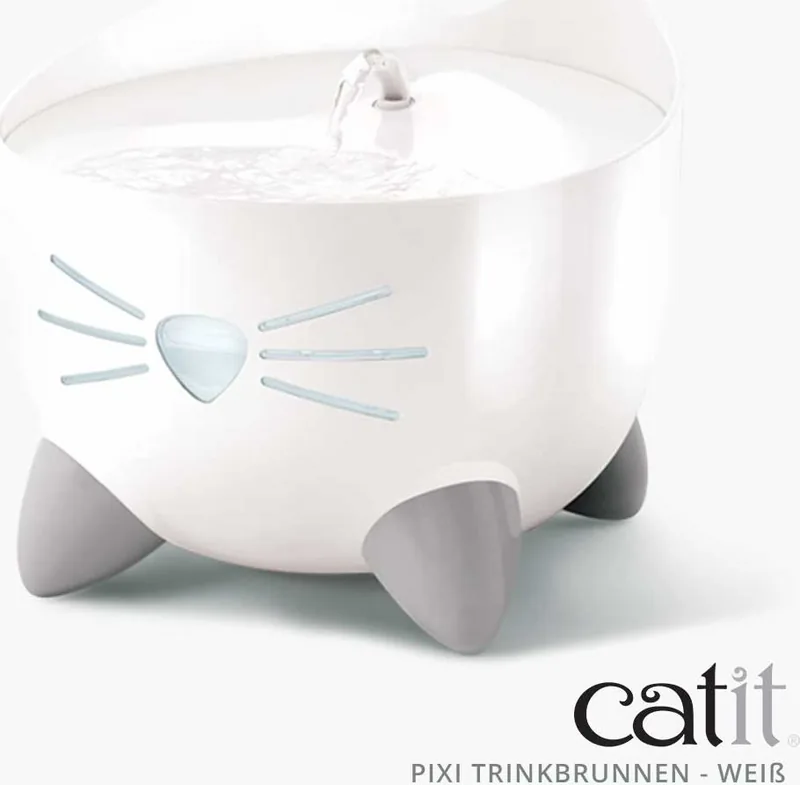


Catit PIXI Smart 6-Meal Feeder Manual
PDF manual · 39 Pages
English



Quick check
Incorrect answer, please try again.
Chat with your Catit PIXI Smart 6-Meal Feeder manual using AI
Get instant AI answers from your Catit PIXI Smart 6-Meal Feeder manual
Ask anything about the Catit PIXI Smart 6-Meal Feeder. Answers come from this manual, with the pages they are based on.
PIXI Smart 6-Meal Feeder Maintenance Schedule
Ensure the appliance is placed on a flat surface and monitor it regularly. Do not place any objects on top of the feeder.
The feeder gives an audible warning when batteries are running low. Replace them timely to maintain power during outages.
Remove the C/LR14 batteries from the compartment if the appliance will not be used for a long period of time.
Freeze both included ice packs for 12 hours at -4 to -24°C and place them under the feeding tray to keep food fresh.
Ask a Question
Do you recommend PIXI Smart 6-Meal Feeder?
Yes NoFrequently Asked Questions
Yes, the Catit PIXI is designed to handle both dry kibble and wet food. Use the included ice packs under the tray to keep wet portions fresh.
Is this answer helpful?
Four C/LR14 batteries can provide approximately four days of power to the feeder in case of a network power failure or blackout.
Is this answer helpful?
No, the feeder does not have a battery charging function. You must remove rechargeable batteries to charge them separately.
Is this answer helpful?
Place the unit on a flat, even surface indoors, away from direct sunlight and heated floors to prevent overheating or moisture issues.
Is this answer helpful?
The feeder will emit an audible warning sound. Replace the batteries promptly to ensure continuous operation.
Is this answer helpful?
No, this unit is for indoor use only. Using it outdoors can expose the electronics to moisture and temperature extremes.
Is this answer helpful?
Advantages and Disadvantages
Advantages

- Supports both dry and wet food for versatile meal planning
- Integrated ice packs keep wet food fresh for extended periods
- App connectivity allows for remote scheduling and monitoring
- Backup battery system ensures operation during power outages
- LCD touch panel offers intuitive manual control
Disadvantages

- Batteries are not included in the package
- Device does not have a built-in battery charging function
- Ice packs may cause minor condensation requiring regular drying
- Requires careful placement away from direct heat sources
- Extension cords must be rated correctly to prevent overheating
Product Description
The Catit PIXI Water Fountain and Feeder Manual: A Smart Solution for Feline Care
The Catit PIXI Water Fountain and Feeder represents a significant leap in automated pet care, designed to keep your feline friend healthy and happy with minimal effort from you. This intelligent device combines hydration and nutrition into one sleek unit, ensuring that your cat has access to fresh water and precisely portioned meals around the clock. The system is controlled via a user-friendly LCD touch panel and syncs seamlessly with the free Catit PIXI app, allowing you to customize feeding schedules and monitor your pet's habits from anywhere.
One of the standout features of the Catit PIXI is its versatility regarding food types. It is specifically engineered to handle both dry kibble and wet food, making it perfect for cats with varied dietary needs or those who enjoy a mix of textures. The feeder includes ice packs that can be frozen and placed beneath the food tray to maintain the freshness of wet food for longer periods, preventing spoilage even when you are away for the day. However, proper placement is crucial; the unit must sit on a flat surface away from direct sunlight or heated floors to ensure optimal performance and safety.
Power reliability is another key aspect of this device. While it operates primarily on standard electricity, it comes equipped with a battery compartment capable of holding four C/LR14 batteries. These serve as a backup power source during outages, providing up to four days of operation. The device also features an audible warning system to alert you when battery levels are low. For maintenance and cleaning, always disconnect the unit from the power source before handling any parts. Remember never to yank the cord but to grasp the plug firmly. Safety is paramount, so ensure the electrical outlet is positioned above the appliance level to prevent water-related hazards.
Important Usage Notes
- Always use the provided USB cable and adapter only with this specific unit.
- Do not attempt to recharge non-rechargeable batteries.
- Keep the base dry to protect internal electronics from moisture damage caused by condensation.
- Remove batteries if the feeder will not be used for an extended period.
- Recycle the product according to local WEEE regulations to minimize environmental impact.
Search for 67,706 Manuals online


Type-in Brand or Model