
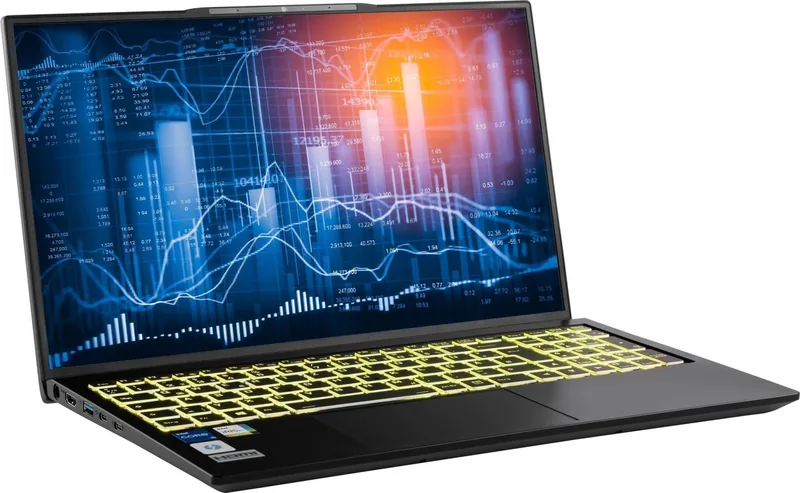
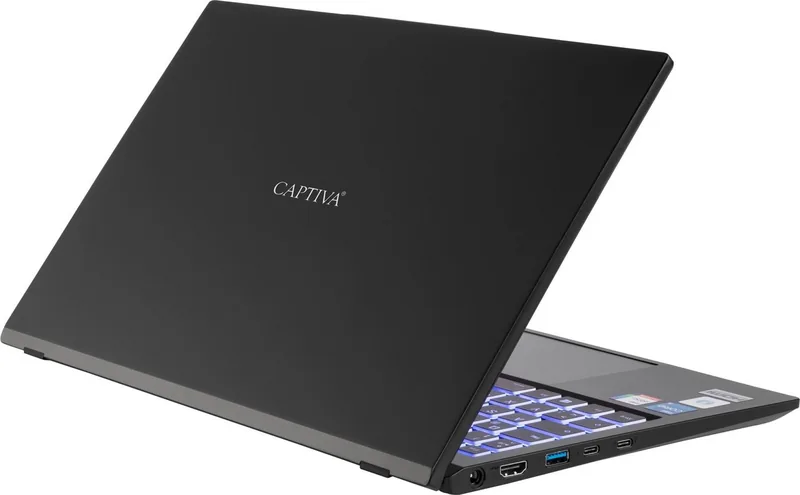
Captiva Power Starter I76 Manual
PDF manual · 144 Pages
English



Quick check
Incorrect answer, please try again.
Chat with your Captiva Power Starter I76 manual using AI
Get instant AI answers from your Captiva Power Starter I76 manual
Ask anything about the Captiva Power Starter I76. Answers come from this manual, with the pages they are based on.
Power Starter I76 Maintenance Schedule
Use a soft clean cloth. Do not apply cleaner directly to the computer and avoid volatile or abrasive cleaners.
Ensure the computer is completely powered off before placing it into a travel bag or container.
Ask a Question
Do you recommend Power Starter I76?
Yes NoFrequently Asked Questions
Click the wireless icon in the taskbar, select your access point, and enter the security key to connect. You can toggle Airplane Mode using specific function keys if needed to reset connections quickly.
Is this answer helpful?
Yes, connect external monitors to the HDMI-Out or Thunderbolt 4 ports. You can configure up to three active displays using the Windows display settings for an expanded workspace.
Is this answer helpful?
Battery life depends on the installed capacity, which can be 36Wh or 73Wh. Using Performance mode consumes more power than Power Saving mode for extended runtime.
Is this answer helpful?
TPM is the Trusted Platform Module which enables secure encryption. You must enable it in the BIOS before managing BitLocker settings in Windows for data protection.
Is this answer helpful?
Set the fan speed to Maximum using the Fn key combination. Adjust Power Modes to Performance for higher CPU and GPU utilization during games to improve frame rates.
Is this answer helpful?
Drivers are on the provided disc or can be installed via Windows Update. Always install drivers while connected to AC power to avoid system shuts downs during installation.
Is this answer helpful?
Advantages and Disadvantages
Advantages

- Thunderbolt 4 port supports high-speed data transfer and power delivery for peripherals.
- Flexible RAID setup allows customization of performance or data protection via SSDs.
- Control Center provides direct access to power modes and fan speed controls.
- Nahimic Audio delivers enhanced sound quality for multimedia applications.
Disadvantages

- Battery capacity varies requiring specific configuration for longer operational runtime.
- Fingerprint sensor is optional and availability may differ between model configurations.
- RAID configuration must be completed prior to installing the operating system.
Product Specification
Type
Laptop
Display
17.3 inches, 1920x1080 (FHD), 16:9, 127ppi, non-glare (matte), IPS
Hard Drive
N/A
Solid State Drive
N/A
Input Devices
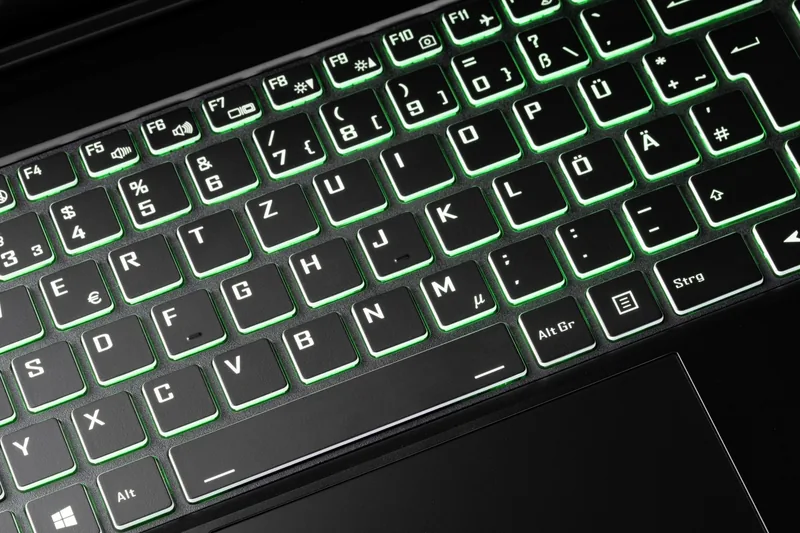
Keyboard with German layout (backlit, numpad, rubber-dome), Touchpad
Ports
1x USB-C 3.1 (10Gb/s), 1x USB-A 3.1 (10Gb/s, BC), 1x USB-A 2.0 (480Mb/s), 1x Thunderbolt 4 (40Gb/s, PD), 1x HDMI, 1x 3.5mm jack, 1x RJ-45 1Gb LAN, 1x microSD, 1x DC-In barrel jack (power input)
Wireless
Wi-Fi 6E (WLAN 802.11a/b/g/n/ac/ax, 2x2, Intel AX211), Bluetooth 5.3
Authentication
TPM 2.0, IR Camera
Camera
1 Megapixel
Optical Drive
N/A
Battery
removable, Li-Polymer, 73Wh, 7.08h battery life
Power Adapter
1x barrel connector (90W, 19V, 4.74A)
Features
Security lock (Kensington Security Slot)
Weight
4.52 lbs
Dimensions
15.55 x 9.87 x 0.78 inches (WxDxH)
Color
Black
USB Notation
Link
Product Description
Experience Power and Precision
Welcome to the high-performance world of the Captiva Power Starter I76 17.3. This machine is designed for professionals who demand reliability and speed. Whether you are editing video or managing complex databases, this system delivers consistent results daily. Users often refer to the Captiva Power Starter I76 17.3 Manual for power management and driver information. The device features a stunning 17.3-inch display that supports crisp Full HD visuals for all your professional content needs. It is built for daily use without compromising on visual fidelity.
High Performance Architecture
Under the hood, an advanced processor paired with an integrated Intel GPU ensures smooth multitasking for demanding applications. Users can configure the system with dual channel DDR4 memory for enhanced data throughput capabilities. The storage options include PCIe SSDs that allow for customizable RAID setups to increase performance or protect data. This RAID capability protects valuable data through mirroring or speeds it up with striping techniques. It is crucial to note that RAID configuration must occur before the operating system installation is finalized. Control Center software provides intuitive access to fan speeds and power modes directly from the Windows interface.
Connectivity and Expandability
Connectivity is robust with a variety of ports designed for modern enterprise workflows. A Thunderbolt 4 port supports power delivery and high-speed data transfer options efficiently. Multiple USB 3.2 Gen 2 ports offer flexibility for connecting various external peripherals and storage solutions. Audio quality is managed by Nahimic Audio technology for immersive sound experiences during media consumption. Wireless options may include Wi-Fi 6E modules for faster network speeds and stability. A MicroSD card reader simplifies media transfer from cameras and other external devices quickly.
Security and Reliability
Security features are paramount for sensitive business operations involving corporate sensitive info. The system supports TPM for secure encryption and BitLocker drive management capabilities. Windows Hello facial recognition or fingerprint sensors offer quick and safe logins for the user. Safety instructions emphasize avoiding liquid exposure and proper battery disposal protocols. Always power off the unit before travel to prevent physical damage to the chassis. The battery life varies based on capacity with options for extended runtime requirements. Following standard care instructions ensures longevity and consistent performance over time.
Care and Maintenance
To prevent overheating, ensure nothing blocks any vent while the computer is in use. Do not remove any covers for device upgrades as this may violate terms of warranty. If the computer needs servicing, refer all tasks to authorized service personnel only. Check for updates regularly via the Microsoft Store and Windows Update settings. Avoid placing any other items in the carrying bag which may rub against the top. Contact your service center if the logo adhesive deteriorates and exposes sharp edges.
This comprehensive overview highlights why this laptop is a top choice for businesses. Proper setup using official guides ensures optimal functioning without issues. Enjoy stability and power in every task you undertake daily.
Search for 67,732 Manuals online


Type-in Brand or Model