
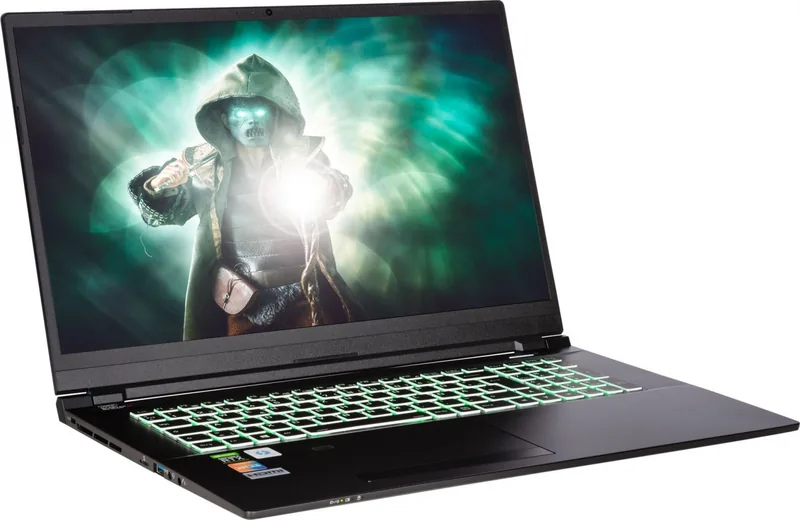
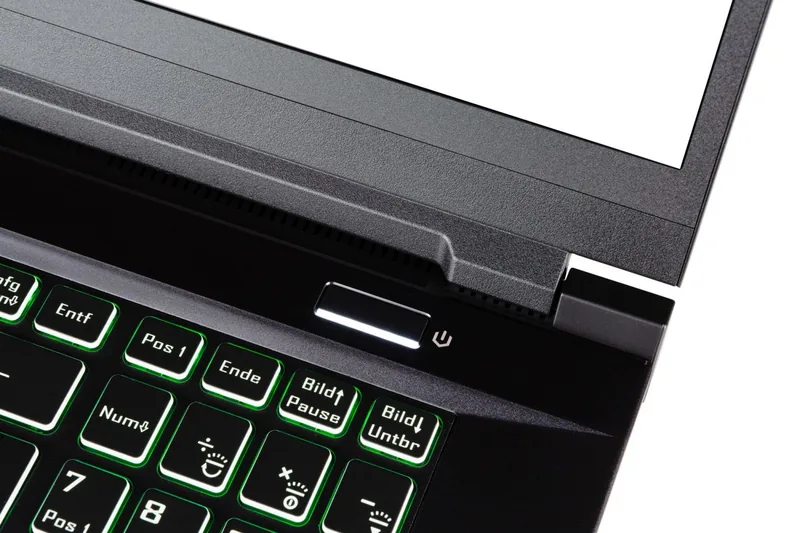
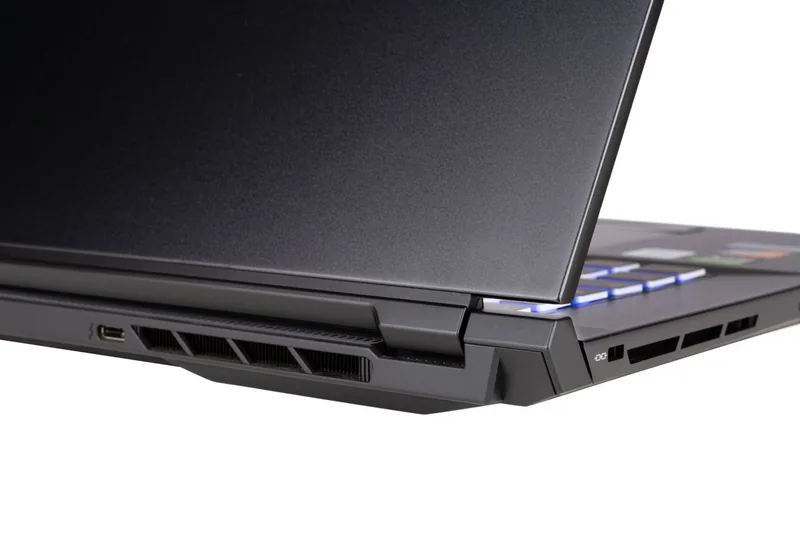
Captiva Highend Gaming I60 Manual
PDF manual · 163 Pages
English



Quick check
Incorrect answer, please try again.
Chat with your Captiva Highend Gaming I60 manual using AI
Get instant AI answers from your Captiva Highend Gaming I60 manual
Ask anything about the Captiva Highend Gaming I60. Answers come from this manual, with the pages they are based on.
Highend Gaming I60 Maintenance Schedule
Remember to periodically save your data as data may be lost if the battery is empty or during unexpected shutdowns.
Before cleaning, disconnect from power and peripherals. Use a soft clean cloth; do not apply cleaner directly or use volatile/abrasive cleaners.
Ask a Question
Do you recommend Highend Gaming I60?
Yes NoFrequently Asked Questions
No, the system cannot support both Intel Optane and RAID configurations at the same time. You must choose one setup method before installing Windows 10. Attempting to configure both will result in incompatibility errors.
Is this answer helpful?
You can toggle the powered USB 3.2 Gen 1 port on or off using the Fn plus Power Button key combination. When enabled, this port supplies power to charge devices even when the computer is in sleep mode or shut down, as long as it is plugged into AC power.
Is this answer helpful?
If the fingerprint reader fails to recognize your print three times, access to the computer will be blocked temporarily. You must then use your PIN or Windows password to log in. Afterward, you can reset the fingerprint settings in the Sign-in options menu.
Is this answer helpful?
It is not recommended to attempt battery replacement yourself. Improper handling can lead to explosion risks or void your warranty. Always refer any battery repairs or replacements to authorized service personnel or your distributor.
Is this answer helpful?
You can connect up to four active displays using HDMI, Mini DisplayPort, or Thunderbolt 3 ports. Use the Project menu (Win + P) or the Display Settings in Windows to arrange them as Duplicate, Extend, or Second Screen Only modes.
Is this answer helpful?
Advantages and Disadvantages
Advantages

- Powerful hybrid graphics switching between Intel iGPU and NVIDIA dGPU for optimal performance and battery life
- Support for RAID 0 and RAID 1 configurations using dual identical PCIe SSDs for speed or data redundancy
- Highly customizable Full Color Per-Key LED keyboard with advanced macro capabilities via Flexikey application
- Comprehensive Control Center software offering detailed fan speed control and multiple power mode presets
- Robust connectivity including Thunderbolt 3, HDMI, Mini DisplayPort, and a powered USB charging port
Disadvantages

- RAID configuration requires two identical SSDs which increases initial hardware costs and complexity
- Intel Optane Memory setup must be completed before installing the Windows operating system
- OLED screen care requires specific habits like using screensavers to prevent burn-in issues over time
- Battery safety precautions require avoiding high ambient temperatures and never storing unused batteries long-term
- Some advanced features like Max-Q technology depend on specific NVIDIA adapter support and may vary by model
Product Specification
Type
Notebook
Display
17.3", 1920x1080 (FHD), 16:9, 127ppi, 144Hz, non-glare (matt), IPS
CPU
Intel Core i7-10750H, 6C/12T, 2.60-5.00GHz, 12MB+1.5MB Cache, 45W TDP, 35W cTDP, Codename "Comet Lake-H" (Comet Lake, Intel 14nm++)
RAM
16GB DDR4-2666 (2x 8GB SO-DIMM Module, 2 Slots)
HDD
N/A
Flash
N/A
Graphics
NVIDIA GeForce RTX 3080 - 16GB GDDR6 - Mobile, 48SM/6144SP, Codename "GA104" (Ampere, Samsung 8nm)
Operating System
N/A
Input
Keyboard with DE layout (RGB backlit, numpad, Rubber-Dome), Touchpad (2 separate mouse buttons at bottom)
Connections
3x USB-A 3.0 (5Gb/s), 1x Thunderbolt 3 (40Gb/s, PD), 1x Mini DisplayPort, 1x HDMI, 2x 3.5mm jack, 1x RJ-45 1Gb LAN, 1x microSD (UHS-II), 1x DC-In hollow socket (power connection)
Wireless
Wi-Fi 6 (WLAN 802.11a/b/g/n/ac/ax, 2x2, Intel AX201), Bluetooth 5.2
Authentication
TPM 2.0
Camera
1 Megapixel
Optical Drive
N/A
Battery
Fixed, Li-Ion, 3 cells, 73Wh, 7.3h runtime
Power Supply
1x Hollow plug (180W/19.5V/9.23A)
Weight
5.07 lbs
Dimensions
15.59x10.41x0.78 in (WxDxH)
Color
gray
USB Writing Style
Left
Product Description
Captiva Highend Gaming I60 17.3: The Ultimate Performance Machine
The Captiva Highend Gaming I60 17.3 is a powerhouse designed for serious gamers and professionals who demand the best. With its massive 17.3-inch display, this laptop offers an immersive visual experience that brings games and creative projects to life. Whether you are navigating complex 3D environments or editing high-resolution video, the screen delivers stunning clarity.
Under the hood, the system features Intel's HM470 Express Chipset paired with powerful NVIDIA discrete graphics. This hybrid setup ensures you get maximum performance when needed while conserving battery life during lighter tasks. The ability to switch between integrated and dedicated GPUs allows for seamless transitions without manual intervention. For storage enthusiasts, the machine supports RAID configurations, allowing you to set up dual SSDs for either blistering speed in RAID 0 mode or critical data protection in RAID 1 mode.
Customization is at the heart of the Captiva Highend Gaming I60 experience. The Control Center software gives you granular control over power modes, ranging from quiet operation to full-performance gaming settings. You can also manage fan speeds manually or utilize Max-Q technology for efficient thermal management. The keyboard is a standout feature, available with multi-color LED backlighting or a full per-key RGB customization option. Through the Flexikey application, you can create macros, assign complex key combinations, and disable unwanted keys to optimize your workflow or gain an edge in competitive gaming.
Connectivity is robust, featuring Thunderbolt 3, HDMI, Mini DisplayPort, and multiple USB 3.2 ports. A powered USB port allows you to charge devices even when the laptop is asleep, provided it remains connected to AC power. Security is not overlooked, with options for TPM 2.0, fingerprint readers, and BIOS passwords ensuring your data remains safe. The inclusion of Intel Optane memory further accelerates system responsiveness by caching frequently accessed data. This device is built to handle the rigors of gaming while maintaining professional-grade reliability.
Search for 67,732 Manuals online


Type-in Brand or Model