

Captiva Advanced Gaming I63 Manual
PDF manual · 154 Pages
English



Quick check
Incorrect answer, please try again.
Chat with your Captiva Advanced Gaming I63 manual using AI
Get instant AI answers from your Captiva Advanced Gaming I63 manual
Ask anything about the Captiva Advanced Gaming I63. Answers come from this manual, with the pages they are based on.
Ask a Question
Do you recommend Advanced Gaming I63?
Yes NoFrequently Asked Questions
No, the system cannot support both Intel Optane and RAID configurations at the same time. You must choose one setup method before installing the Windows 10 operating system.
Is this answer helpful?
Microsoft Hybrid Graphics handles this automatically based on application demands. You can also manually configure display settings via the NVIDIA Control Panel or Intel Graphics Command Center if needed.
Is this answer helpful?
Flexikey allows users to assign single keys to launch multiple key combinations, create text macros, and disable specific keys or mouse buttons for customized gaming or productivity workflows.
Is this answer helpful?
Restart the computer, enter BIOS by pressing F2, navigate to the Security menu, select TPM Configuration, enable Security Device Support, save changes, and restart to initialize it within Windows.
Is this answer helpful?
To prevent overheating, ensure that air vents are never blocked. You can adjust fan speeds to Maximum using the Control Center or Fn key combinations for better cooling during intensive tasks.
Is this answer helpful?
Yes, the laptop supports up to four active external displays using HDMI, Mini DisplayPort, and USB-C ports, though only two can be configured in Duplicate mode when all four are connected.
Is this answer helpful?
Advantages and Disadvantages
Advantages

- Advanced hybrid graphics switching for balanced performance and battery life
- Customizable Multi-Color LED keyboard with dedicated control software
- Comprehensive connectivity including USB 3.2 Gen 2 and DisplayPort over USB-C
- Flexible storage options supporting Intel Optane and RAID configurations
- Robust Control Center for managing power modes and fan speeds
Disadvantages

- Requires specific setup procedures for Intel Optane and RAID before OS installation
- Battery may drain quickly in Performance mode due to high power consumption
- TPM management often requires administrator privileges for full configuration
- Multiple display setups may have limitations on duplicate mode when using four screens
- Fan noise can be noticeable at maximum speed settings during heavy loads
Product Specification
Type
Notebook
Display
15.6", 1920x1080 (FHD), 16:9, 141 ppi, 144Hz, non-glare (matt), IPS
Flash
N/A
Input
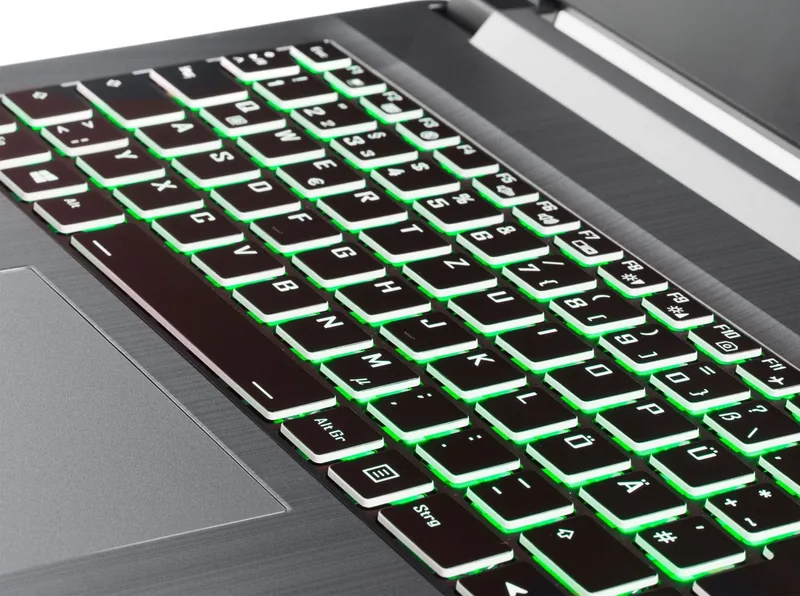
Keyboard with DE layout (RGB backlit, numpad, rubber-dome), touchpad (2 separate mouse buttons at bottom)
Wireless
Wi-Fi 6 (WLAN 802.11a/b/g/n/ac/ax, 2x2, Intel AX201), Bluetooth 5.2
Authentication
TPM 2.0
Camera
1 Megapixel
Optical Drive
N/A
Battery
Fixed, Li-Ion, 4 cells, 48.96Wh, 7.8h runtime
Weight
4.85 lbs
Dimensions
14.21x10.16x0.98 in (WxDxH)
Color
gray
USB notation
Left
Product Description
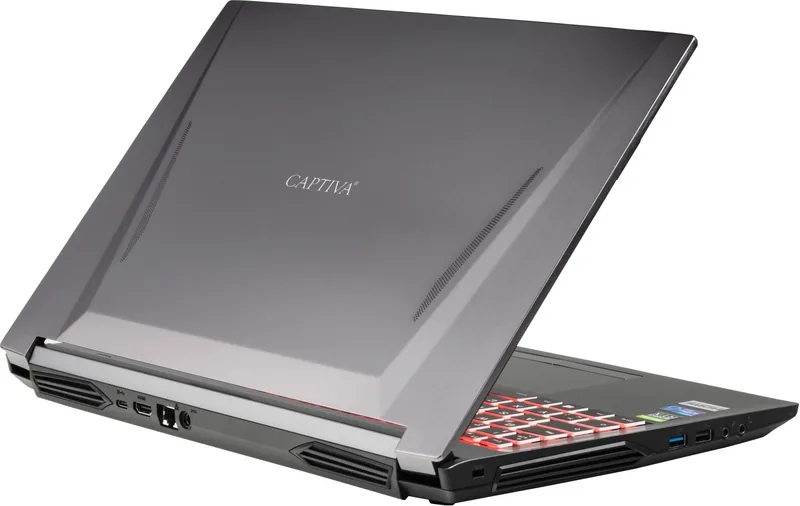
Captiva Advanced Gaming I63 15.6: A Powerhouse for Gamers and Creators
The Captiva Advanced Gaming I63 15.6 is a robust laptop designed to meet the demanding needs of gamers, content creators, and power users. Built with a rugged chassis, this machine offers a seamless blend of performance and portability. Whether you are engaging in high-stakes gaming sessions or managing complex multimedia projects, the I63 delivers the reliability and speed required for professional tasks.
At the heart of this system lies a powerful configuration featuring Intel Core processors paired with NVIDIA discrete graphics for peak performance, while an integrated Intel GPU ensures energy efficiency during lighter tasks. The Microsoft Hybrid Graphics technology automatically switches between these units, optimizing battery life without sacrificing frame rates when you need them most. With support for up to four external displays via HDMI, Mini DisplayPort, and USB-C, this laptop transforms into a versatile workstation capable of driving multiple monitors simultaneously.
Customization is key for the modern user, and the Captiva I63 excels here. The Control Center software provides intuitive access to Power Modes, allowing you to toggle between Power Saving, Quiet, Entertainment, and Performance modes instantly. For gamers, the Maximum fan speed setting ensures thermal management during intense loads. The Multi-Color LED Keyboard adds a vibrant aesthetic touch, with customizable brightness and color schemes accessible through the built-in application. Additionally, the Flexikey® Application empowers users to create custom macros, assign single keys to complex commands, and disable unwanted buttons, streamlining workflows and enhancing gaming strategies.
Connectivity is comprehensive, featuring USB 3.2 Gen 1 and Gen 2 ports, a card reader, and optional Wireless LAN and Bluetooth modules. Security is not an afterthought; the system supports TPM 2.0 for data encryption and BitLocker drive protection. The device also includes Intel Optane™ memory support and RAID capabilities for those seeking maximum storage speed and redundancy. From its sleek design to its advanced feature set, the Captiva Advanced Gaming I63 15.6 stands out as a premium choice for anyone seeking a high-performance computing experience.
Important Notes
- Always use the recommended AC/DC adapter to prevent damage.
- Ensure vents are unblocked to avoid overheating.
- Initialize TPM settings before enabling BitLocker encryption.
- Use Maximum fan speed for optimal gaming performance.
Search for 67,635 Manuals online


Type-in Brand or Model