
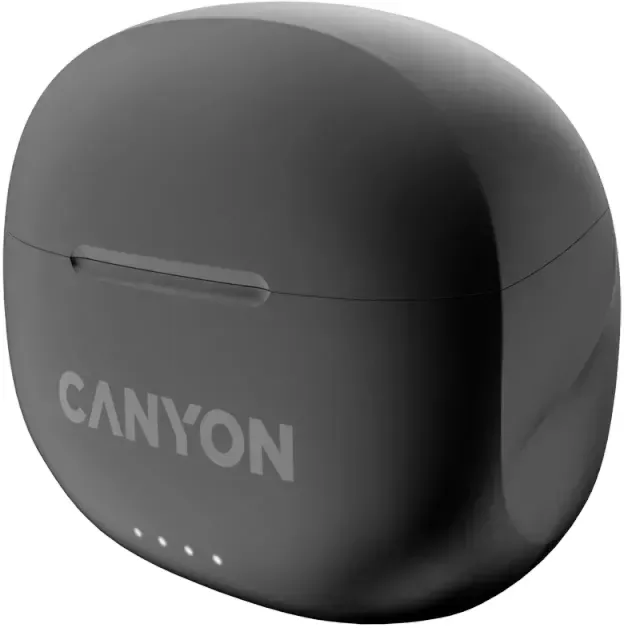
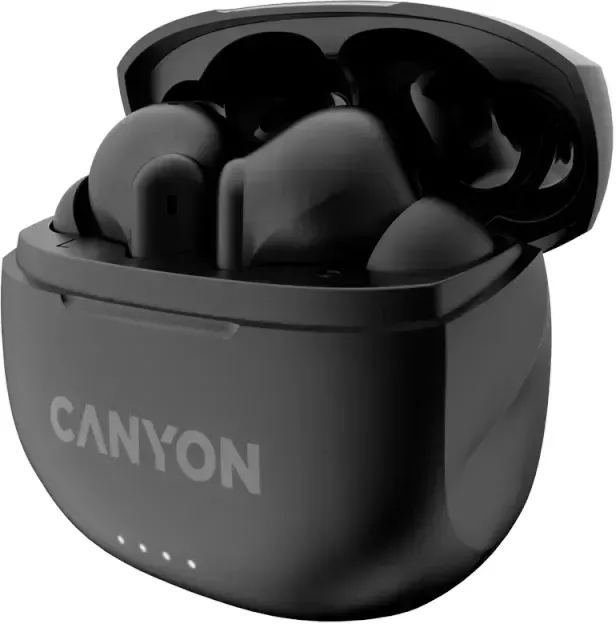
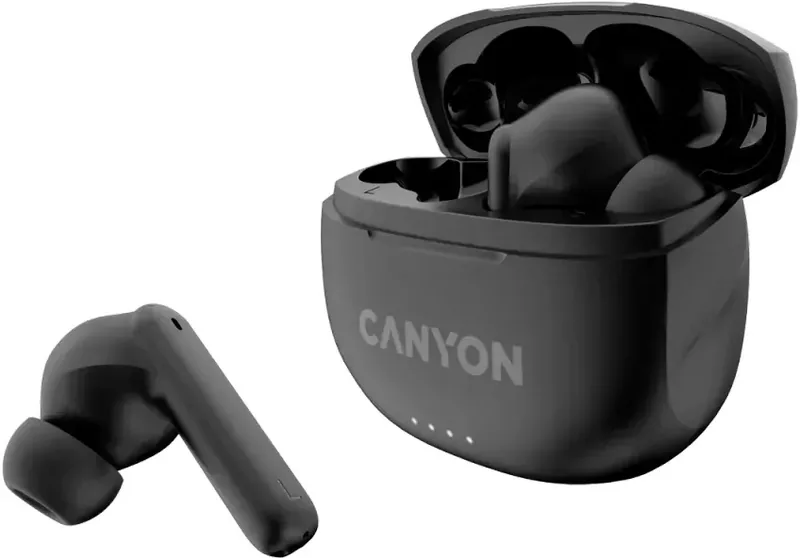
Canyon TWS-8 Manual
PDF manual · 120 Pages
English



Quick check
Incorrect answer, please try again.
Chat with your Canyon TWS-8 manual using AI
Get instant AI answers from your Canyon TWS-8 manual
Ask anything about the Canyon TWS-8. Answers come from this manual, with the pages they are based on.
Ask a Question
Do you recommend TWS-8?
Yes NoFrequently Asked Questions
The earphones provide up to 7.5 hours of playback on a single charge. With the charging case, the total listening time extends to up to 32 hours, ensuring extended use without frequent recharging.
Is this answer helpful?
No, the device does not have moisture protection. You should protect it from excessive humidity, water, and dust to prevent damage during normal operation.
Is this answer helpful?
Take the earphones out of the case. Press and hold the touch buttons of both earphones simultaneously for 4 seconds. Place them back in the case and repeat the pairing process with your device.
Is this answer helpful?
Yes, it features a game mode that reduces audio delay to 50 milliseconds. This helps synchronize audio with video for a better gaming experience on supported devices.
Is this answer helpful?
The warranty is valid for 2 years from the date of purchase, unless local law specifies a different duration. Additional information is available on the official website.
Is this answer helpful?
You can turn them off by placing them back into the charging case. Alternatively, press and hold the touch button on either earphone for up to 5 seconds.
Is this answer helpful?
The package includes the earphones, charging case, quick start guide, USB Type-C to Type-A cable, and silicone ear cushions in three sizes: small, medium, and large.
Is this answer helpful?
Advantages and Disadvantages
Advantages

- Battery life extends to 32 hours total with the included charging case for long usage.
- Bluetooth 5.3 technology supports a dedicated game mode with 50 milliseconds low delay.
- Set includes silicone ear tips in small, medium, and large sizes for better fit.
- USB Type-C connector ensures modern and convenient fast charging capabilities.
- Touch controls allow easy management of music, calls, and voice assistant activation.
Disadvantages

- There is no moisture protection, so units should not be exposed to water or sweat.
- Uncoated ABS plastic material may show signs of wear and tear over prolonged use.
- Pairing requires manual steps in settings rather than fully automatic connection always.
- Touch buttons require practice to master specific gestures for skipping tracks.
- Battery standby life is limited compared to other models in similar price ranges.
Product Specification
Type
In-Ear Headphones
Form Factor
True Wireless, Hookless
Technology
Closed-Back
Microphone
Integrated
Wireless
Bluetooth 5.3
Controls
Touch Control
Battery Life
7.5 h, 32 h (with Charging Case)
Battery
USB-C Charging Port, Charging Case (470 mAh), 0.8 h Charge Time
Frequency Range
20Hz-20kHz (Headphones), 100Hz-10kHz (Microphone)
Impedance
32 Ohm
Sensitivity
98 dB
Drivers
0.51 in
Weight
0.09 lb
Product Description
Discover the Canyon TWS-8 Wireless Stereo Headset
The Canyon TWS-8 represents a significant leap in audio performance for everyday users seeking high-quality sound without the tether of wires. Designed for those who value reliability, this headset delivers an immersive listening experience powered by advanced Bluetooth 5.3 technology. Users familiar with the Canyon TWS-8 Manual will find this device intuitive and robust regarding its setup and operation. The audio hardware features 13 millimeter drivers capable of reproducing frequencies from 20 to 20,000 Hertz effectively. Channel separation is precise at approximately 85 decibels, ensuring clear stereo imaging even during complex musical passages. Built-in omnidirectional microphones handle voice transmission with a dynamic range that reaches 125 decibels for maximum input clarity during calls.
Battery efficiency is a standout feature here for travelers. You can enjoy up to 7.5 hours of continuous playback on a single charge of the earphones themselves. When combined with the charging case, the total listening time extends impressively to 32 hours. This makes them ideal for long commutes, workdays, or extended travel periods. Charging is handled via a convenient USB Type-C connector located on the case. The earphones require up to 50 minutes to charge fully inside the case, while the case itself takes about two hours via an external power source or computer. LED indicators provide visual feedback during the charging cycle, turning red when active and white when the process completes.
Control over your audio and calls is managed through intuitive touch buttons on both earphones. A double tap plays or pauses media, while triple taps skip tracks forward or backward seamlessly. Incoming calls are answered with a double tap, and voice assistants can be activated on the left earphone for hands-free access. For gamers, a dedicated low-latency game mode reduces delay to just 50 milliseconds, synchronizing audio with action on screen accurately. Pairing is straightforward; simply remove the units from the case, and they will enter pairing mode with flashing red and blue lights until the Canyon TWS8 is selected in device settings.
Durability is addressed with uncoated ABS plastic construction for the case and earphones, though users should note there is no moisture protection. It is essential to keep these devices dry and away from direct sunlight to maintain longevity during use. The kit includes silicone ear cushions in small, medium, and large sizes to ensure a secure and comfortable fit for various ear shapes and preferences. Safety instructions emphasize keeping volume levels down initially to prevent hearing damage during sudden sound exposure. The physical design measures 59 by 49 by 26 millimeters for the case and weighs 40.7 grams total. Standby mode in the case can retain charge for up to 180 days without use. Operating temperatures should remain between 0 and 45 degrees Celsius. Cleaning requires a soft dry cloth without detergents. Moisture must be avoided completely as there is no waterproof rating.
The package includes earphones, a charging case, a USB cable, and silicone ear cushions in three sizes to ensure a secure fit. While there is no specific mention of a physical download in the Canyon TWS-8 Manual, digital resources are available online for troubleshooting and specifications. The warranty covers the device for two years from purchase, reflecting confidence in build quality regarding longevity. Environmental regulations require separate disposal at end-of-life through recycling centers to protect the ecosystem. Whether for music, calls, or gaming, the Canyon TWS-8 offers a balanced mix of performance and portability for modern audio consumers.
Search for 67,732 Manuals online


Type-in Brand or Model