Қайшылықтан сақтану үшін, осы тінтуір үшін драйверді орнатудан
бұрын, тінтуірдің басқа драйверлерін кетіріңіз.
Бұйымды бөлшектемеңіз, оны сұйықтықтың, ылғалдың, сыздың
немесе көрсетілген диапазондағы температураның әсеріне
ұшыратпаңыз.
Егер сіздің өнім қатты қызатын болса, оны ажыратыңыз және
температура қалыпты жұмыс диапазонына қайта оралғанша күте
тұрыңыз.
Кепілдік тауарды тұтынушының сатып алу сәтінен бастап 2 жыл.
Қызмет мерзімі 2 жыл.
Пайдалану туралы қосымша ақпарат алу үшін, http://canyon.ru/
zadajte-svoj-vopros/ сайтына кіріңіз.
Келесі сілтеме бойынша өтіп, нұсқаулықтың толық нұсқасын
жүктеңіз: https://canyon.eu/drivers-and-manuals/
Өндіріс күні: (орауышты қараңыз.). Шығарушы Ел: Қытай.
KZ
/2
%
Quick check
I'm not a robot
Incorrect answer, please try again.
Chat with your Canyon Puncher GM-11 manual using AI
Get instant AI answers from your Canyon Puncher GM-11 manual
Ask anything about the Canyon Puncher GM-11. Answers come from this manual, with the pages they are based on.
Ask a Question
0/1000
Do you recommend Puncher GM-11?
YesNo
Frequently Asked
Questions
A
This gaming mouse utilizes the high-performance Pixart PAW3519 sensor, which provides excellent tracking accuracy and responsiveness for various gaming scenarios.
Is this answer helpful?
A
The device features seven programmable buttons that allow users to assign macros and complex commands to enhance gameplay efficiency.
Is this answer helpful?
A
Yes, the mouse supports adjustable DPI levels of 800, 1600, 2400, and 4200, allowing you to customize sensitivity based on your preference.
Is this answer helpful?
A
The included ultraweave USB cable measures 1.65 meters and features a ferrite ring to minimize signal interference during use.
Is this answer helpful?
A
Absolutely, it includes an RGB backlight with six different effect modes that can be customized using the provided software.
Is this answer helpful?
A
The product comes with a 24-month limited warranty from the date of purchase, covering manufacturing defects under normal usage conditions.
Is this answer helpful?
M: QW-35-FL
Advantagesand
Disadvantages
Advantages
High-precision Pixart PAW3519 sensor for accurate tracking
Adjustable DPI settings ranging from 800 to 4200
Seven programmable buttons for custom macros
Durable ultraweave cable with ferrite ring
Six customizable RGB lighting modes
VS
Disadvantages
Requires uninstalling other mouse drivers to avoid conflicts
Limited to wired connection only
Sensitive to extreme temperatures outside 15-25 C range
Cannot be repaired by the user without voiding warranty
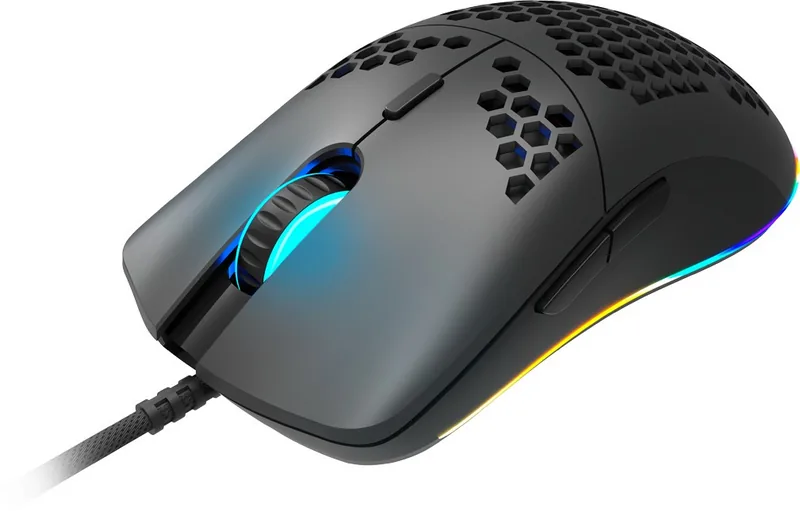
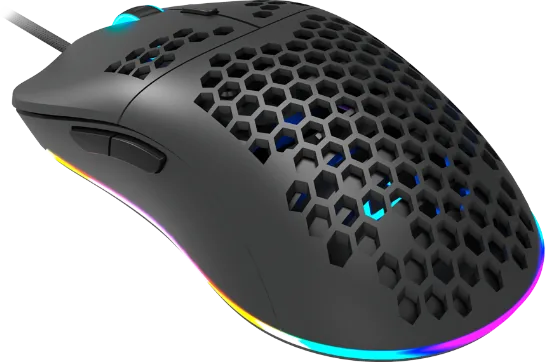
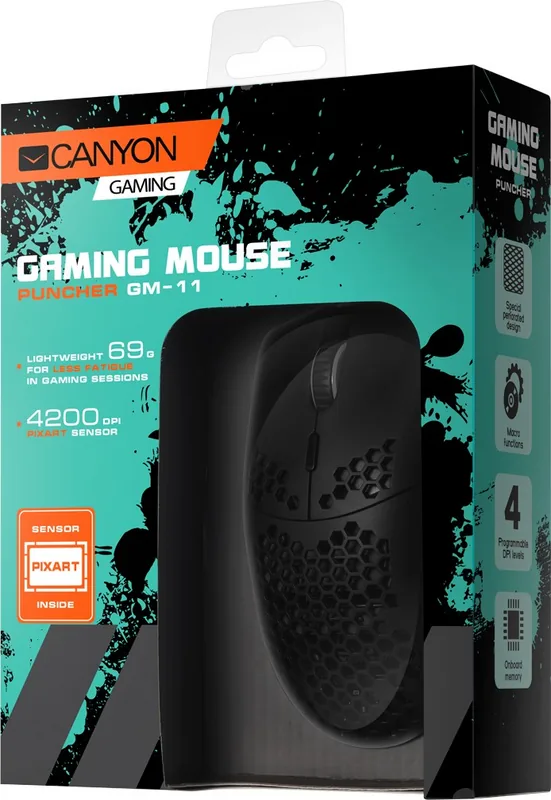
The Canyon Puncher GM-11 is a high-performance gaming mouse designed for precision and comfort. Built with the advanced Pixart PAW3519 sensor, it offers exceptional tracking accuracy that adapts to your playstyle. Whether you are engaging in fast-paced shooters or strategic games, this device ensures every movement is translated instantly on your screen.
One of the standout features is the adjustable DPI system, allowing users to switch between 800, 1600, 2400, and 4200 DPI settings seamlessly. This flexibility means you can tailor the cursor speed to match specific game requirements without needing external software constantly. The mouse comes equipped with seven programmable buttons, giving you the power to assign complex macros and commands for an competitive edge.
Aesthetics meet functionality with the RGB backlighting system. You can choose from six different lighting modes to create a visual atmosphere that matches your setup. The durable ultraweave USB cable, measuring 1.65 meters, features a ferrite ring to reduce electromagnetic interference, ensuring stable data transmission. The high polling rates of up to 1000Hz guarantee minimal latency, making your reactions faster than ever before.
Installation is straightforward as the device operates on standard drivers upon connection. Simply plug the mouse into any available USB port on your PC, laptop, or all-in-one system, and it will be ready to use immediately. For those who want to customize their experience further, additional software is provided to manage button assignments and lighting effects. The robust build quality ensures longevity, provided you follow safety guidelines regarding moisture, heat, and temperature ranges between 15 and 25 degrees Celsius.
Important Notes
Always clean the device with a dry cloth only.
Do not attempt to disassemble the unit as it voids the warranty.
Avoid exposing the mouse to extreme temperatures or direct sunlight.
Ensure other mouse drivers are uninstalled before installing the specific driver for this model.
The product includes a two-year limited warranty from the date of purchase.