Get instant AI answers from your Canyon MW-7 manual
Ask anything about the Canyon MW-7. Answers come from this manual, with the pages they are based on.
Ask a Question
0/1000
Do you recommend MW-7?
YesNo
Frequently Asked
Questions
A
Simply connect the USB receiver to a free USB port on your computer. The device will be ready to use immediately following the installation from the user manual.
Is this answer helpful?
A
The warranty period is two years from the date of purchase by the consumer. Proof of purchase is required for any claims.
Is this answer helpful?
A
Clean the device with a dry cloth only. Do not use wet materials or sprays as moisture can damage the internal electronics.
Is this answer helpful?
A
The device supports 800, 1200, and 1600 DPI resolution options to suit different workflow needs.
Is this answer helpful?
A
A single AA type battery is required. One is included in the package contents for immediate use.
Is this answer helpful?
A
No, dismantling or attempting unauthorized repair will void the warranty. Contact the support team for service.
Is this answer helpful?
A
Dispose of the battery separately from household waste at a local recycling facility as per environmental regulations.
Is this answer helpful?
M: QW-35-FL
Advantagesand
Disadvantages
Advantages
High precision Pixart sensor ensures accurate cursor tracking.
Robust mechanical buttons rated for 3 million clicks.
Comprehensive two-year warranty from purchase date.
Stable 2.4 GHz wireless connection without lag.
Adjustable DPI settings for customized workflow sensitivity.
VS
Disadvantages
Requires AA battery power which needs replacement over time.
Not suitable for wet environments or excessive moisture.
Self-repair attempt voids the warranty conditions.
Requires a free USB port for the receiver function.
Limited color options mentioned in product documentation.
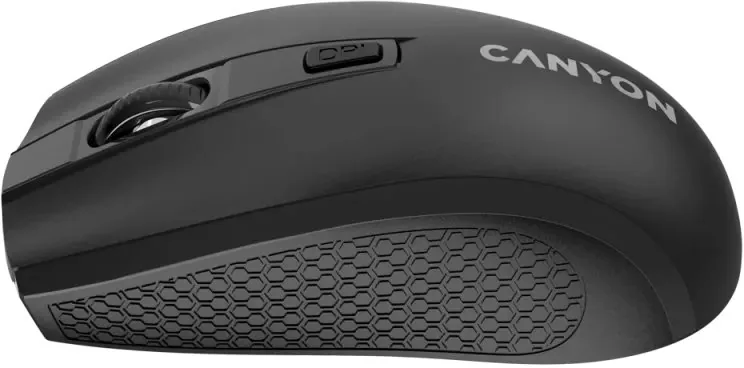
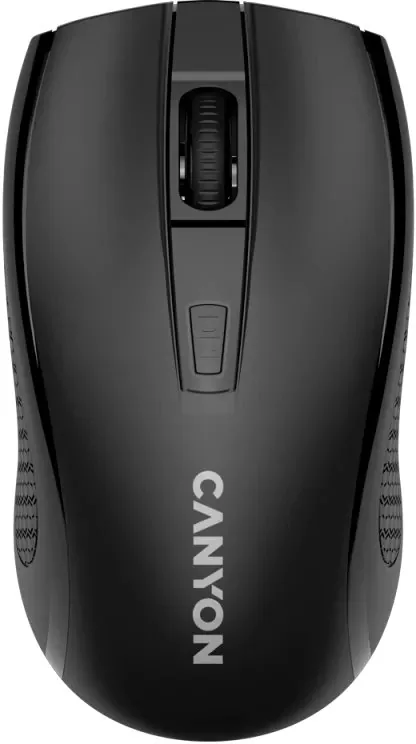
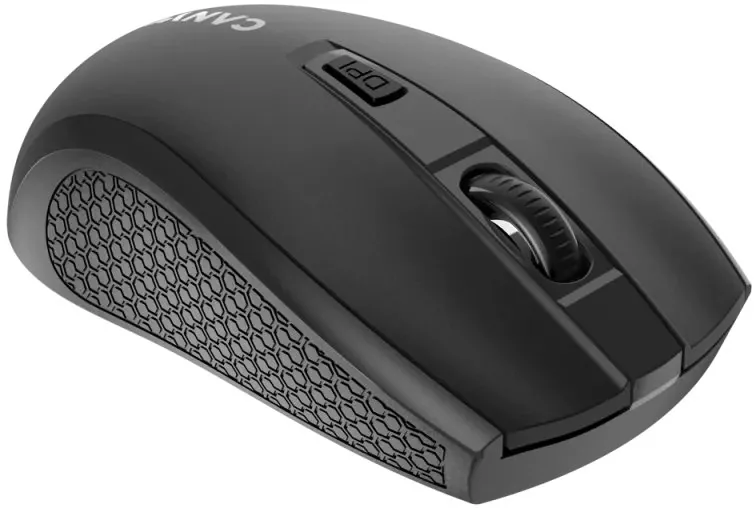
Finding the perfect peripheral is a challenge for users, tech enthusiasts, and casual users. The Canyon MW-7 solves this by offering reliability and affordability. This wireless optical mouse is designed for comfort and efficiency, ideal for busy office and home setups. Whether managing spreadsheets or browsing, this device ensures smooth navigation for every task.
Features That Matter
At the heart lies a high-precision Pixart sensor, a benchmark for performance. This ensures cursor movements match physical hand movements with accuracy. With adjustable resolution settings of 800, 1200, and 1600 DPI, customize sensitivity to suit your workflow. This makes it suitable for detailed work or games. The mouse operates on a stable 2.4 GHz wireless connection via a compact USB receiver, ensuring no lag spikes during crucial moments.
Durability and Design
Durability is a key selling point, ensuring it lasts for years. The robust design features mechanical buttons rated for 3 million clicks, guaranteeing long-term usage under heavy loads. The physical construction resists impacts, protecting internal components from dust in dry environments. To clean the device, use only a dry cloth. Powering the device is a single AA battery, which is standard and easy to replace.
Safety and Warranty
Keeping electronics safe is paramount. Users are advised not to expose the mouse to moisture, water, or direct heat sources like radiators. For optimal performance, batteries should be kept at temperatures between 15 and 25 degrees Celsius. Canyon stands behind its products with a comprehensive two-year warranty. This coverage provides peace of mind for professional setups. Troubleshooting steps like reseating the USB receiver are straightforward. The support team is accessible via their website.
Final Thoughts
In summary, the Canyon MW-7 delivers essential features in a compact package. Its wireless freedom, coupled with solid build quality and a generous warranty, makes it a standout option. Users seeking a dependable tool will find this device meets their needs effectively. Installation is simple as you connect the USB receiver to a free port. The package includes mouse, receiver, one AA battery, and user documentation. Keeping the manual is recommended, as repairs can void warranty if unauthorized. Proper disposal of batteries is crucial for compliance and professional settings.