Егер жоғарыда көрсетілген тізімнен әрекеттер мәселені шешуге
ықпал етпесе, Canyon компаниясының қолдау қызметіне
хабарласыңыз http://canyon.eu/ask-your-question/
КЕПІЛДІК
Кепілдік мерзім өнімді Canyon компаниясының өкілетті сатып
алушыдан сатып алынған күнінен басталады. Сатып алынған күн
– бұл сіздің сатып алу туралы түбіртекте немесе жөнелтпе құжатта
көрсетілген күн. Кепілдік мерзім бойы жөндеу, ауыстыру немесе
сатып алуды қайтару Canyon компаниясының шешімі бойынша
іске асырылады. Кепілдік қызмет көрсетуді алу үшін тауар Сатып
алушыға сатып алынған жерде сатып алуды растаумен (түбіртек
немесе жөнелтпе құжат) қайтарылу керек. Тұтынушы сатып алған
күнінен бастап 2-жылдық кепілдік. Қызмет көрсету мерзімі – 2 жыл.
Пайдалану және кепілдік туралы қосымша ақпарат
https://canyon.eu/warranty-terms/ парақшада қол жетімді.
KZ
/2
%
Quick check
I'm not a robot
Incorrect answer, please try again.
Chat with your Canyon MW-5 manual using AI
Get instant AI answers from your Canyon MW-5 manual
Ask anything about the Canyon MW-5. Answers come from this manual, with the pages they are based on.
Ask a Question
0/1000
Do you recommend MW-5?
YesNo
Frequently Asked
Questions
A
Insert two AAA batteries into the mouse. Plug the USB receiver into an available USB port on your computer. The device should automatically pair and start working.
Is this answer helpful?
A
The Canyon MW-5 comes with a two-year warranty starting from the date of purchase. You must keep your receipt or waybill to claim warranty services.
Is this answer helpful?
A
No, you must never expose the mouse to water or moisture. Clean the device only with a dry cloth to avoid damaging the electronics.
Is this answer helpful?
A
First, try connecting the USB receiver to a different port. If that fails, remove and reinstall the device. If problems persist, contact Canyon support.
Is this answer helpful?
A
Disassembling the mouse is strictly forbidden. Doing so will void the warranty and is not recommended under any circumstances.
Is this answer helpful?
A
For optimal performance, keep the device at temperatures between 15 and 25 degrees Celsius. Extreme heat or cold can reduce battery life and cause temporary failure.
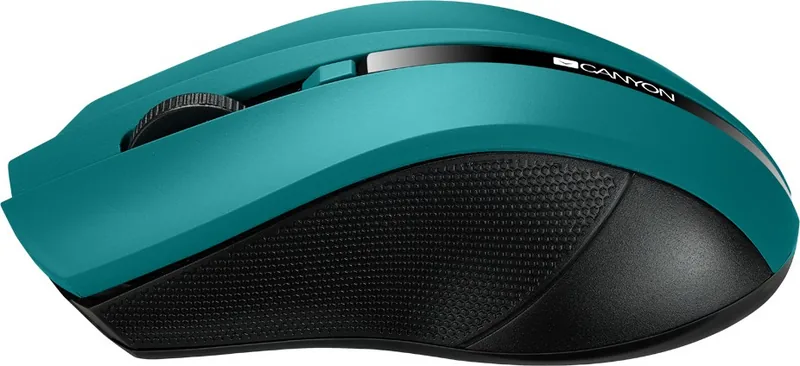
thumb rest, non-slip surface (side/top rubberized), storable receiver
M: QW-35-FL
Product
Description
Discover the Canyon MW-5 Wireless Optical Mouse
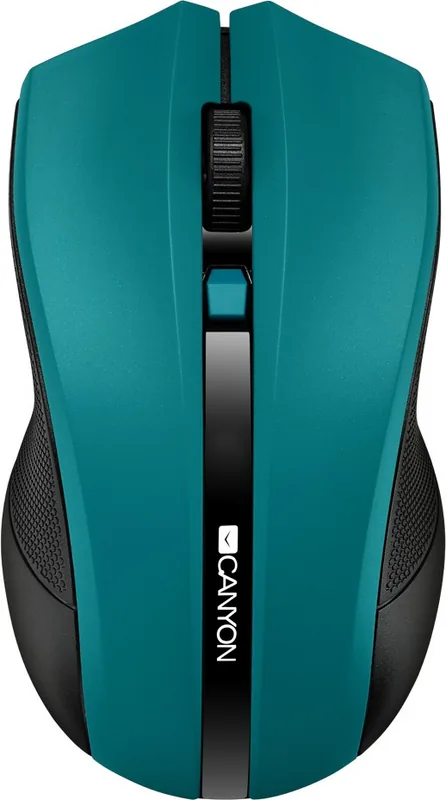
The Canyon MW-5 is a versatile wireless optical mouse designed for seamless connectivity and reliable performance in both home and office environments. This device utilizes advanced 2.4 GHz technology to ensure a stable connection without the clutter of wires, allowing you to move freely across your desk. With its sleek design and ergonomic layout, the MW-5 offers comfort during extended use while maintaining precision through its high-resolution optical sensor.
Key Features and Performance
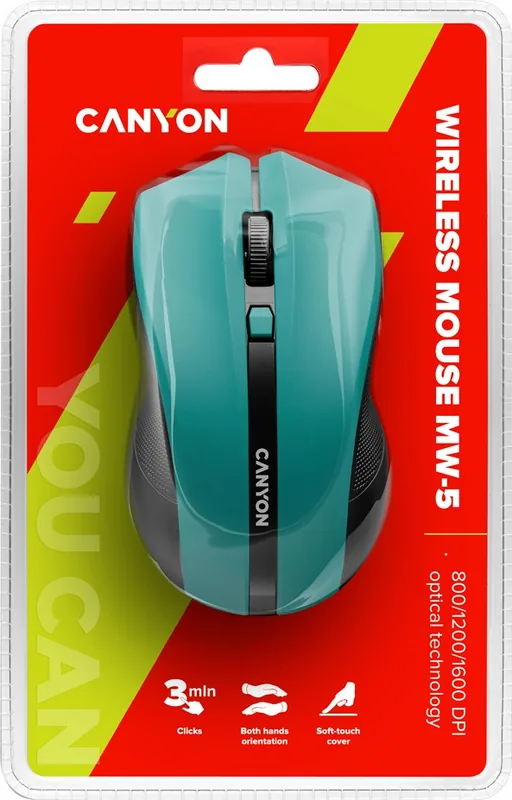
Equipped with four intuitive buttons, this mouse provides easy access to essential functions. The adjustable DPI settings allow users to switch between 800, 1200, and 1600 dots per inch, catering to different tasks from detailed graphic work to casual browsing. The optical sensor ensures smooth tracking on various surfaces, delivering accurate cursor movement every time. Powering the device are two AAA batteries, which offer a convenient replacement option when needed.
Safety and Maintenance Guidelines
To ensure the longevity of your Canyon MW-5, it is crucial to follow specific safety instructions. Keep the mouse away from excessive moisture, water, and dust. Do not install or use the device in rooms with high humidity or heavy dust levels. Avoid exposing the mouse to direct sunlight or heating appliances, as extreme temperatures can damage internal components. For cleaning, always use a dry cloth only; never use liquids or sprays. Additionally, do not attempt to disassemble the device, as this will void the warranty.
Troubleshooting and Support
If the mouse stops working, check if the USB receiver is properly connected to an available port. Try moving the receiver to a different USB port or reinstalling the device driver. If issues persist, contact the Canyon support team for further assistance. The product comes with a comprehensive two-year warranty starting from the date of purchase, provided you have proof of purchase.
Important Notes
Maintain battery temperature between 15 and 25 degrees Celsius for optimal performance.
Dispose of used batteries and electronic devices at designated collection facilities.