
Canyon MW-21 Manual
PDF manual · 2 Pages
English



Quick check
Incorrect answer, please try again.
Chat with your Canyon MW-21 manual using AI
Get instant AI answers from your Canyon MW-21 manual
Ask anything about the Canyon MW-21. Answers come from this manual, with the pages they are based on.
Ask a Question
Do you recommend MW-21?
Yes NoFrequently Asked Questions
Connect the USB receiver to a free USB port on your computer. Ensure the batteries are inserted correctly for wireless functionality. This setup is driver-free and plug-and-play ready.
Is this answer helpful?
The warranty period starts from the day of purchase from an authorized seller. It lasts for 2 years from the date of purchase. Proof of purchase is required for any service claims.
Is this answer helpful?
The package contains 2 AAA type batteries. Do not burn batteries as they may explode. Store at 15 to 25 degrees Celsius for optimal performance.
Is this answer helpful?
No. Clean the device with a dry cloth only. Do not expose the mouse to excessive moisture or water as it can damage the internals.
Is this answer helpful?
The resolution options range from 800 to 1600 DPI with settings like 800, 1200, and 1600. This allows for precise cursor control on any surface.
Is this answer helpful?
Dismantling the device is forbidden. It will lead to warranty waste and is not recommended. Unauthorized repair will void your warranty protection immediately.
Is this answer helpful?
Check the receiver connecting it to another USB port. Remove the device from the system and install it again. Contact support if these actions do not help.
Is this answer helpful?
Advantages and Disadvantages
Advantages

- Wireless 2.4 GHz connection ensures stable data transfer.
- Seven buttons provide versatile functionality for productivity.
- Blue LED optical sensor offers superior tracking capabilities.
- Deep sleep mode technology extends battery life significantly.
- Two-year warranty starts from the day of product purchase.
Disadvantages

- Disassembly is forbidden as it voids warranty protection immediately.
- Batteries must be stored between 15 and 25 degrees Celsius for best results.
- Device is sensitive to high humidity and dusty environments.
- No rechargeable battery included; requires replacement of AAA batteries.
- Connection issues may require system reinstallation to resolve signal loss.
Product Specification
Handedness
Right Hand
Buttons
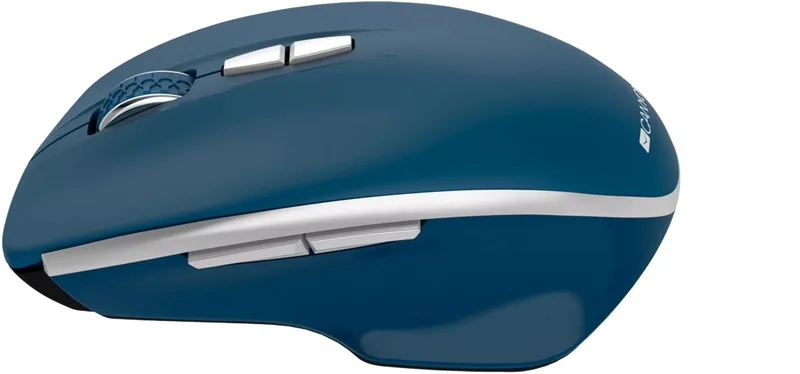
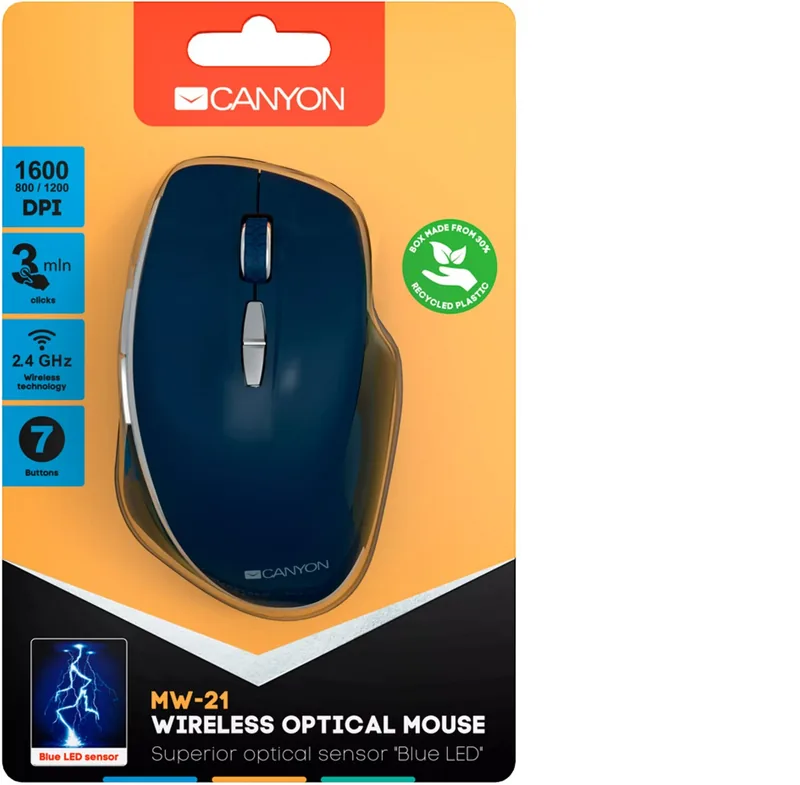
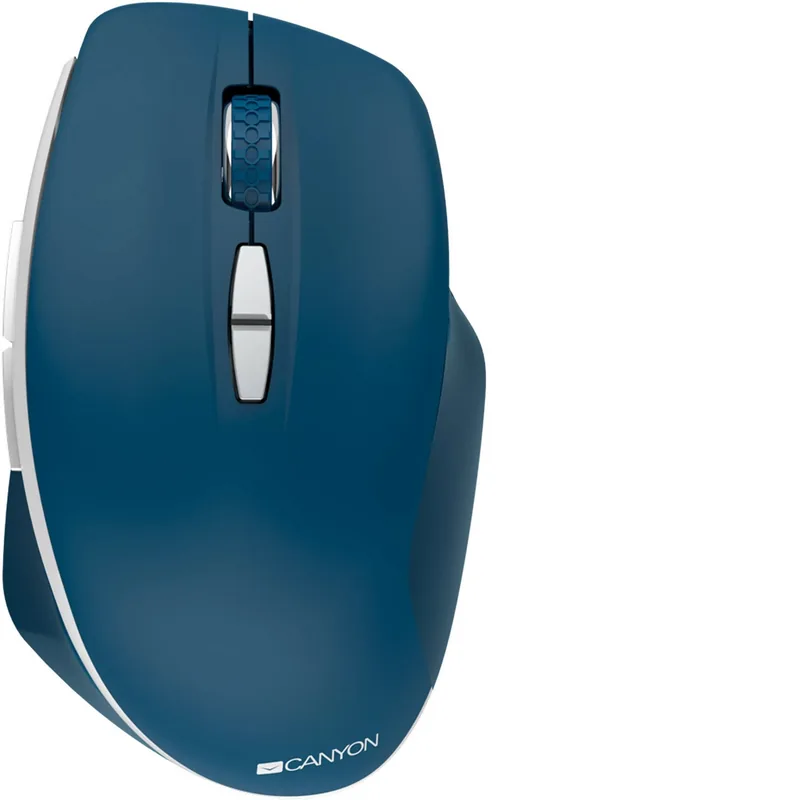
7 (total), 2 (main), 2 (side), 2 (top), 1 (scroll wheel click)
Scroll Wheel
1x 2-way
Indicator
LED blue
Resolution
1600 dpi, reducible to 1200/800 dpi
Sensor
PixArt PMW 3065
Lighting
N/A
Connection
Wireless (2.40 GHz), USB-A (USB-A Receiver)
Power Source
2x AAA
Dimensions (WxHxD)
2.83x1.61x4.61 inches
Approximate Volume
5.49 cubic inches (approximate shape)
Weight
2.65 oz
Features
Thumb rest, non-slip surface (sides/top rubberized), stowable receiver
Product Description
Canyon MW-21 Wireless Mouse Guide
Are you looking for a reliable peripheral for your daily computing tasks? The Canyon MW-21 Manual provides essential insights into operating this specific wireless optical mouse efficiently. Understanding the details within this guide ensures you maximize performance while maintaining safety standards. Whether you are setting up a home office or optimizing a workspace, proper usage instructions are key. This guide covers everything from initial setup to long-term maintenance and warranty rights.
Safety First
Before using the device, adhere to all safety guidelines strictly. Do not expose the mouse to excessive moisture, water or dust. High humidity areas can damage the internals significantly. Keep it away from heating appliances and direct sun rays to prevent overheating risks. Cleaning should only be done with a dry cloth to avoid liquid damage. Disassembly is strictly forbidden as it voids the warranty protection immediately. Always use the correct power supply source indicated in the instructions. Battery health is crucial for operation, so maintain temperatures between 15 and 25 degrees Celsius consistently. Do not burn batteries as they may explode violently. Disposal requires special collection facilities for electronic waste to protect the environment.
Key Features
This wireless model connects via 2.4 GHz technology for stability and speed. It features seven buttons providing versatile functionality for productivity and gaming. The resolution options range from 800 to 1600 DPI allowing for precise cursor control on any surface. The Blue LED optical sensor offers superior tracking capabilities ensuring smooth movement even in low light. Energy saving technology includes a deep sleep mode to extend battery life significantly during inactivity. Two AAA batteries are included in the package along with the USB receiver for immediate use. This setup is driver-free and plug-and-play ready for Windows systems.
Setup and Troubleshooting
Connect the USB receiver to a free port on your computer system immediately. If the mouse does not work, check the signal transmission path. Try connecting the receiver to a different USB port on your machine effectively. Uninstalling and reinstalling the device can also resolve persistent issues automatically. For further assistance, contact the Canyon support team via their official website portal for solutions. The product comes with a two-year warranty starting from the purchase date officially. Proof of purchase is required for any service claims to be processed. Repair, replacement or refund is at the discretion of the manufacturer Asbisc Enterprises PLC based in Cyprus.
Maintenance Tips
Proper care ensures longevity and consistent performance over time. Keep units away from heat sources and liquids at all times during operation. Dispose of old batteries and devices at special collection points legally according to regulations. Ensure optimal performance by avoiding extreme temperatures in storage areas. Regularly check connections and keep the device clean to prevent dust buildup on sensors.
Search for 67,732 Manuals online


Type-in Brand or Model