
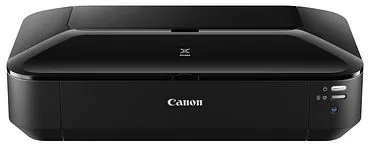
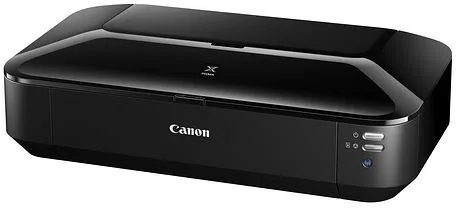
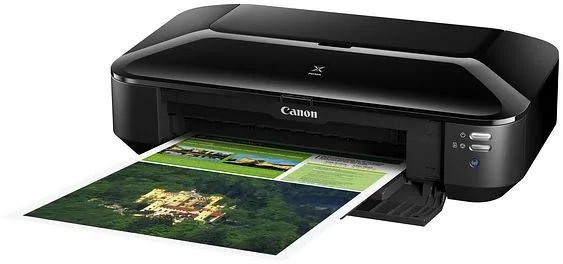
Canon PIXMA iX6850 Manual
PDF manual · 497 Pages
English



Quick check
Incorrect answer, please try again.
Chat with your Canon PIXMA iX6850 manual using AI
Get instant AI answers from your Canon PIXMA iX6850 manual
Ask anything about the Canon PIXMA iX6850. Answers come from this manual, with the pages they are based on.
PIXMA iX6850 Maintenance Schedule
Print a nozzle check pattern every 50 pages to verify print head condition and detect clogging.
Perform normal cleaning if lines are missing or white streaks appear in the nozzle test pattern. Use deep cleaning if normal cleaning fails twice.
Run bottom plate cleaning before duplex printing or when smudges appear on the back of printed paper.
Clean paper feed rollers when paper particles stick to them and paper is not fed properly.
Ask a Question
Do you recommend PIXMA iX6850?
Yes No
Leonie Hartmann
4 months ago
Does the PIXMA iX6850 support automatic double-sided printing, and how easy is Wi-Fi setup?

Manual.ly
4 months ago
The printer supports manual duplex printing only; it does not have an automatic duplex unit. Wi-Fi setup is generally straightforward, especially using WPS or the Canon setup utility. If the printer is not detected wirelessly, connect it temporarily by USB, install the latest Canon driver, and then configure the wireless connection. Please note that a USB cable may not be included.

sapiente_natus
5 months ago
Does the PIXMA iX6850 support automatic double-sided printing, and is Wi-Fi setup easy?
Manual.ly
5 months ago
The PIXMA iX6850 supports manual duplex printing only; it does not have an automatic duplex unit. Wi-Fi setup is generally straightforward when using the current Canon drivers and following the setup sequence. If the printer is not detected wirelessly, connecting it temporarily by USB can help complete the network configuration. Please note that a USB cable is typically not included.
Lisa Gusikowski
4 months ago
Is the Canon Pixma iX6850 easy to set up on a Mac without using the CD?
Manual.ly
3 months ago
Yes, the installation on macOS is generally straightforward and does not require the included CD. Most users successfully install the printer by downloading the latest drivers directly from the Canon website. For initial setup, connecting via USB cable is recommended to establish the connection before configuring wireless settings if needed. The process typically takes only a few minutes.
Tom Weber
5 months ago
Does this printer have automatic double-sided printing capability?
Alex Chen
5 months ago
Are third-party ink cartridges compatible with this model?
Manual.ly
5 months ago
Yes, the Canon Pixma iX6850 supports third-party ink cartridges. Many users report that printers recognize compatible cartridges from other manufacturers without issues. This can significantly reduce printing costs compared to using only original Canon supplies.
Michael Chen
2 months ago
I have read mixed reviews about wireless setup difficulties. Is the Wi-Fi connection actually easy to configure?
Elena Rossi
4 months ago
Are third-party or compatible ink cartridges recognized by this model without issues?
Manual.ly
4 months ago
Yes, we can confirm that the Canon PIXMA iX6850 is designed to recognize compatible ink cartridges from other manufacturers without problems. Many users report that these alternatives work well and offer significant cost savings compared to original Canon cartridges, provided they are of good quality.
Hans Mueller
2 months ago
How much space do I need to reserve for this printer when printing A3+ documents?
UtAut85
3 months ago
Does this printer support automatic duplex printing, or is it manual only?
Manual.ly
3 months ago
Thank you for your question. The Canon PIXMA iX6850 does not feature an automatic duplex unit. It supports double-sided printing only through a manual process where the user must manually flip the paper to print on the second side. While some product descriptions may list 'duplex' as yes, this refers specifically to the manual capability rather than an automatic function.
Marcus Weber
2 months ago
Is the wireless setup difficult? I heard there were many issues with drivers and network connection.
Sarah Moore
5 months ago
Does this printer support automatic double-sided printing, or is it manual only?
Manual.ly
5 months ago
The Canon Pixma iX6850 supports double-sided printing, but it is a manual process. The product specifications may list 'Duplex' as yes, but users should be aware that the machine does not automatically flip the paper; you must manually reload the sheets for the second side. This is a common feature limitation in this class of A3 inkjet printers.
Eloisa Gutmann
3 months ago
I am having trouble connecting to my Wi-Fi network during setup. Is there a specific order I should follow?
Carole Thompson
5 months ago
Does this printer support duplex printing, and is it automatic or manual?
Manual.ly
5 months ago
The Canon PIXMA iX6850 supports duplex printing, but it is manual only. The device does not have an automatic duplex unit. Users must manually flip the paper to print on both sides. This feature is often misunderstood in product descriptions that list 'duplex: yes' without specifying the manual requirement.
Michael Chen
5 months ago
I am worried about the ink costs for A3 photo printing. Are there compatible cartridges available that are affordable?
TechSavvy99
4 months ago
Does this printer support automatic duplex printing, or is it manual only?
Manual.ly
4 months ago
The Canon PIXMA iX6850 supports double-sided printing, but it is done manually. The product description may suggest an automatic duplex unit, but in reality, the user must flip the paper by hand to print on the second side. There is no built-in automatic two-sided printing mechanism.
Sarah Jenkins
4 months ago
Is the wireless setup difficult for Mac users without a CD drive?
Frequently Asked Questions
You can check the ink levels by looking at the LED indicators on the front panel or by using the Canon IJ Status Monitor software on your connected computer. The display will show the remaining amount for each color cartridge clearly.
Is this answer helpful?
Yes, the printer supports Apple AirPrint. You can print directly from your iPhone or iPad without installing drivers, provided both devices are on the same Wi-Fi network. Simply select the print option in your app and choose the Canon printer.
Is this answer helpful?
The Canon PIXMA iX6850 supports paper sizes up to A3+ (13 x 19 inches). This makes it suitable for printing large photographs, blueprints, and posters alongside standard letter and legal sizes.
Is this answer helpful?
It is recommended to run a nozzle check regularly if you notice faded lines or missing colors. If the printer has been unused for a long period, perform a cleaning cycle immediately to prevent clogging.
Is this answer helpful?
Yes, the device features automatic duplex printing. You can enable this setting in the printer driver preferences to save paper and reduce waste when printing two-sided documents.
Is this answer helpful?
Using non-genuine ink may void your warranty and can lead to poor print quality or damage to the print head. For best results and reliability, always use original Canon ink cartridges.
Is this answer helpful?
Advantages and Disadvantages
Advantages

- Produces high-quality prints with vibrant colors and sharp details using FINE technology.
- Supports large A3+ paper sizes for versatile document and photo printing.
- Offers extensive wireless connectivity options including Google Cloud Print and AirPrint.
- Features an easy-to-use interface for monitoring ink levels and performing maintenance.
- Handles a wide variety of media types from standard paper to glossy photo paper.
Disadvantages

- Initial setup and driver installation can be time-consuming for network configurations.
- Large physical footprint requires significant desk space for operation.
- Running costs may be higher compared to monochrome laser printers for text-only tasks.
- Wireless connection issues may occasionally require manual troubleshooting.
- Replacement ink cartridges can be expensive if not purchased in bulk or high-yield versions.
Product Specification
Format
A3+
Type
Inkjet Printer
Color System
5-color, 5x single cartridge
Consumables
CLI-551, PGI-550PGBK
Printing
9600x2400dpi - 14.5/10.4 S/min (A4) (ISO), Photo 10x15: 36s
Paper Input
170 sheets (1x 150 sheets + 1x 20 sheets)
Connections
1x USB-B 2.0
Network
LAN, Wi-Fi 4 (WLAN 802.11b/g/n), AirPrint, Cloud Print, Mobile Print
Display
N/A
Power Consumption
24W (max), 2W (standby), 0.3W (sleep)
Sound Pressure Level
43.5dB(A)
Emulation
GDI
Dimensions
23x6.3x12.2 inches
Weight
17.9 lbs
Features
Borderless printing
Manufacturer Warranty
1 year
Product Description
Canon PIXMA iX6850 Ink: Multicolor Excellence for Professional Printing
The Canon PIXMA iX6850 printer stands as a powerhouse for high-volume, professional-grade printing. Designed for users who demand exceptional image quality and speed, this multifunction device utilizes advanced FINE print head technology to deliver sharp text and vibrant, photo-realistic images. The system relies on a sophisticated multicolor ink setup that ensures smooth color gradients and precise detail, making it ideal for graphic designers, photographers, and small business owners.
Using the Canon PIXMA iX6850 Ink in its multicolor configuration allows for a wide color gamut reproduction. Whether you are printing marketing materials, large format photos, or detailed technical drawings, the printer handles various media types with ease. From standard A4 paper to large A3+ sheets and specialized photo papers, the machine adapts to your needs. The integration of Google Cloud Print and AirPrint capabilities further enhances its utility, enabling seamless wireless printing from smartphones, tablets, and computers without the need for complex driver installations on every device.
Maintenance is straightforward thanks to the intuitive interface and clear status indicators. Users can easily monitor ink levels via the LCD screen or computer software, ensuring that print jobs never stall due to empty cartridges. The ability to perform nozzle checks and cleaning cycles directly from the control panel or through the IJ Network Tool keeps the printer performing at peak efficiency. With features like automatic duplex printing and borderless photo output, the iX6850 offers versatility that meets diverse workflow requirements. It transforms simple documents into stunning visual presentations while maintaining cost-effectiveness through high-yield ink options.
Key Features
- High-speed printing with professional color accuracy.
- Support for large A3+ formats and various media types.
- Wireless connectivity including Wi-Fi, Ethernet, and cloud printing.
- Easy maintenance with self-cleaning functions.
- Compatible with iOS and Android devices for mobile printing.
Notes
- Always use genuine Canon ink cartridges for optimal performance.
- Regularly clean the print heads to prevent clogging.
- Ensure proper ventilation when operating the device.
Search for 67,706 Manuals online


Type-in Brand or Model
ut_nemo
3 months ago
Does this printer support automatic duplex (double-sided) printing?
Manual.ly
3 months ago
Thank you for your inquiry. The Canon PIXMA iX6850 does not feature an automatic duplex unit. However, it does support manual double-sided printing, where the software guides you to flip and reinsert the paper for the second side. While this requires a bit more effort than automatic duplexing, it allows you to print on both sides of the page effectively.