
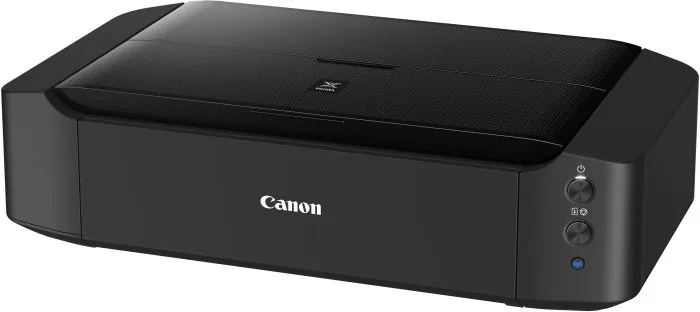
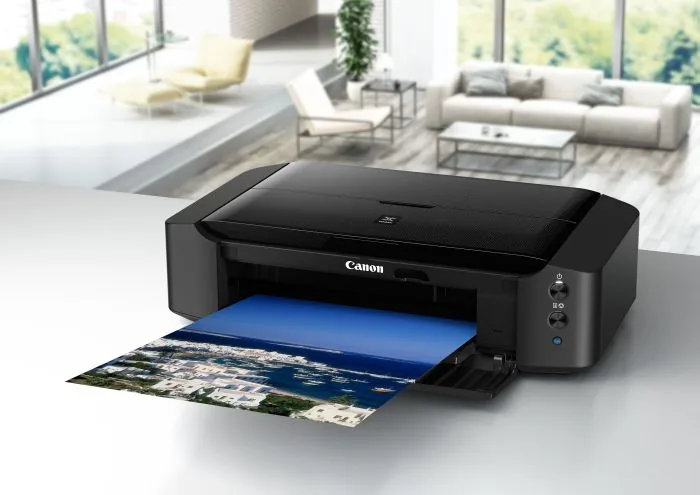
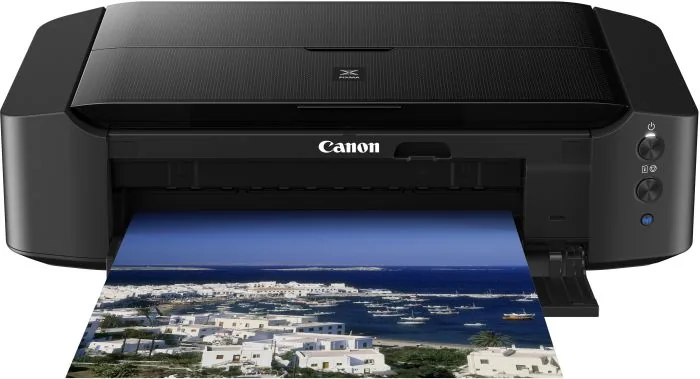
Canon PIXMA iP8750 Manual
PDF manual · 558 Pages
English



Quick check
Incorrect answer, please try again.
Chat with your Canon PIXMA iP8750 manual using AI
Get instant AI answers from your Canon PIXMA iP8750 manual
Ask anything about the Canon PIXMA iP8750. Answers come from this manual, with the pages they are based on.
PIXMA iP8750 Maintenance Schedule
Perform if lines are missing or white streaks appear in nozzle check. Use once or twice; deep clean if problem persists after two attempts.
Perform if straight lines are misaligned or colors are shifted. Usually automatic, but manual alignment is available via driver.
Perform when paper particles stick to rollers and paper does not feed properly. Requires normal paper for cleaning cycle.
Run before duplex printing or if smudges appear on the back of printed pages to prevent ink transfer.
Wipe surface with a soft dry cloth. Do not use volatile liquids or rough materials that could scratch the surface.
Use folded A4/Letter paper to remove deposits inside the unit. Check output paper for ink marks and repeat if necessary.
Ask a Question
Do you recommend PIXMA iP8750?
Yes No
voluptas_necessitatibus
3 months ago
Does this printer produce high-quality borderless photos up to A3+ size, and can it handle heavy paper?

Manual.ly
3 months ago
Yes. Reviews consistently report sharp, photo-lab-quality color and monochrome prints up to A3+, including borderless output. It supports a wide range of media sizes and users report reliable feeding of heavy photo and art paper, including paper around 300 gsm. For the best results, use quality photo paper and ensure your image file and print settings are prepared correctly.
ratione_minima
3 months ago
Does this printer support printing on heavy paper and does it have reliable Wi-Fi connectivity for mobile devices?
Manual.ly
3 months ago
Yes, the printer is designed to handle heavy papers up to 300gsm without issues. Regarding Wi-Fi, while it supports wireless printing from tablets and smartphones on the 2.4GHz band, some users report initial setup challenges. It is recommended to install the driver using a USB connection first before switching to wireless mode for optimal performance.
reprehenderit79
4 months ago
Is the Canon Pixma IP8750 suitable for professional A3+ photo prints and what kind of paper weight can it handle?
hmedhurst67
2 months ago
Does this printer support wireless printing from mobile devices and tablets, and is the setup difficult?
Manual.ly
2 months ago
Yes, the Canon PIXMA iP8750 supports wireless printing via Wi-Fi (2.4GHz) allowing you to print from Android tablets, iPhones, and other mobile devices. The installation process is generally straightforward: connect via USB initially to install the driver and configure the network settings, then disconnect the cable for wireless operation. Some users noted minor initial configuration steps for the Wi-Fi module, but once set up, it works reliably for both home and office use.
Lukas Weber
3 months ago
Can this printer handle heavy paper weights like 300gsm for professional photo prints without jamming?

PhotoEnthusiast99
5 months ago
Does this printer support printing on CDs and DVDs, and does it handle heavy paper weights well?
Manual.ly
5 months ago
Yes, the Canon PIXMA iP8750 supports direct printing on CD/DVD surfaces. It is also capable of handling heavy paper weights up to 300gsm without issues, making it suitable for various media types including photo paper and cardstock.
Layla Phillips
4 months ago
I am having trouble setting up the Wi-Fi connection with my Android tablet. Is there a specific procedure I should follow?
MobileUser99
2 months ago
Does this printer support wireless printing from mobile devices like tablets and phones?
Manual.ly
2 months ago
Yes, the Canon PIXMA iP8750 supports wireless connectivity via Wi-Fi (2.4GHz), allowing you to print directly from smartphones, tablets, and computers on the same network. For initial setup, it is recommended to connect via USB cable to install the driver, after which you can disconnect the cable to use the wireless connection. This feature enables convenient printing from various devices without cables.
ea_esse
4 months ago
I am worried about the size of this printer fitting in my home office since it handles A3+ paper. Is it too large?
molestias78
3 months ago
How difficult is it to set up Wi-Fi printing on this printer?
Manual.ly
3 months ago
Setting up Wi-Fi printing requires a specific procedure. You must install the driver while the USB cable is connected, then remove the cable when prompted. Once the setup is complete, you can reconnect the USB cable if needed for dual connectivity. The printer supports 2.4GHz networks and works well with Android tablets and other devices.
Anna Schmidt
5 months ago
Does this printer handle heavy paper weights like 300gsm without issues?
rlockman16
3 months ago
Does this printer support wireless printing from mobile devices and tablets?
Manual.ly
3 months ago
Yes, the Canon PIXMA iP8750 features built-in Wi-Fi connectivity that allows you to print directly from smartphones, tablets, and computers on your network. For initial setup, we recommend connecting via USB cable to install the driver and configure the wireless settings, after which you can remove the cable for wireless operation. The printer supports the 2.4GHz band and works seamlessly with Android and iOS devices.
Becky Davis
2 months ago
I am concerned about the physical size of this A3+ printer. Will it fit in a standard home office desk space?
Frequently Asked Questions
The printer supports borderless printing up to A3 size, making it perfect for large photos, posters, and presentations.
Is this answer helpful?
Yes, the device supports Google Cloud Print and AirPrint, allowing you to print directly from iOS and Android devices over a wireless network.
Is this answer helpful?
Absolutely. The printer comes with a dedicated tray and guide specifically designed for printing on printable disc media.
Is this answer helpful?
You can check the ink status via the LCD panel on the printer, through the Canon IJ Status Monitor on your computer, or remotely using the Web browser interface.
Is this answer helpful?
Yes, the Canon PIXMA iP8750 features automatic duplex printing, which saves paper by printing on both sides of the sheet without manual intervention.
Is this answer helpful?
Regular maintenance includes cleaning the print heads to prevent clogs, aligning the print heads for accuracy, and occasionally cleaning the interior rollers to ensure smooth paper feeding.
Is this answer helpful?
Advantages and Disadvantages
Advantages

- Supports large format borderless printing up to A3 size
- High-quality output with advanced FINE print head technology
- Enables wireless printing via Google Cloud Print and AirPrint
- Versatile media handling including CDs, DVDs, and various paper types
- Dedicated software for easy photo organization and collage creation
Disadvantages

- Initial setup may require specific network configuration steps
- Printing speed might be slower compared to laser printers for bulk documents
- Requires regular maintenance to prevent nozzle clogging
- Large physical footprint may not fit in small workspaces
- Original Canon ink cartridges can be more expensive than third-party alternatives
Product Specification
Format
A3+
Type
Inkjet Printer
Color System
6-color, 6x single cartridges
Consumables
CLI-551, PGI-550
Printing
9600x2400dpi - 14.5/10.4 S/min (A4) (ISO), Photo 10x15: 36s
Paper Input
170 sheets (1x 150 sheets + 1x 20 sheets)
Connections
1x USB-B 2.0
Network
Wi-Fi 4 (WLAN 802.11b/g/n), AirPrint, Cloud Print, Mobile Print
Display
N/A
Power Consumption
23W (max), 1.9W (standby), 0.3W (sleep)
Sound Pressure Level
43.5dB(A)
Emulation
GDI
Dimensions
23.23x6.26x13.03 inches
Weight
18.74 lbs
Features
borderless printing, PictBridge (Wi-Fi), CD/DVD printable
Manufacturer Warranty
1 year
Product Description
Canon PIXMA iP8750: The Ultimate Printing Experience
Unlock the full potential of your creative projects with the Canon PIXMA iP8750 Ink Multicolor printer. Designed for enthusiasts and professionals alike, this device delivers stunning photo quality and versatile document printing capabilities. Whether you are creating large-format posters, detailed brochures, or high-resolution photographs, the iP8750 handles it all with precision.
This printer stands out due to its advanced FINE print head technology, which ensures sharp text and vibrant colors. It supports a wide range of media types, including standard paper, glossy photo paper, envelopes, and even CD/DVD labels. The ability to print borderless images up to A3 size makes it an ideal choice for photographers who need gallery-quality prints at home. Furthermore, the integration with Google Cloud Print allows you to print directly from your smartphone or tablet without needing a computer nearby, offering true wireless freedom.
Setting up the Canon PIXMA iP8750 is straightforward. Once connected via USB or Wi-Fi, users can access the Remote UI to manage settings from anywhere on the network. The included software suite simplifies tasks like organizing photos, creating collages, and designing custom layouts. With features like automatic duplex printing and a large paper capacity, productivity is enhanced while maintaining exceptional output quality. Enjoy seamless operation and reliable performance that meets the demands of modern printing needs.
Key Notes
- Supports borderless printing up to A3 size.
- Compatible with Google Cloud Print for mobile printing.
- Includes specialized trays for CD/DVD labeling.
- Features a user-friendly interface for remote management.
Search for 67,706 Manuals online


Type-in Brand or Model
repudiandae72
3 months ago
Does this printer produce high-quality borderless photos up to A3+, and is Wi-Fi setup straightforward?
Manual.ly
3 months ago
The printer is widely praised for sharp, vibrant photo prints, including borderless formats up to A3+. It also handles heavier photo paper well and supports CD/DVD printing. Setup is generally described as easy, although some users found Wi-Fi configuration slightly confusing. Installing the wireless driver while connected by USB can help; it supports 2.4 GHz Wi-Fi and printing from computers, tablets, and phones once configured.