
Canon imageFORMULA DR-M1060II Manual
PDF manual · 80 Pages
English



Quick check
Incorrect answer, please try again.
Chat with your Canon imageFORMULA DR-M1060II manual using AI
Get instant AI answers from your Canon imageFORMULA DR-M1060II manual
Ask anything about the Canon imageFORMULA DR-M1060II. Answers come from this manual, with the pages they are based on.
imageFORMULA DR-M1060II Maintenance Schedule
Wipe outside with damp cloth. Remove paper particles from inside after extensive scanning using dry cloth or compressed air.
Wipe glass and rollers with water-dampened cloth if streaks appear on images. Ensure device is cool before cleaning.
Replace rollers when total pages scanned exceeds lifespan limit indicated by startup message. Reset page counter after replacement.
Ask a Question
Do you recommend imageFORMULA DR-M1060II?
Yes NoDo you recommend imageFORMULA DR-M1060II?
Yes NoFrequently Asked Questions
Yes, it supports business cards and IDs by using the straight paper path specifically designed for thin and rigid materials.
Is this answer helpful?
The device can process up to 60 pages per minute in standard color or black and white modes efficiently.
Is this answer helpful?
Yes, the scanner is compatible with A3 documents ensuring large formats are processed correctly without issues.
Is this answer helpful?
It uses ultrasound technology to identify when multiple sheets enter together and stops the process.
Is this answer helpful?
Yes, rollers and glass are accessible for cleaning to maintain image quality over the long term.
Is this answer helpful?
It connects via a standard USB interface with Hi-Speed 2.0 requirements supported for data transfer.
Is this answer helpful?
Yes, the software includes settings to automatically detect and skip blank pages during the scan.
Is this answer helpful?
Advantages and Disadvantages
Advantages

- Fast scanning speed up to 60 pages per minute for efficient workflow.
- Supports A3 documents and straight path feeding for cards and thick stock.
- Ultrasound technology detects duplicate sheets to ensure data accuracy.
- Automatic document size detection saves configuration time for users.
- Easy maintenance with accessible rollers and cleaning points internally.
Disadvantages

- Requires specific USB 2.0 Hi-Speed interface for optimal performance.
- Software drivers must be installed for full functionality and control.
- Large documents exceeding A3 may require folding or special modes.
- No automatic duplexing for non-standard paper types without settings.
- Roller replacement might be needed after high page counts over time.
Product Specification
Type
Document Scanner (CIS)
Resolution
600x600dpi
Speed
60/60 spm (BW/Color)
Paper/Film Size
A3
Paper/Film Input
80 Sheets DADF, Duplex Unit
Connections
1x USB-B 2.0
Power Consumption
32.5W (max), 1.9W (sleep), 0.1W (off)
Dimensions
16.69x4.72x9.69in
Weight
13.45 lbs
Features
LED Lighting
Product Description
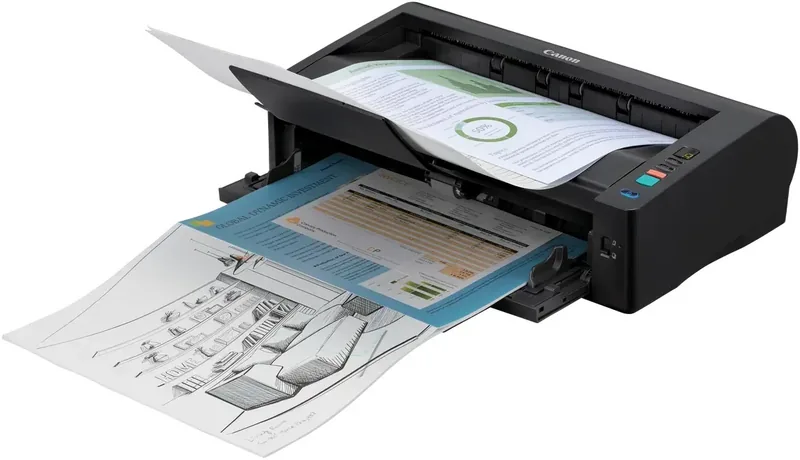
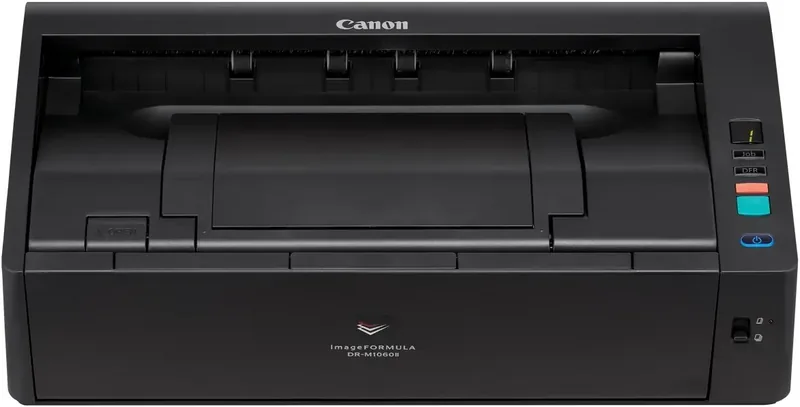
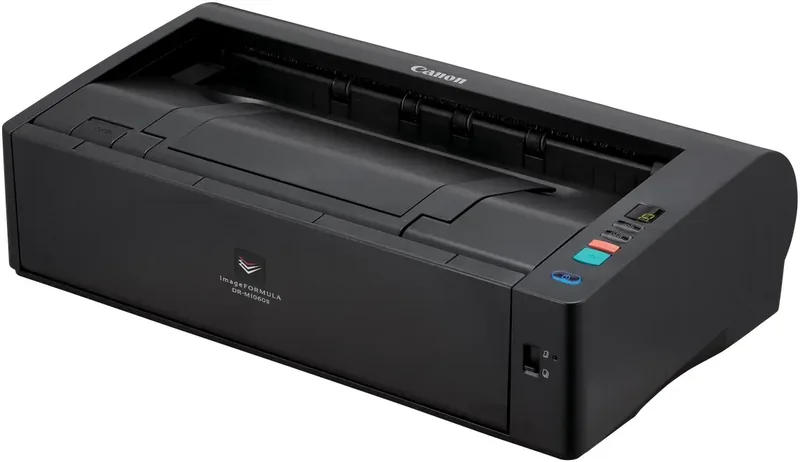
Welcome to an in-depth look at the Canon imageFORMULA DR-M1060II. This high-performance document scanner is designed specifically for modern offices requiring significant speed and unwavering reliability. The device features robust A3 compatibility, allowing you to handle large formats without sacrificing operational efficiency or speed. With a scanning speed of up to sixty pages per minute, administrative tasks that once took hours are now completed within mere seconds. The intuitive physical design includes a front-loaded feed system, making daily operation seamless for staff members.
One standout feature is the dual paper path system found within the hardware. Users can easily switch between a 180-degree path for standard paper sheets and a straight path specifically for cards or thick materials. This flexibility ensures broad compatibility with diverse document types, from standard business cards to legal size letters. The scanner utilizes high-resolution sensors to capture remarkably crisp images at 600 dpi optical quality settings. Advanced software integration, including CaptureOnTouch, simplifies the entire scanning process significantly for users. You can automate batch processing with patch codes or set specific rules for different departments effectively.
Safety and durability are prioritized heavily in the mechanical engineering. The unit includes comprehensive electronic safeguards against paper jams and duplicate feeds. Ultrasound detection technology accurately prevents multiple pages from entering at once, protecting your data integrity during high-volume jobs. Maintenance remains straightforward with easily accessible rollers and glass components for routine cleaning procedures. The system automatically detects document size and adjusts specific scan settings accordingly, saving valuable time on initial configuration. Energy-saving power modes ensure responsible electricity usage when the machine sits idle throughout the day.
Reliability remains key for demanding professional environments globally. The DR-M1060II handles heavy cardstock and bound schedules with ease using the dedicated bypass tray. Error codes on the external display panel guide troubleshooting procedures immediately when issues arise. Connectivity via USB 2.0 ensures fast transfer speeds to compatible computers running standard Windows versions. The software suite supports various third-party applications through ISIS and TWAIN driver protocols. This makes it a versatile tool for digital archiving, workflow optimization, and modernization initiatives.
Whether you are managing daily accounts payable or processing complex HR records efficiently, this machine streamlines daily operations consistently. It reduces physical clutter significantly by converting paper to digital formats instantly upon capture. Investing in this equipment pays dividends through increased overall productivity and reduced manual handling labor costs. The compact physical footprint fits well on standard office desks while delivering true enterprise-level performance standards.
Notes
Ensure proper ventilation. Do not block vents. Clean regularly for best results.
Search for 67,732 Manuals online


Type-in Brand or Model