
Canon CanoScan LiDE 300 Manual
PDF manual · 106 Pages
English



Quick check
Incorrect answer, please try again.
Chat with your Canon CanoScan LiDE 300 manual using AI
Get instant AI answers from your Canon CanoScan LiDE 300 manual
Ask anything about the Canon CanoScan LiDE 300. Answers come from this manual, with the pages they are based on.
Ask a Question
Do you recommend CanoScan LiDE 300?
Yes NoDo you recommend CanoScan LiDE 300?
Yes NoFrequently Asked Questions
It is best for scanning documents, photos, postcards, magazines, and similar flat originals. It works well for everyday home or office digitizing, especially when you want a compact and easy-to-use scanner.
Is this answer helpful?
No. The scanner is powered through USB, so it does not require a separate power supply or adapter. This makes setup simpler and keeps the workspace cleaner.
Is this answer helpful?
Yes. It supports documents, printed photos, postcards, business cards, and discs. It also works with Canon software that helps match scan settings to the item type.
Is this answer helpful?
Canon IJ Scan Utility is used for simple one-click scanning, while ScanGear is available for more detailed settings and manual control. Together they cover both quick jobs and advanced adjustments.
Is this answer helpful?
Place the original face down on the glass and align it carefully with the marking when scanning documents. For photos or smaller items, leave a small margin from the edges for better results.
Is this answer helpful?
Clean the glass and lid gently with a soft dry cloth, avoid liquids and rough materials, and disconnect the USB cable before cleaning. Also follow transport and locking instructions to protect the scanner.
Is this answer helpful?
Advantages and Disadvantages
Advantages

- Compact flatbed design saves space and fits well on a small desk.
- USB-powered operation removes the need for a separate power adapter.
- Easy scan buttons and software tools simplify everyday scanning tasks.
- Good resolution and CIS imaging support sharp text and clear photo copies.
Disadvantages

- Best suited for flat originals; it is not meant for thicker or 3D items.
- Careful placement is needed to avoid clipped edges or uneven scans.
- Manual cleaning and safe handling are important to prevent damage.
- Some advanced features depend on Canon software and operating system support.
Product Specification
Type
Flatbed scanner (CIS)
Resolution
4800x2400dpi
Speed
6 sec/min (Color)
Paper/Film format
A4
Paper/Film feed
Single sheet
Ports
1x USB 2.0 Mini-B
Wireless
N/A
Display
N/A
Software
OCR software
Power consumption
4.5W (typical), 0.3W (standby)
Dimensions
9.84x1.65x14.45in
Weight
3.75lb
Special features
LED lighting, USB-powered
Manufacturer's warranty
1 year
Product Description
Canon CanoScan LiDE 300: A Simple, Compact Scanner for Everyday Digital Work
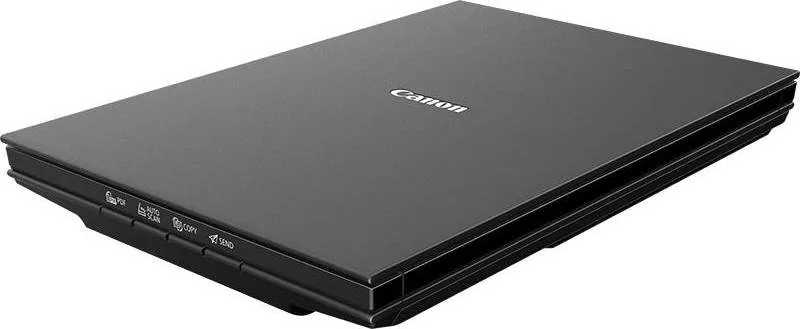
The Canon CanoScan LiDE 300 Manual highlights a scanner built for users who want fast, clean, and uncomplicated digitizing at home or in a small office. The CanoScan LiDE 300 is a slim flatbed scanner that focuses on practical essentials: reliable document capture, photo preservation, and easy operation without the clutter of extra power adapters or complicated setup steps.
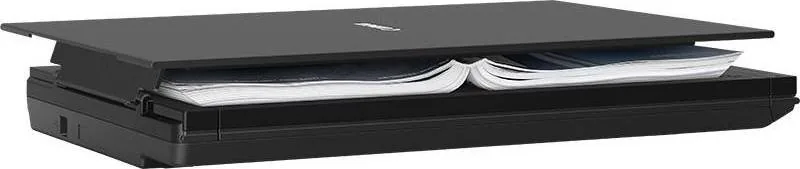
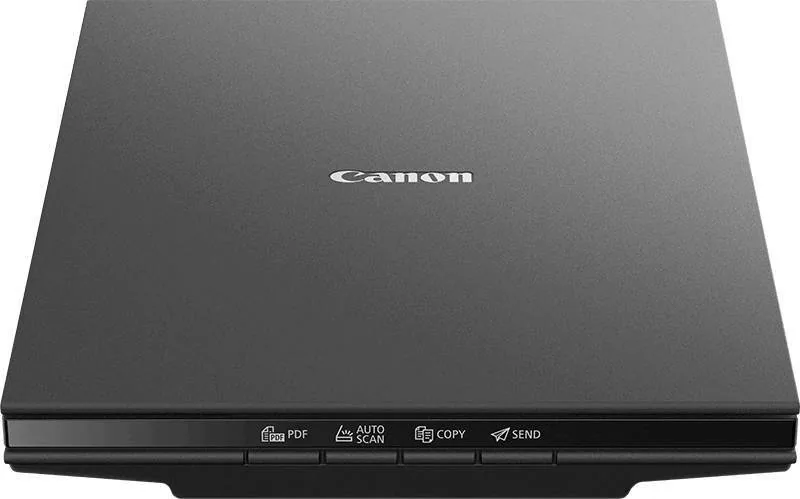
One of its biggest strengths is convenience. Powered through USB, it keeps your desk tidy and makes it easy to move between workspaces. The flatbed design supports documents, photos, postcards, magazines, and even discs, while the included scan buttons help you start common tasks quickly. With simple options like PDF creation, automatic scanning, and file sending, it is designed to reduce the time spent on repetitive workflows.
For users who want more control, Canon’s software tools expand what the scanner can do. IJ Scan Utility offers one-click scanning modes for documents and photos, while ScanGear gives finer adjustment for those who want to manage resolution, color handling, and scan areas manually. This balance between automation and manual control makes the LiDE 300 suitable for both beginners and more detailed scanning tasks.
The scanner’s image quality is practical for everyday archiving and sharing. Its CIS sensor, RGB LED light source, and 2400 x 2400 dpi optical resolution help capture sharp text and clear images. That makes it useful for scanning receipts, paperwork, school notes, family photos, and other flat originals that need a dependable digital copy.
Notes
- Keep originals aligned carefully to avoid cropped edges.
- Use the recommended placement area for best results.
- Clean the glass and lid gently with a soft dry cloth.
- Always unlock the scanner before transport and follow safety guidance.
- For best performance, connect it to a USB 3.0 port or higher.
Search for 67,732 Manuals online


Type-in Brand or Model
Lena Kessler
10 months ago
Will the CanoScan LiDE 300 work reliably with Windows 10 or Windows 11? What can I do if the scanner is not detected or shows an error like "Scanner is switched off"?
Manual.ly
10 months ago
In most cases the LiDE 300 works well if you use the latest Canon driver/software and connect it correctly. Please download and install the newest driver from the Canon support site (not only the CD), reboot the PC, then connect the scanner directly to a USB port on the PC (USB 3.0 is recommended) without a hub. The scanner has no separate power button because it is powered via USB, so keep the USB cable connected. If you still see "scanner is switched off" or detection fails, uninstall the Canon driver, restart, and reinstall the latest version, then test scanning again. If the issue persists on multiple USB ports/PCs, please contact support or return the unit.