Manual.ly Logo

Candy FCTS886X WIFI Manual

0.0 · 0 Ratings

PDF manual · 29 Pages

English

M: QW-35-FL
page

/ 29

Loading...
c7ad66b69c717cfeb7b703777c6fb68b7f23 page 8
EN 08
4.2 Pyrolysis
NOTE : If a hob has been fitted above the oven, never use the gas
burners or the electric hot-plates while the Pyrolyser is working, this
will prevent the hob from overheating.
ECO PYROCLEAN : Cleans a moderately stained oven. Operates for
a period of 90 minutes.
SUPER PYROCLEAN : Cleans a heavily stained oven. Operates for a
period of 120 minutes.
Never use commercially available cleaning products on a Pyrolytic
oven!
Tip : Carrying out Pyrolytic cleaning immediately after cooking allows
you to take advantage of residual heat, thus saving energy.
Before executing a pyrolytic cycle:
TWO PYROLYTIC CYCLE are pre-set:
•Remove all the accessories from the oven because they are not
able to tolerate the high temperatures used during the pyrolytic
cleaning cycle ; in particular removing grids, side racks and the
telescopic guides (refer to the chapter REMOVING GRIDS AND
SIDE RACKS) . In ovens with meat probe it is necessary, before
making the cleaning cycle , close the hole with the nut provided.
•Remove any large spillages or stains as it would take too long to
destroy them. Also excessively large amounts of grease could
ignite when subject to the very high temperatures of the
Pyrolytic cycle.
The oven is equipped with a pyrolyser cleaning system, which
destroys food residues at high temperature. The operation is carried
out automatically by means of the programmer. The resulting fumes
are rendered “clean” by passing over a Pyrolyser wich starts as soon
as cooking begins. As very high temperatures are required by the
Pyrolyser, the oven door is fitted with a safety lock. The pyrolyser can
be stopped at any time. The door cannot be opened until the safety
lock is displayed.
•Close the oven door.
Using the pyrolitic cycle:
2- It is possible to defer the start time of the pyroclean cycle by
changing the END time via the programmer.
1- Rotate the function selector to the position " ". On the
display, appears the indication " ECO " or " SUP ". The preset time is
90 min, this can be varied from 90min (Eco mode) to 120 min (Sup
mode) via the programmer (setting button " + " or " - "). If the oven is
very dirty, it is recommend o increase the time to 120 min, if the oven is
moderately dirty reduce the cleaning cycle time to 90 min.
•Excess spillage must be removed before cleaning.
• Remove all accessories and the sliding rack kit (where
present);
• Remove large or coarse food residues from the inside of the
oven using a damp sponge. Do not use detergents;
3- After few minutes, when the oven reaches a high temperature, the
door locks automatically. The pyroclean cycle can be stopped at any
time by turning the function selector back to '0' (the word OFF will be
displayed for 3 seconds).
• Do not place tea towels.
• Clean the oven door;
3.3 Using The Steam Function
6. Turn the knob for the temperature to select a temperature.
4. Set the function you prefer to cook with steam.
WARNING: Risk of burn and damage to the appliance.
1. Open the oven door
3. Put food in the appliance and close the oven door.
8. Remove water from the cavity bottom. Clean the drip tray after every
cooking cycle. Please see chapter 4.1 for cleaning instrucitons.
CAUTION: Do not refill the cavity bottom with water during cooking or
when the oven is hot.
5. Press the steam oven button. The steam oven button works with the
function.
Steam function lets you have better hummidity during cooking cycle. We
recommend alternating steam cooking with traditional cooking.
Released steam can cause burns:
l Open the oven door carrefully to avoid injury after using a cooking
function with steam.
7. To turn the appliance off switch the function and temperature knob to
zero positions.
2. Fill the cavity bottom using max. 150 ml water. Fill the cavity bottom with
water only when the oven is cold.
4. Oven cleaning and maintenance
4.1 General notes on cleaning
Dry it with a soft cloth.
After using the grill, remove the pan from the oven. Pour the hot fat into
a container and wash the pan in hot water, using a sponge and
washing-up liquid.
Follow these steps to clean the limestone residue from the cavity
bottom.
STAINLESS STEEL OR ALUMINIUM APPLIANCES
If dirty, the seal can be cleaned with a slightly damp sponge.
Clean the oven door with a damp cloth or sponge only.
CLEANING THE CAVITY BOTTOM
OVEN WINDOW SEAL
GLASS PARTS
The lifecycle of the appliance can be extended through regular
cleaning. Wait for the oven to cool before carrying out manual cleaning
operations. Never use abrasive detergents, steel wool or sharp
objects for cleaning, so as to not irreparably damage the enamelled
parts. Use only water, soap or bleach-based detergents (ammonia).
If greasy residues remain, immerse the pan in water and detergent.
Alternatively, you can wash the pan in the dishwasher or use a
commercial oven detergent. Never put a dirty pan back into the oven.
ACCESSORIES
Do not use steel wool, acids or abrasive materials as they can damage
the oven surface. Clean the oven control panel with the same
precautions.
Clean accessories with a wet, soapy sponge before rinsing and drying
them: avoid using abrasive detergents.
DRIP PAN
It is advisable to clean the glass window with absorbent kitchen towel
after every use of the oven. To remove more obstinate stains, you can
use a detergent-soaked sponge, well wrung out, and then rinse with
water.
1. Program selecton / 2. Program duraton / 3. Cookng start settng / 4- Dedcated recpes selecton / 5. Offlne and vocal
assstant / 6. Tps, suggestons and onlne user manual
1 2
3 4
6
5
• W F on: W F s swtched on only f the oven s already enrolled to your devce. In ths poston the oven wll be only controlled by
remote.
WIFI FUNCTION
The Quck Gude s avalable on: go.candy-group.com/candy-ov
W F has two dfferent postons on the cookng selector:
For all the detals related to the lnk between app and product, refer to the Quck Gude.
• W F reset: After leavng the selector on W F reset for 30”, Bluetooth wll swtch on and you wll be able to enroll the oven to your
devce wthn 5’.
Note: It s mportant to establsh a good W-Fsgnal strength between the home router and the applance. When the oven s tryng to
connect to router the con wll blnk 3” on and 1” off, when t s already connected the con wll swtch on.
Note: For both W F postons, the touch buttons do not work.
If the enrollment s successful, the oven wll be controlled by remote and the W F con wll swtch on. If the enrollment s
unsuccessful, W F wll swtch off and the oven wll be reset.
To proceed wth a new enrollment the cookng program selector has to be turned out from W F reset poston and moved agan on t.
Note: Install the App on your devce before startng enrollng
Note: The devce where the App s nstalled must have Bluetooth actvated
For detailed information about HOW TO CONNECT your simply-Fi appliance and HOW TO USE it at its
best, go to http://www.candysimplyfi.com
CANDY SIMPLY-FI:
3. Clean the oven using soft cloth and water.
1. Pour 300 ml of white vinegar into the cavity bottom.
2. Wait for 30 minutes at room temperature.
It is recommended to clean the cavity bottom after 5-10 steam cooking
cycles.
NOTE: Type of vinegar:%5

Chat with your Candy FCTS886X WIFI manual using AI

Get instant AI answers from your Candy FCTS886X WIFI manual

Ask anything about the Candy FCTS886X WIFI. Answers come from this manual, with the pages they are based on.

FCTS886X WIFI Maintenance Schedule

After every use
Clean the glass door window

It is advisable to clean the glass window with absorbent kitchen towel after every use of the oven.

After every cooking cycle
Clean the drip tray

Remove water from the cavity bottom and clean the drip tray after every cooking cycle.

Every 5-10 steam cycles
Descale the cavity bottom

Pour 300 ml white vinegar into the cavity bottom, wait 30 minutes, then clean with soft cloth and water. Recommended after 5-10 steam cooking cycles.

M: qwen/qwen3.8-flash

Ask a Question

0/1000

Do you recommend FCTS886X WIFI?

Yes No

Frequently Asked Questions

A

Turn the function selector to WiFi Reset for 30 seconds to activate Bluetooth. Install the Simply-Fi app on your phone, ensure Bluetooth is on, and follow the on-screen instructions to pair the oven within five minutes.

Is this answer helpful?

A

No, never line the oven walls with aluminum foil. Direct contact with hot enamel can cause the foil to melt and damage the interior coating. Use only approved cookware.

Is this answer helpful?

A

Eco Pyrolysis runs for 90 minutes and is suitable for moderately dirty ovens. Super Pyrolysis runs for 120 minutes and is designed for heavily soiled cavities requiring more intense cleaning.

Is this answer helpful?

A

The door locks automatically during high-temperature functions like Pyrolysis or Steam cooking to prevent burns. It will unlock once the internal temperature drops to a safe level.

Is this answer helpful?

A

It is recommended to clean the cavity bottom with vinegar and water after every 5 to 10 steam cooking cycles to remove limescale and residue buildup effectively.

Is this answer helpful?

A

Yes, the oven comes with a recommended meat probe. You must close the probe hole with the provided nut if you are not using it, especially before running cleaning cycles.

Is this answer helpful?

M: QW-35-FL

Advantages and Disadvantages

Advantages

  • Advanced WIFI connectivity allows remote control and recipe access via smartphone app
  • Steam function ensures moist, healthy cooking and prevents food from drying out
  • Pyrolytic cleaning cycles (Eco and Super) provide deep cleaning without chemicals
  • Multiple cooking modes including multi-level cooking for simultaneous meal preparation
  • Child safety lock and automatic door locking enhance household safety
VS

Disadvantages

  • Requires specific electrical installation with earthed outlets and qualified electricians
  • High-temperature cleaning cycles take significant time, up to two hours for super mode
  • Accessories must be removed before starting pyrolysis cleaning cycles
  • Initial setup requires downloading a specific app and pairing via Bluetooth
  • Condensation may form inside the cavity during steam cooking, requiring regular wiping
M: QW-35-FL

Product Specification

Energy efficiency class

A

Color

stainless steel, black

Capacity

70L

Programs

Defrost, Grill, Convection grill, Top/bottom heat, Bottom heat with convection, Bottom heat with convection (steam), Keep warm

Door system

Hinges at bottom

Drawer system

no

Steam system

yes

Cleaning

coated oven walls (enamel), Hydrolysis

Display

yes

Features

Touch control, Timer, Clock display, Cool front

Smart Home

App control (Wi-Fi (WLAN), SimplyFi)

Hob control

no

Energy consumption conventional heating

0.92 kWh/cycle

Energy consumption convection/hot air

0.80 kWh/cycle

Cutout dimensions

23.62x23.62in (WxD)

M: QW-35-FL

Product Description

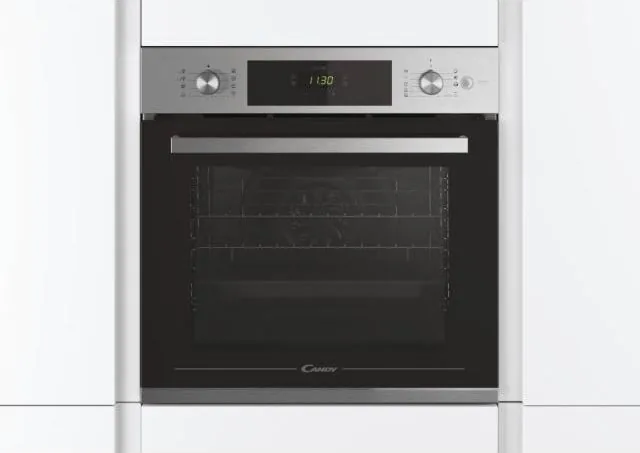
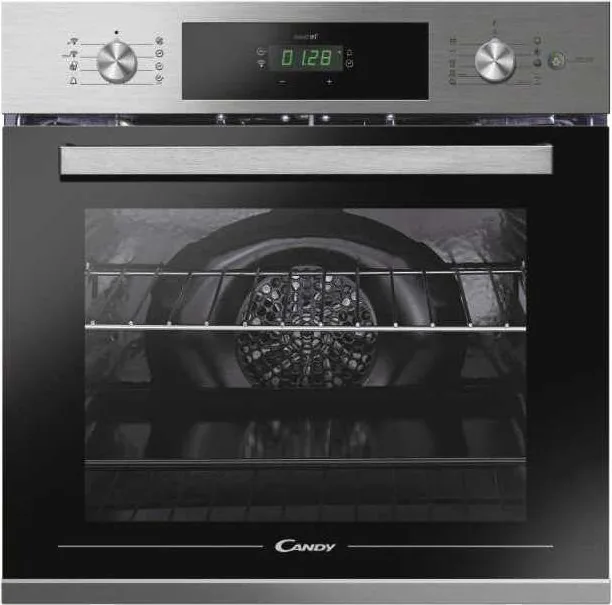
Discover the Candy FCTS886X WIFI Steam Oven

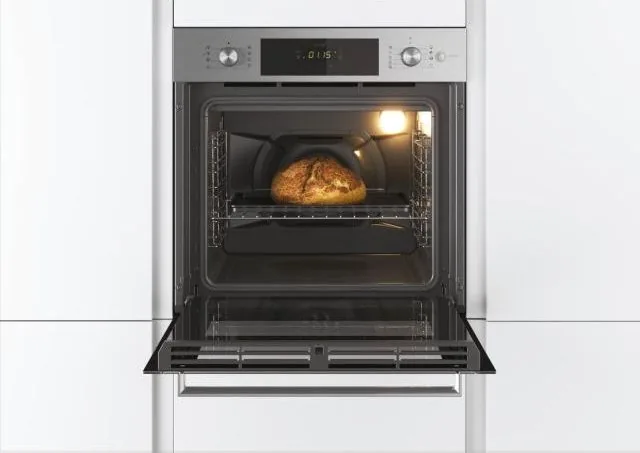
The Candy FCTS886X WIFI Steam Oven represents a significant leap forward in modern kitchen technology, combining traditional baking excellence with advanced steam functionality and smart connectivity. Designed for the contemporary home chef, this appliance offers precise control over cooking environments, ensuring perfect results every time. Whether you are roasting a Sunday joint of meat, baking delicate pastries, or steaming fresh vegetables to retain nutrients, this oven adapts to your needs seamlessly.

At the heart of the FCTS886X is its versatile cooking system. It features multiple heating modes including Grill, Turbo Grill, Multi-Level, and Conventional heat. The inclusion of the Steam function allows users to introduce humidity into the cooking process, which is ideal for achieving crispy crusts on bread and pizza while keeping meats juicy. The Aquactiva cleaning cycle further enhances user experience by using steam to loosen stubborn grease and food residues, making maintenance effortless compared to older models that rely solely on harsh chemicals or high-heat pyrolysis.

Connectivity is where this model truly shines. With built-in WIFI capabilities via the Simply-Fi system, users can monitor and control their oven remotely through a smartphone app. This feature allows you to preheat the oven before arriving home, receive notifications when cooking is complete, and access a library of recipes directly from your device. The intuitive digital display guides you through settings for temperature, timer, and end-of-cooking times, ensuring even novice cooks can achieve professional-grade dishes.

Safety remains a top priority with this unit. The door locks automatically during high-temperature cycles like Pyrolysis or Steam cooking to prevent burns. Child safety locks are also integrated to prevent unauthorized changes to settings. The oven includes a meat probe to ensure your poultry or roasts are cooked to the exact internal temperature required. Installation is straightforward for professionals, with clear ventilation requirements to maintain efficiency and longevity.

Cleaning is simplified with options for both Eco and Super Pyrolysis cycles, which burn off residue at extremely high temperatures without water or detergents. For daily upkeep, the stainless steel and enamel surfaces are easy to wipe down. The drip pan catches excess juices, preventing messes on the oven floor. Overall, the Candy FCTS886X WIFI Steam Oven is a robust, intelligent addition to any kitchen, blending performance, convenience, and safety into one elegant package.

M: QW-35-FL

© Copyright 2026 Manual.ly