
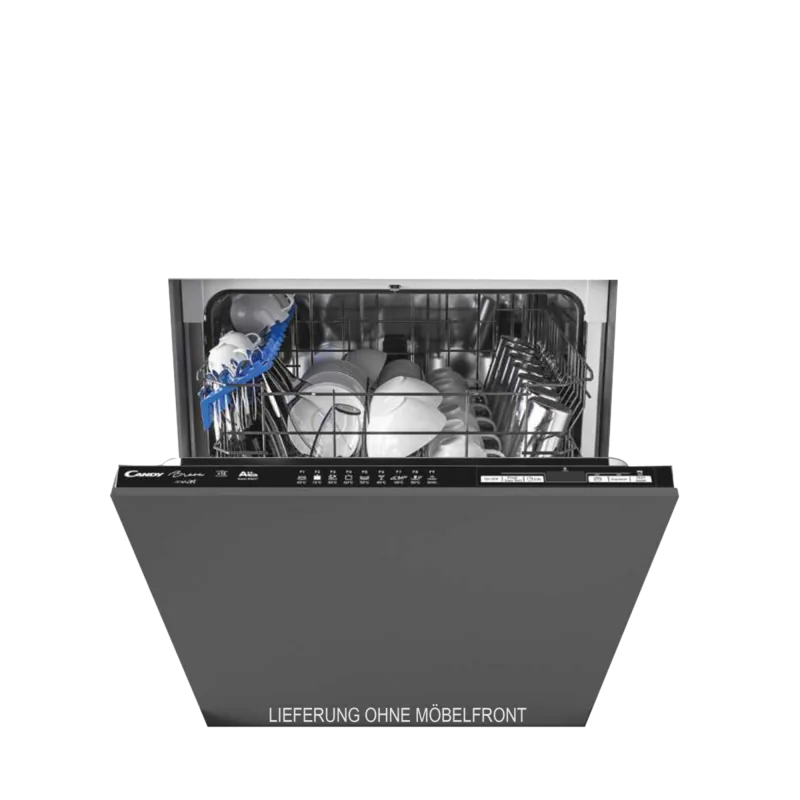

Candy CDIN 2D360PBR Manual
PDF manual · 148 Pages
English



Quick check
Incorrect answer, please try again.
Chat with your Candy CDIN 2D360PBR manual using AI
Get instant AI answers from your Candy CDIN 2D360PBR manual
Ask anything about the Candy CDIN 2D360PBR. Answers come from this manual, with the pages they are based on.
CDIN 2D360PBR Maintenance Schedule
With the self-cleaning micro filter, inspect the filter group every two weeks. Still check for clogs after each wash.
Check that the central container and gauze filter are not clogged. Clean them under running water if necessary to ensure optimal results.
Wipe the rubber door seal with a damp cloth to remove food residues or rinse aid traces.
Run an empty wash cycle with specific dishwasher cleaning products to remove limestone deposits and dirt.
If dishes are poorly washed despite clean filters, remove spray arms and clear blocked nozzles under running water.
Ask a Question
Do you recommend CDIN 2D360PBR?
Yes NoFrequently Asked Questions
Download the Candy simply-Fi app, ensure your router is on, and follow the enrollment steps. Press the WiFi button on the machine for three seconds, then hold the delay start button until EASY appears. Enter your network password in the app to complete setup.
Is this answer helpful?
White spots usually indicate a lack of salt or improper rinse aid dosage. Check the salt container and refill it if necessary. Adjust the rinse aid setting higher if the water is hard. Run a full cycle to test the results.
Is this answer helpful?
Yes, if the ADDISH light is on, you can open the door to add items. The machine will pause automatically. Close the door gently to resume the cycle from where it stopped. Do not open during the final drying phase.
Is this answer helpful?
Yes, the filter system includes a central cup and microfilter. Remove them by twisting counter-clockwise. Rinse under running water and scrub with a brush. Reassemble carefully clockwise to ensure proper function.
Is this answer helpful?
Smart Door automatically opens the door slightly at the end of the drying cycle. This improves air circulation, enhances drying performance, reduces energy use, and prevents bad odors from forming inside the machine.
Is this answer helpful?
It is recommended to run a cleaning program periodically using specific dishwasher cleaners to remove limescale and grease buildup. Also, check and clean the filters before every wash for best results.
Is this answer helpful?
Check the manual for the specific code meaning. Common issues include blocked filters, kinked hoses, or closed water taps. Reset the machine by pressing Start/Reset for three seconds. If the error persists, contact technical support.
Is this answer helpful?
Advantages and Disadvantages
Advantages

- Advanced Wi-Fi connectivity allows remote control via smartphone app
- Multiple safety features like Waterblock and Aquastop prevent water damage
- Eco program optimizes water and energy consumption effectively
- Adjustable upper basket accommodates various dish sizes easily
- Quiet Night mode ideal for evening use without disturbance
Disadvantages

- Requires specific softening salt for optimal decalcification performance
- Rinse aid level must be manually adjusted based on water hardness
- Tabs detergents may not dissolve fully in very short cycles
- Manual reset required if error codes appear frequently
- Demonstration mode must be disabled after installation in stores
Product Specification
Type
fully integrated
Energy efficiency class
E (A to G)
Front panel/Control strip
black (concealed control strip)
Capacity
13 place settings
Number of programs
9
Cutlery system
cutlery basket
Display
yes
Features
delay start, AquaStop (AquaProtect), salt refill indicator
Smart Home
App control (Wi-Fi (WLAN), SimplyFi)
Noise level
47 dB(A)
Airborne sound emission class
C (A to D)
Energy consumption
0.93 kWh/100 cycles
Water consumption
2.75 gal/cycle
Eco program duration
3h 50min
Width
23.6 in (standard width)
Height
32.3 in
Depth
21.7 in (cavity depth)
Product Description
Discover the Candy CDIN 2D360PBR Dishwasher
Welcome to your new kitchen essential, the Candy CDIN 2D360PBR. This appliance is designed to be a trusted partner for washing everyday dishes with complete peace of mind. Whether you are managing a busy household or running a small catering setup, this unit ensures safe and efficient cleaning every time. The comprehensive guide included with the product helps you operate the machine correctly and provides valuable tips for maintaining its efficiency over the long term.
The device features advanced safety protocols suitable for home environments and similar settings like offices or bed and breakfasts. It includes intelligent water management systems such as Waterblock and Aquastop to prevent leaks and flooding. Users can customize their wash experience with various programs including an Eco cycle for energy savings, an Intensive program for heavy pots, and a Night mode for quiet operation during late hours. The Smart Door option automatically opens the door at the end of drying cycles to improve air circulation and reduce energy consumption.
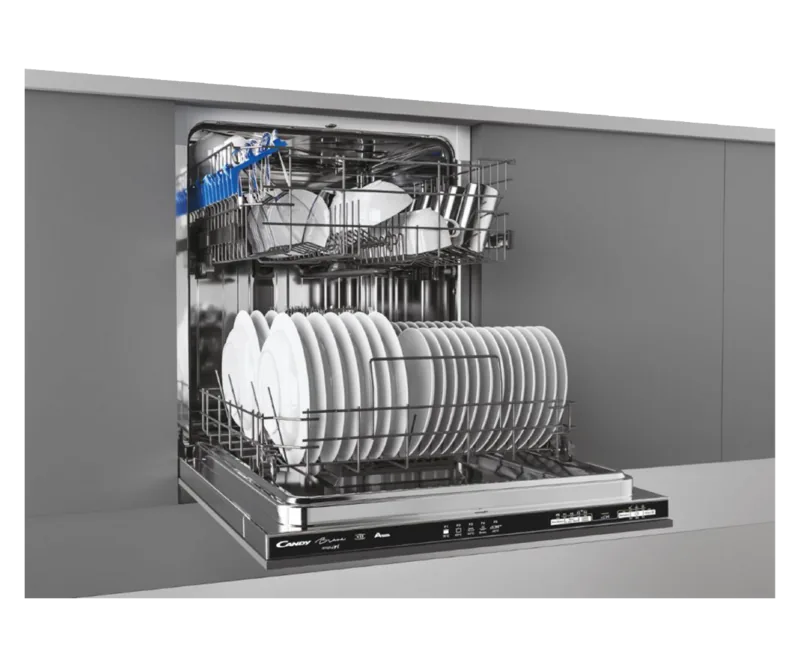
Loading the machine is straightforward thanks to adjustable upper baskets and flexible cutlery trays. The interior is lined with stainless steel to resist rust and stains. You can control the wash using a digital display that guides you through settings like delayed start and remote Wi-Fi control via the Candy simply-Fi app. Regular maintenance involves cleaning the filters and checking salt and rinse aid levels to ensure spotless results. Always remember to remove large food particles before loading to protect the filtration system.
This dishwasher adapts to different water hardness levels and supports modern detergent types including tablets and gels. By following the usage instructions, you ensure the longevity of the unit and maintain warranty coverage. Enjoy a cleaner kitchen with less effort and more convenience.
Search for 67,706 Manuals online


Type-in Brand or Model