Manual.ly Logo

Cameo Steam Wizard 2000 Manual

0.0 · 0 Ratings

PDF manual · 56 Pages

English

M: OA-GPT-54-NAN
page

/ 56

Loading...
714b138416a539446ba5f32c7c4e7f8d27d5 page 3
ITALIANOPOLSKIESPAÑOL
FRANCAISDEUTSCHENGLISH
3
DMX
ENGLISH
YOU‘VE MADE THE RIGHT CHOICE!
We have designed this product to operate reliably over many years. Please read this User‘s Manual carefully, so that you can begin making
optimum use of your Cameo Light product quickly. Learn more about Cameo Light on our website WWW.CAMEOLIGHT.COM.
PREVENTIVE MEASURES
1. Please read these instructions carefully.
2. Keep all information and instructions in a safe place.
3. Follow the instructions.
4. Observe all safety warnings. Never remove safety warnings or other information from the equipment.
5. Use the equipment only in the intended manner and for the intended purpose.
6. Use only sufficiently stable and compatible stands and/or mounts (for fixed installations). Make certain that wall mounts are properly installed and
secured. Make certain that the equipment is installed securely and cannot fall down.
7. During installation, observ e the applicable safety regulations for your country.
8. Never install and operate the equipment near radiators, heat registers, ovens or other sources of heat. Make certain that the equipment is
always installed so that is cooled sufficiently and cannot overheat.
9. Never place sources of ignition, e.g., burning candles, on the equipment.
10. Ventilation slits must not be blocked.
11. This appliance is designed exclusively for indoor use, do not use this equipment in the immediate vicinity of water (does not apply
to special outdoor equipment - in this case, observe the special instructions noted below). Do not expose this equipment to flammable
materials, fluids or gases.
12. Make certain that dripping or splashed water cannot enter the equipment. Do not place containers filled with liquids, such as vases or
drinking vessels, on the equipment.
13. Make certain that objects cannot fall into the device.
14. Use this equipment only with the accessories recommended and intended by the manufacturer.
15. Do not open or modify this equipment.
16. After connecting the equipment, check all cables in order to prevent damage or accidents, e.g., due to tripping hazards.
17. During transport, make certain that the equipment cannot fall down and possibly cause property damage and personal injuries.
18. If your equipment is no longer functioning properly, if fluids or objects have gotten inside the equipment or if it has been damaged in
anot her way, switch it off immediately and unplug it from the mains outlet (if it is a powered device). This equipment may only be repaired
by authorized, qualified personnel.
19. Clean the equipment using a dry cloth.
20. Comply with all applicable disposal laws in your country. During disposal of packaging, please separate plastic and paper/cardboard.
21. Plastic bags must be kept out of reach of children.
FOR EQUIPMENT THAT CONNECTS TO THE POWER MAINS:
22. CAUTION: If the power cord of the device is equipped with an earthing contact, then it must be connected to an outlet with a protective
ground. Never deactivate the protective ground of a power cord.
23. If the equipment has been exposed to strong fluctuations in temperature (for example, after transport), do not switch it on immediately.
Moisture and condensation could damage the equipment. Do not switch on the equipment until it has reached room temperature.
24. Before connecting the equipment to the power outlet, first verify that the mains voltage and frequency match the values specified on the
equipment. If the equipment has a voltage selection switch, connect the equipment to the power outlet only if the equipment values and the
mains power values match. If the included power cord or power adapter does not fit in your wall outlet, contact your electrician.
25. Do not step on the power cord. Make certain that the power cable does not become kinked, especially at the mains outlet and/or power
adapter and the equipment connector.
26. When connecting the equipment, make certain that the power cord or power adapter is always freely accessible. Always disconnect the
equipment from the power supply if the equipment is not in use or if you want to clean the equipment. Always unplug the power cord and
power adapter from the power outlet at the plug or adapter and not by pulling on the cord. Never touch the power cord and power adapter
with wet hands.
27. Whenever possible, avoid switching the equipment on and off in quick succession because otherwise this can shorten the useful life of
the equipment.
28. IMPORTANT INFORMATION: Replace fuses only with fuses of the same type and rating. If a fuse blows repeatedly, please contact an
authorised service centre.
29. To disconnect the equipment from the power mains completely, unplug the power cord or power adapter from the power outlet.
30. If your device is equipped with a Volex power connector, the mating Volex equipment connector must be unlocked before it can be re-
moved. However, this also means that the equipment can slide and fall down if the power cable is pulled, which can lead to personal injuries
and/or other damage. For this reason, always be careful when laying cables.
31. Unplug the power cord and power adapter from the power outlet if there is a risk of a lightning strike or before extended periods of disuse.
32. The device must only be installed in a voltage-free condition (disconnect the mains plug from the mains).
33. Dust and other debris inside the unit may cause damage. The unit should be regularly serviced or cleaned (no guarantee) depending on
ambient conditions (dust etc., nicotine, fog) by qualified personnel to prevent overheating and malfunction.
34. Please keep a distance of at least 0.5 m to any combustible materials.
35. Power cables to power multiple devices must have a cross-section of at least 1.5 mm². Within the EU, the cables must correspond to
H05VV-F, or similar. Suitable cables are offered by Adam Hall. With these cables, you can connect multiple devices via the power OUT con-
nection to the power IN connection of an additional device. Make sure that the total current consumption of all connected devices does not
exceed the specified value on all connected devices (label on the device). Make sure to keep power cable connections as short as possible.

Chat with your Cameo Steam Wizard 2000 manual using AI

Get instant AI answers from your Cameo Steam Wizard 2000 manual

Ask anything about the Cameo Steam Wizard 2000. Answers come from this manual, with the pages they are based on.

Steam Wizard 2000 Maintenance Schedule

As needed
Clean exterior with dry cloth

Use a dry cloth to clean the equipment. Do not use wet cloths or chemicals.

As needed
Service internal cleaning

Depending on ambient conditions like dust, nicotine, or fog, qualified personnel should regularly service or clean the unit internally to prevent overheating and malfunction.

M: QW-35-FL

Ask a Question

0/1000

Do you recommend Steam Wizard 2000?

Yes No

Frequently Asked Questions

A

It is used to create fog effects combined with colored LED lighting for events, stage shows, DJ sets, and other professional entertainment setups.

Is this answer helpful?

A

Yes. It offers 4-channel DMX control, allowing integration into lighting systems and more precise control over fog and lighting effects.

Is this answer helpful?

A

Yes. The included cable remote lets you control fog output, lighting color, brightness, and interval functions without using DMX.

Is this answer helpful?

A

Only water-based Cameo fog fluid should be used. Flammable liquids must never be added to the tank.

Is this answer helpful?

A

The warm-up time is about five minutes, after which the unit is ready for operation.

Is this answer helpful?

A

Yes, but only when installed by qualified personnel and secured properly with the correct mounting hardware and safety cables.

Is this answer helpful?

M: OA-GPT-54-NAN

Advantages and Disadvantages

Advantages

  • Combines fog output and RGBA LED effects for a stronger visual impact in one compact unit.
  • Supports DMX and cable remote control, making it easy to use in both simple and advanced setups.
  • Offers fast warm-up, overheat protection, and an empty-canister warning for safer operation.
  • Can be mounted at different angles and includes practical features like a handle, rubber feet, and safety eyelets.
VS

Disadvantages

  • Designed for indoor professional use only, so it is not ideal for casual home setups or outdoor environments.
  • Requires water-based fog fluid only, which limits flexibility and demands proper supply planning.
  • The nozzle gets very hot, so safe handling and cooldown time are necessary after use.
  • At 1200 W, it needs suitable power planning and careful cable management in live installations.
M: OA-GPT-54-NAN

Product Specification

Type

Haze machine

Power

1200 W

Output volume

17,657.35 cu ft/min

Output distance

22.97 ft

Fluid consumption

1.69 fl oz/min

Fluid tank capacity

0.66 gal

DMX control

yes (4 channels)

Features

Remote control, Light effect, Timer, Automatic shut-off

Mounting

Carrying handle

Dimensions

11.81x5.51x16.54in (WxHxD)

Weight

19.85 lb

M: OA-GPT-54-NAN

Product Description

Cameo Steam Wizard 2000: Fog, Color, and Stage Energy in One Unit

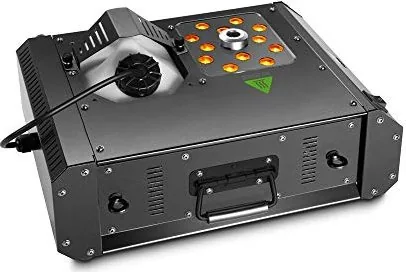
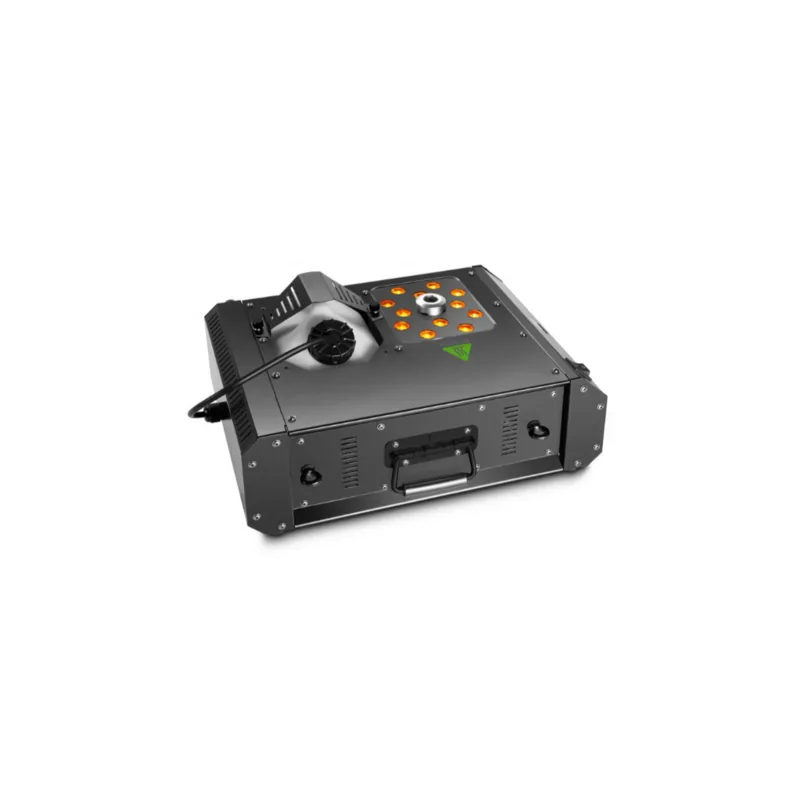
The Cameo Steam Wizard 2000 is built for creators who want more than plain fog. This compact LED fog machine combines a powerful vapor output with 12 x 10 W 4-in-1 RGBA LEDs, turning each burst into a vivid visual effect. For event techs, mobile DJs, and small venues, it offers a practical way to add atmosphere, motion, and color without extra lighting gear.

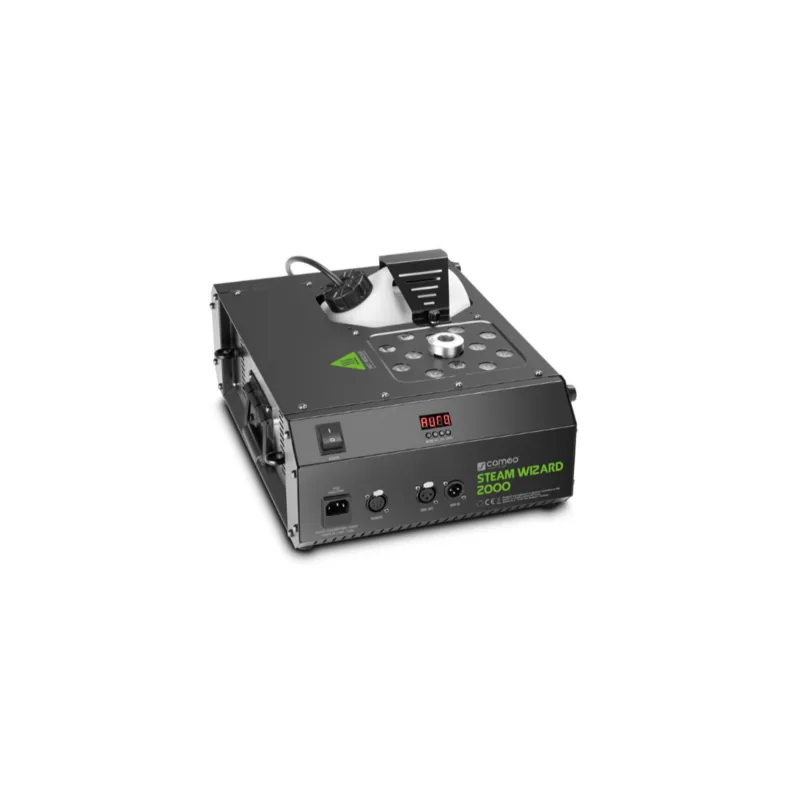
One of its strongest points is flexibility. The unit supports 4-channel DMX control, so it can fit neatly into a larger lighting rig, while the included cable remote makes it easy to use without a controller. The remote gives access to fog density, dimmer, interval mode, manual triggering, brightness, and color selection. That means you can run quick bursts, build a repeating effect, or fine-tune the look on the fly. The Steam Wizard 2000 Manual also reflects how much attention is given to simple operation and clear status feedback through the LED display and canister light.

Setup is straightforward, but the machine is clearly designed for professional use. It needs water-based fog fluid only, warms up in about five minutes, and includes overheat protection plus an empty-canister warning. The housing is metal, the base has rubber feet for stable placement, and the unit can be mounted at different angles on a truss when installed correctly. A folding handle, safety eyelets, and the included 10 m remote cable all support transport and live-event use.

What makes this model appealing is the way it blends fog and light into a single effect. The RGBA LEDs offer 14 preset colors plus automatic color change, while the strobe and fade-style looks help create a more dramatic stage moment. It is especially effective when used for intros, drop moments, or short performance accents where a burst of haze should feel energetic rather than just functional.

Still, this is not a casual home gadget. It is meant for indoor event environments, requires ventilation, and the nozzle becomes very hot during operation. Safe handling matters, especially during transport, refilling, and overhead mounting. When used with care, though, the Cameo Steam Wizard 2000 delivers a compact, reliable, and striking effect that can elevate a simple setup into something much more memorable.

Notes

  • Use only approved water-based fog fluid.
  • Keep a minimum distance of 50 cm from the nozzle.
  • Allow full cooldown before cleaning or moving the unit.
  • For overhead installation, use qualified personnel and proper safety rigging.
M: OA-GPT-54-NAN

© Copyright 2026 Manual.ly