
Caliber RMD803DAB-BT Manual
PDF manual · 14 Pages
English



Quick check
Incorrect answer, please try again.
Chat with your Caliber RMD803DAB-BT manual using AI
Get instant AI answers from your Caliber RMD803DAB-BT manual
Ask anything about the Caliber RMD803DAB-BT. Answers come from this manual, with the pages they are based on.
Ask a Question
Do you recommend RMD803DAB-BT?
Yes NoFrequently Asked Questions
It supports DAB+ digital radio from 174 to 240 MHz, FM from 87.5 to 108 MHz, and AM from 522 to 1620 kHz. The radio interface includes automatic scanning, manual tuning, station presets, and local-station searching.
Is this answer helpful?
Yes. Pair a Bluetooth-enabled phone with the receiver, shown as CAR-BT, to make and answer calls through the car audio system. It also supports phonebook download, call history, and Bluetooth music when the connected phone supports these functions.
Is this answer helpful?
Compatible media can be played through USB storage, an SD card, Bluetooth audio, or AUX audio/video inputs. The unit supports several common audio and video formats, though individual file compatibility can vary.
Is this answer helpful?
Yes. The USB connection is specified as a 5V DC, 1.5A charge output. It can also be used for compatible USB media playback.
Is this answer helpful?
Fit the antenna vertically on the front windscreen near the A-pillar. Attach the transparent section to the glass and the black ground section to the vehicle metal frame. Route the cable safely to the rear DAB input and connect the remote power lead if present.
Is this answer helpful?
Yes. The connection layout includes a rear camera input. Correct wiring and compatible camera equipment are required for operation.
Is this answer helpful?
Advantages and Disadvantages
Advantages

- DAB+, FM, and AM reception provide broad radio listening options.
- Bluetooth supports hands-free calls, phonebook access, and wireless music playback.
- USB, SD, AUX, camera, video, and subwoofer connections support flexible system expansion.
- Audio, display, wallpaper, clock, and touch calibration settings allow personalization.
Disadvantages

- Mirror Link compatibility depends on the phone model, operating system, cable, and USB debugging setup.
- Some video files may not play correctly because of format and screen-resolution limitations.
- DAB antenna placement and 12V remote wiring require careful installation.
- Bluetooth features can vary between phone brands and software versions.
Product Specification
Type
Moniceiver, 2-DIN
Display
6.2 in, LCD, touchscreen
Navigation
No
TMC
No
Tuner
FM, AM, longwave, DAB, DAB+
Media
USB storage, memory card
Audio formats
MP3, WMA
Video formats
DivX, MPEG-4
Image formats
JPG
Power
4 x 75 W peak
Connections
3 x preamp outputs, 1 x AUX input (front), 2 x video inputs, 1 x video output, 2 x USB, card reader (microSD/microSDHC), Bluetooth 4.0
Special features
Hands-free system, remote control, USB charging function (1.5 A)
Product Description
Caliber RMD803DAB-BT - Read, Download & Print Free
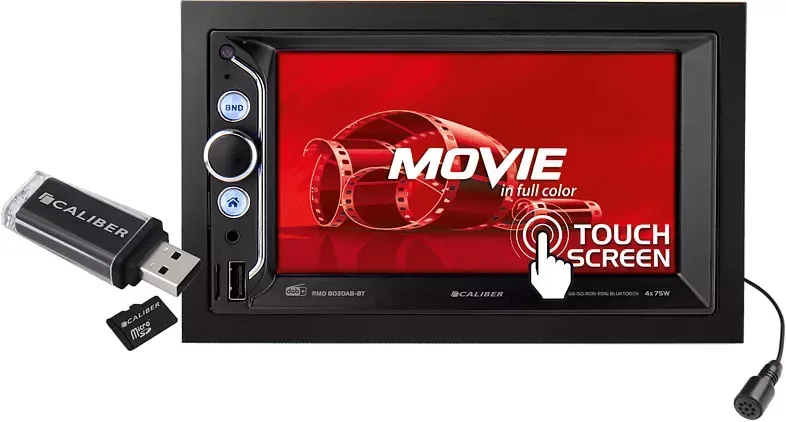
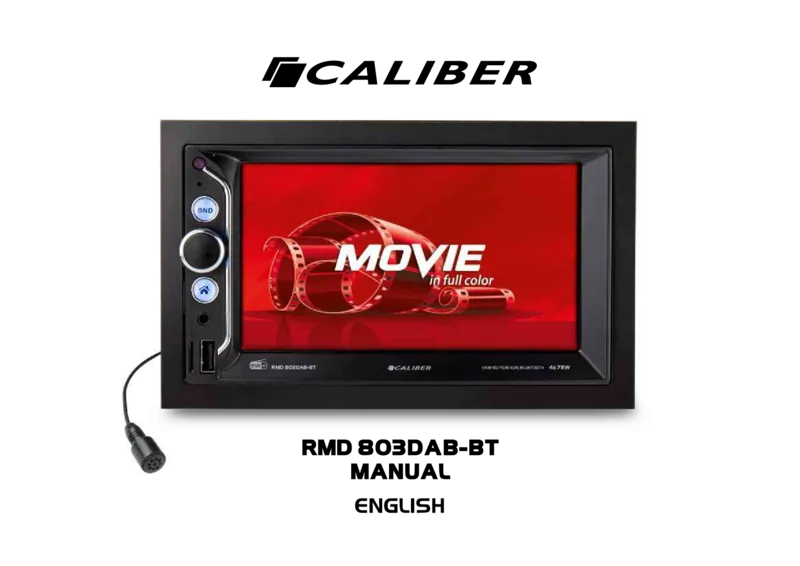
The Caliber RMD803DAB-BT is a versatile in-car multimedia receiver designed to bring radio, music, calling, and video connectivity together in one dashboard unit. It supports DAB+ digital radio alongside traditional FM and AM reception, giving drivers more ways to access stations and entertainment while travelling. With a compact 88 x 75 mm installation profile and a 12V negative-ground design, it is intended for compatible passenger vehicles.
Connected entertainment for everyday driving
Bluetooth wireless technology enables hands-free calling, phonebook access, call history viewing, and wireless music playback from a compatible mobile phone. The receiver uses the Bluetooth name CAR-BT and supports a pairing code of 0000 when required. A supplied microphone input helps make conversations clearer, while the included remote control offers convenient access to volume, track, menu, calling, and playback functions.
USB and SD media support lets users play compatible audio and video content from portable storage. The front USB connection also provides a 5V, 1.5A charging output. An AUX input accommodates external audio and video equipment, making the Caliber RMD803DAB-BT adaptable for older media sources as well as newer devices. Mirror Link functionality adds phone screen integration for supported Android and iOS devices, subject to device, operating-system, cable, and setup compatibility.
Audio, video, and camera connections
The Caliber RMD803DAB-BT provides outputs for front, rear, and subwoofer audio systems, allowing a more complete speaker setup. It also includes video output, AUX video input, and rear camera input, supporting a broader in-car multimedia installation. Audio options include balance adjustment, equalizer presets, and selectable surround effects. Video settings offer aspect ratio, brightness, contrast, hue, saturation, and sharpness controls for compatible playback sources.
For radio listeners, the FM tuner covers 87.5-108 MHz, AM covers 522-1620 kHz, and DAB operates from 174 to 240 MHz. The radio interface supports automatic station searching, manual tuning, presets, local-station filtering, and browsing. DAB antenna placement is important: the antenna should be fitted vertically on the windscreen near the A-pillar, with its ground contact attached to the vehicle metal frame and its power lead connected to the 12V remote supply when applicable.
Note: Installation should be performed carefully. Disconnect the negative battery terminal before wiring, match all color-coded speaker leads correctly, and avoid placing the antenna or cables where they obstruct driving, airbags, or other safety equipment.
Caliber RMD803DAB-BT - Read, Download & Print Free is a useful reference for understanding its connectivity, installation considerations, media options, and everyday controls.
Search for 67,635 Manuals online


Type-in Brand or Model