
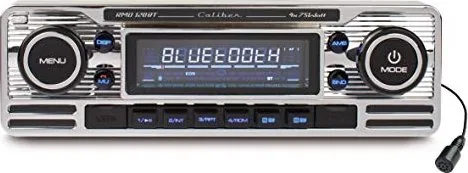
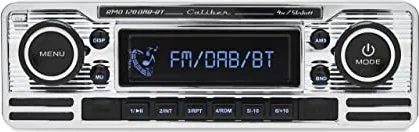
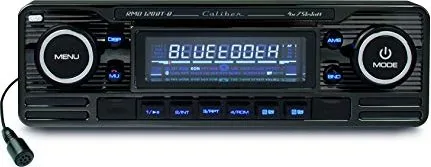
Caliber RMD120 Manual
PDF manual · 24 Pages
English



Quick check
Incorrect answer, please try again.
Chat with your Caliber RMD120 manual using AI
Get instant AI answers from your Caliber RMD120 manual
Ask anything about the Caliber RMD120. Answers come from this manual, with the pages they are based on.
Ask a Question
Do you recommend RMD120?
Yes NoFrequently Asked Questions
Press and hold the Menu button for three seconds to open the Bluetooth menu. Activate Bluetooth on your phone, search for devices, and select 'Car Audio'. Enter the password '8888' to complete the connection.
Is this answer helpful?
The unit supports SD cards with a maximum capacity of 16GB for music and audio files. Note that navigation data cards must be inserted into the rear port and are not compatible with the main slot.
Is this answer helpful?
Yes, the Traffic Announcement (TA) feature will automatically interrupt your current audio source, such as USB or SD playback, to broadcast traffic information. The unit will resume your previous mode after the announcement ends.
Is this answer helpful?
Use a non-metallic pointed object to press and hold the reset button located behind the panel for five seconds. This will restore all settings to their original factory defaults.
Is this answer helpful?
Yes, the unit supports MP3 format playback via USB stick and SD card. You can navigate folders and tracks directly using the control buttons for fast forward, rewind, and folder skipping.
Is this answer helpful?
Press the Mode button repeatedly to cycle through available sources such as Tuner, USB, SD, and AUX until your desired input is selected on the display.
Is this answer helpful?
Advantages and Disadvantages
Advantages

- Supports both DAB+ and FM radio with automatic station storage
- Multiple connectivity options including USB, SD, AUX, and Bluetooth
- Advanced DSP audio settings with preset EQ modes for custom sound
- Traffic Announcement (TA) feature for real-time safety updates
- Easy Bluetooth pairing with standard passcode for hands-free calling
Disadvantages

- SD card slot requires removing the front panel for access
- Navigation data SD cards cannot be used in the main music slot
- No built-in screen for video playback, audio only
- Reset process requires a non-metallic pointed object
- Manual tuning requires holding the rotary button for extended periods
Product Specification
Type
Digital Receiver, 1-DIN
Display
7-Segment
Navigation
No
TMC
No
Media
USB Storage, Memory Card
Audio Formats
MP3, WMA
Power
4x 75W Peak
Anti-theft
Removable Control Panel
Features
Hands-free Kit
Product Description
Experience Superior Sound with the Caliber RMD120 Manual
The Caliber RMD120 Manual represents a significant leap forward in car audio integration, designed to bring clarity and versatility to your driving experience. This unit serves as the central hub for your vehicle's entertainment system, seamlessly blending traditional radio tuning with modern digital connectivity. Whether you are commuting through city traffic or embarking on a long road trip, the Caliber RMD120 ensures that every note is crisp and every station is clear.
At the heart of this device lies a robust tuner capable of receiving both DAB+ and FM signals. The Automatic Store feature simplifies your daily routine by automatically saving the six strongest stations, allowing you to access your favorites instantly via the M1 through M6 presets. The interface is intuitive, featuring a dedicated LCD display that provides real-time information about your audio source, track titles, and signal strength. Navigation is effortless thanks to the rotary volume knob and clearly labeled buttons for band selection, menu access, and mode switching.
Connectivity is where the Caliber RMD120 truly shines. It supports multiple input methods to suit any preference. You can stream music wirelessly via Bluetooth, pairing easily with your smartphone using the simple "8888" passcode. For physical media, the unit features a USB port and an SD card slot located behind the front panel, supporting files up to 16GB. The inclusion of a 3.5mm AUX input ensures compatibility with older devices that lack modern wireless capabilities. Furthermore, the DSP function offers advanced sound customization, letting you adjust bass, treble, balance, and fader settings, or select from preset EQ modes like Classic, Pop, Rock, or Flat.
Safety and convenience are prioritized with features like Traffic Announcement (TA) support, which interrupts playback to deliver vital traffic updates, and seamless call handling. With Bluetooth hands-free capability, you can answer calls, reject incoming requests, or transfer audio back to your phone for private conversations without ever taking your eyes off the road. The unit also includes a reset function for factory defaults and a panel release button for easy installation and maintenance. Upgrade your audio today with the reliable and feature-rich Caliber RMD120 Manual.
Important Notes
- Ensure the SD card used for navigation data is inserted in the rear port only.
- High volume levels may cause hearing damage; use caution when adjusting the rotary knob.
- The front panel must be removed to access the main SD card slot on the chassis.
Search for 67,732 Manuals online


Type-in Brand or Model