
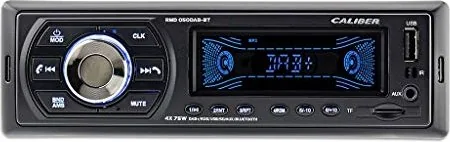
Caliber RMD050DAB-BT Manual
PDF manual · 12 Pages
English



Quick check
Incorrect answer, please try again.
Chat with your Caliber RMD050DAB-BT manual using AI
Get instant AI answers from your Caliber RMD050DAB-BT manual
Ask anything about the Caliber RMD050DAB-BT. Answers come from this manual, with the pages they are based on.
Ask a Question
Do you recommend RMD050DAB-BT?
Yes No
Tom Bauer
6 months ago
Do other users find the physical button click sounds too loud during the day?
Frequently Asked Questions
Approach the phone to the host enable Bluetooth, then find the host name RDM050DAB-BT on your phone. Enter the password 1234. Wait for the doduo prompt tone to confirm successful connection.
Is this answer helpful?
The unit supports MP3 and WMA format files played from USB or TF card ports. It also handles audio input via AUX-IN and Bluetooth streaming from paired devices.
Is this answer helpful?
Yes. Long press Button 1-6 to preset storage of broadcasting stations after stopping. You can store 18 stations total across three bands with six presets each.
Is this answer helpful?
The rated output power is 4x 7.5W. This ensures loud and clear audio performance suitable for standard vehicle environments.
Is this answer helpful?
Place the antenna on the windshield near the A-post. Stick the transparant part on the windshield and put the black part on the metal frame. Connect the blue-white cable to the antenna power supply.
Is this answer helpful?
Short press the Reset button to reset the system. After resetting, the host needs to be restarted to restore normal factory settings.
Is this answer helpful?
Short press the Band switching button to toggle between FM1-FM2-FM3 and DAB1-DAB2-DAB3 bands. Long press searches stations automatically and stores them.
Is this answer helpful?
Advantages and Disadvantages
Advantages

- Supports DAB, FM, and RDS functionality for diverse broadcasting options
- Compatible with MP3 and WMA formats via USB and TF card ports
- Super LCD display provides clear visual feedback and clock settings
- Digital electronic volume control allows precise audio tuning
- Bluetooth hands-free calling with automated connection features
Disadvantages

- Does not have a touchscreen interface requiring button clicks
- Installation requires specific removal keys not included in standard kit
- Requires careful wiring matching for ISO connector color codes
- DAB antenna needs specific placement near A-post for optimal signal
- Volume knob requires long press combinations for some advanced settings
Product Specification
Type
Digital Receiver, 1-DIN
Display
LCD
Navigation
No
TMC
No
Tuner
FM, AM, DAB+
Media
USB Drive, Memory Card
Audio Formats
MP3, WMA
Power
4x 75W Peak
Connections
1x Preamp Out, 1x AUX In (Front), 1x USB (Front), Cardreader (microSD/microSDHC), Bluetooth
Anti-Theft
Removable faceplate
Product Description
Introduction to the Caliber RMD050DAB-BT
The Caliber RMD050DAB-BT stands as a robust solution for modern car audio enthusiasts seeking quality and versatility. This unit combines digital broadcasting capabilities with classic connectivity options. When you refer to the Caliber RMD050DAB-BT Manual, you gain access to comprehensive details about its setup and operation. The device supports FM Electronic tuning and automatically stores eighteen distinct broadcasting stations. Users can enjoy their favorite tracks through various input methods including MP3 and WMA formats via USB or TF card ports.
Sound fidelity is enhanced through a Super LCD display and digital electronic volume control. The EQ Sound effect control allows drivers to customize their audio experience to match their specific preferences. Whether you are listening to RDS enabled radio stations or playing music from a paired smartphone, the interface remains intuitive. External audio input support ensures older vehicles can still utilize modern smartphones through the AUX-IN Jack. The system also features RDS function support for additional traffic and station information. Bluetooth operation allows seamless pairing with a password of 1234 for easy connection.
Operation and Features
Powering the device is straightforward with a simple mode button for switching between reception, USB, SD, AUX, DAB, and Bluetooth states. The volume knob acts as a selector for tone settings like bass, treble, and balance. For hands-free convenience, the Bluetooth microphone placement allows audio routing during calls. The clock function is easily adjustable via the CLK button and volume knob rotation. Button 1 through 6 can preset radio stations or control playback speed and selection. This ensures quick access to your most loved channels.
Installation and Maintenance Notes
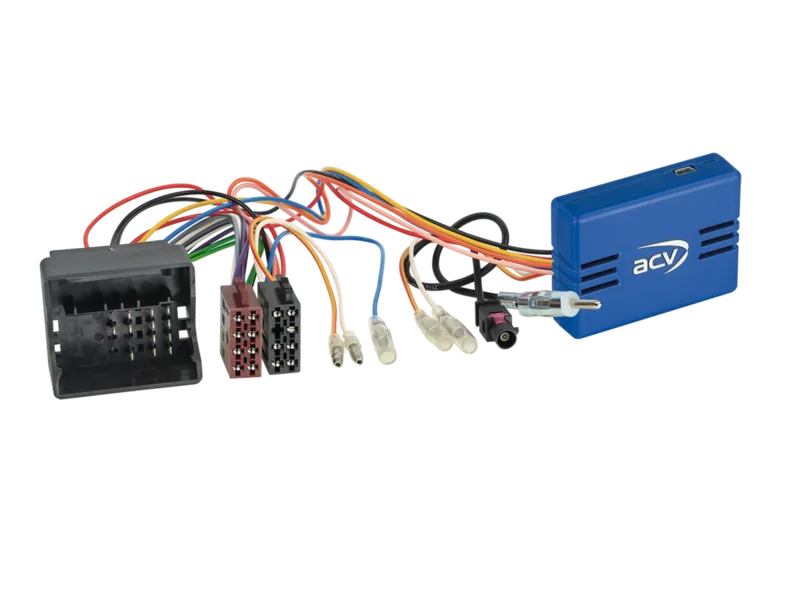
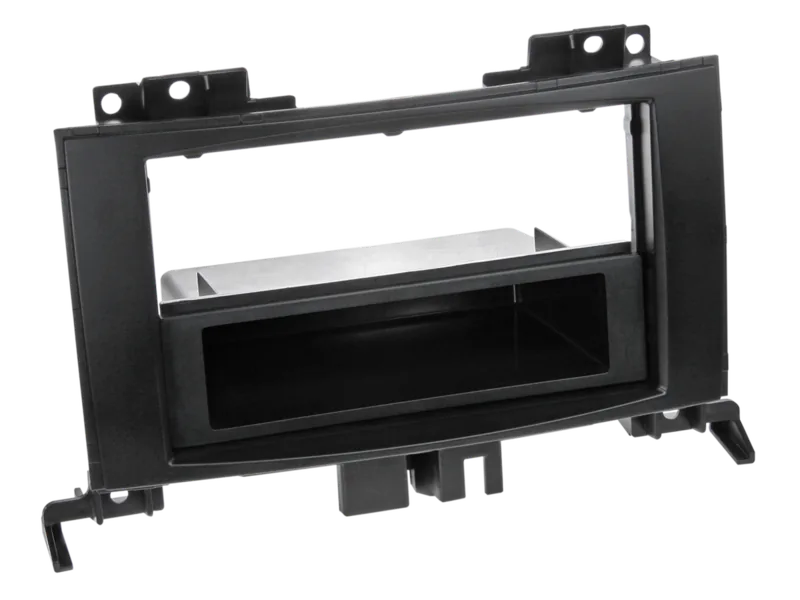
Proper wiring is crucial for optimal performance. The iso connector diagram provides clear color codes for speaker connections and power supply. A DAB antenna input is included for digital signal reception, requiring careful placement near the A-post. The housing measures 178mm by 50mm, fitting standard dashboard slots effortlessly. Reset functions are available in case of system disorder to restore factory settings without complex procedures. Rated output power is 4x 7.5W, ensuring loud and clear audio. Installation involves fixing the support on the instrument board and connecting power lines securely.
Usage Recommendations and Safety
Remember to strip wires before connecting them to the ISO connector. The blue-white cable manages the DAB antenna power supply directly from the remote signal. Ensure the volume knob regulations are precise when setting equalizers for different music genres. Band switching allows toggling between FM1-FM3 and DAB1-DAB3 bands. Long pressing buttons can preset stations for faster access next time. Music selection can be accelerated using the forward and backward plus ten minute buttons for quick track finding. Always check the polarity of the speakers during wiring. Dismantling requires a specific key to unlock the housing from the support plate safely. Do not force the unit out without the keys to avoid damage to the frame.
Search for 67,732 Manuals online


Type-in Brand or Model
Anna Mueller
8 months ago
Where can I find a complete user manual? The one included was too short and lacked info on saving settings.
Manual.ly
8 months ago
We apologize for the inconvenience. You can download the full PDF manual on our official support page under the Radio section. We are also sending a replacement ISO connector free of charge. Please ensure your firmware is updated for best performance.