
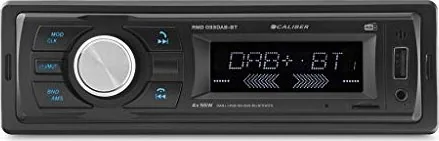
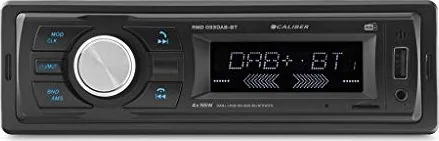
Caliber RMD033DAB-BT Manual
PDF manual · 9 Pages
English



Quick check
Incorrect answer, please try again.
Chat with your Caliber RMD033DAB-BT manual using AI
Get instant AI answers from your Caliber RMD033DAB-BT manual
Ask anything about the Caliber RMD033DAB-BT. Answers come from this manual, with the pages they are based on.
Ask a Question
Do you recommend RMD033DAB-BT?
Yes NoFrequently Asked Questions
Press the MOD/CLK button to open Bluetooth. Activate Bluetooth on your phone, select RMD033DAB-BT, and enter the password 0000 if prompted. Once linked, you will see Linked BT on the display.
Is this answer helpful?
The unit supports USB sticks and SD cards with a maximum capacity of 32GB. It plays MP3 music files and displays JPEG images stored on these media.
Is this answer helpful?
To power down the unit, press and hold the Power button for approximately three seconds until the device shuts off completely.
Is this answer helpful?
Yes, the unit includes a microphone and speakerphone functionality. You can answer or reject incoming calls by pressing the designated button on the interface.
Is this answer helpful?
Using a non-metallic pointed object, press and hold the reset button for five seconds. This returns all settings to factory defaults and erases custom configurations.
Is this answer helpful?
Advantages and Disadvantages
Advantages

- Supports multiple bands including FM and DAB for diverse station access
- Bluetooth A2DP streaming allows wireless music control from mobile devices
- USB and SD card slots support up to 32GB for MP3 and JPEG playback
- Automatic Station Memory (AMS) saves the six strongest signals instantly
- Hands-free calling capability with mute and call rejection functions
Disadvantages

- Previous station presets are overwritten when using automatic station search
- Reset process requires a specific non-metallic pointed object
- High volume settings pose a risk of hearing damage if not monitored
- No mention of high-resolution audio codec support in specifications
- External connections rely on standard 3.5mm jack which may limit quality
Product Specification
Type
Digital Receiver, 1-DIN
Display
Dot Matrix
Navigation
No
TMC
No
Tuner
FM, DAB+
Media
USB Storage, Memory Card
Audio Formats
MP3, WMA
Power
4x 55W Peak
Connections
2x Preamp Output, 1x AUX In (Front), 1x USB (Front), Card Reader (microSD/microSDHC), Bluetooth
Features
Hands-free System
Product Description
Experience the Caliber RMD033DAB-BT
The Caliber RMD033DAB-BT is a versatile audio unit designed to elevate your listening experience with seamless connectivity and robust functionality. This device serves as the centerpiece of your entertainment system, offering crystal clear sound across multiple bands including FM1, FM2, FM3, DAB1, DAB2, and DAB3. Whether you are commuting or relaxing at home, this unit ensures you stay connected to your favorite content without interruption.
Versatile Media Playback Options
One of the standout features of this unit is its ability to handle various media formats effortlessly. It supports USB sticks and SD cards up to 32GB, allowing you to play MP3 files and view JPEG images directly from portable storage. The built-in Bluetooth technology enables wireless streaming via A2DP, letting you control music playback from your mobile device using the unit's buttons. You can also connect external audio systems through the 3.5mm AUX input for additional versatility.
Intuitive Controls and Features
Navigating the Caliber RMD033DAB-BT is simple thanks to its logical layout and responsive controls. The rotary volume knob offers precise adjustments, while the band selection button lets you switch between different reception frequencies instantly. The AMS feature automatically stores the six strongest stations in both FM and DAB modes, ensuring quick access to popular channels. For hands-free convenience, the integrated microphone and speakerphone capabilities allow you to answer or reject incoming calls with a single press.
Customization and Reset
The audio menu provides options to fine-tune your sound with settings for stereo/mono balance and DX/LOC modes. If you need to start fresh, a reset function restores factory defaults by holding the button for five seconds with a non-metallic tool. The LCD display keeps you informed about track titles, station names, and connection status, making it easy to manage your audio environment.
Important Notes
- Ensure wires are stripped correctly when connecting the blue/white cable for power.
- High volume levels may cause hearing damage; adjust carefully.
- All previous station presets will be lost when using the automatic station search feature.
Search for 67,732 Manuals online


Type-in Brand or Model