
Brother TJ-4005DN Manual
PDF manual · 94 Pages
English



Quick check
Incorrect answer, please try again.
Chat with your Brother TJ-4005DN manual using AI
Get instant AI answers from your Brother TJ-4005DN manual
Ask anything about the Brother TJ-4005DN. Answers come from this manual, with the pages they are based on.
TJ-4005DN Maintenance Schedule
Use compressed air or vacuum to clean the media sensors.
Turn off printer, cool for one minute, then wipe with cotton swab dipped in isopropyl alcohol or ethanol.
Turn off printer, rotate roller, and wipe thoroughly with lint-free cloth or cotton swab dipped in isopropyl alcohol or ethanol.
Wipe with a lint-free cloth dipped in isopropyl alcohol or ethanol.
Wipe the printer exterior with a lint-free cloth dipped in water.
Use a brush or vacuum to clean the interior of the printer.
After cleaning the Print Head, reset the mileage warning counter if the maintenance warning feature is enabled.
Free maintenance reminders
Timed to your purchase date. Always free, unsubscribe anytime.
Ask a Question
Do you recommend TJ-4005DN?
Yes NoFrequently Asked Questions
The Brother TJ-4005DN uses direct thermal printing. It prints on heat-sensitive labels without using an ink ribbon, which simplifies media handling for compatible label applications.
Is this answer helpful?
No. The TJ-4005DN is a direct thermal-only model. Installing a ribbon is not supported and can cause an error condition.
Is this answer helpful?
The printer includes USB 2.0, USB host, RS-232C serial, and 10/100 Mbps Ethernet. An optional WLAN interface can be added where wireless network printing is needed.
Is this answer helpful?
Calibrate the gap or blackmark sensor when installing new media, changing label stock, or restoring printer settings. Calibration helps the printer detect label positions and feed media correctly.
Is this answer helpful?
The printer supports media widths from 20 mm to 120 mm. Its maximum print width is 107 mm, making it suitable for a broad range of industrial labeling tasks.
Is this answer helpful?
Use suitable direct thermal media, verify label loading, adjust density and speed when needed, and clean the printhead and platen roller. A self-test print can help identify printhead dot issues.
Is this answer helpful?
Advantages and Disadvantages
Advantages

- Direct thermal operation eliminates ribbon installation and replacement.
- Industrial design supports large label rolls up to 203.2 mm outside diameter.
- USB, Ethernet, serial, and USB host connections support flexible integration.
- Supports many 1D and 2D barcode symbologies for logistics and inventory labels.
- Gap and blackmark sensors enable accurate media positioning after calibration.
Disadvantages

- Direct thermal printing requires compatible heat-sensitive label stock.
- The TJ-4005DN does not support thermal-transfer ribbons.
- Optional cutter and label peeler accessories are not user-replaceable.
- Wireless networking requires an optional WLAN interface.
- Regular cleaning and sensor calibration are needed to sustain feed and print quality.
Product Specification
Type
Label printer/Barcode printer
Technology
Direct thermal
Print resolution
203 dpi
Roll diameter
3.2 in
Print width
4.21 in
Print length
1,000 in
Print speed
5.98 in/s
Memory
128 MB (RAM), 128 MB (Flash)
Ports
USB 2.0, 1x USB-A 2.0 (Host), serial
Network
LAN
Display
N/A
Emulation
FBPL
Dimensions
9.76 x 10.79 x 17.17 in
Weight
20.28 lb
Special features
Tear bar
Manufacturer warranty
3 years
Product Description
Brother TJ-4005DN Direct Thermal Manual: Reliable Industrial Label Printing
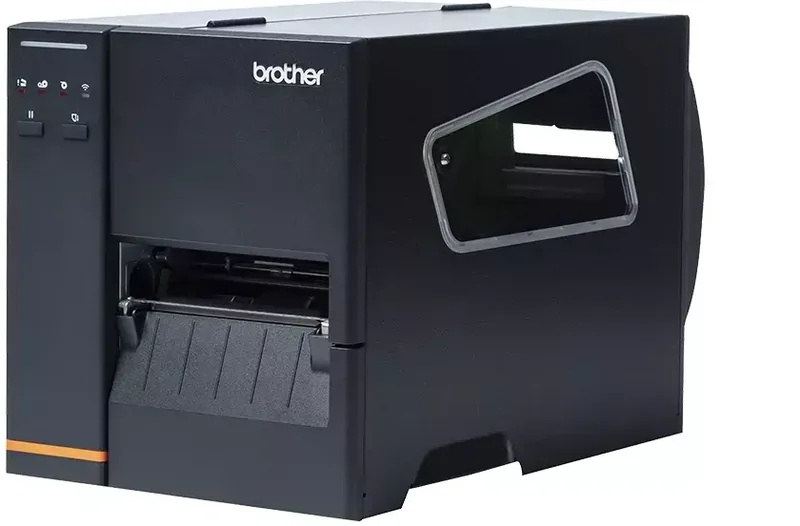
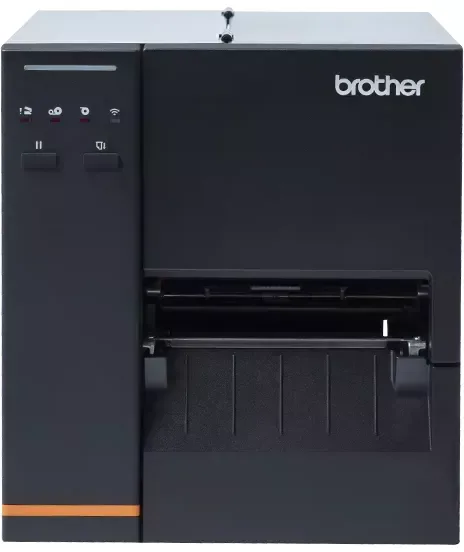
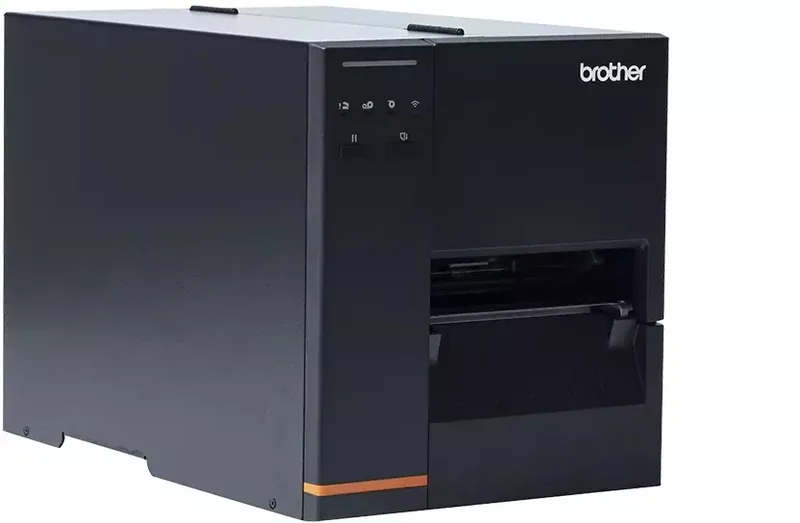
The Brother TJ-4005DN Direct Thermal is a robust industrial label printer designed for operations that need dependable, high-volume barcode and shipping-label output. Built for direct thermal media, this model creates clear labels without ribbons, helping simplify daily workflows and reduce consumable handling. The Brother TJ-4005DN Direct Thermal Manual highlights practical setup, media loading, connection options, calibration, and maintenance for consistent results.
Designed for Demanding Label Work
With a durable desktop form factor and support for label rolls up to 8 inches in outside diameter, the TJ-4005DN is suited to warehouses, manufacturing areas, logistics desks, retail back rooms, and distribution environments. Its maximum print width is 107 mm, while direct thermal printing avoids the need to install, tension, or replace thermal-transfer ribbons.
The printer supports a wide selection of media types, including continuous media, die-cut labels, blackmark media, perforated stock, and punched materials. Adjustable media guides and both gap and blackmark sensors help align labels accurately. Sensor calibration should be performed whenever media changes to improve feed accuracy and prevent skipped labels.
Connectivity and Print Control
The TJ-4005DN includes USB 2.0, USB host, RS-232C serial, and 10/100 Mbps Ethernet connectivity. These options make it easier to integrate the printer with a workstation, local network, barcode scanner, or USB keyboard. An optional WLAN interface is available for installations that require wireless network access.
At up to 152.4 mm per second, the printer is built to keep routine label production moving. It supports common 1D and 2D barcode formats, including Code 128, GS1-128, QR Code, DataMatrix, PDF417, and Aztec Code. Built-in bitmap fonts and scalable font support give users flexibility when creating readable product, inventory, and shipment labels.
Setup, Calibration, and Care
Loading media involves placing the roll on the spindle, threading it through the sensor path and front guide, closing the printhead, then selecting and calibrating the correct sensor type. The pause and feed buttons support everyday operation, while LED indicators provide quick status feedback for power, media, printhead, and communication conditions.
For configuration and troubleshooting, Brother Printer Management Tool can check status, change settings, calibrate sensors, manage files, send commands, and update firmware. A self-test can print the active configuration and a printhead test pattern, making it useful for diagnosing missing dots or print-quality concerns.
Notes
- Use direct thermal labels only; the TJ-4005DN does not support ribbon-based thermal transfer printing.
- Clean the printhead and platen roller regularly to maintain sharp, even output.
- Confirm label size, sensor selection, and calibration after changing media.
Search for 67,706 Manuals online


Type-in Brand or Model