
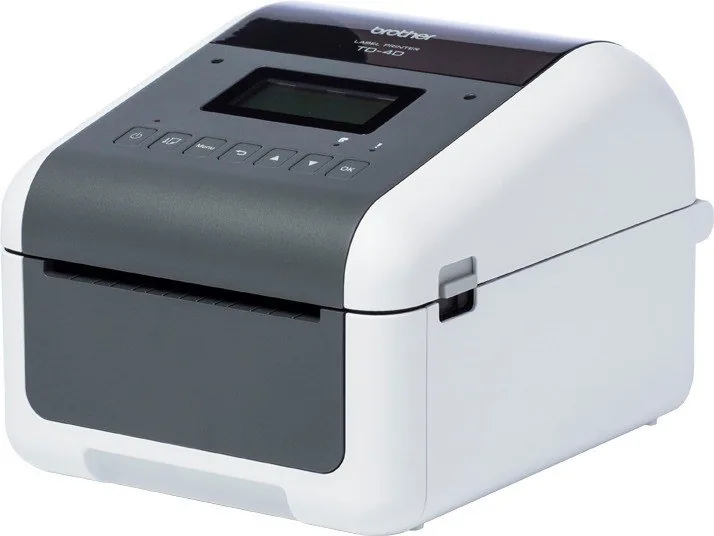
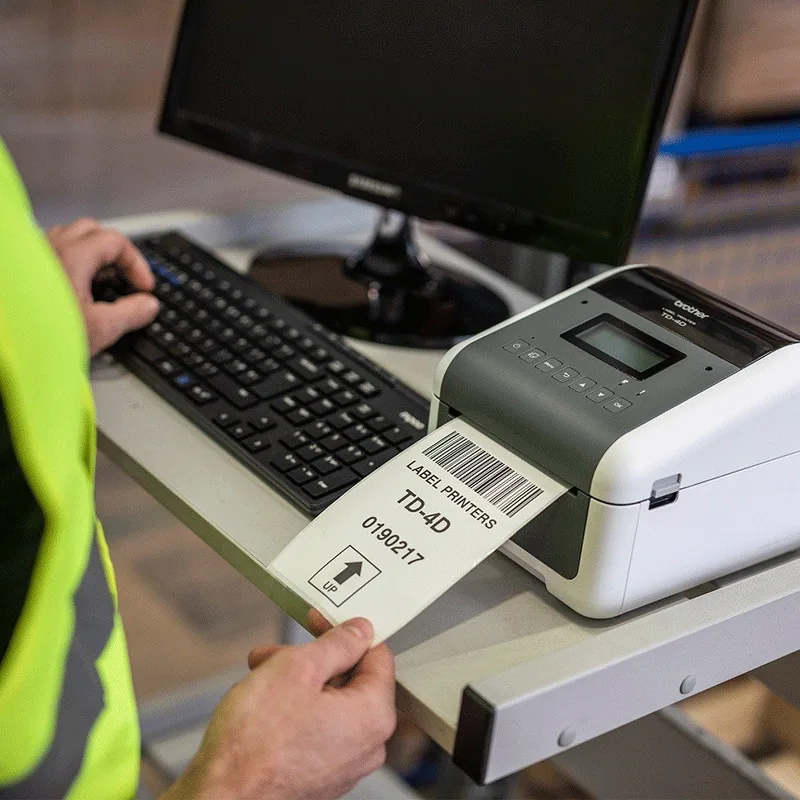
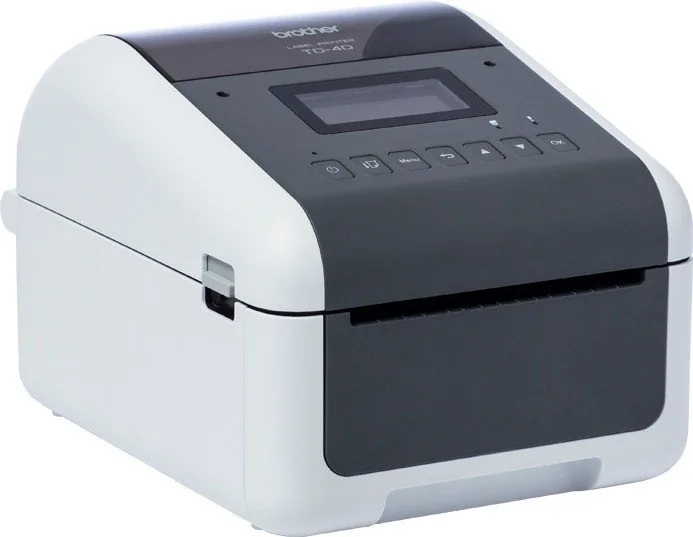
Brother TD-4520DN Manual
PDF manual · 129 Pages
English



Quick check
Incorrect answer, please try again.
Chat with your Brother TD-4520DN manual using AI
Get instant AI answers from your Brother TD-4520DN manual
Ask anything about the Brother TD-4520DN. Answers come from this manual, with the pages they are based on.
TD-4520DN Maintenance Schedule
Clean the printhead with a lint-free cloth or cotton swab moistened with isopropyl alcohol or ethanol. Follow manufacturer safety instructions.
Clean the transport roller with a lint-free cloth moistened with isopropyl alcohol or ethanol. Ensure no lint remains on the roller.
Clean adhesive residue from the label output slot with a dry cotton swab to prevent jams. Do not use alcohol.
Wipe the housing with a soft dry cloth. Use a slightly damp cloth for stubborn stains. Do not use solvents like thinner or gasoline.
Free maintenance reminders
Timed to your purchase date. Always free, unsubscribe anytime.
Ask a Question
Do you recommend TD-4520DN?
Yes NoFrequently Asked Questions
It is a direct thermal label printer for producing monochrome labels, receipts, barcode labels, and other thermal-media output without ink, toner, or ribbons.
Is this answer helpful?
Yes. The TD-4520DN includes wired LAN connectivity as well as USB. Its network settings can be managed with Brother utilities or through a standard web browser using Web Based Management.
Is this answer helpful?
Windows users can create labels with Brother P-touch Editor. It supports text, graphics, barcodes, layouts, templates, and several working modes for quick or detailed label design.
Is this answer helpful?
Yes, mass storage mode can send supported files through USB without a conventional driver. It supports BIN and BLF files and can print JPEG images within stated file size and resolution limits.
Is this answer helpful?
Yes. P-touch Editor supports barcode creation, and the TD-4520DN can use a Windows crop-print feature to detect and print compatible barcode areas from correctly prepared PDF layouts.
Is this answer helpful?
It supports Brother RD rolls and can be configured for continuous media, die-cut labels, black-mark media, perforated media, receipt paper, and wristbands when sensors are positioned correctly.
Is this answer helpful?
Advantages and Disadvantages
Advantages

- Direct thermal printing eliminates the need for ink, toner, and ribbon supplies.
- USB and wired LAN support enable workstation use or shared network deployment.
- Adjustable sensors support die-cut labels, continuous media, black marks, perforations, and wristbands.
- P-touch Editor and template tools support barcode labels, reusable designs, and data-driven workflows.
- Distributed printing can divide large Windows print jobs among matching printers.
Disadvantages

- Direct thermal output may fade or discolor from heat, sunlight, moisture, oils, or surface abrasion.
- LAN configuration and advanced administration may require IT knowledge.
- Crop-print barcode workflows are limited to Windows driver printing and compatible PDF layouts.
- Mass storage mode has file type, capacity, and USB-only limitations.
- Best results depend on accurate sensor setup and correctly loaded compatible media.
Product Specification
Type
Label printer
Technology
Direct thermal
Print resolution
300 dpi
Roll diameter
5 in
Print width
4.25 in
Print length
118.11 in
Print speed
5.98 in/s
Memory
256 MB (RAM), 64 MB (Flash)
Ports
USB 2.0, 1x USB-A 2.0 (Host), serial
Network
LAN
Display
monochrome
Emulation
ZPL II, ESC/P, CPCL, GDI
Dimensions
4.25 x 8.82 x 6.1 in
Weight
4.59 lb
Special features
Paper cutter (Cutter), label dispenser (Peeler)
Manufacturer warranty
3 years in AT/DE/PL (on-site after registration), one year in UK
Product Description
Brother TD-4520DN, German, Direct Thermal Manual
The Brother TD-4520DN is a professional direct thermal label printer designed for businesses that need clear, dependable labels without the ongoing cost of ink, toner, or ribbons. This German-focused model is well suited to shipping, warehousing, retail, healthcare, inventory control, and barcode labeling tasks. Its direct thermal technology produces sharp monochrome output on compatible thermal media, making daily label production simple and efficient.
Flexible Label Production
The Brother TD-4520DN supports RD rolls as well as a range of continuous and die-cut media types. Adjustable sensors help the printer detect gaps, black marks, perforations, receipt media, and wristbands accurately. Correct sensor positioning is important for consistent alignment, especially when working with custom label sizes or specialized media.
Labels can be designed on a Windows computer with Brother P-touch Editor. The software offers quick layouts in Express mode and more detailed design options in Professional mode. Users can add text, images, barcodes, and imported data to create labels that fit operational requirements. Templates may also be transferred to the printer, backed up, organized, and reused for recurring tasks.
USB and Wired Network Connectivity
With USB and wired LAN connectivity, the TD-4520DN can fit into individual workstations or shared network environments. Network management tools such as Web Based Management, BRAdmin Light, and BRAdmin Professional support configuration, monitoring, and administration. This makes the printer a practical choice for teams that need centralized setup and consistent settings across multiple devices.
The printer also supports mass storage mode through USB. This option can be useful for sending supported configuration files, templates, or JPEG images without a conventional driver installation. For higher-volume operations, Windows users can distribute label jobs across multiple printers of the same model to reduce turnaround time.
Barcode and Workflow Features
A notable TD-4520DN feature is its Windows crop-print capability for supported barcode layouts in PDF files. It can identify compatible barcodes, extract individual areas, and print them as labels. Careful document design, proper barcode contrast, and correct scaling are essential for reliable results.
Routine maintenance helps preserve print quality and dependable media handling. Use genuine Brother supplies where possible, keep rolls stored in cool and dark conditions, and clean the printer regularly. Avoid leaving completed labels inside the printer, as this may contribute to jams.
Notes
- Direct thermal labels can fade or change color when exposed to heat, sunlight, moisture, abrasion, or oils.
- Use grounded power connections and avoid unplugging the printer until the power indicator has turned off.
- Keep firmware and label software updated for current features and compatibility.
Search for 67,706 Manuals online


Type-in Brand or Model