
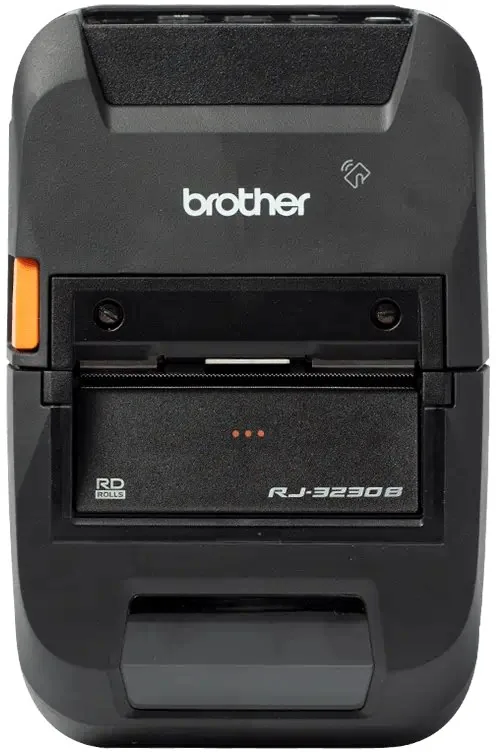
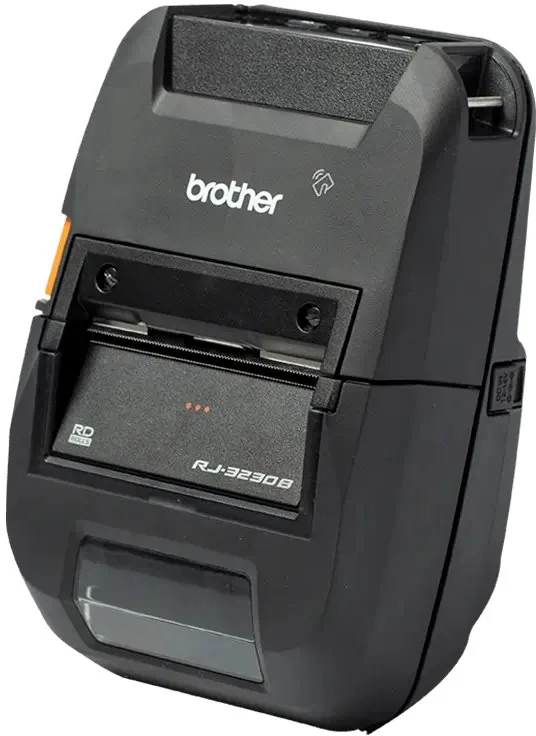
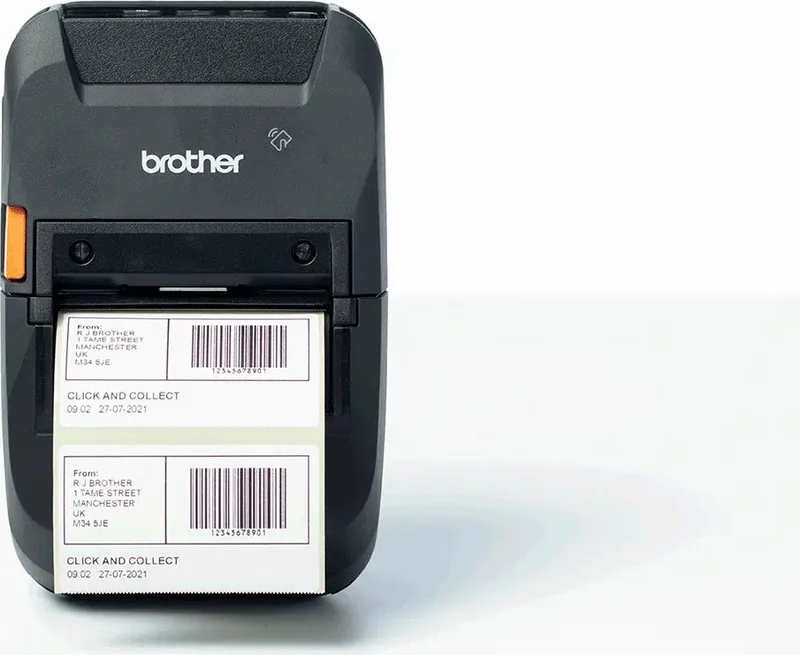
Brother RuggedJet RJ-3230BL Manual
PDF manual · 229 Pages
English



Quick check
Incorrect answer, please try again.
Chat with your Brother RuggedJet RJ-3230BL manual using AI
Get instant AI answers from your Brother RuggedJet RJ-3230BL manual
Ask anything about the Brother RuggedJet RJ-3230BL. Answers come from this manual, with the pages they are based on.
RuggedJet RJ-3230BL Maintenance Schedule
Wipe dust and marks with a soft, dry cloth. Use a slightly damp cloth for difficult marks. Do not use organic solvents.
Wipe the print head with a lint-free cloth dipped in isopropyl alcohol or ethanol. Carry out maintenance frequently.
Wipe the roller with a lint-free cloth dipped in isopropyl alcohol or ethanol. Ensure no lint remains on the roller.
If adhesive accumulates or media jams, wipe the paper exit slot with a lint-free cloth dipped in isopropyl alcohol or ethanol.
When using the Linerless Platen Kit, clean the print head regularly with a lint-free cloth or cotton swab dipped in isopropyl alcohol.
When using the Label Peeler, wipe the paper exit slot, peeler roller, and platen roller with a lint-free cloth dipped in isopropyl alcohol.
Ask a Question
Do you recommend RuggedJet RJ-3230BL?
Yes NoFrequently Asked Questions
You can charge the battery using a USB Type-C cable connected to a computer or charger, an optional AC adapter, a car adapter, or the optional battery charger and charging cradle. Ensure the ambient temperature is between 0°C and 40°C for charging to work.
Is this answer helpful?
Yes, you can use Mass Storage Mode to print image data or execute commands by dragging files onto the printer via USB. Additionally, AirPrint and Mobile Transfer Express allow printing from mobile devices without traditional driver installation.
Is this answer helpful?
P-touch Editor is the primary software for designing labels on Windows computers. It offers Express, Professional, and Snap modes. Templates can be transferred to the printer using P-touch Transfer Manager or Mobile Transfer Express.
Is this answer helpful?
While P-touch Editor is primarily for Windows, the printer supports AirPrint for Apple devices like iPad and iPhone. For Mac computers, you may need to check specific compatibility or use the Printer Setting Tool if available for macOS.
Is this answer helpful?
Use the LCD menu to select WLAN settings and choose Infrastructure mode to connect to a router, or Wireless Direct to connect without a router. You can also configure settings using the Printer Setting Tool on a Windows computer.
Is this answer helpful?
If the battery leaks, stop using the printer immediately. Do not touch the electrolyte. If it contacts skin or eyes, rinse thoroughly with water for at least 15 minutes and seek medical attention. Dispose of the battery at an appropriate collection point.
Is this answer helpful?
Advantages and Disadvantages
Advantages

- Durable rugged design suitable for harsh environments
- Versatile connectivity including Wi-Fi, Bluetooth, and USB-C
- Ink-free thermal direct printing reduces ongoing costs
- Comprehensive software suite with P-touch Editor and Transfer Manager
- Mobile printing support via AirPrint and NFC
Disadvantages

- USB Type-C cable not included in the box
- Battery charging requires temperatures between 0°C and 40°C
- Some advanced font styles may not transfer correctly to the printer
- Mass storage mode deletes files when the printer is turned off
- Optional accessories like AC adapters sold separately
Product Specification
Type
mobile label printer
Technology
Direct thermal
Print resolution
203dpi
Roll diameter
2.6 inches
Print width
2.83 inches
Print length
118.11 feet
Print speed
5 ips
Memory
256MB (RAM), 128MB (Flash)
Connections
USB-C
Network
Bluetooth 5.0, NFC
Display
N/A
Emulation
ZPL II, ESC/P, ESC/P Raster, CPCL, P-touch
Dimensions
4.6x3x7.1 inches
Weight
1.78 lbs
Features
IP54 certified, Battery (Li-Ion, 3000mAh)
Manufacturer warranty
2 years
Product Description
Brother RuggedJet RJ-3230BL Thermal Direct - Read, Download & Print Free
The Brother RuggedJet RJ-3230BL Thermal Direct printer is a versatile, portable solution designed for professionals who need reliable label printing on the go. This rugged device combines durability with advanced connectivity options, making it ideal for logistics, retail, and field service environments. Users can create custom labels effortlessly using the included P-touch Editor software or print directly from mobile devices without installing additional drivers.
Setting up this machine is straightforward. The device features a clear LCD screen and an intuitive control panel that guides users through initial configuration steps like language selection and battery installation. Once powered on, the thermal direct technology ensures high-quality prints without the need for ink or toner cartridges. The built-in rechargeable Li-ion battery allows for extended operation away from power outlets, while multiple charging methods including USB-C, AC adapters, and optional charging cradles ensure you stay connected.
Connectivity is a major strength of this model. Whether you prefer wired connections via USB Type-C or wireless freedom through Wi-Fi and Bluetooth, the RJ-3230BL adapts to your workflow. For Apple users, AirPrint support enables seamless printing from iPhones and iPads. Android users benefit from NFC pairing and dedicated mobile applications. The mass storage mode offers a unique advantage by allowing file transfers and command execution without requiring specific driver installations, providing flexibility across different operating systems.
For advanced users, the P-touch Transfer Manager simplifies template distribution and backup processes. You can manage thousands of templates, edit designs locally, and push updates to the printer remotely. Security features such as SSL/TLS encryption and IEEE 802.1x authentication protect your network data. The printer also supports various media types including die-cut labels, continuous tape, and linerless rolls, adapting to diverse labeling needs. With its robust design and comprehensive software suite, the Brother RuggedJet RJ-3230BL stands out as a powerful tool for efficient label management.
Important Notes
Always use genuine Brother media for optimal performance. Ensure the battery is charged within the recommended temperature range of 5°C to 35°C. When storing the printer for long periods, remove the battery to prevent leakage or damage. Regularly update the firmware via the Brother support website to maintain peak functionality and security standards.
Search for 67,706 Manuals online


Type-in Brand or Model