
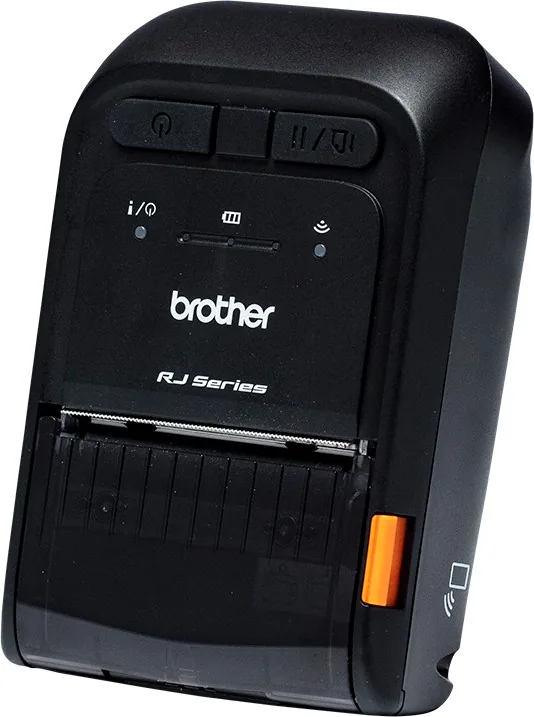
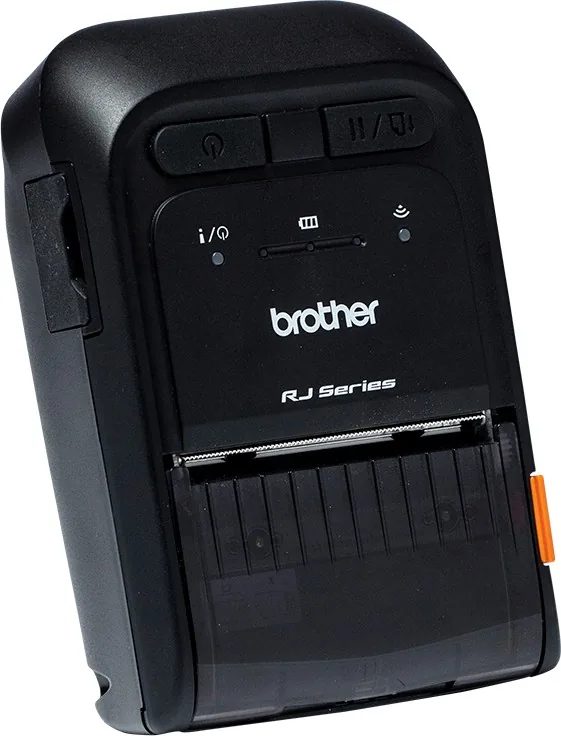
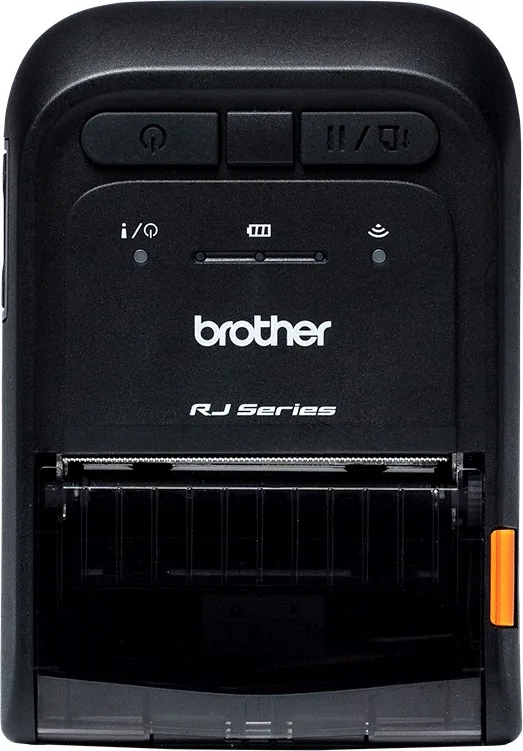
Brother RuggedJet RJ-2035B/RJ-2055WB/RJ-3035B/RJ-3055WB Manual
PDF manual · 62 Pages
English



Quick check
Incorrect answer, please try again.
Chat with your Brother RuggedJet RJ-2035B/RJ-2055WB/RJ-3035B/RJ-3055WB manual using AI
Get instant AI answers from your Brother RuggedJet RJ-2035B/RJ-2055WB/RJ-3035B/RJ-3055WB manual
Ask anything about the Brother RuggedJet RJ-2035B/RJ-2055WB/RJ-3035B/RJ-3055WB. Answers come from this manual, with the pages they are based on.
RuggedJet RJ-2035B/RJ-2055WB/RJ-3035B/RJ-3055WB Maintenance Schedule
Use compressed air or a vacuum to clean the sensor.
Turn off the printer, let the printhead cool for at least one minute, then wipe it with a cotton swab dipped in isopropyl alcohol or ethanol.
Turn off the power, rotate the platen roller, and wipe it thoroughly with a lint-free cloth or cotton swab dipped in isopropyl alcohol or ethanol.
Free maintenance reminders
Timed to your purchase date. Always free, unsubscribe anytime.
Ask a Question
Do you recommend RuggedJet RJ-2035B/RJ-2055WB/RJ-3035B/RJ-3055WB?
Yes NoFrequently Asked Questions
They support USB (Micro USB 2.0), NFC, Bluetooth, and Wi‑Fi (a/b/g/n). Drivers and setup utilities are available from Brother’s support site; BPM is recommended for advanced configuration.
Is this answer helpful?
Turn the printer off, hold the Feed/Pause button and turn it on, then release the button when the LEDs indicate calibration mode. You can also use BPM: connect via USB, open Printer Function, and select Calibrate.
Is this answer helpful?
Regularly clean the print head and platen roller with isopropyl alcohol or ethanol, wipe the tear bar, and remove debris from sensors. Clean whenever media is changed and perform self-test prints to check for missing dots.
Is this answer helpful?
Charge via the printer’s power port, a single‑ or multi‑bay cradle, or optional battery charger. RJ-3035/RJ-3055 support a smart battery viewable in BPM to check capacity and battery life; charging times vary by battery and charger.
Is this answer helpful?
The printers accept receipt paper, black‑mark receipt paper, label stock with gaps, and optional linerless media. Max print widths: ~48 mm for RJ-2035/RJ-2055 and ~72 mm for RJ-3035/RJ-3055; roll spacers allow narrower custom widths.
Is this answer helpful?
Check that the media roll is installed correctly, close the media compartment fully, and recalibrate the sensor. Inspect for jammed media inside the print head and clean components if adhesive or debris is present.
Is this answer helpful?
Yes — use the Brother Printer Management Tool (BPM) to download fonts/graphics, update firmware, and manage configuration. BPM works over USB or Wi‑Fi (not Bluetooth).
Is this answer helpful?
Advantages and Disadvantages
Advantages

- Rugged design (IP54 with case) resists dust, splashes and shocks for reliable field use.
- Multiple connectivity options (USB, NFC, Bluetooth, Wi‑Fi) for flexible integration.
- Compact, lightweight form factor suitable for mobile workers and on-the-go printing.
- Support tools (BPM, Seagull drivers) enable sensor calibration, firmware updates, and diagnostics.
- Optional accessories (cradles, chargers, cases) expand battery and mounting options.
Disadvantages

- Direct thermal printing is sensitive to heat and light; labels may fade over time.
- Smaller models have limited media roll capacity and shorter battery runtime.
- Some accessory chargers and holders are model-specific and sold separately.
- Sensor types and settings vary by region; incorrect configuration causes feed/print errors.
- Requires routine cleaning and calibration to maintain optimal print quality.
Product Specification
Type
Mobile receipt printer
Technology
Direct thermal
Print resolution
203dpi
Print length
110 in
Print speed
4 in/s
Memory
32MB (RAM), 16MB (Flash)
Interfaces
USB 2.0 Micro-B
Display
N/A
Emulation
ZPL II, EPL II, ESC/POS, CPCL
Manufacturer's warranty
3 years
Product Description
Brother RuggedJet RJ-2035/RJ-2055/RJ-3035/RJ-3055 — Rugged Mobile Thermal Printers
The Brother RuggedJet RJ series (RJ-2035, RJ-2055, RJ-3035, RJ-3055) delivers compact, durable, and high-performance mobile printing for field workers, delivery drivers, retail staff, and service technicians. Built with a rugged IP54-capable design when paired with the protective case, these direct thermal printers resist dust, water splashes, and shocks, making them dependable across demanding environments. They support multiple connectivity options — USB, NFC, Bluetooth, and Wi-Fi (a/b/g/n) — enabling easy integration with mobile devices and desktop systems.
These lightweight units vary in width and battery capacity to fit different needs: the RJ-2035/RJ-2055 target smaller, more portable applications while the RJ-3035/RJ-3055 offer wider print widths and higher-capacity batteries for extended use. Typical print resolution is 203 dpi with up to 4 ips print speed, suitable for receipts, labels, and barcodes. The printers accept a range of media types including gap/black mark and linerless media, and provide sensor calibration utilities and self-test functions to ensure consistent alignment and print quality.
Setup and daily operation are straightforward: install and charge the Li-ion battery, load media into the compartment, and connect via USB, Bluetooth, or Wi-Fi. Brother supplies management tools (BPM) and drivers (Seagull) for Windows, macOS, and Linux to configure network settings, calibrate sensors, download fonts/graphics, and monitor battery health (smart battery support on larger models). Optional accessories include belt clips, roll holders, roll spacers for custom media widths, IP54 protective cases with shoulder straps, single- and multi-bay charging cradles, and battery chargers.
Maintenance and troubleshooting are covered by straightforward procedures: periodic cleaning of the print head, platen roller, tear bar, and sensors preserves print quality; built-in diagnostics include self-test prints, dump mode for debugging, and factory reset options. Battery charging behaviors and LED status indicators guide users through power, connection, and error states, while the BPM simplifies firmware updates, network setup, and sensor calibration.
Whether used for route delivery receipts, mobile ticketing, asset tagging, or point-of-service receipts, the Brother RuggedJet RJ family provides a balanced mix of portability, durability, and connectivity for mobile printing tasks.
Notes
- Models RJ-3035/RJ-3055 support larger batteries and optional smart battery monitoring via BPM.
- Use recommended cleaning materials (isopropyl alcohol or ethanol) and avoid medical alcohol.
- Calibrate sensors whenever media is changed to ensure accurate label positioning.
Search for 67,706 Manuals online


Type-in Brand or Model