
Brother P-touch PT-E550WVP Manual
PDF manual · 91 Pages
English



Quick check
Incorrect answer, please try again.
Chat with your Brother P-touch PT-E550WVP manual using AI
Get instant AI answers from your Brother P-touch PT-E550WVP manual
Ask anything about the Brother P-touch PT-E550WVP. Answers come from this manual, with the pages they are based on.
P-touch PT-E550WVP Maintenance Schedule
Wipe the cutter blade using a dry cotton swab to remove adhesive buildup. Do not touch the blade with bare hands.
Use a cotton swab or optional cleaning cassette if streaks or poor quality appear. Do not touch the print head with bare hands.
Wipe dust and marks from the main unit with a soft, dry cloth. Use a slightly dampened cloth for difficult marks.
Free maintenance reminders
Timed to your purchase date. Always free, unsubscribe anytime.
Ask a Question
Do you recommend P-touch PT-E550WVP?
Yes No
SvenKeller
9 months ago
Does the printer use expensive ribbon cartridges, and how can I reduce ongoing costs?

Manual.ly
9 months ago
Yes, the printer relies on ribbon cartridges, and some users notice they are relatively high-priced. To keep costs down, make sure you buy the correct, compatible ribbon model (wrong versions can increase waste and replacement frequency). You can also compare prices across retailers and look for multipacks or promotions. If you print frequently, choose the ribbon type that matches your usage (for example, higher durability options for long-lasting labels/graphics). When stored properly in a dry place and used at the recommended settings, ribbons can last longer and reduce how often you need replacements. If you share your intended print volume and material, we can help you select the most cost-effective ribbon option.
Frequently Asked Questions
Press the WiFi key and use the setup wizard on the LCD. Follow the on-screen instructions to link with your network router securely.
Is this answer helpful?
Yes, download the Brother application from the App Store for direct wireless printing from mobile devices.
Is this answer helpful?
It uses rechargeable Li-ion batteries, AA Alkaline, or Ni-MH rechargeable batteries for power flexibility.
Is this answer helpful?
Use the cleaning key in the menu or a cotton swab with isopropyl alcohol gently on the head.
Is this answer helpful?
Yes, use the Bar Code key to select protocols like Code39 or EAN-13 and enter your data.
Is this answer helpful?
The printer supports tape widths up to 24 mm, including 3.5 mm, 6 mm, and 12 mm options.
Is this answer helpful?
You can store up to 99 frequently used labels in the file memory for quick retrieval later.
Is this answer helpful?
Advantages and Disadvantages
Advantages

- Wireless network connectivity and mobile printing support
- Rechargeable Li-ion battery for portable use without cords
- Six specialized labeling application types for diverse needs
- LCD screen with clear status icons and battery level indicator
- Supports database integration for automated label printing
Disadvantages

- Battery charging time can take up to six hours fully
- Dedicated AC adapter sold separately in some regions
- Software compatibility limited to Windows and Mac OS
- Requires specific Brother tape cassettes for optimal results
- Advanced features need manual consultation for proper setup
Product Specification
Type
Handheld, Thermal Transfer
Print Resolution
360 dpi
Tape Width
0.14 in, 0.24 in, 0.35 in, 0.47 in, 0.71 in, 0.94 in
Print Height
0.94 in
Print Speed
1.18 in/s
Font Sizes
6
Font Families
14
Font Styles
10
Template Memory
99
Print Functions
Automatic Numbering (1-99), Multi Print (1-99), Banner Print, Border Print
Display
Monochrome, 3-line
Keyboard
QWERTZ
Connections
USB 2.0
Network
Wi-Fi 4 (802.11b/g/n), Wi-Fi Direct
Power Source
Battery (Li-Ion or 6x AA)
Dimensions
4.96x3.70x9.84 in
Weight
2.31 lbs
Consumables
TZe
Features
Automatic cutter, incl. power adapter, case
Warranty
3 years
Product Description
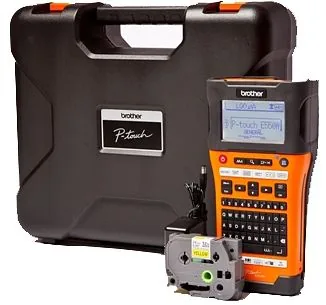
Discover the Brother P-touch PT-E550WVP
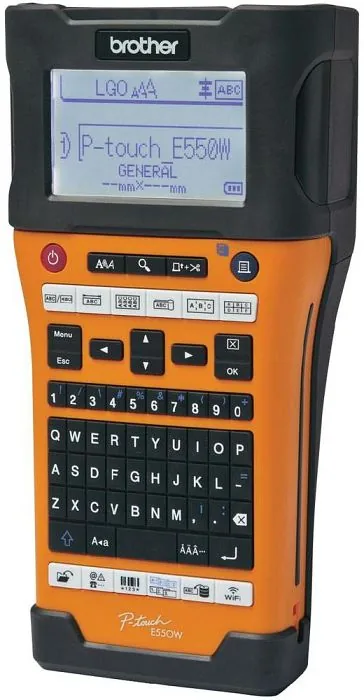
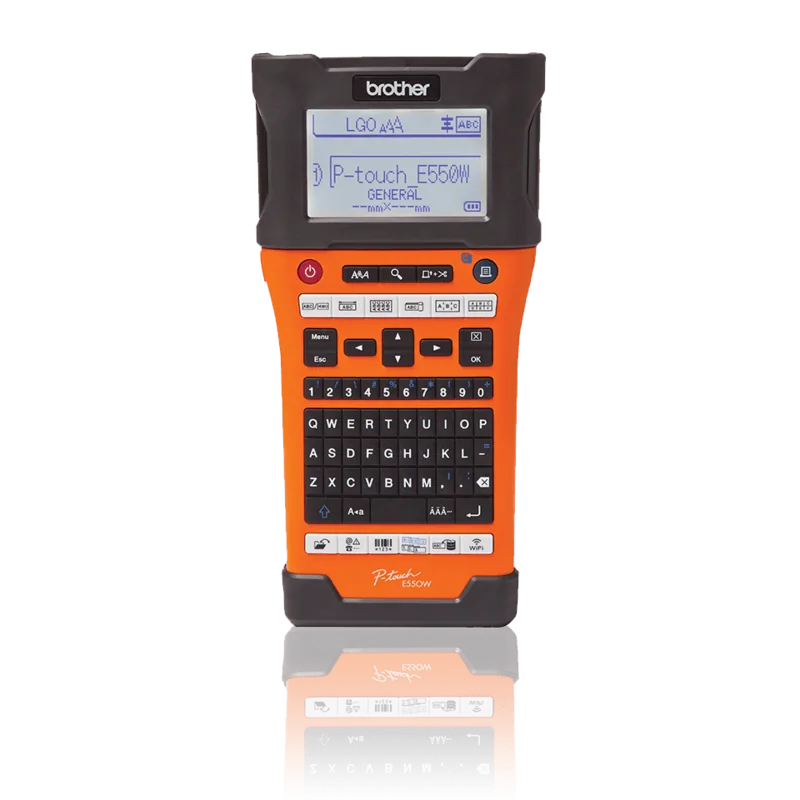
The Brother P-touch PT-E550WVP is an intuitive and feature-rich machine designed to produce professional-looking labels with high quality. This device is perfect for organizing cables, identifying faceplates, or managing inventory in complex environments. It features a large LCD screen that guides users through every step of the labeling process with clear icons and detailed settings. The display supports multiple languages and displays unit conversions for metric and imperial measurements.
Comprehensive Labeling Options
Users can select from six distinct application types including General, Faceplate, Cable Wrap, Cable Flag, Patch Panel, and Punch-Down Block modes. The machine supports various tape widths ranging from 3.5 mm to 24 mm. You can easily create barcodes and serial labels for asset tracking and data management. The wireless connectivity allows you to print directly from mobile devices or computers via the network without needing physical cables. Advanced serialization features enable simultaneous numbering of text and barcodes.
Power and Portability
This printer offers dual power options using rechargeable Li-ion batteries or six AA Alkaline batteries. An AC adapter is also available for continuous operation during heavy use. The device includes a feed and cut function for precise tape management. The LCD shows battery levels and wireless connection status at a glance to ensure you never run out of power mid-print. You can also set auto power-off times to conserve energy when the machine is not in use.
Software Integration
The P-touch ecosystem includes software like P-touch Editor for creating custom layouts on your computer. Templates can be transferred wirelessly to the printer for offline printing capabilities. File memory allows storage of up to 99 frequently used labels for quick access without re-creation. You can also manage databases for bulk printing tasks efficiently. The software supports both Windows and macOS systems for maximum compatibility across platforms.
Maintenance and Care
Regular maintenance ensures longevity for this robust tool. Cleaning the print head and tape cutter prevents smudging and jams. The auto power-off function saves energy during idle periods to extend battery life. Always consult the guidelines for specific tape types to ensure adhesive strength on various surfaces. Proper storage of spare tapes in cool, dark locations also preserves their integrity.
Final Thoughts
Investing in the Brother P-touch PT-E550WVP Manual knowledge ensures you maximize the potential of this hardware. The combination of portability and power makes it a staple for IT professionals and home organizers alike. Network setup is straightforward using the built-in configuration tools. Battery charging times vary depending on the power source, but using the dedicated AC adapter offers the fastest results. The device handles Extra Strength Adhesive Tape with its built-in cutter for rough and textured surfaces. You can define custom symbols using the transfer manager to store unique logos or characters. Error messages appear on the LCD to help resolve connectivity problems quickly. Regular firmware updates via the update software keep the device functioning smoothly over time.
Search for 67,706 Manuals online


Type-in Brand or Model
Klaus Zimmer
6 months ago
Is printing custom graphics cost-effective given the high price of ribbons mentioned in reviews?
Manual.ly
6 months ago
Regarding costs, while the device handles graphic printing well, we understand the concern about ribbon prices. The 550E requires specific thermal ribbons which are priced accordingly. However, buying in bulk reduces the cost per label significantly. We also offer compatible options to save on consumables over the long term.