
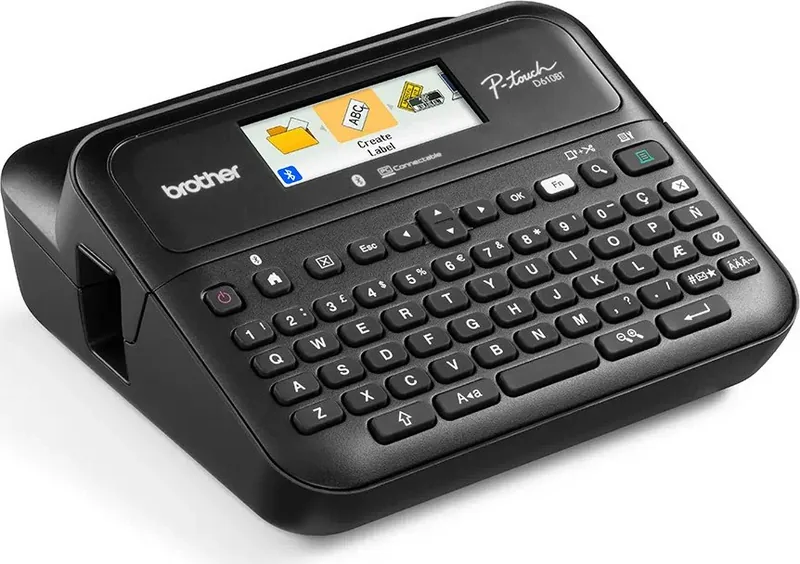
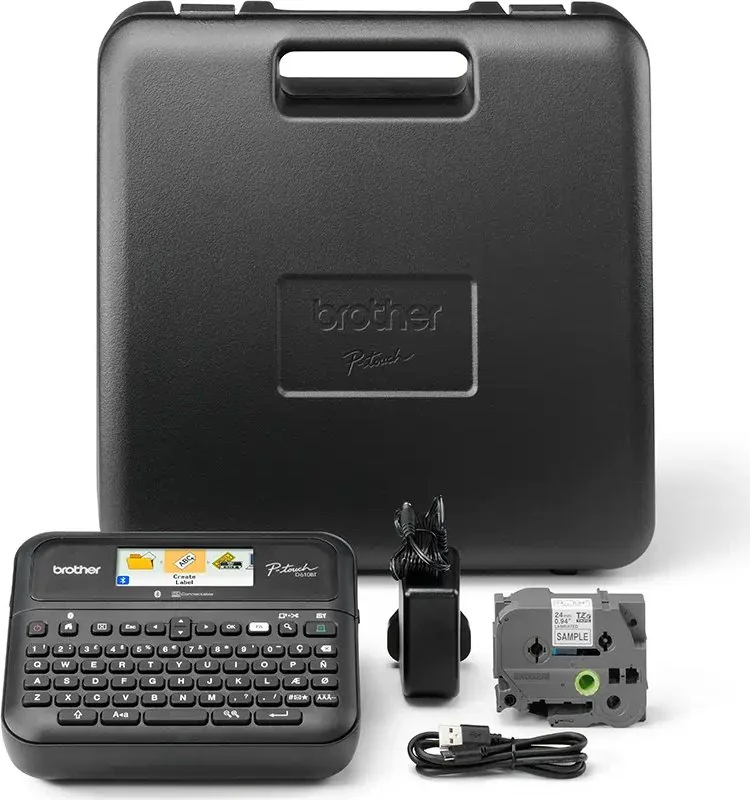
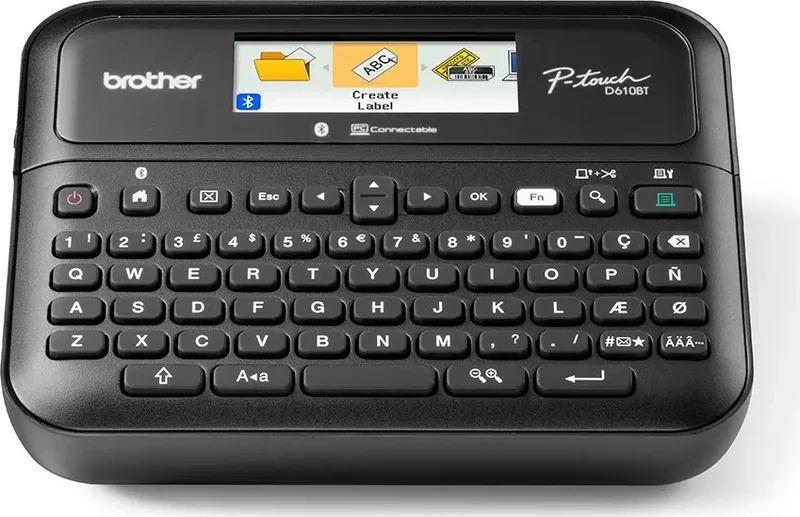
Brother P-touch PT-D610BTVP Manual
PDF manual · 154 Pages
English



Quick check
Incorrect answer, please try again.
Chat with your Brother P-touch PT-D610BTVP manual using AI
Get instant AI answers from your Brother P-touch PT-D610BTVP manual
Ask anything about the Brother P-touch PT-D610BTVP. Answers come from this manual, with the pages they are based on.
P-touch PT-D610BTVP Maintenance Schedule
Wipe the cutter blade with a cotton swab moistened with isopropyl alcohol to remove adhesive buildup.
Clean the print head with a cotton swab or optional cleaning cassette if streaks or poor quality appear.
Free maintenance reminders
Timed to your purchase date. Always free, unsubscribe anytime.
Ask a Question
Do you recommend P-touch PT-D610BTVP?
Yes NoFrequently Asked Questions
Press the power button, go to the settings menu, select Bluetooth, and choose On. You can also press the home and shift keys simultaneously to toggle Bluetooth while on the home screen.
Is this answer helpful?
You need to install the Brother P-touch Editor software and the printer driver. This allows you to design labels and transfer them to the device via USB.
Is this answer helpful?
Yes, you can use the Brother iPrintLabel app on iPhone, iPad, or Android devices. It allows printing directly via Bluetooth or cellular networks without a computer.
Is this answer helpful?
If power is disconnected for more than two minutes, all text and format settings stored in memory will be cleared. Use six alkaline batteries to back up memory.
Is this answer helpful?
You should use Brother TZe tapes specifically. Avoid tapes without the proper mark to prevent damage. Various widths from 3.5 mm to 24 mm are supported.
Is this answer helpful?
Check the error messages on the LCD screen. Common issues include empty cassettes or paper jams. Ensure you clean the print head with a soft wipe regularly.
Is this answer helpful?
Yes, you can create tables by setting the number of rows and columns. The maximum number of lines depends on the specific tape width you choose to use.
Is this answer helpful?
Advantages and Disadvantages
Advantages

- Bluetooth connectivity allows wireless printing from smartphones
- Large LCD screen provides clear label preview and design
- Multiple software options support Windows and Mac computers
- Built-in cutter creates precise label separation
- Text reminder function speeds up common word entry
Disadvantages

- Memory clears if power disconnects for over two minutes
- Battery backup is required for memory preservation
- Specific TZe tapes required for optimal performance
- Transfer features often require USB connection
- Print head must be cleaned to prevent jams
Product Specification
Type
Desktop, Thermal Transfer Printing
Print Resolution
180 dpi
Label Tape Width
0.14 in, 0.24 in, 0.35 in, 0.47 in, 0.71 in, 0.94 in
Print Lines
7
Print Length
1.18 - 11.81 in
Print Height
0.71 in
Print Speed
1.18 in/s
Font Sizes
8
Font Styles
12
Template Memory
99
Print Functions
Auto-Numbering (1-99), Multi-Print (1-99), Banner Printing, Border Printing, Mirror Printing, Vertical Printing
Display
Monochrome, 3-line
Keyboard
QWERTY
Connections
USB 2.0
Network
Bluetooth
Power Supply
AC Power
Dimensions
7.95 x 7.83 x 3.43 in
Weight
2.18 lbs
Consumables
TZe
Features
Auto-cut device, tape feed, incl. AC adapter, case
Manufacturer Warranty
3 Years
Note
PTD610BTVPRG1 = DE-Model, PTD610BTVPRG2 = AT-Model
Product Description
Organize Your World with the Brother P-touch PT-D610BTVP
Creating professional labels has never been easier. This portable label maker offers a seamless experience for home and business users. The device features built-in Bluetooth connectivity, allowing you to print directly from your smartphone. You can design custom tags for storage or electronics without needing a computer nearby. This flexibility is crucial for modern environments where speed and accuracy matter.
Designing Custom Content
Users enjoy a large liquid crystal display that previews labels. The interface supports various fonts and sizes, ensuring legibility. You can add symbols, accented characters, and barcodes. The text reminder function helps you type common words faster. Frame options and blocks allow for structured layouts on tape widths from 3.5 mm to 24 mm. You can create tables to organize data efficiently. Wider tapes support seven lines. You can type up to 280 alphanumeric characters for a single entry block.
Software Integration
For advanced users, the system supports PC and Mac integration. The P-touch Editor software provides extensive customization options. You can create complex layouts using templates for name badges or cable marking. Templates can be transferred back to the device. This ensures consistency across products. Mobile users can utilize the Brother iPrintLabel App for on-the-go printing. The transfer manager facilitates keeping backups of your work on the computer safely.
Power and Setup
Powering up is straightforward with the included adapter. Using six alkaline batteries ensures memory backup in case of power loss. Disconnecting power for over two minutes clears settings. Proper maintenance involves cleaning the print head with a soft wipe. Always use genuine Brother TZe tapes for optimal print quality. The cutting feature allows for precise separation automatically. You can adjust the label length to fit specific needs ranging from 30 mm to 300 mm.
Printing Options
Sequential printing helps create numbered lists easily. Mirror printing is useful for transparent surfaces like glass. The device supports automatic power off functions to save energy. Adjusting display brightness is possible depending on ambient lighting. If you encounter printing issues, error messages guide you to the solution. You can save up to ninety-nine labels in memory for later use.
Referencing the Brother P-touch PT-D610BTVP Manual will guide you through specific settings like language selection. This ensures you get the most out of this reliable machine. Whether for office efficiency or home organization, this tool streamlines labeling. The ability to store labels in memory allows for quick recalls. It is an essential tool for inventory management and asset tagging.
Search for 67,706 Manuals online


Type-in Brand or Model