
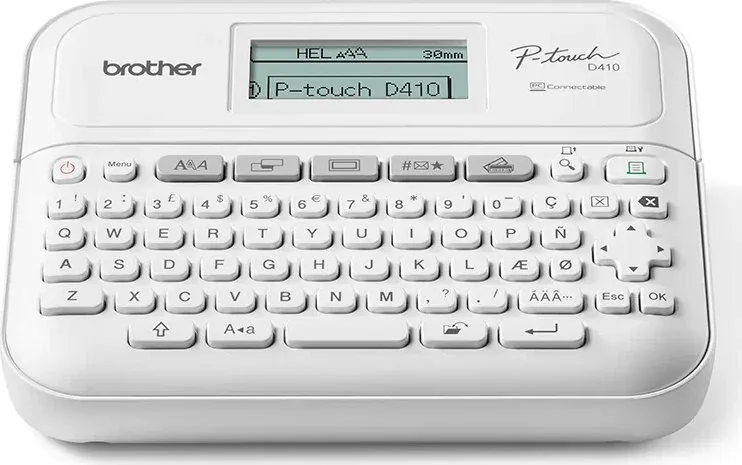
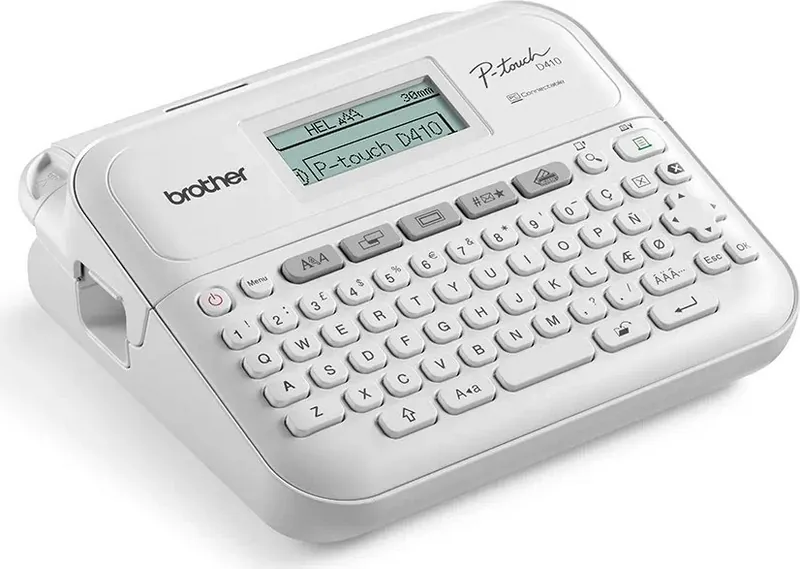
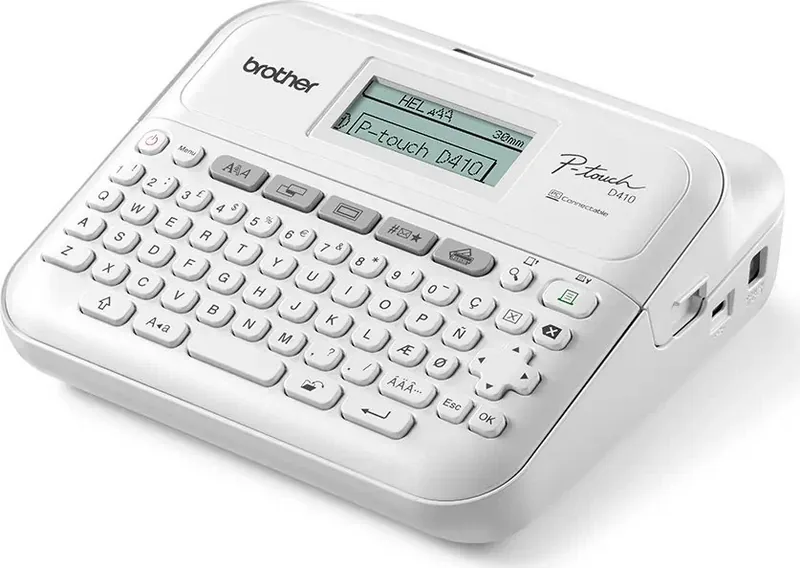
Brother P-touch PT-D410 Manual
PDF manual · 121 Pages
English



Quick check
Incorrect answer, please try again.
Chat with your Brother P-touch PT-D410 manual using AI
Get instant AI answers from your Brother P-touch PT-D410 manual
Ask anything about the Brother P-touch PT-D410. Answers come from this manual, with the pages they are based on.
P-touch PT-D410 Maintenance Schedule
Wipe the blade with a cotton swab moistened with isopropyl alcohol to remove adhesive buildup and prevent jams.
Wipe with a soft dry cloth. For stubborn stains use a slightly damp cloth. Do not use solvents.
Use a cotton swab or optional cleaning cassette if stripes appear or print quality is poor. Do not touch with bare hands.
Free maintenance reminders
Timed to your purchase date. Always free, unsubscribe anytime.
Ask a Question
Do you recommend P-touch PT-D410?
Yes NoFrequently Asked Questions
Connect the label maker to your computer using the included USB cable. Ensure the device is turned off before plugging it in. Turn on the device, and then install the necessary drivers and software from the Brother website to enable printing.
Is this answer helpful?
Yes, you can create and print barcodes. The device supports protocols like CODE39, CODE128, and EAN-13. You can customize the width and check digit settings directly on the machine for various barcode needs.
Is this answer helpful?
The device uses Brother TZe standard TZe Tape Cassettes. Available widths include 3.5mm, 6mm, 9mm, 12mm, and 18mm. Ensure you use genuine Brother tapes for optimal performance and print quality.
Is this answer helpful?
The PT-D410 can store up to 50 label files in its internal memory. Each file can contain text with special formatting. You can recall and edit these saved labels later to streamline future tasks.
Is this answer helpful?
The standard PT-D410 does not support Bluetooth or mobile apps. However, the PT-D460BT model includes Bluetooth capabilities allowing you to print from mobile devices using the iPrint&Label app.
Is this answer helpful?
Clean the print head regularly if you notice streaks or poor character quality. Use a cotton swab or the optional Print Head Cleaning Cassette. Remove batteries and power before cleaning to ensure safety.
Is this answer helpful?
Check that the tape cassette is inserted correctly and the cover is closed. Verify battery levels or AC adapter connection. If issues persist, reset the internal memory to factory settings or consult the manual for error codes.
Is this answer helpful?
Advantages and Disadvantages
Advantages

- Supports multiple tape widths from 3.5mm to 18mm for versatile labeling tasks
- Connectivity options include USB for computer integration
- Internal memory storage saves up to 50 label files for quick recall
- Includes P-touch Editor software for enhanced design capabilities
- Auto power-off function helps conserve battery life effectively
Disadvantages

- Does not support wireless Bluetooth connection for PT-D410 model
- Requires regular print head cleaning to maintain quality
- LCD contrast needs adjustment in varying lighting conditions
- Memory settings clear if disconnected from power too long
- Manual tape cutting required for certain special tapes
Product Specification
Type
Desktop, Thermal Transfer
Print Resolution
180 dpi
Ribbon Width
0.14 in, 0.24 in, 0.35 in, 0.47 in, 0.71 in
Print Lines
5
Print Length
1.18 in - 11.81 in
Print Height
0.62 in
Print Speed
0.79 in/s
Font Sizes
7
Font Styles
10
Template Storage
50
Print Functions
automatic numbering (1-99), multiple printing (1-99), banner print, border print, mirror text, vertical print
Display
monochrome, 2-line
Keyboard
QWERTZ
Connections
USB 2.0
Power Supply
Battery (6x AA)
Dimensions
7.36 x 2.83 x 7.01 in
Weight
1.68 lbs
Consumables
TZe
Features
manual cutting device, tape advance
Manufacturer Warranty
3 Years
Product Description
Elevate Your Labeling Experience with the Brother P-touch PT-D410
Organizing your home or office space requires durable and professional labels. The Brother P-touch PT-D410 delivers high-quality identification solutions for a variety of environments. This compact device allows users to create custom labels easily using built-in templates and extensive customization options. Whether you need cable management tags, file folder dividers, or asset identification markers, this machine handles it all with precision. The device features an LCD that displays text length and settings clearly. Users can navigate menus quickly using the dedicated function keys located on the top panel.
Setting up the device is straightforward. Users connect power via the included AC adapter or install six AA batteries for portable use. The keyboard layout is intuitive, featuring dedicated keys for fonts, frames, symbols, and barcodes. Connecting the label maker to a computer enables software use. This application offers enhanced design tools for complex layouts that go beyond the device capabilities. The PT-D410 supports a range of TZe cassette widths, accommodating everything from thin cable labels to wide organizational tags. Tape widths include 9mm, 12mm, and 18mm options to fit specific labeling needs.
The software allows for block layouts and auto formatting to streamline creation. You can select from preloaded templates designed for asset management or address labels. The system supports accented characters and symbols for international use cases. When creating content, the interface supports text reminders to autocomplete common phrases. Users can import barcodes using CODE39 or EAN-13 protocols. Printing options include sequential numbering, which is useful for labeling multiple items in a series. The device also features a mirror print mode for transparent tapes used on glass surfaces. For storage, the internal memory saves labels for future reuse, ensuring workflow efficiency without retyping data.
For detailed setup instructions and troubleshooting, refer to the Brother P-touch PT-D410 Manual. It provides comprehensive guidance on maintenance and error message resolution. Regular cleaning of the print head ensures consistent print quality over time. The machine also includes an auto power-off function to conserve energy during idle periods. Maintenance tips suggest using isopropyl alcohol for the cutter blade to prevent adhesive buildup.
Maintenance and Support
Routine care involves wiping the unit with a dry cloth and using alcohol for the cutter blade. Customer support is available for warranty or technical assistance if firmware resets become necessary. Always disconnect power before cleaning the unit to avoid electrical hazards. Keeping the firmware updated ensures compatibility with the latest computer operating systems and software features.
Notes
- Battery backup preserves memory settings temporarily.
- Some features require specific tape widths.
- Wireless is not available on PT-D410 model.
- Firmware updates improve functionality over time.
- Software installation supports Windows and Mac systems.
Search for 67,706 Manuals online


Type-in Brand or Model