
Brother MFC-B7715DW Manual
PDF manual · 500 Pages
English



Quick check
Incorrect answer, please try again.
Chat with your Brother MFC-B7715DW manual using AI
Get instant AI answers from your Brother MFC-B7715DW manual
Ask anything about the Brother MFC-B7715DW. Answers come from this manual, with the pages they are based on.
Ask a Question
Do you recommend MFC-B7715DW?
Yes NoVideo Manual
HOW TO PRINT SELF TEST PAGE ON BROTHER MFC-B7715DW
Frequently Asked Questions
The MFC-B7715DW prints, copies, scans and sends/receives faxes. It handles single-sheet scanning on the glass and multi-page jobs via the 50-sheet ADF, supports two-sided printing, and provides FTP and email scan destinations.
Is this answer helpful?
You can connect via Wi‑Fi using the WiFi button with the wireless installer, the WPS one-push method, the PIN method, or the control-panel Setup Wizard. Ensure the machine and host devices are on the same subnet and follow the on-screen or installer prompts.
Is this answer helpful?
Yes. The device supports Scan to OCR to convert scanned documents into editable text. OCR languages and settings are managed through Brother ControlCenter (Windows) or iPrint&Scan (Mac); scanned text opens in your default word processor.
Is this answer helpful?
Standard sizes (A4, Letter, Legal, A5, A6, etc.) and common media types (plain, thin, thick, recycled) are supported. Change Paper Size and Paper Type via Menu > General Setup > Tray Setting on the control panel or via printer driver settings when loading different media.
Is this answer helpful?
Fan and align paper before loading, do not overfill the tray beyond the max mark, use recommended media, and adjust tray/manual-feed guides. Avoid stapled, wrinkled, or curled paper and follow manual instructions for envelopes and thick media.
Is this answer helpful?
Windows users can use Brother Utilities and Status Monitor to check machine status and errors; Mac users use Status Monitor via Print & Scan preferences. Web Based Management provides remote configuration and diagnostic reports.
Is this answer helpful?
Access Web Based Management via the machine’s IP address, open the Scan > Scan to FTP/Network section, create or edit a profile with host, port, username, password, directory, file naming and file-type settings, then submit and use that profile from the machine.
Is this answer helpful?
Advantages and Disadvantages
Advantages

- Reliable monochrome laser printing with clear text ideal for office documents.
- Integrated fax, scan, copy and ADF (up to 50 sheets) for multi-function productivity.
- Flexible connectivity: USB, wired LAN and wireless with mobile printing support.
- Comprehensive scan options: PDF, OCR, email, FTP and network folder targets.
- Detailed control panel and software utilities for Windows and Mac for easy setup.
Disadvantages

- Monochrome only — no color printing for graphics or marketing materials.
- ADF and manual feed restrictions: avoid stapled, taped or very thick documents.
- Some advanced features require driver/software installation and configuration.
- Certain paper types (highly textured, coated, or inkjet-only paper) are unsupported.
- Network security and signed PDF features require additional certificate setup.
Product Specification
Format
A4 (Printing), A4 (Scanning)
Type
Printer/Scanner/Copier/Fax
Color system
Monochrome, 1x single toner
Consumables
TN-B023, DR-B023
Printing
1200x1200dpi - 34 ppm (A4)
Scanning
1200x1200dpi (CIS) (A4)
Copying
600x600dpi - 34 ppm (A4)
Paper input
250 sheets, ADF (50 sheets), Duplex unit
Memory
128MB (RAM)
Connections
1x USB-B 2.0, 1x Fax (RJ-11)
Network
LAN, Wi-Fi 4 (WLAN 802.11b/g/n), WPS, Wi-Fi Direct, AirPrint, Cloud Print, Mobile Print, Mopria
Display
monochrome, 2-line
Power consumption
475W (typical), 42W (standby), 6.2W (sleep)
Sound pressure level
44.0dB(A)
Emulation
PCL 6, PostScript 3, PDF 1.7
Housing color
grey
Dimensions
16.14x10.71x15.69in
Weight
23.15lb
Special features
Blue Angel
Manufacturer warranty
3 years in AT/DE/PL, one year in UK
Product Description
Brother MFC-B7715DW Laser Monochrome — Overview and Manual
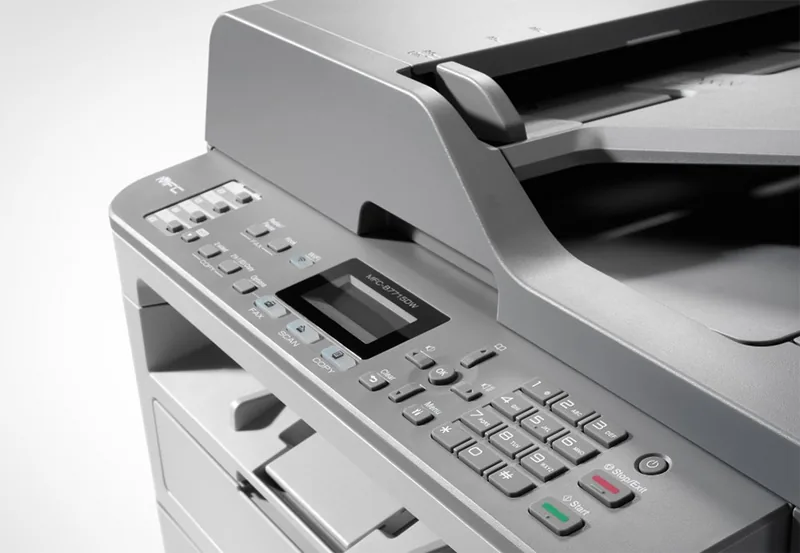
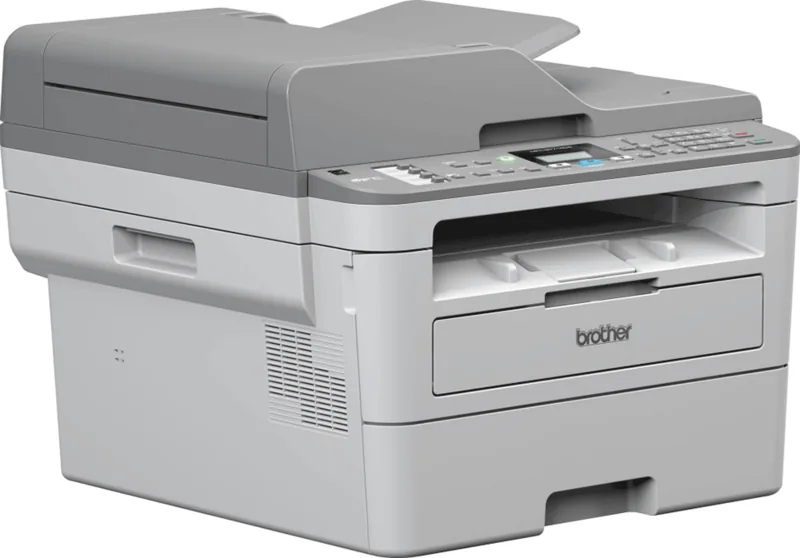
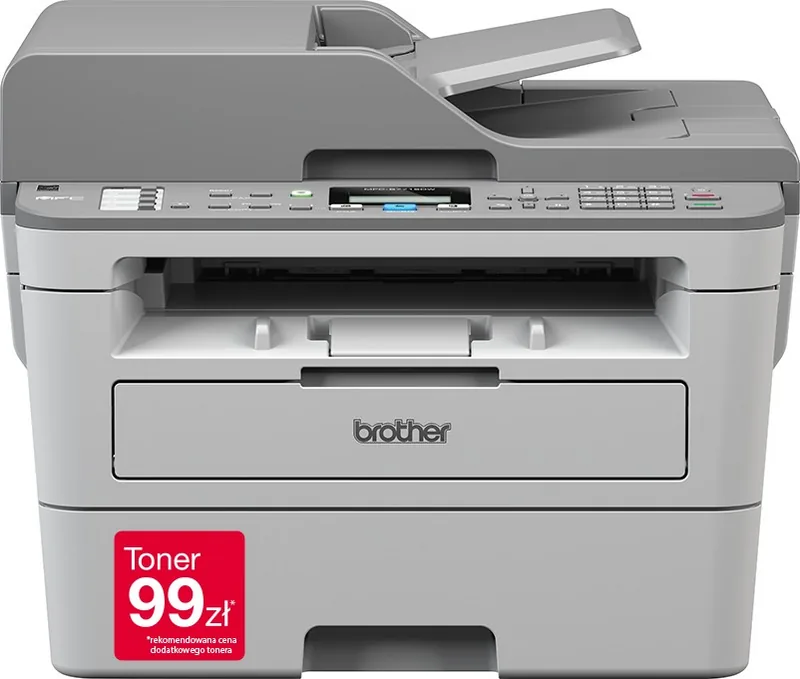
The Brother MFC-B7715DW laser monochrome multifunction is a compact, business-focused printer offering reliable black-and-white printing, copying, scanning and faxing. Engineered for small offices and home businesses, it balances everyday productivity with straightforward operation. Its intuitive control panel, automatic document feeder (ADF) and flexible paper handling make routine tasks fast and predictable.
Key features and daily use
The MFC-B7715DW supports single-color laser output with crisp text and economical toner usage. A user-friendly LCD displays status and guides for functions like copy, scan and fax. Basic and advanced settings — paper size, media type, resolution and two-sided printing — are accessible via the control panel or software utilities for Windows and Mac. The ADF handles multi-page scanning and copying (up to 50 sheets), while the flatbed glass accommodates single sheets or books.
Network connectivity includes wired and wireless options. Wireless setup can be performed using WPS, a control-panel wizard, or software installers, letting users print and scan from multiple PCs and mobile devices. Mobile printing support covers AirPrint, Mopria and Brother’s iPrint&Scan, enabling printing from smartphones and tablets.
Scanning is versatile: save to image, PDF, editable OCR text, email attachments, FTP or network folders. The machine integrates with Windows Status Monitor and web-based management for remote configuration and status checks. For Windows users, ControlCenter4 centralises scan profiles and scan-button behaviour; Mac users manage scans via Brother iPrint&Scan or the system Print & Scan utilities.
Paper handling is flexible: a front paper tray supports standard sizes and a manual feed slot accepts envelopes, thick media and labels. Detailed paper and tray settings let you match media type and size to avoid jams or print errors. The manual feed and output trays include guides and supports to keep prints aligned.
Operation includes helpful safeguards: unscannable/unprintable margins are documented, and the guide outlines acceptable media types (avoid inkjet-only or highly textured papers). Maintenance procedures cover toner and drum replacement, cleaning the scanner and rollers, and guidelines for packing and shipping.
Why consult the manual
Although the MFC-B7715DW is straightforward for basic printing, its manual provides essential details for advanced features: configuring network security (SSL/TLS), setting up Scan to FTP profiles, adjusting print driver defaults, troubleshooting jams and error messages, and using BR-Script3 (PostScript emulation) when needed. Following the manual ensures optimal performance, correct media handling and secure network operation.
Notes
- The ADF is for standard paper only — do not use stapled, taped, or very thick documents.
- Use recommended Brother supplies for consistent print quality and to avoid voiding service coverage.
- When changing paper sizes or types, update Paper Size/Paper Type settings on the device or driver.
Search for 67,706 Manuals online


Type-in Brand or Model