
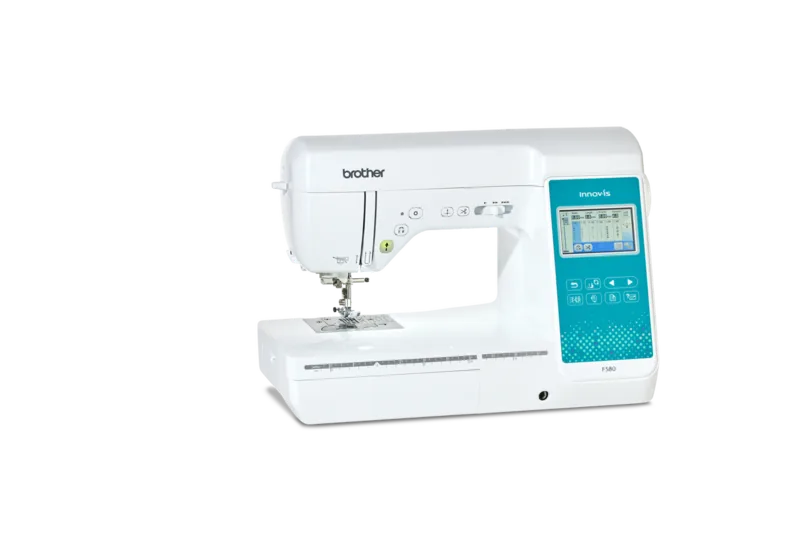
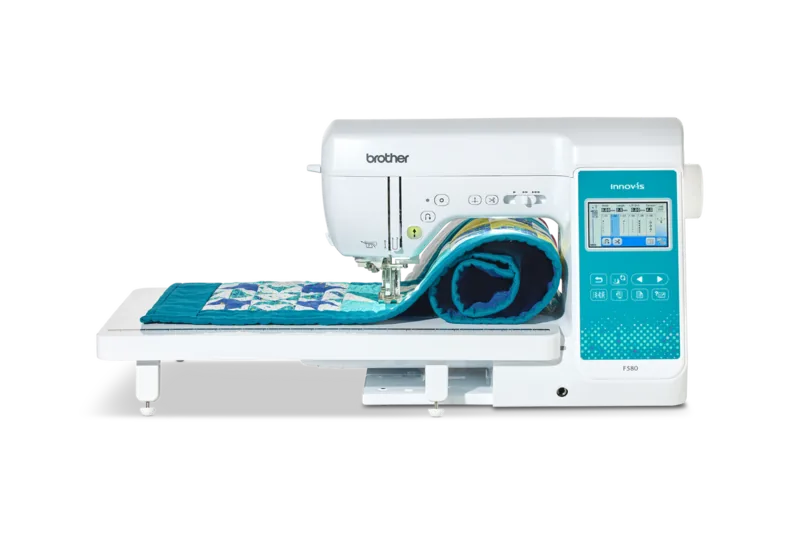
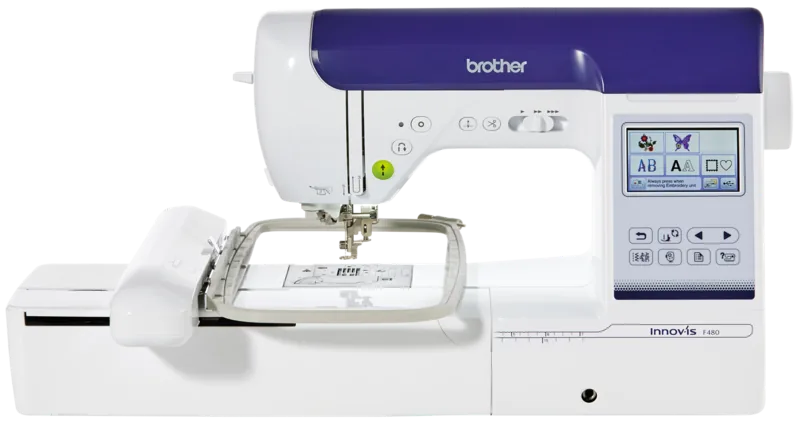
Brother Innov-is F480 Manual
PDF manual · 212 Pages
English



Quick check
Incorrect answer, please try again.
Chat with your Brother Innov-is F480 manual using AI
Get instant AI answers from your Brother Innov-is F480 manual
Ask anything about the Brother Innov-is F480. Answers come from this manual, with the pages they are based on.
Innov-is F480 Maintenance Schedule
Remove lint and dust from the hook race and bobbin sensor regularly to maintain sewing performance.
Wipe the LCD screen with a soft, dry cloth if it becomes dirty. Do not use organic solvents.
Wipe the housing with a damp cloth wrung out in neutral detergent, then wipe with a dry cloth.
Ask a Question
Do you recommend Innov-is F480?
Yes NoFrequently Asked Questions
It combines practical sewing tools with embroidery features, giving users access to utility stitches, decorative options, lettering, motif editing, and custom design possibilities in one machine.
Is this answer helpful?
Yes, especially because it uses a touchscreen interface, clear menus, and guided steps for threading, bobbin winding, and stitch selection. Still, beginners may need time to learn its advanced functions.
Is this answer helpful?
Yes. It is designed as a sewing and embroidery machine, so users can complete regular construction work, decorative stitching, and embroidery projects without needing separate devices.
Is this answer helpful?
Yes. It includes options for creating or editing stitch patterns, storing designs, and adjusting embroidery details. This makes it useful for personalized and decorative projects.
Is this answer helpful?
The manual highlights unplugging the machine during cleaning or maintenance, keeping fingers away from moving parts, using the correct needle and presser foot, and locking controls during adjustments.
Is this answer helpful?
Proper needle and thread combinations help prevent skipped stitches, needle breakage, fabric damage, and uneven seams. The machine works best when materials are matched to the project type.
Is this answer helpful?
Advantages and Disadvantages
Advantages

- Combines sewing and embroidery in one machine for versatile creative projects.
- Touchscreen controls and guided menus make setup and stitch selection easier.
- Wide stitch library supports utility sewing, decorative work, lettering, and embroidery.
- Memory and USB functions help save settings and recall designs conveniently.
Disadvantages

- Many functions may feel complex for complete beginners at first.
- Some accessories are optional, so advanced setups may require extra purchases.
- Correct needle, thread, and fabric matching is important to avoid stitching issues.
- The machine is intended for household use, not heavy industrial work.
Product Specification
Type
electric with direct selection buttons
Stitch patterns
320, of which 16 alphabets
Buttonhole
10 buttonhole types
Stitch length
adjustable
Stitch width
adjustable
Display
LCD
Hook system
horizontal
Features
Automatic needle threader, Thread cutter, Reverse sewing button, Lock stitch button, sewing without foot pedal, Mirror function, adjustable thread tension, adjustable presser foot pressure, Drop feed, USB connection, Knee lifter, electronic speed control, Presser foot change with snap-on automatic (Snap-on), Free arm
Product Description
Brother Innov-is F480 Sewing and Embroidery Machine: A Practical Creative Companion
The Brother Innov-is F480 sewing and embroidery machine Manual reveals a machine designed for makers who want versatility, control, and dependable everyday performance. This model blends sewing and embroidery in one unit, making it a strong choice for home use when you want to move easily from basic construction to decorative work without switching tools.
One of the most appealing qualities of the Innov-is F480 is its guided operation. The touchscreen interface, on-screen menus, and clear status indicators help simplify setup, stitch selection, and machine adjustments. From threading the needle to winding the bobbin, the steps are laid out in a way that supports both beginners and experienced sewists. The machine also includes helpful safety reminders and locking functions, which are especially useful during needle changes, presser foot swaps, and maintenance.
Creative users will appreciate the wide range of stitch options. The machine supports utility stitches, decorative stitches, satin stitches, lettering, and custom stitch design features. It also includes embroidery functions with motif editing, color adjustments, and memory options for storing or recalling designs. This makes it well suited for garments, home décor, appliqué, quilting accents, and personalized projects.
Another major strength is its practical approach to precision. Adjustable stitch length, stitch width, thread tension, presser foot pressure, and speed settings give the user fine control over results. Features like automatic thread cutting, reverse stitching, reinforcement stitching, and twin-needle support further expand what the machine can do. The manual also emphasizes the correct needle, thread, and fabric combinations, which helps protect both the project and the machine.
Overall, the Brother Innov-is F480 stands out as a feature-rich machine that balances creativity with usability. It is built for users who want more than a basic sewing setup and value both embroidery capability and thoughtful machine guidance.
Notes
- Best suited for home sewing and embroidery projects.
- Use Brother-recommended accessories for the safest results.
- Regular cleaning and needle checks help maintain stitch quality.
- The machine offers many advanced features, but setup rewards careful reading and practice.
Search for 67,706 Manuals online


Type-in Brand or Model